
Zorix Premium
ZORIX PREMIUM OPTIMIZER — the complete Windows performance suite
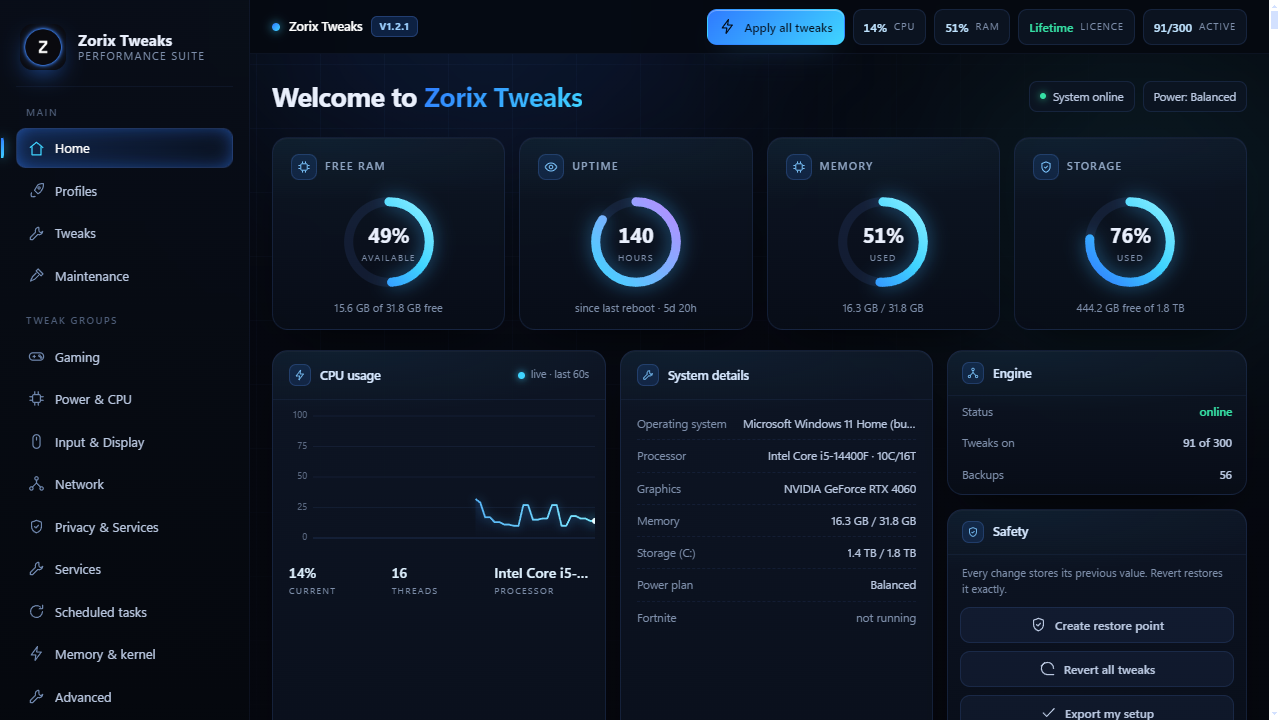
300 reversible tweaks, a guided hardware scan, per-game profiles, background control and a built-in benchmark so you can actually see the difference. Every change has one-click rollback.
WHAT YOU GET
- 300 tweaks, all reversible
- Guided hardware scan built for your PC
- Per-game performance profiles
- Built-in benchmark + before/after scores
- Lifetime updates, one-time payment
Windows 10 / 11 (64-bit). Instant download after checkout — no waiting for a key.
HOW TO INSTALL (2 minutes)
1. After checkout, download the .zip from your receipt email or your Payhip
library.
2. Find the downloaded file (usually your Downloads folder), right-click it and
choose "Extract All..." then Extract. Don't run the app from inside the zip —
Windows will re-extract it to a temp folder every time.
3. Open the extracted folder and double-click the .exe.
4. Click Yes on the "Do you want to allow this app to make changes" prompt —
the tweaks need administrator rights to apply.
5. If Windows shows "Windows protected your PC", click More info → Run anyway.
The app isn't code-signed, and that's the only reason the warning appears.
6. Paste the licence key from your receipt email and press Activate. It checks
once with Payhip, then works offline forever.
YOUR KEY
One key = one PC. Moving to a new PC? Press Sign out inside the app first, or
contact support and we'll reset it.
TROUBLESHOOTING
- "This key is for a different Zorix product" → you're using another product's
key. Each product has its own key in its own receipt.
- Antivirus flags the .exe → false positive common to system-tweak tools. Restore
the file from quarantine and add the folder as an exception.
- App won't open → make sure you extracted the zip first, then right-click the
.exe and use "Run as administrator".
SUPPORT: discord.gg/btPmeadHp9