




PDF Merge & Split Offline — Combine, Split, Reorder PDF Pages (No Upload)
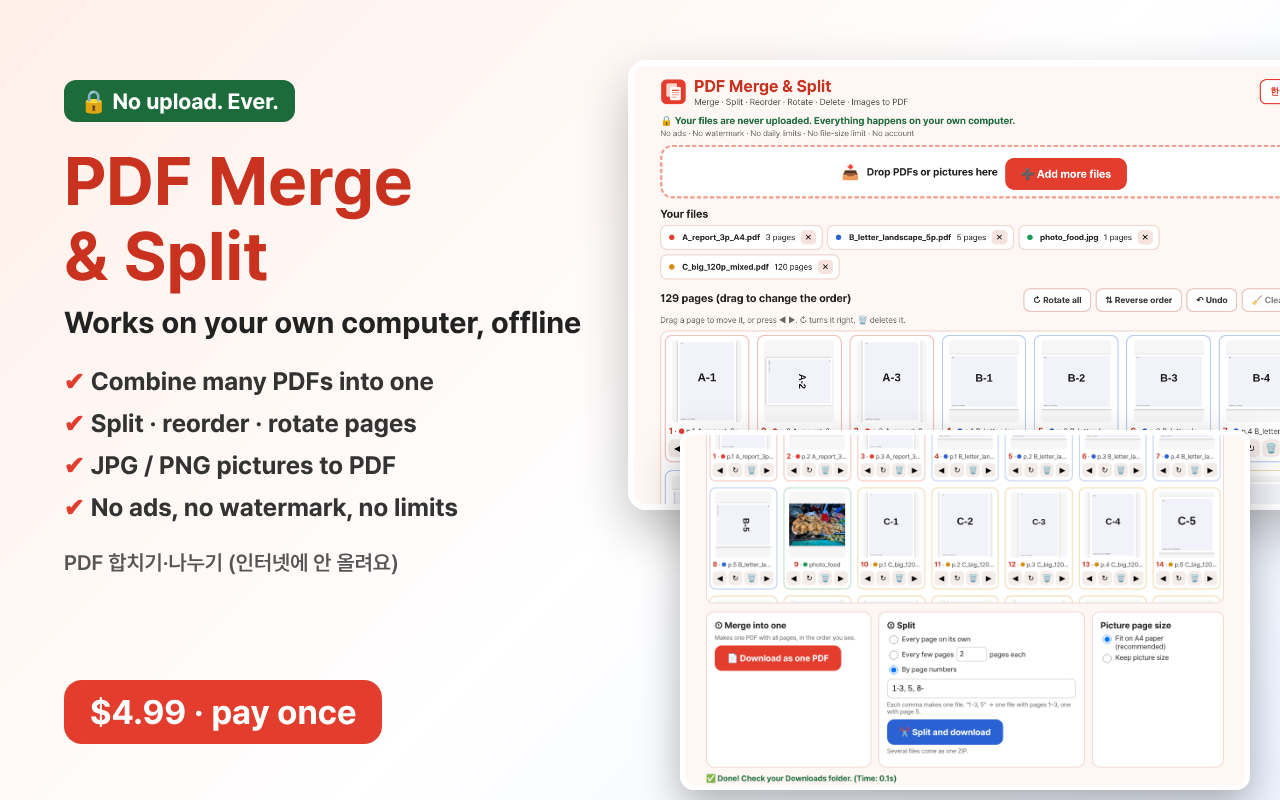
Put PDFs together, cut them apart, and fix the page order, right in Chrome.
Turn phone photos and screenshots (JPG, PNG) into one PDF.
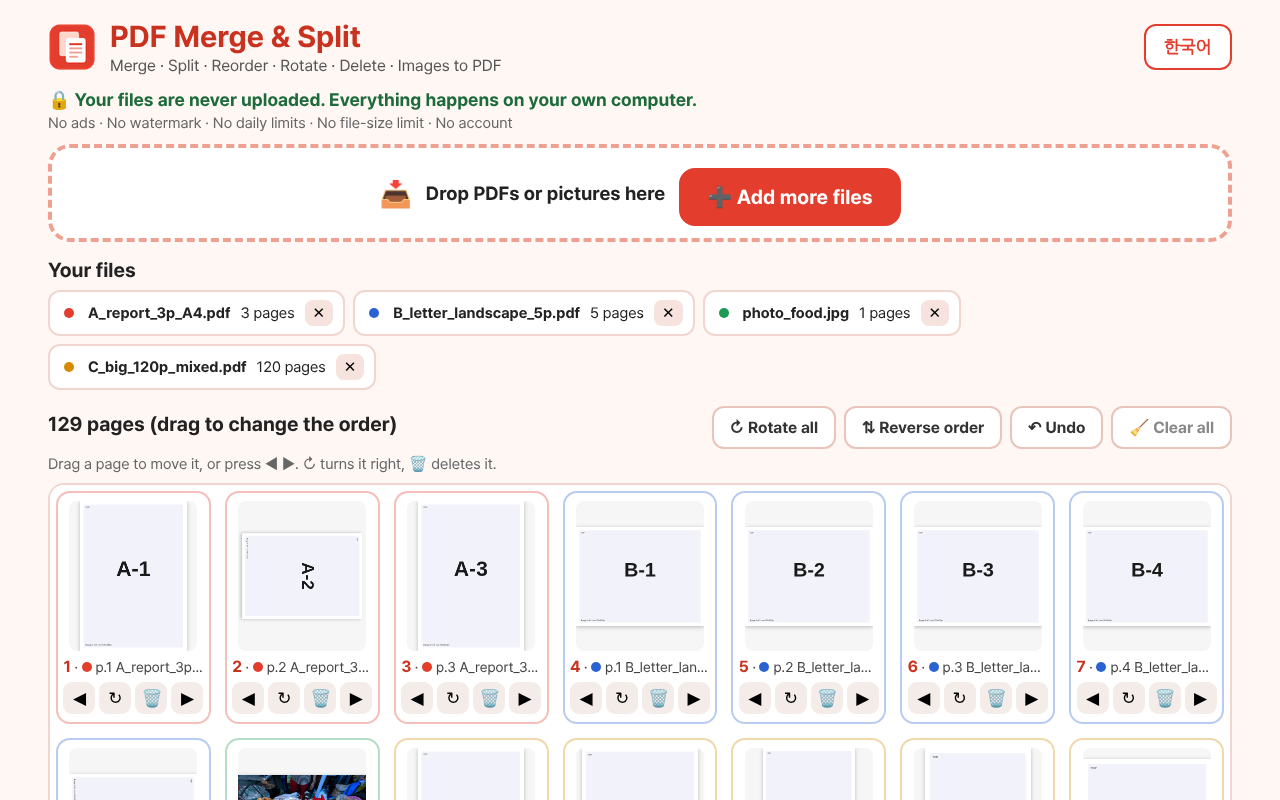
Your files are never uploaded. Everything happens on your own computer.
WHY YOU'LL LIKE IT
- Contracts, bank papers, ID copies? They stay on your PC. Free PDF websites make you upload them. This does not.
- No daily limit, no file-size limit, no watermark, no ads, no account. Pay once.
- Easy: drag files in, see every page as a small picture, drag pages to change the order.
- One click to turn a page or throw it away. Made a mistake? Press Undo.
- Fast. In our test, 3 PDFs (128 pages) became one in under half a second.
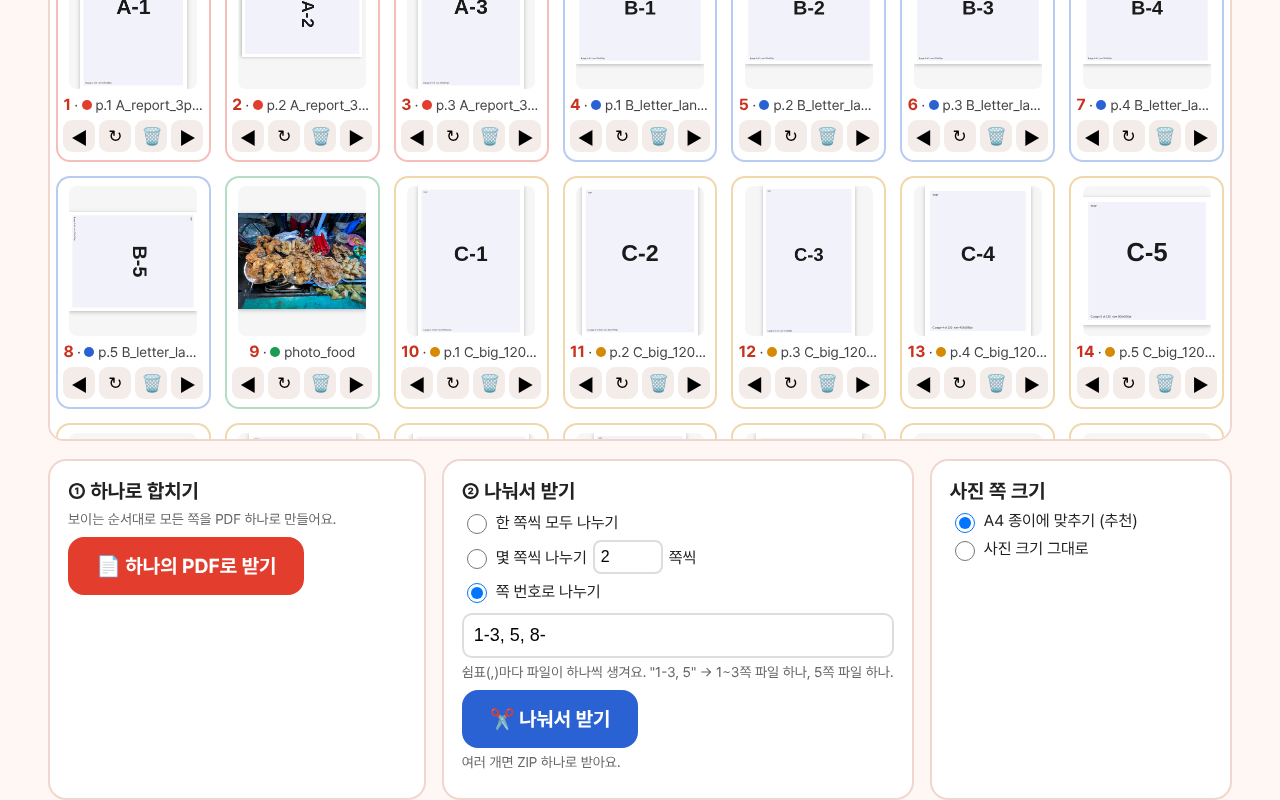
- Cut out only the pages you need, like "1-3, 5". Many files come in one ZIP.
WHAT'S INSIDE
- Chrome extension (Chrome, Edge and other Chromium browsers)
- Korean and English screen (picks your language, button to switch)
- Merge into one PDF / split every page / split every N pages / split by page numbers
- Turn, delete, reorder pages (drag and drop, arrows, Undo)
- Pictures to PDF: JPG, PNG, WebP. Fit on A4 paper or keep picture size.
- Install guide (2 minutes) and license notices
REAL TEST RESULTS (Chrome)
- 3 PDFs, 128 pages, 7 different page sizes: merged in 0.03 seconds. Every page in the right order, sizes kept.
- 4 PDFs, 428 pages, 133 MB: merged in 0.7 seconds. 300 pages split into 300 files (one ZIP) in 1.7 seconds.
- "1-3, 5, 8-" made 3 files with 3, 1 and 121 pages. Turn, delete, drag and Undo all worked.
- 4 pictures (including a sideways phone photo) became a 4-page PDF. The phone photo came out upright.
- Broken files showed a friendly message. The good files were still added.
- Zero internet requests from the tool. All outputs passed a qpdf check.
HONEST LIMITS
- Locked PDFs (any password or security setting) can't be added. Unlock them first.
- Broken PDFs are not repaired.
- It does not make files smaller. The new PDF is about as big as the files you put in.
- Bookmarks (the side table of contents) are not copied. Signed PDFs lose their signature.
- No text editing, no OCR, no signing. iPhone HEIC pictures are not supported.
- Installed with Chrome Developer mode, not from the Chrome Web Store.
Instant download. No shipping.
----------
PDF 합치기·나누기 (인터넷에 안 올려요)
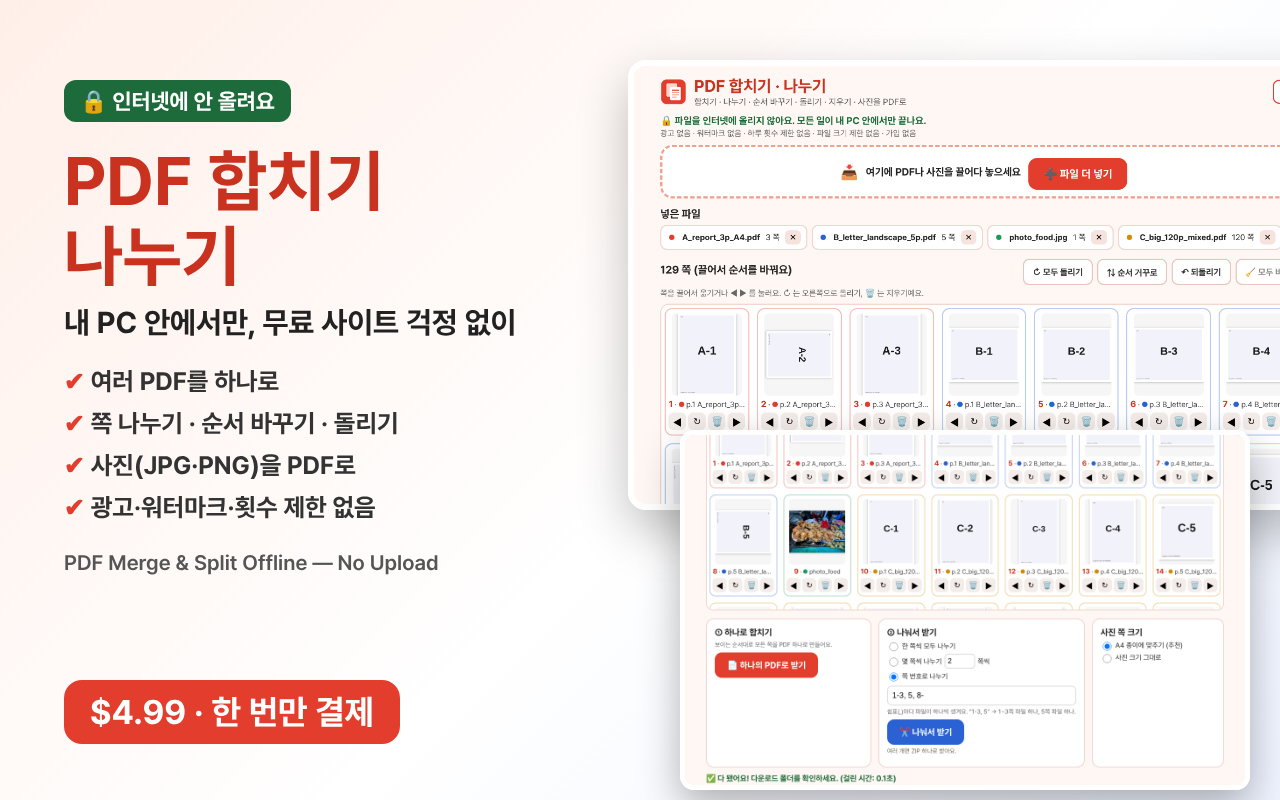
크롬에서 PDF를 합치고, 나누고, 쪽 순서를 바꿉니다.
휴대폰 사진이나 캡처 화면(JPG, PNG)도 PDF 하나로 만듭니다.
파일은 인터넷으로 보내지 않습니다. 모두 내 PC 안에서 처리됩니다.
사면 좋은 점
- 계약서, 통장 사본, 신분증 사본도 안심. 무료 PDF 사이트처럼 파일을 올리지 않습니다.
- 하루 횟수 제한, 용량 제한, 워터마크, 광고, 가입 모두 없습니다. 한 번 사면 계속 씁니다.
- 쉽습니다. 파일을 끌어다 놓으면 쪽마다 작은 그림이 보이고, 끌어서 순서를 바꿉니다.
- 버튼 한 번으로 쪽을 돌리거나 지웁니다. 잘못하면 "되돌리기"를 누르세요.
- 빠릅니다. 시험에서 PDF 3개(128쪽)가 0.5초도 안 걸려 하나가 됐습니다.
- "1-3, 5"처럼 필요한 쪽만 골라 냅니다. 파일이 여러 개면 ZIP 하나로 받습니다.
안에 든 것
- 크롬 확장 프로그램 (크롬, 엣지, 웨일)
- 한국어·영어 화면 (자동 선택, 버튼으로 바꾸기)
- 하나로 합치기 / 한 쪽씩 나누기 / 몇 쪽씩 나누기 / 쪽 번호로 나누기
- 쪽 돌리기, 지우기, 순서 바꾸기 (끌어 놓기, 화살표, 되돌리기)
- 사진을 PDF로: JPG, PNG, WebP. A4 종이에 맞추기 또는 사진 크기 그대로.
- 설치 설명서 (2분), 라이선스 안내
실제 시험 결과 (크롬)
- PDF 3개, 128쪽, 종이 크기 7가지: 0.03초 만에 합침. 쪽 순서와 크기 모두 그대로.
- PDF 4개, 428쪽, 133MB: 0.7초 만에 합침. 300쪽을 파일 300개(ZIP 하나)로 나누는 데 1.7초.
- "1-3, 5, 8-"로 3쪽, 1쪽, 121쪽짜리 파일 3개가 나옴. 돌리기, 지우기, 끌어 놓기, 되돌리기 모두 정상.
- 사진 4장(옆으로 누운 휴대폰 사진 포함)이 4쪽 PDF가 됨. 휴대폰 사진도 똑바로 나옴.
- 고장 난 파일은 친절한 안내가 뜨고, 멀쩡한 파일은 그대로 들어감.
- 이 프로그램의 인터넷 연결 0번. 결과 파일 모두 qpdf 검사 통과.
솔직한 한계
- 잠긴 PDF(암호나 보안 설정이 있는 파일)는 넣을 수 없습니다. 먼저 잠금을 풀어 주세요.
- 고장 난 PDF를 고쳐 주지는 않습니다.
- 용량을 줄여 주지는 않습니다. 새 PDF는 넣은 파일들 크기와 비슷합니다.
- 책갈피(옆쪽 목차)는 옮겨지지 않습니다. 전자서명이 된 PDF는 서명이 풀립니다.
- 글자 고치기, 글자 인식(OCR), 서명 넣기는 안 됩니다. 아이폰 HEIC 사진은 안 됩니다.
- 크롬 웹스토어가 아니라 개발자 모드로 설치합니다.
주문 즉시 다운로드, 배송비 없음.