
Your Cart
Loading
Only -1 left

⚡️PowerEQ For FCP, DR, PR (MacOS)

On Sale
Sale ends in 16 days
$999.99 (25% off)
Added to cart

Great audio is the hardest part of a good video — PowerEQ makes it the easiest.

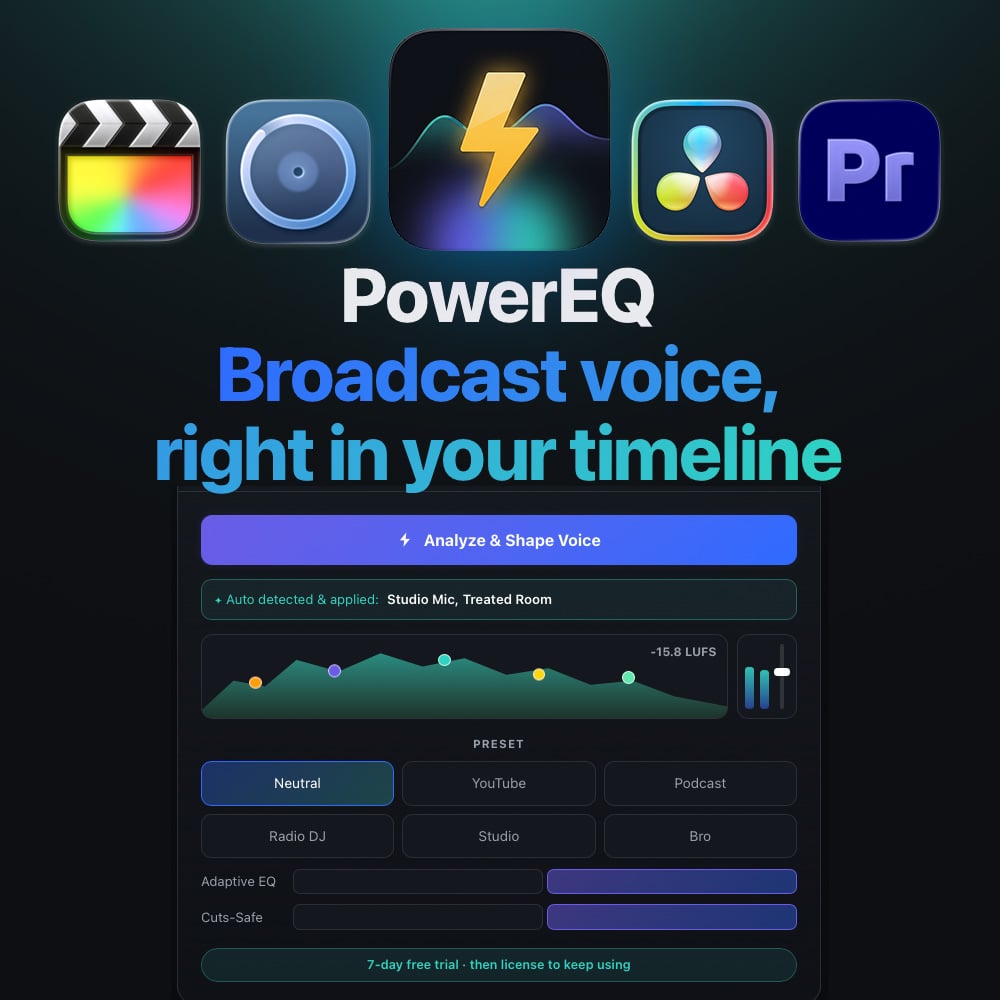
PowerEQ is an audio plugin (VST3 + Audio Unit) for DaVinci Resolve, Final Cut Pro, Premiere Pro and Logic on the Mac. It analyzes your voice recording and automatically shapes it to a polished, broadcast-ready sound. No audio degree, no fiddling with twelve EQ bands — play a few seconds, press Analyze & Shape Voice, and PowerEQ does the rest.

It listens to your recording, finds what's holding it back — boxiness, muddiness, room reverb, harsh resonances, uneven levels — and corrects them toward a professional target curve modeled on high-end voice processing. The result: clear, consistent, present dialogue that sounds like it was mixed by a pro.

What it does, automatically:

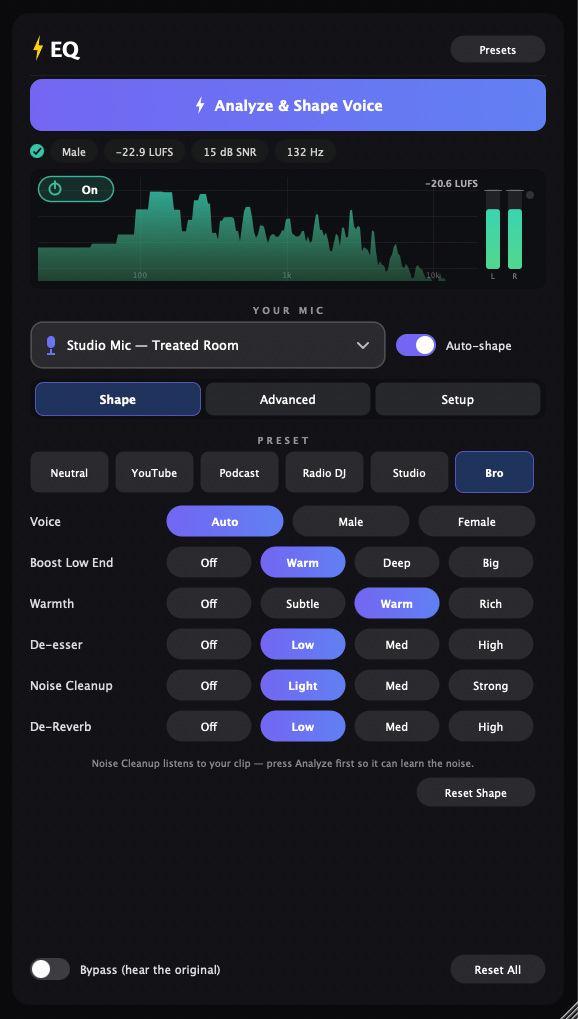
  • 🎚 Adaptive Spectral Match — measures your voice and reshapes its entire tone to a polished target. Dramatic on rough recordings, subtle on good ones.
  • 🎙 Mic profiles + Auto-shape — tell it what you recorded with (studio mic, lav, action cam, phone) and it tunes cleanup, tone and room control to match.
  • 🌫 Spectral De-Reverb & Noise Cleanup — dries up roomy recordings and subtracts the noise floor it learned from your clip.
  • 🔊 Smart Leveling & Loudness — evens out loud and quiet passages and lands your dialogue at the right loudness (YouTube −14 LUFS, Podcast −16 LUFS…).
  • 📈 Live spectrum & meters — a playhead-synced analyzer, output meters and a LUFS readout, so you can see the polish, not just hear it.
  • ✨ Six presets — Neutral, YouTube, Podcast, Radio DJ, Studio, Bro. Pick the vibe, done.
  • 💾 Your own presets — save your dialed-in voice (analysis included) and reuse it across Resolve, Premiere and Final Cut.

Built for editors, not audio engineers. Simple buttons and sliders — no jargon, no guesswork. Same verified DSP engine as ⚡️EQ for Final Cut Pro and EQ Studio.

One-click. On-device. No subscriptions. Mac only (a Windows version is in the works).


Feature bullets (for the highlights section)

  • One-click "Analyze & Shape Voice" — professional dialogue tone instantly
  • VST3 + Audio Unit in one installer — Resolve, Final Cut, Premiere, Logic (macOS)
  • Mic profiles with Auto-shape: studio / lav / action cam / phone
  • Spectral De-Reverb, noise cleanup, de-esser, breath & pop control
  • Automatic leveling + loudness targets (YouTube, Podcast, broadcast)
  • Playhead-synced spectrum analyzer, peak meters and live LUFS readout
  • Six voice presets + savable user presets shared across hosts
  • Signed & notarized installer · universal (Apple Silicon + Intel)
  • One-time purchase — no subscription

Who it's for

Video editors, YouTubers, podcasters, course creators and filmmakers who cut in DaVinci Resolve or Premiere Pro and want pro-sounding dialogue without learning audio engineering.

Requirements

  • macOS 12 or later — Mac only
  • DaVinci Resolve, Premiere Pro, Final Cut Pro, Logic, or any VST3/AU host
  • Apple silicon or Intel Mac (universal)

Free trial

Try PowerEQ free for 7 days — full features, no card required. After the trial, enter your license key in the plugin's Setup tab to keep going.


How it works (3 steps)

  1. Install (one signed installer puts the VST3 + AU in place) and restart your editor.
  2. Add PowerEQ to your dialogue track — Resolve: Fairlight Mixer track insert · Premiere: Audio Units → PowerEQ · Final Cut: search "PowerEQ".
  3. Play a few seconds, press Analyze & Shape Voice, pick your mic — done.

FAQ

Do I need audio experience? No. Play, press Analyze, pick a preset. That's it.

VST3 or Audio Unit — which one? Both are installed. In DaVinci Resolve use either; in Premiere Pro use the Audio Unit (Premiere has a known issue reopening VST3 windows); Final Cut and Logic use the Audio Unit automatically.

Does the analyzer work everywhere? Yes on tracks. On DaVinci Resolve clip effects, Resolve pre-renders audio so no plugin can meter it live — the processing still works perfectly, and the analyzer has an On/Off button for exactly that case.


Is this the same as ⚡️EQ for Final Cut? Same engine, different plugin format. ⚡️EQ is the AUv3 built for Final Cut's inspector; PowerEQ is the VST3/AU for everything else (and also runs in Final Cut). If you bought the Original Final Cut Pro only PowerEQ you will receive an email for a free upgrade to this one. If you haven't received an email, reach out directly.

Is it a subscription? No. One-time purchase, free updates within the version.

How many computers? Your key activates on up to 2 Macs.

Windows? Not yet — this release is macOS only. A Windows version is in the works.