

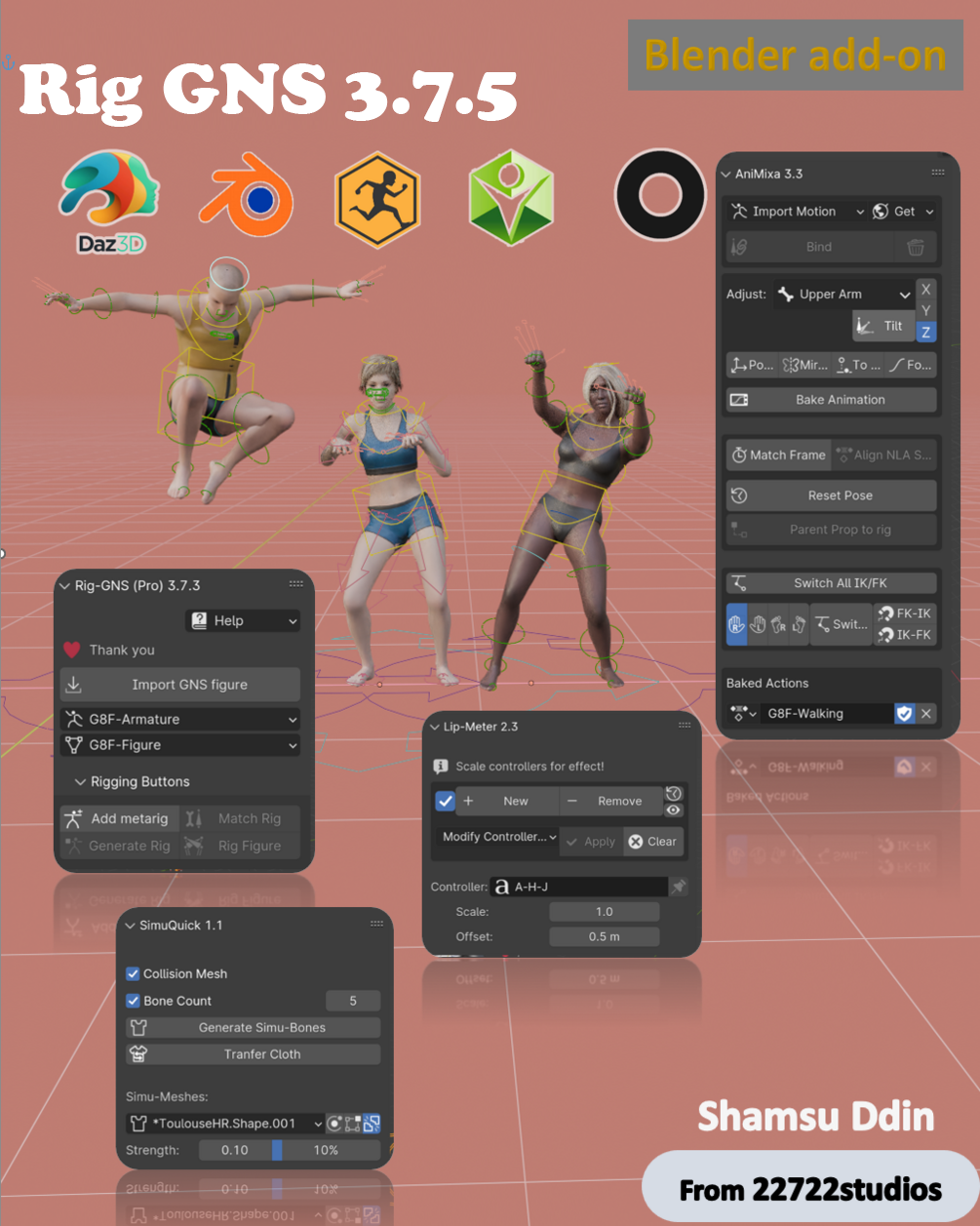

Rig-GNS (Pro) 4.2.2
Last updated on December 11, 2025
Introducing Rig-GNS, a comprehensive Blender add-on designed to enhance your rigging and animation workflow for both Genesis figures from Daz Studio and non-Daz humanoid characters.
Whether you’re working with Daz figures, or custom-made figures, Rig-GNS delivers a flexible and unified system that adapts to your project needs.
With its range of powerful tools, Rig-GNS streamlines every stage of character setup, from automatic rig creation to animation retargeting — giving artists the freedom to focus on creativity instead of technical barriers.
Empower your animations with Rig-GNS and enjoy seamless rigging, advanced motion control, and precision-driven character adjustments. Elevate your creative workflow with this indispensable tool for Blender.
Key Features:
- Rigify Integration: Rig-GNS lets you rig both Genesis and non-Daz humanoid figures using Rigify’s advanced rigging system in just a few clicks. The integration automatically generates intuitive control bones and a clean, animation-ready rig that’s easy to customize.
- Animation Retargeting: Through the Animixa tab, Rig-GNS effortlessly retargets animations from Mixamo, Daz, Rokoko, ActorCore, Quick Magic and other libraries. You can now transfer and refine motions on any compatible humanoid model, whether Daz-based or completely custom.
- Rigimatic Support: The new Rigimatic system introduces guided landmark placement for non-Daz characters, allowing users to rig custom humanoid meshes with the same precision and ease as Genesis figures.
- Lip-Sync and Facial Expressions: Bring characters to life with the Lip-Meter tab — an intuitive system for automatic lip-sync and facial expression control. Achieve natural dialogue, emotion, and expressiveness with minimal setup.
- Cloth and Hair Simulation: The Simu-Quick tab enables fast, efficient simulation for cloth and hair. Create dynamic motion and realistic secondary animation effects with just a few clicks.
User-Friendly Interface:
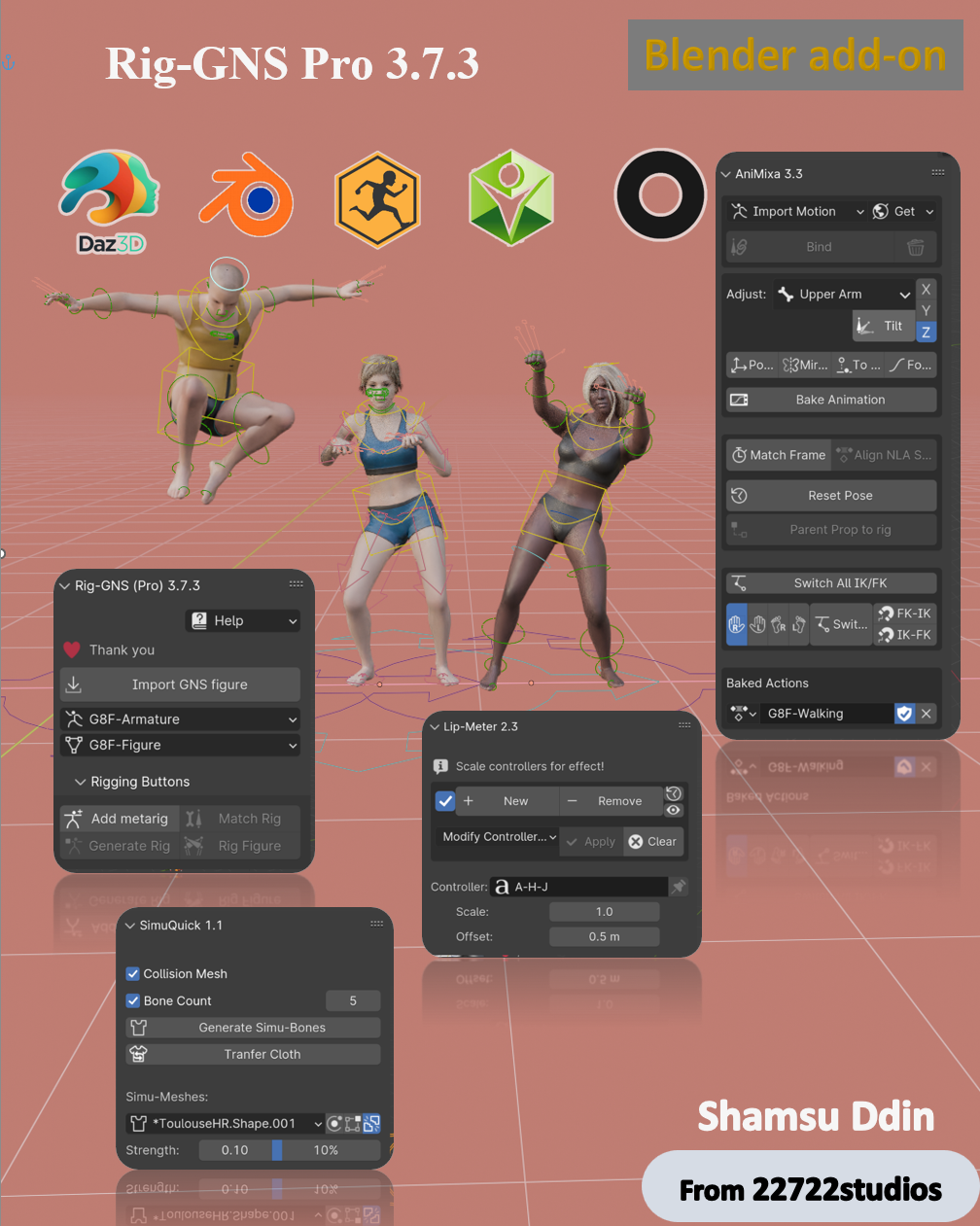
We understand the challenges of learning a new add-on, which is why the Rig-GNS interface was meticulously designed to be intuitive and artist-friendly. The layout is thoughtfully organized into four main panels: Rigimatic, Animixa, Lip-Meter, and Simu-Quick — each dedicated to a key stage of your workflow.
- Rigimatic Panel: Import and rig your characters; whether Genesis figures from Daz Studio or custom non-Daz humanoid models using the Rigimatic system powered by Rigify. With guided landmark placement and automatic bone generation, creating a clean, animation-ready rig takes only a few clicks.
- Animixa Panel: Seamlessly assign animations from Mixamo, Daz, ActorCore, or Rokoko libraries. The Animixa panel allows precise control over retargeted motion and includes advanced tools for IK/FK switching, motion cleanup, and side-specific adjustments.
- Lip-Meter Panel: Craft expressive performances with ease. The Lip-Meter panel offers precise lip-sync and facial expression controls, allowing your characters to convey natural speech and emotion with minimal effort.
- Simu-Quick Panel: Add realism and secondary motion using the Simu-Quick panel. It enables fast, efficient cloth and hair simulation, giving your characters dynamic, lifelike movement in just a few steps.
Additional Features:
- Broad Figure Compatibility: Rigging support for Genesis 3, Genesis 8/8.1, Genesis 9, and non-Daz humanoid characters through the new Rigimatic system.
- Flexible Animation Retargeting: Effortlessly retarget animations from Mixamo, Quick Magic, Daz, Rokoko, and the ActorCore Animation Library to both Genesis and custom figures, offering full control and versatility across animation sources.
- Export to Daz: Export keyframed animations created in Blender directly back to Daz Studio for reuse or rendering.
- Adjust Retargeted Animation: Fine-tune motion with precision — control body tilt, isolate limb movements, and refine keyframes for natural and expressive animation.
- Auto Mouth-Shapes Generation: Achieve realistic and synchronized lip movements with automatic mouth-shape generation, ensuring natural lip-sync for your dialogue animations.
- Quick Hair and Cloth Physics: Simulate dynamic hair and cloth motion instantly through Simu-Quick, bringing believable physics and secondary motion to your characters.
- Enhanced Material Shaders: Improved and simplified shader setups for both Cycles and Eevee, ensuring better material consistency between imported figures.
- Multiple Figure Support: Work seamlessly with multiple characters in one scene — ideal for complex interactions or group animations.
- Integration with Daz Add-ons: Fully compatible with Daz to Blender Bridge and the Diffeomorphic Daz Importer, allowing flexible import and rigging options.
Click the "Buy Now" button to get this Plug-in.
Compatibility and Testing
Rig-GNS has been thoroughly tested across Blender 3.x, 4.x, and up to Blender 5.0, ensuring smooth performance and reliable results. The add-on has been validated with Genesis 3, Genesis 8/8.1, Genesis 9, and custom non-Daz humanoid figures rigged through the Rigimatic system.
All testing figures were exported from Daz Studio 5.0 and earlier versions. Rig-GNS operates seamlessly on both Windows and macOS platforms.
For a complete overview of Rig-GNS features and workflows, consult the User Guide, which provides detailed explanations, setup instructions, and step-by-step examples to help you get the best results from your characters.
Getting started with Rig-GNS Video Tutorial:
Version 4.2. (November 29, 2025)
- Animixa 4.2:
- Simplified motion import with unified Import FBX and Import BVH options.
- More intuitive motion binding/retargeting with support for multiple motions.
- Added a precise Reset Bone tool for individual LOC/ROT axes.
- Bugs Fixed:
- Resolved compatibility issues by recent ActorCore motion updates.
- Fixed BVH export issues to Daz in Blender 5.0.
- Fixed rolled-eyes issue in Daz from imported Blender animations.
- Resolved issues affecting BVH animation imports from Daz in Blender 5.0.
- Fixed the Start/End Frame controls when in Blender 5.0.
Version 4.1. (November 12, 2025)
- General Improvements:
- Optimized compatibility with Blender 5.0 for smoother performance.
- Support for Custom Figures – Rig non-Daz humanoid characters using the Rigimatic
- Improved face deformation system — enhanced control over nose and brow movements.
- Animixa 4.1:
- Quick Magic AI Motion – Now includes Quick Magic integration for automated motion retargeting.
- Mouse Wrap – Enables precise rotation and position alignment with mouse wrap control.
- Kinematics Limb Names – The Snapping Panel now displays the exact name of the limb being adjusted.
- Euler to Quaternion Conversion – Automatically converts Euler angles to Quaternion during IK snapping.
Version 4.0. (June 15, 2025)
- Animixa 4.0:
- Streamlined Animixa Tab – Organized layout for better clarity and usability.
- Side-Specific Adjustments – Precisely control left or right limbs during edits.
- Selective Restore Toggle – Restore adjustments for selected bones or all bones.
- Frame Range Control – Apply adjustments on a single frame or a defined range.
- Position Reset Buttons – Instantly revert bone positions after adjustment.
- Post-Bake Rotation Fix – Rotate Rig button now functions correctly after baking.
- Auto IK-FK Snap – Smart detection of kinematic limbs for seamless switching.
- Hold Frame Tool – Lock a bone’s pose over multiple frames with ease.
- Precision Keyframe Clearing – Remove unwanted keys cleanly with Clear Frame.
- Fill Missing Keyframes – Automatically insert keys where they're missing.
Version 3.8.1. (April 08, 2025)
- General Improvements:
- Enhanced compatibility with Blender 4.4.
- Animixa 3.4.1:
- Fixed issues with the Convert to GNS button not appearing in Blender 4.4.
- Resolved animation import problems in Blender 4.4.
- Lip-meter 2.5:
- Refined and polished Asset Shelf poses for better accuracy and consistency.
- Lipsync pose thumbnails now update correctly in the asset shelf.
- Improved UI for a more intuitive user experience.
- Added Cancel Modification button for quick resets.
- Introduced Toggle Mesh Subdivision button for better viewport performance control.
Version 3.8.0 (January 1, 2025)
- Improvements:
- Enhanced compatibility with Blender 4.3.
- Animixa 3.4:
- Added Rotation Button: Easily adjust the orientation of retargeted rigs using the new Rotation button.
- Added Restore Adjustment Button: Quickly revert any bone adjustments in the Animixa tab, streamlining your workflow.
- Added Mute Button: Disable specific bones' animation when they're not needed for certain actions or sequences.
- Improved FK-IK Interface: Enjoy a cleaner and more intuitive layout in the FK-IK section of Animixa.
Version 3.7.5. (October 23, 2024)
- Improvements:
- Payhip Marketplace Integration
- Lip-meter 2.4:
- Camera Detection Fix.
- Improved Shape Key Handling for controllers.
- Resolved viewport shading errors when modifying controllers.
Version 3.7.4. (August 10, 2024)
- Improvements:
- Enhanced compatibility with Blender 4.2.
- Improved face deformation handling in Blender 4.2.
- Support added for older Blender version 3.x Bone layers to work with 4.x Collections.
- Simuquick 1.2:
- Added a new pop-up menu for a cleaner user interface.
- Introduced a “Clear Simu Bones” button.
- Fixed issues with the “Isolate” button functionality.
- Bug Fixes:
- Resolved viewport shading errors with Lip-Meter when modifying controllers.
Version 3.7.3. (June 5, 2024)
- Animixa 3.3:
- The "Bind" button now also functions as an "Unbind" button for animations.
- Added options for parenting props to rigs using Bone, Vertex group, Automatic weight, or Transfer weight.
- Lip-meter 2.3:
- Controllers now works with Pose library in the asset shelve.
- Added buttons for resetting and hiding controllers.
- Bugs Fixed:
- Resolved G9 Error when rigging a figure imported with the Diffeomorphic option.
- Fixed face distortion after rigging a figure imported with the Diffeomorphic option.
- Addressed installation issues with Blender 4.0.
Version 3.7.2. (February 14, 2024)
- Export BVH files to Daz with Genesis 9 figures
- Parenting props to rig improved.
- Error with Normals resolved.