





Budget Planner Excel Google Sheets Budget Spreadsheet Monthly Paycheck Budget Tracker Weekly Expense Budgeting Finance Spreadsheet Dark Mode
# Dark Budget Planner — Excel Spreadsheet Template
## Finally, a Budget Planner That Looks as Good as It Works.
Most budget spreadsheets are ugly. Cluttered white grids, confusing tabs, and zero motivation to open them again after Day 1.
This one is different.
The **Dark Budget Planner ** is a sleek, fully automated Excel template designed for people who want total control over their money — without the spreadsheet headache. Everything is pre-built, pre-formatted, and ready to use the moment you download it.
---
## ✦ What's Inside
**6 powerful sheets in one file:**
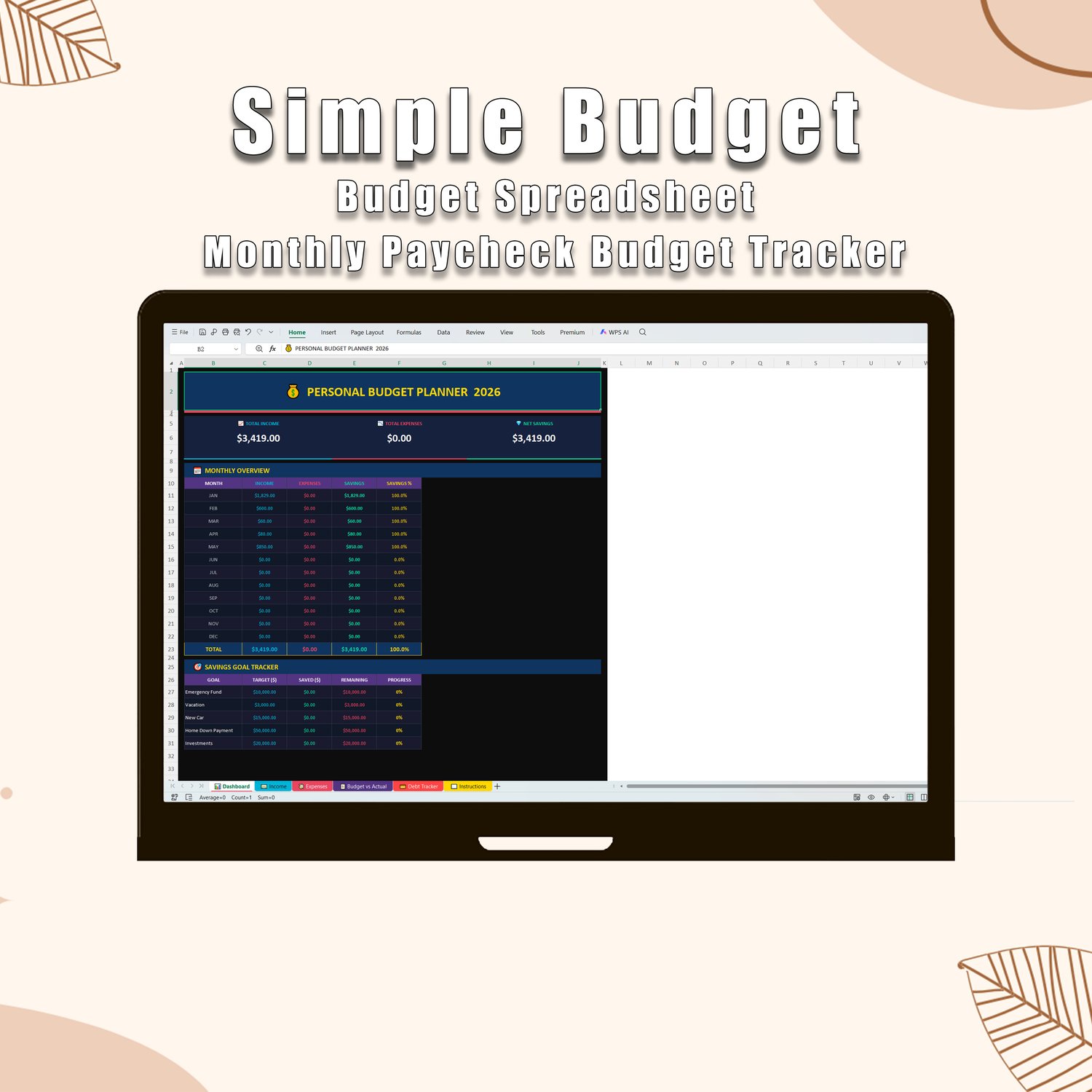
**📊 Dashboard**
Your financial command center. See your total income, total expenses, and net savings at a glance — all updating automatically as you fill in your numbers. Includes a 12-month overview and a Savings Goal tracker.
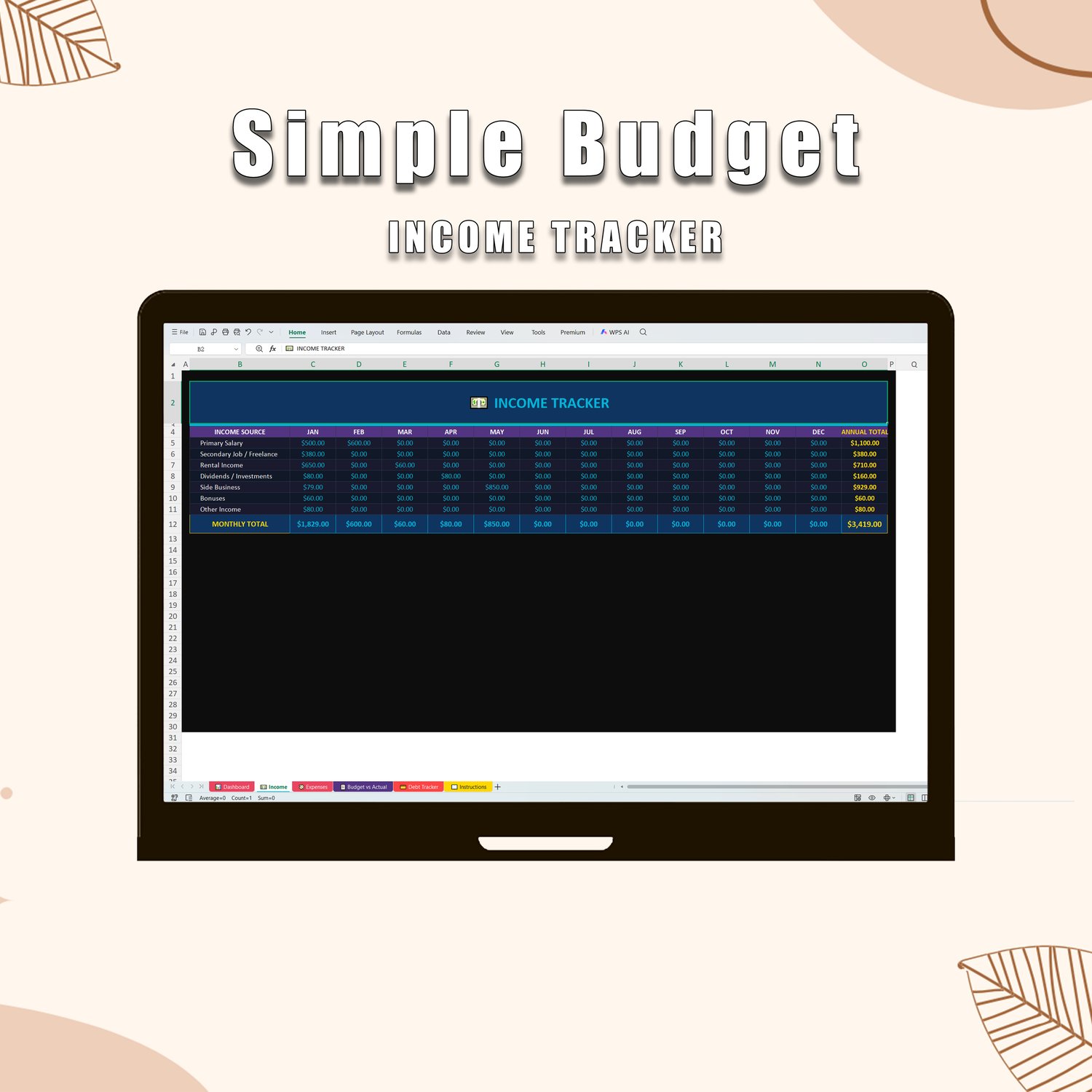
**💵 Income Tracker**
Track up to 7 income streams (salary, freelance, rental, investments, and more) across all 12 months. Monthly and annual totals calculate themselves.
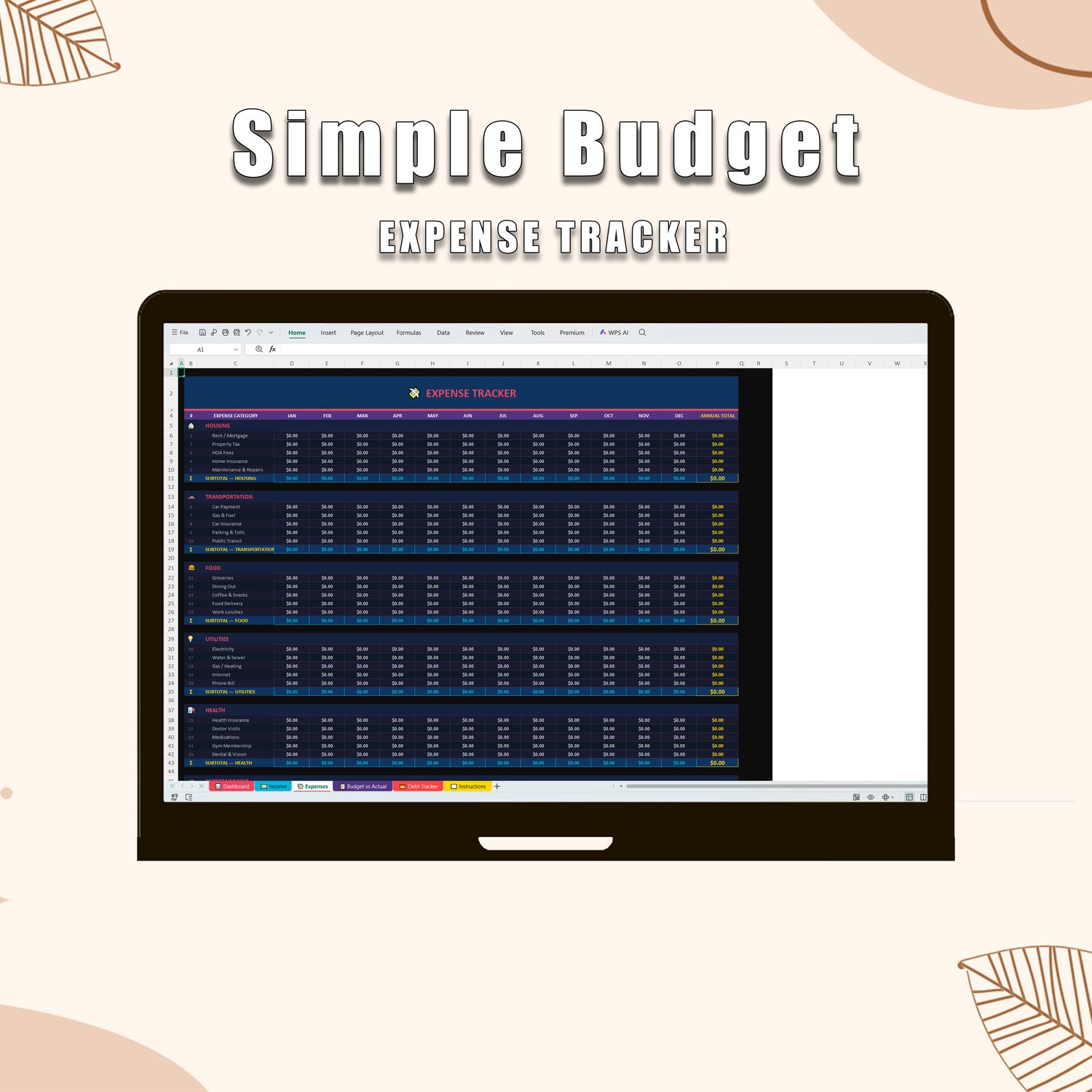
**💸 Expense Tracker**
45 expense line items across 9 categories — Housing, Transportation, Food, Utilities, Health, Entertainment, Personal, Education, and Savings & Debt. Subtotals and a Grand Total row update automatically every time you type.
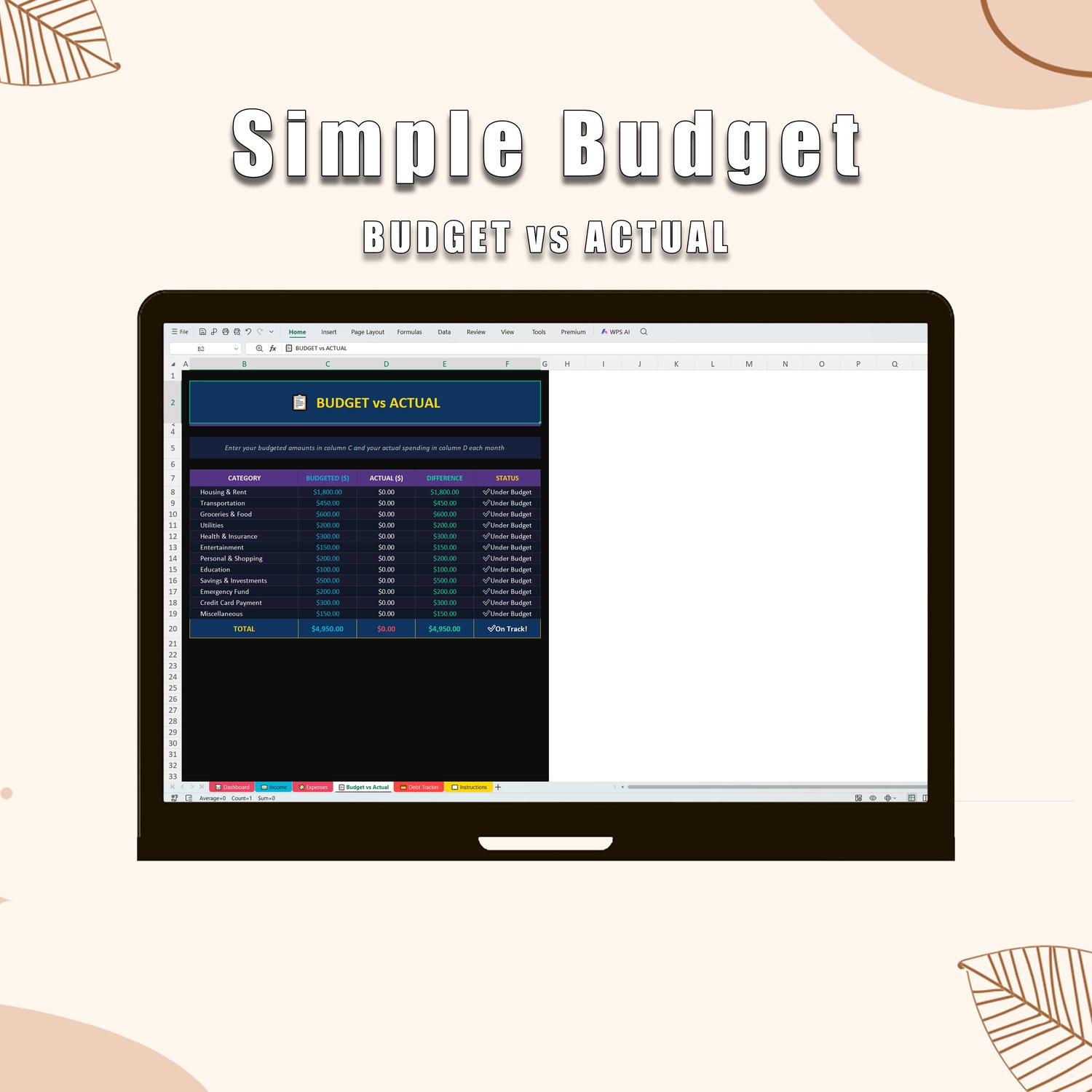
**📋 Budget vs. Actual**
Set your monthly budget, enter your real spending, and watch the ✅ / ⚠️ status update instantly. Perfect for weekly check-ins.
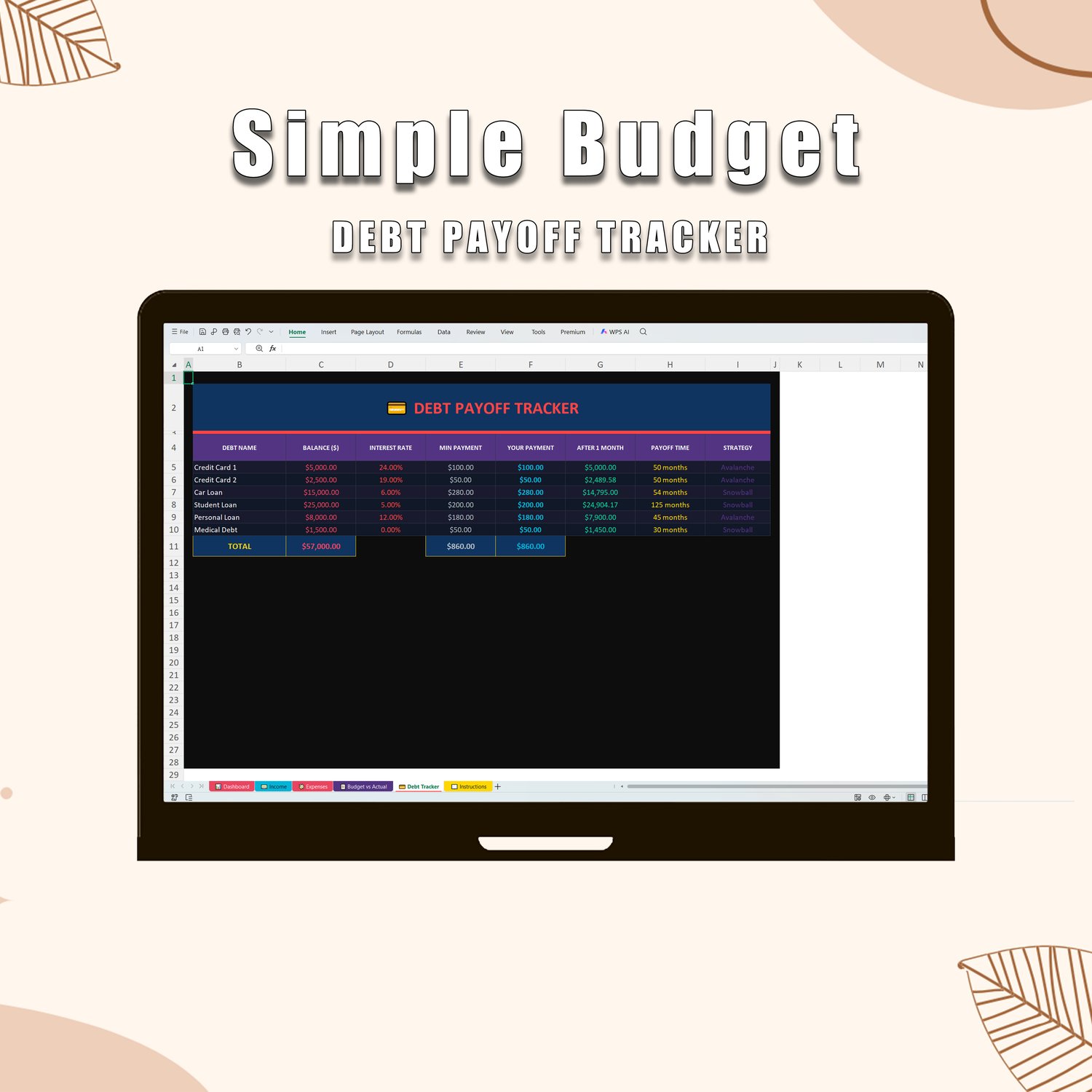
**💳 Debt Payoff Tracker**
List all your debts, set your payment amounts, and see exactly how long until you're debt-free. Includes built-in Avalanche and Snowball strategy labels.
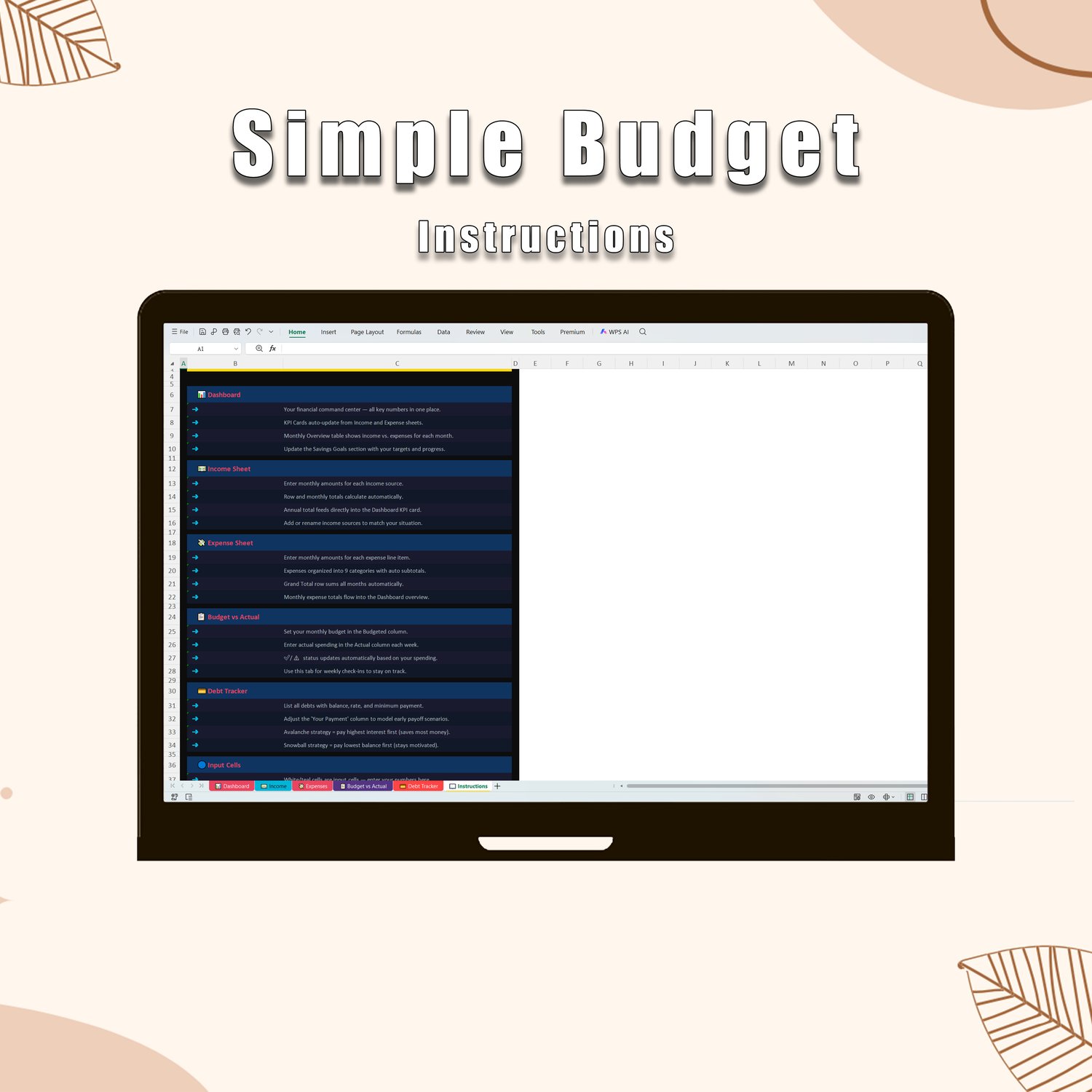
**📖 Instructions**
A clean, step-by-step guide so you (or your customers) can get started in minutes — no tutorials needed.
---
## ✦ Features
- 🖤 **Dark aesthetic design** — near-black background, navy cards, gold totals, and pink-red accents
- ⚡ **303 auto-calculating formulas** — just enter your numbers, everything else is handled
- 📅 **Full 12-month coverage** — plan your entire year from January to December
- 📊 **Live Dashboard** — income, expenses, and savings KPIs update in real time
- 💰 **Savings Goal Tracker** — set up to 5 goals and track your progress
- 💳 **Debt Tracker** — calculates payoff timelines automatically
- ✅ **Budget vs. Actual** — see over/under budget status at a glance
- 🖥️ **Works on PC & Mac** — compatible with Microsoft Excel 2016 and later
- 📱 **Mobile-friendly layout** — clean and readable on any screen size
- 🔒 **No macros, no plugins** — just a clean, secure Excel file
- 🎯 **Beginner friendly** — no formulas to write, no setup required
---
## ✦ Who This Is For
This template is perfect for you if:
- You want to stop wondering where your money went each month
- You've tried budgeting apps but prefer seeing everything in one place
- You love a clean, aesthetic workspace — even your spreadsheets should look good
- You're paying off debt and want a clear payoff plan
- You're saving toward a big goal (house, vacation, emergency fund) and need to stay on track
---
## ✦ How It Works
1. **Download** your file instantly after purchase
2. **Open** in Microsoft Excel (2016 or later)
3. **Enter** your income and expenses — every formula is already built in
4. **Watch** your Dashboard update automatically
5. **Check in** weekly using the Budget vs. Actual tab to stay on track
That's it. No setup, no instructions needed beyond what's already in the file.
---
## ✦ What You'll Receive
- 1 × `.xlsx` file (Microsoft Excel format)
- Works with Excel on Windows and Mac
- Instant digital download — no waiting, no shipping
---
## ✦ Frequently Asked Questions
**Does this work on Google Sheets?**
It can be uploaded to Google Sheets, though some formatting and advanced formulas may render slightly differently. It is optimized for Microsoft Excel.
**Do I need any Excel experience?**
Not at all. Every formula is pre-built. You only need to type your numbers into the white and teal input cells — everything else calculates automatically.
**Is this a one-time purchase?**
Yes. Pay once, use it forever. The file is yours to keep and reuse every year.
**Can I customize it?**
Absolutely. You're free to rename categories, add rows, or adjust any of the input fields to match your lifestyle.
**What version of Excel do I need?**
Microsoft Excel 2016 or later is recommended. Earlier versions may not display all formatting correctly.
---
## ✦ Important Notes
This is a **digital download product**. Due to the instant nature of digital files, all sales are final and no refunds are offered once the file has been downloaded. Please review the product details and FAQs carefully before purchasing.
---
*Take control of your finances — starting today.*
**→ Add to Cart and download instantly.**