



Homeowner Command Center | Excel Home Maintenance, Warranty & Repair Tracker + Home Reserve Planner
Keep home maintenance records and project plans together in an editable toolkit without a Broadsteel subscription.
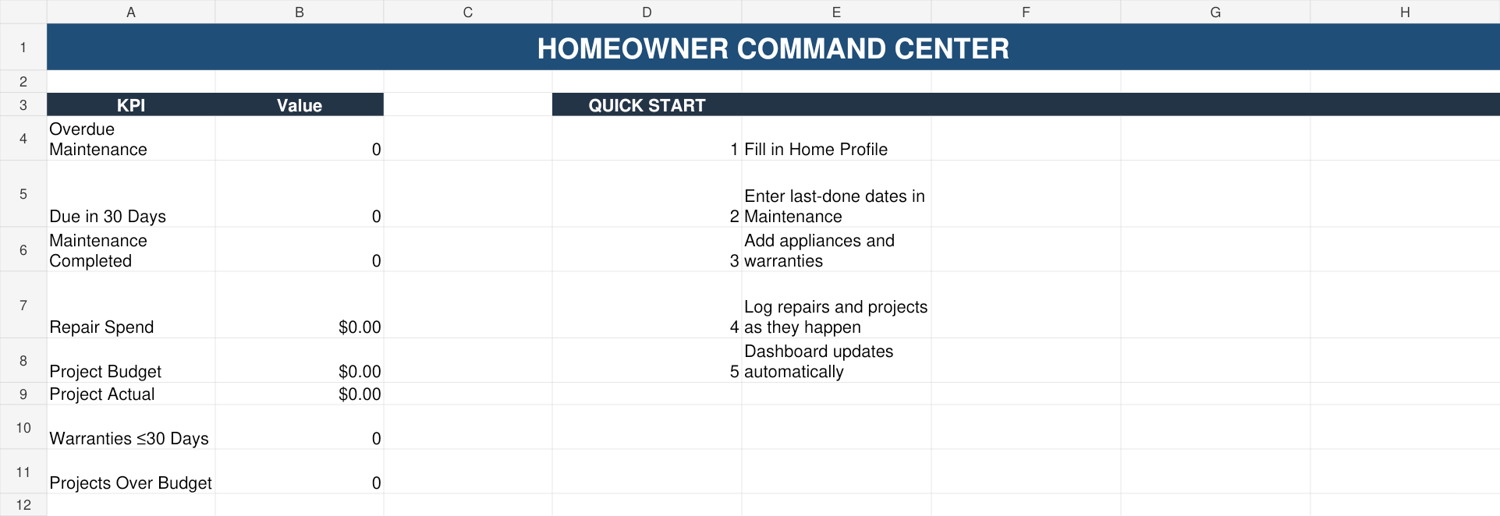
Track upkeep and spending: recurring maintenance dates and next-due calculations; repairs and actual spending; appliances and warranties; project budgets and variance; contractors and seasonal tasks. The 11-tab core Dashboard summarizes selected date-based alerts and money fields from the core workbook.
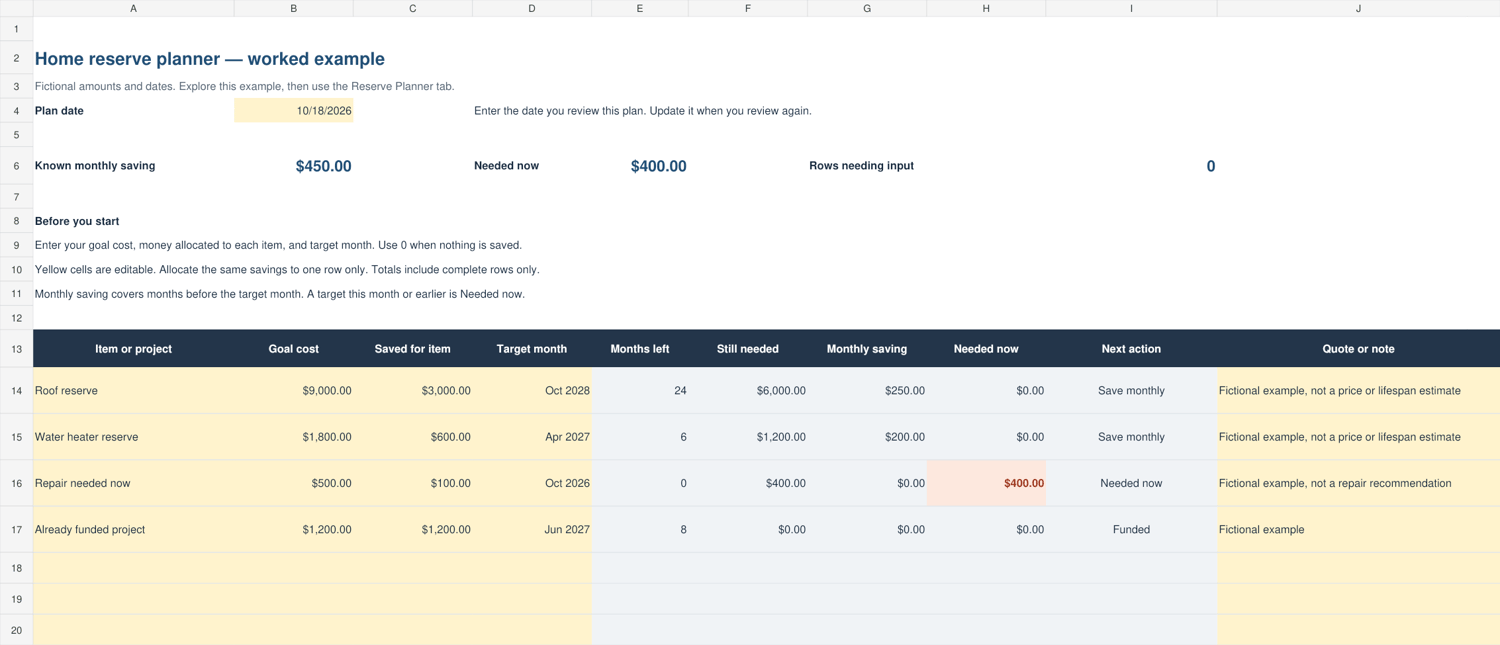
Plan for future costs: the separate Home Reserve Planner accepts up to 30 savings goals. Enter an estimated goal cost, what you have already allocated, and a target month. Its formulas calculate the amount remaining, months available, monthly saving and any amount needed now.
Start with an example: use the fictional example workbook and example planner tab to see the layout, then save a working copy of the clean master for your own records.
What's in the ZIP
1. Homeowner_Command_Center_v1_4.xlsx: editable 11-tab clean core workbook.
2. Homeowner_Command_Center_Example_v1_4.xlsx: fictional demonstration workbook.
3. BONUS_Home_Reserve_Planner_v1_0.xlsx: separate two-tab 30-item planner, with example.
4. BONUS_Homeowner_Quick_Start_Seasonal_Planner.pdf: four-page printable companion.
5. START_HERE_Homeowner.txt: first steps and usage notes.
Requirements and limitations
- Use desktop Microsoft Excel. Excel software is not included. Mac, web/mobile Excel, Google Sheets and Apple Numbers have not been qualified for this release.
- The core's documented dashboard/formula ranges run through row 200. The separate reserve planner tracks 30 items.
- You enter and maintain your own information. There are no automatic texts or reminders, bank links, photo uploads, smart-home connections, cloud synchronization or live price estimates.
- Reserve calculations are separate from the core Dashboard and use your own cost and date estimates.
- The toolkit is an organizational aid, not professional inspection, safety, financial, legal, insurance or tax advice. Follow manufacturer instructions and the requirements for your property and equipment.
- This is a digital download; no physical product is shipped.
Household license
Your purchase permits you to use, edit and back up the supplied templates for your own household. You may not resell, redistribute, publicly repost or sublicense the templates, including modified versions.
Support and refunds
For an inaccessible download, missing, wrong or defective files, contact broadsteel.business@gmail.com with your order reference, product version and a description of the issue. We will review the issue and help restore delivery or correct a confirmed file problem where appropriate. No guaranteed support response time is offered.
Refunds are available within 14 days of purchase. Contact broadsteel.business@gmail.com with your order reference to request a refund. This policy does not affect remedies required by applicable law.
FAQ
Do I need an account? The workbook itself requires no Broadsteel login. Microsoft Excel software/licensing and any file storage service are separate.
Does it remind me automatically? No. Reopen the workbook and review the calculated dates. For recurring maintenance, update Last Done after performing the task.
How do I add photos or receipts? Save them in folders you control and enter the location in the appropriate records. The workbook does not upload files.
Can I use it on my phone or in Google Sheets? Those editing workflows have not been qualified. Use desktop Excel.
Why does the reserve planner show money needed now? A current-month or overdue target places the remaining amount in Needed now. Enter zero instead of leaving Saved blank.
Why is the Dashboard project budget larger than my actual spending? The Project Budget total includes entered budget amounts even when an Actual amount is still blank. A project's Variance is calculated only after both Budget and Actual are numbers. This lets you track future plans without treating unspent budgets as recorded spending.
Can I use it for rental operations? This license covers one household. Rental Property Command Center is the separate product for internal rental-business records.