
The Decision Latency Toolkit: PM Decision and Escalation Templates
Founding price: USD 29 until 13 November 2026. One payment, instant download.
What is the Decision Latency Toolkit?
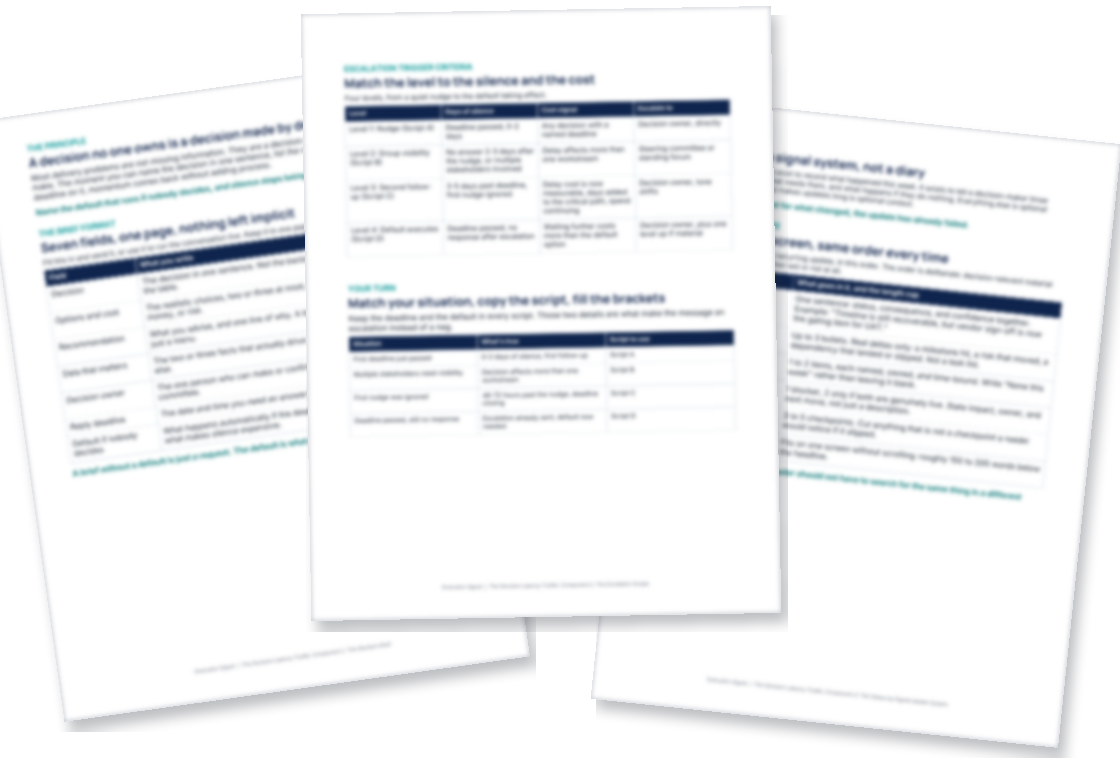
Decision brief, escalation email and status report templates for project managers whose projects stall waiting on a decision, plus a decision log pattern and a kickoff checklist of 18 decisions. One download: a 45-page manual covering eight tools, four editable Word templates, and 23 ChatGPT and AI prompts.
Projects are rarely late because people cannot execute. They are late because decisions sit unmade and unowned. The Toolkit makes the decision visible: who owns it, when it is due, and what happens if nobody answers.
What is inside?
- The Decision Brief. A one-page template that turns an open question into a decidable item, with a worked example and a blank fill-in.
- The Escalation Scripts. Word-for-word language for stalled decisions: the first nudge, the steering-committee raise, the second follow-up, the "default executes Friday" message.
- The Status-as-Signal Update System. The update template, the signal taxonomy, cadence guidance, and two before/after rewrites.
- The Active RAID Loop. The weekly review agenda, ownership matrix, decision log pattern, and the zombie-item kill protocol.
- The Kickoff Decision Map. An inventory of 18 decisions most delivery projects need in the first 30 days, before they become blockers.
- The Decision Request One-Pager PRO. The multi-stakeholder variant, the no-reply playbook, and a program-scale worked example.
- The Decision Latency Prompt Pack. 23 AI prompts mapped to real delivery moments, each with a what-to-paste and what-never-to-paste note.
- The Field Guide. The 30-minute quick start: your project is stalled today, open this component.
Who is it for?
Project and program managers delivering technology initiatives: software, cloud, ERP, AI, automation. If your projects stall on unowned decisions, silent sponsors, and updates nobody acts on, this was built for you. It is not PMP exam prep and it is not an AI hype pack.
How is it different from the free tools?
Each free tool on executionsignal.com covers one moment: a filter, a checklist, a one-pager. The Toolkit is the system those moments belong to: the templates, scripts, cadences, and worked examples around them. Nothing from the free tools is repeated inside.
You get the 45-page manual (PDF) plus editable Word templates for the Decision Brief, the status update, the kickoff worksheet, and the multi-stakeholder decision request. Instant download after checkout. No login, no portal.
14-day money-back guarantee. If the Toolkit does not earn its price, email the address on your receipt within 14 days and you get a refund.
Questions before you buy
What do I do when a sponsor or stakeholder will not make a decision?
Turn "we are waiting for a decision" into four things: a clear request, an accountable owner, a due date, and an agreed next step if the answer does not come. The Escalation Scripts and the no-reply playbook give you the exact wording for each step.
Is there a decision log template?
Yes, as a pattern inside the Active RAID Loop, used with the weekly review agenda and the ownership matrix. It is described in the manual rather than supplied as a separate Word file.
How does delivery work?
Right after paying you get the download link, and Payhip emails it to you so you can download it again later.
What format is it?
One ZIP file: the 45-page manual as a PDF, four editable Word templates (.docx), and a short README.
Can I share it with my team?
The download is licensed for your personal use. If a teammate wants it, send them this page.
What currency is the price in, and what about tax?
US dollars. Sales tax, VAT or GST is calculated at checkout where it applies.
What if it is not for me?
14-day money-back guarantee. If the Toolkit does not earn its price, email the address on your receipt within 14 days and you get a refund.
Who built it?
Jesus Romero, a project manager in Toronto with more than 15 years of professional experience, including more than ten years as a consultant, postgraduate professor and trainer in project management. Connect on LinkedIn.