

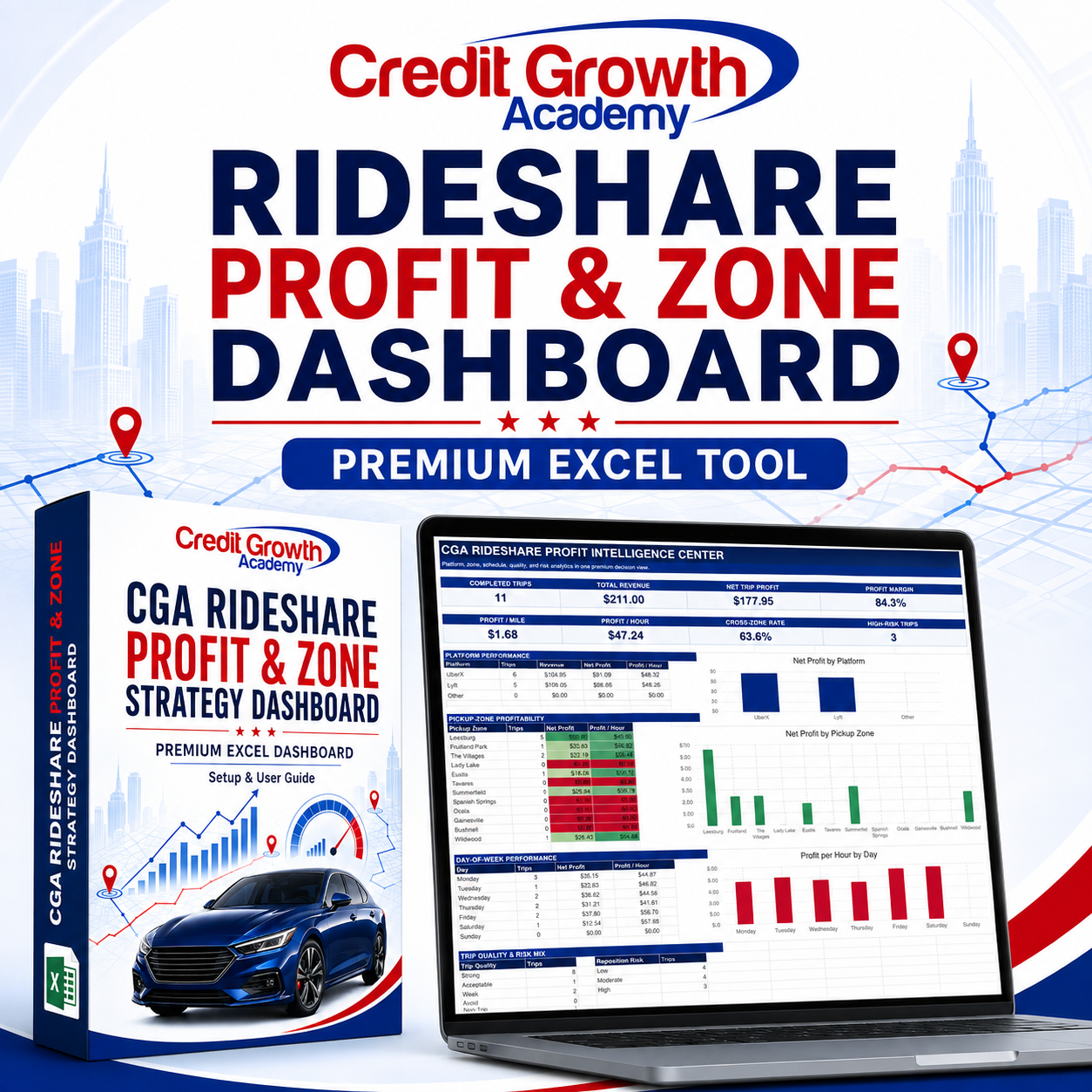





Rideshare Profit & Zone Strategy Dashboard
Stop Guessing Which Trips, Zones, and Hours Actually Perform
Gross revenue does not tell you whether a trip was truly profitable.
The CGA Rideshare Profit & Zone Strategy Dashboard is a premium Microsoft Excel decision system that helps Uber, Lyft, multi-app, and independent drivers analyze their trips beyond basic income and mileage.
Use your historical driving data to compare profitability, evaluate zones, review working hours, identify repositioning risks, and recognize patterns that may be worth repeating—or avoiding.
See What Your Trips Really Earn
The dashboard helps you analyze:
✓ Total trip revenue
✓ Estimated operating costs
✓ Net trip profit
✓ Profit per mile
✓ Profit per online hour
✓ Average trip value
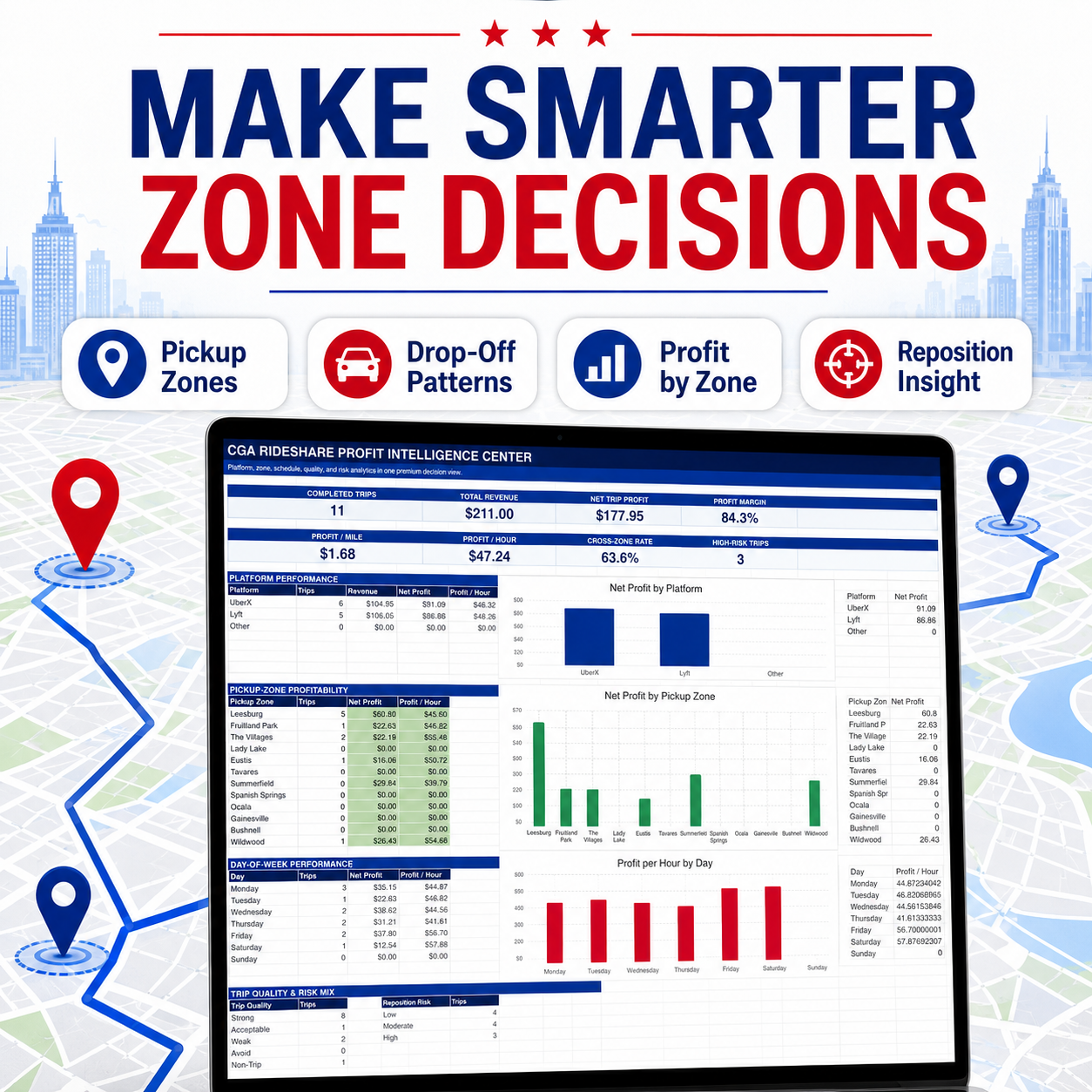
✓ Platform performance
✓ Pickup-zone performance
✓ Driving corridors
✓ Day and hour-block performance
✓ Cross-zone trips
✓ Repositioning exposure
✓ Trip-quality classifications
✓ Repeatable and avoid patterns
Make More Informed Driving Decisions
Use the workbook to explore questions such as:
- Which pickup zones have historically produced stronger results?
- Which trips remain profitable after estimated vehicle costs?
- Which days and working hours have performed best?
- Which routes create excessive repositioning or deadhead miles?
- Which trip patterns should receive closer attention?
- Are you generating profit efficiently—or simply adding miles?
What You’ll Receive
Your purchase includes one premium Excel workbook with 14 coordinated worksheets:
✓ Branded Product Cover
✓ Setup & User Guide
✓ Main Performance Dashboard
✓ Trip Entry and Import Table
✓ Zone and Corridor Analysis
✓ Time and Shift Analysis
✓ Quick Trip Analyzer
✓ Pattern Finder
✓ Weekly Driver Review
✓ Editable Settings
✓ Sample Data and Import Map
✓ Premium Business Intelligence Dashboard
✓ Pivot Analysis
✓ Visual Product Tour
Trip-Quality Scoring
Completed trips are evaluated using your performance targets and operating assumptions. The workbook organizes results into four practical classifications:
- Strong
- Acceptable
- Weak
- Avoid
These signals help you compare past results and identify patterns for further review. They do not guarantee how a future trip will perform.
Quick Trip Analyzer
Enter a proposed fare, trip mileage, estimated time, pickup zone, drop-off zone, and expected repositioning distance.
The analyzer estimates:
✓ Vehicle operating cost
✓ Net trip profit
✓ Profit per mile
✓ Profit per hour
✓ Cross-zone status
✓ Reposition-risk signal
✓ Trip-quality classification
Designed For
- Uber drivers
- Lyft drivers
- Multi-app drivers
- Full-time independent drivers
- Part-time and weekend drivers
- Drivers operating across multiple cities or zones
- Gig workers who want to manage driving like a business
Why This Dashboard Is Different
Most rideshare spreadsheets only record income, expenses, and mileage.
This dashboard connects trip profitability with time, location, route behavior, trip quality, and repositioning exposure. It transforms scattered trip records into a structured performance-review system.
How It Works
- Download and open the Excel workbook.
- Begin with the Setup & User Guide.
- Review the clearly labeled sample data.
- Update the Settings tab with your operating-cost assumptions.
- Replace the demonstration records with your trip information.
- Review the dashboards, analysis sheets, and performance signals.
- Use your historical results to support future driving decisions.
File Information
- Microsoft Excel workbook
- XLSX format
- Editable and reusable
- No macros required
- Beginner-friendly instructions included
- Instant digital delivery
- No physical item will be shipped
Microsoft Excel desktop is recommended. Features and formatting may not display correctly in Google Sheets, Apple Numbers, or mobile spreadsheet applications.
Turn Your Trip Data Into a Smarter Rideshare Strategy
Download the CGA Rideshare Profit & Zone Strategy Dashboard and start evaluating your driving performance beyond gross revenue.