
Purge CAD for Revit | Deep Ghost Layers & CAD Cleaner (pyRevit)
On Sale
$0.00
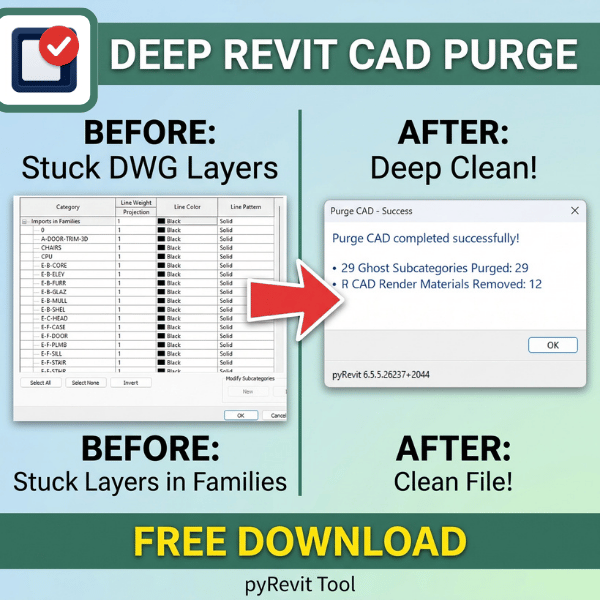
Even if you run Revit native "Purge Unused" until the counter hits zero, imported DWG remnants, especially subcategories stuck inside families and auto-generated render materials, remain permanently embedded in your project database.
The Purge CAD Tool solves this in just one single click.
Key Features:
- Deep Ghost Layer Purge: Automatically removes hidden, stubborn subcategories trapped under Imports in Families and Object Styles.
- CAD Material Cleaner: Safely deletes auto-generated Render Material (RGB...) clutter that bloats your materials browser.
- Smart Import Removal: Detects, unpins, and purges unreferenced imported DWG instances across the entire document.
- Unused Line Styles Cleaner: Eliminates residual line styles generated from exploded CAD files without breaking existing model lines.
- Instant Summary Report: Provides a clear pop-up detailing exactly how many layers, materials, and instances were cleaned.
- Safe and Transactional: Fully undo-friendly (Ctrl+Z) with isolated error-handling to protect your project integrity.
1-Click Auto-Installer Included! No need to search for hidden AppData folders. Just extract the ZIP, double-click Install.bat, and the tool will automatically deploy straight into your Revit ribbon under the pyRevit tab!
Compatibility and Requirements:
- Revit Versions: Revit 2020, 2021, 2022, 2023, 2024, 2025, 2026, 2027.
- Requirement: pyRevit installed.
- Operating System: Windows 10 / 11.