

Sole Trader Invoice and Quote Pack (UK)
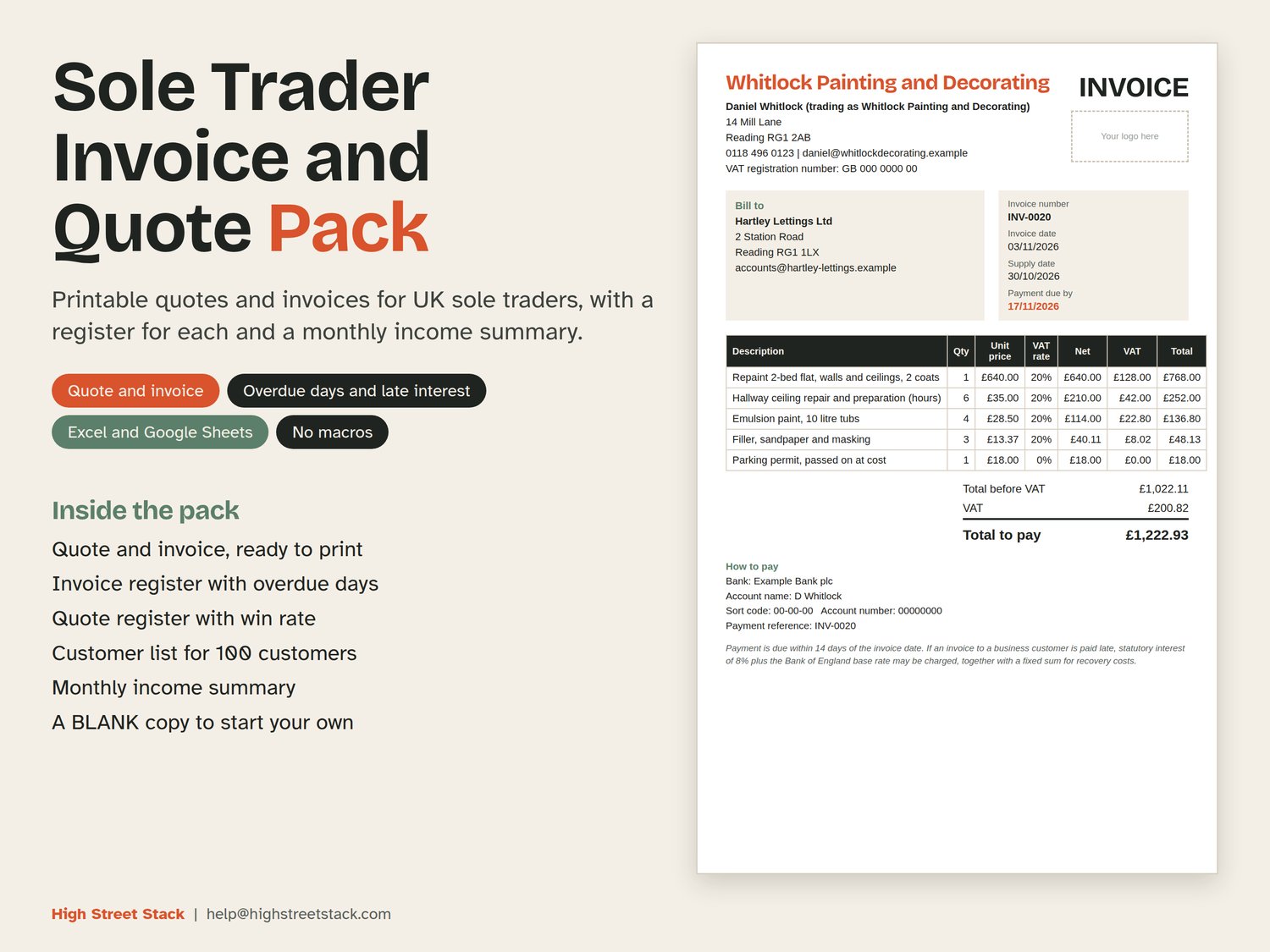
Sole Trader Invoice and Quote Pack (UK) is a spreadsheet for sole traders who write their own quotes and invoices. It gives you a printable quote, a printable invoice, a register for each, a customer list and a monthly income summary.
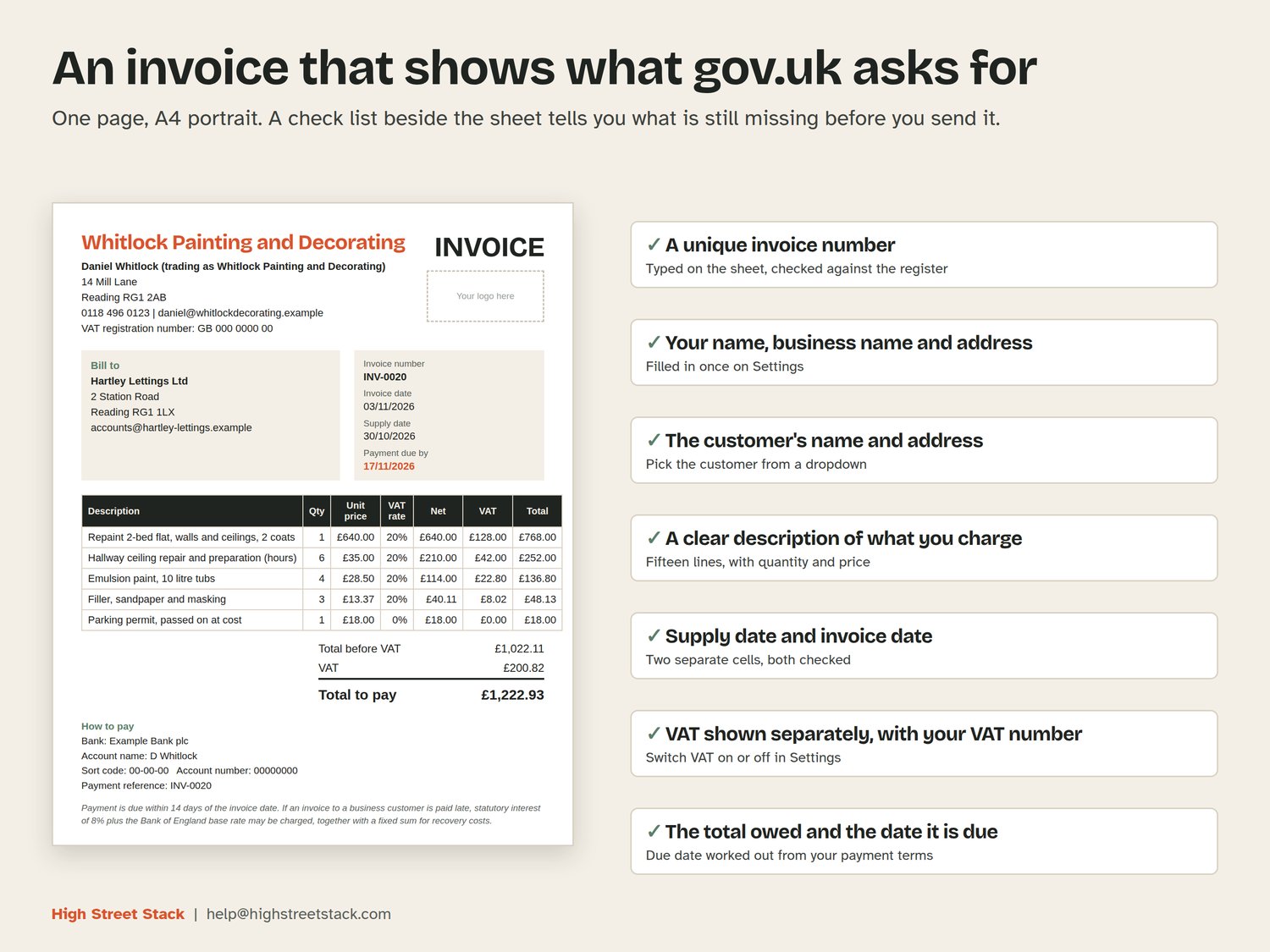
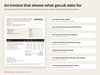
The invoice sheet has a place for everything gov.uk says an invoice must show: a unique invoice number, your name and business name, your address and contact details, the customer's name and address, a description of what you charge, the supply date, the invoice date, the amounts, VAT where it applies, the total owed and the date payment is due. A short check list beside the sheet tells you what is still missing before you send it.
WHAT IS INSIDE
- Settings: your name, business name, address, contact and bank details, whether you are VAT registered and your VAT number, payment terms in days, and how long a quote stays valid. There is a boxed space for your logo.
- Customers: room for 100 customers. Give a customer their own payment terms if they differ from yours.
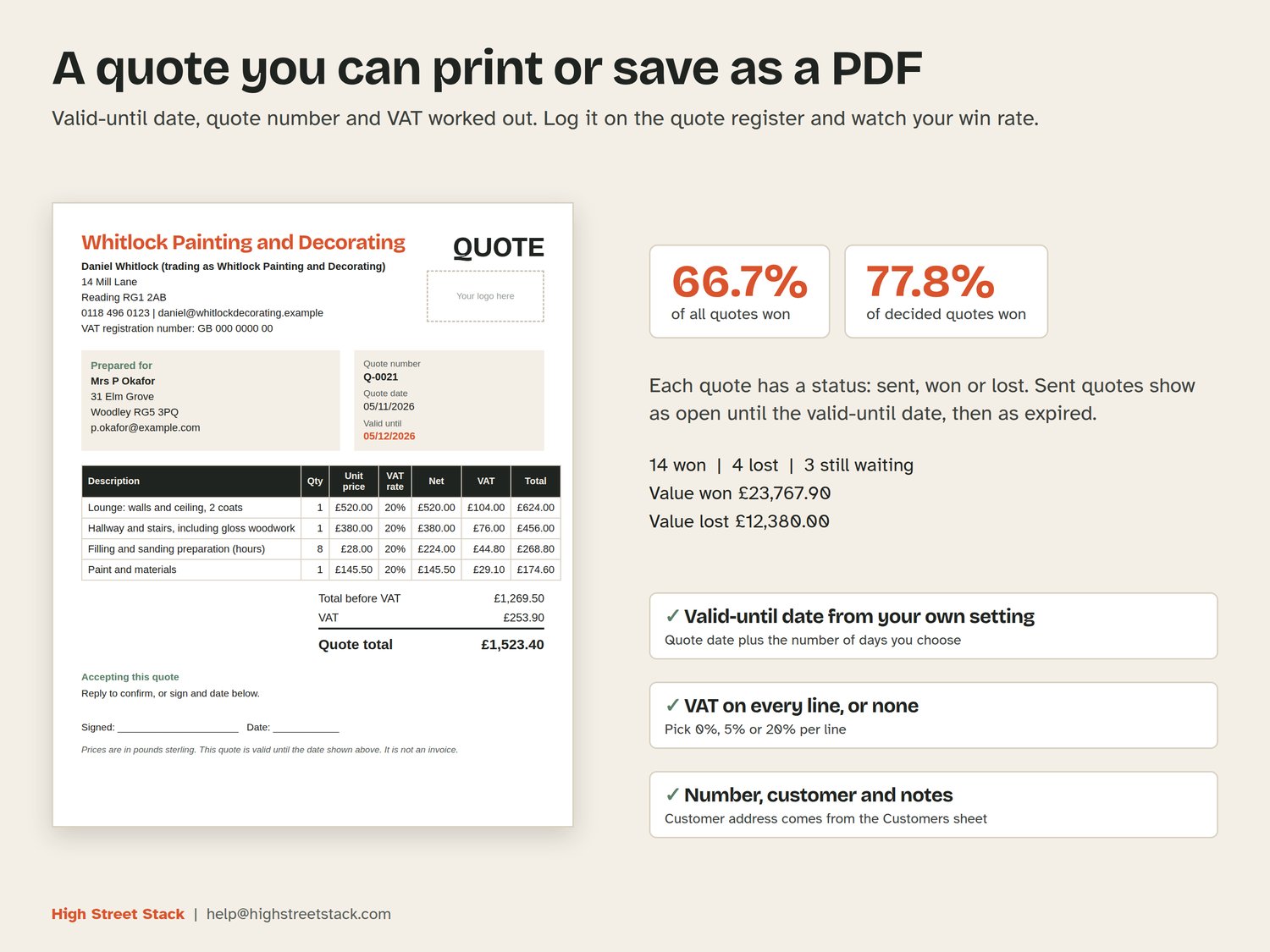
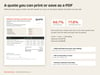
- Quote: line items, VAT if you are registered, a quote number and a valid-until date. A4 portrait, one page.
- Invoice: line items, VAT if you are registered, an invoice number, a due date worked out from your payment terms, and the wording above. A4 portrait, one page.
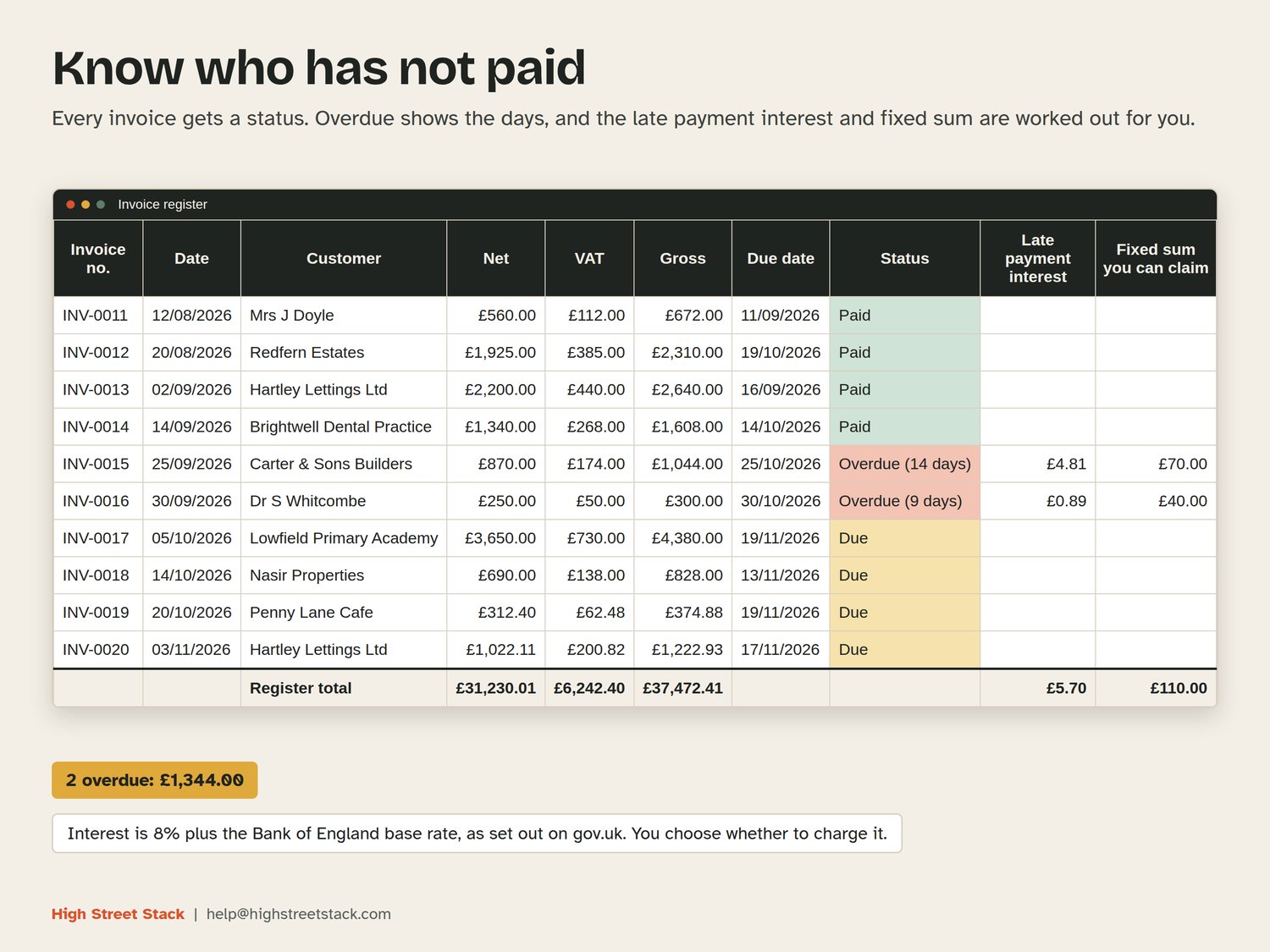
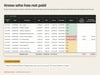
- Invoice register: room for 300 invoices. Each shows net, VAT, gross, due date, paid date and a status of paid, due or overdue with the number of days. Interest on late business payments is worked out from the base rate you type in, using the 8% plus base rate that gov.uk gives, with the fixed sums of £40, £70 or £100 by size of debt. Turn it off in Settings if you never charge it.
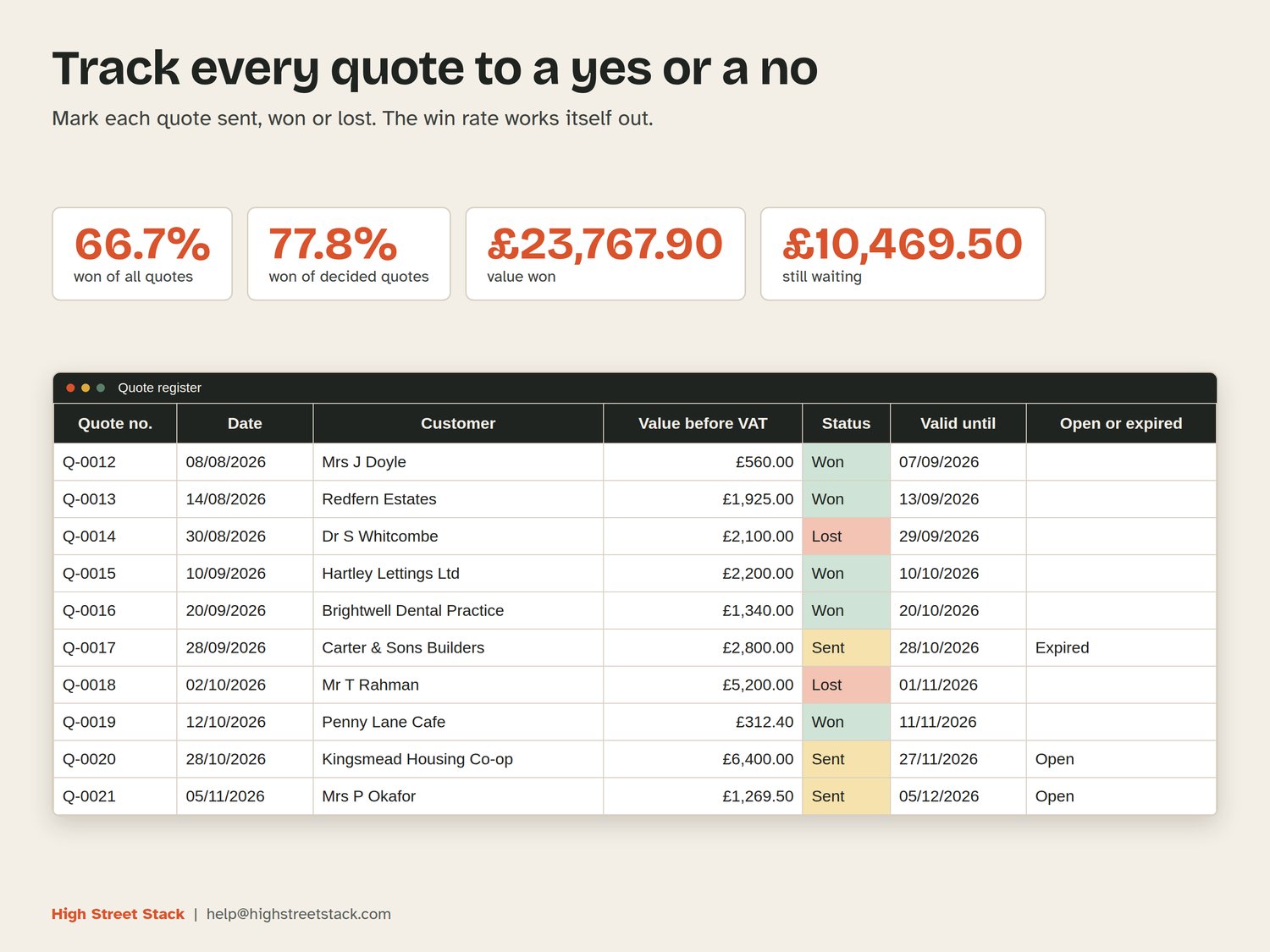
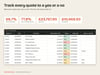
- Quote register: room for 200 quotes, each marked sent, won or lost. It shows two win rates (won of all quotes, and won of the quotes that have been decided), the value won and lost, and whether an unanswered quote is still open or has expired.
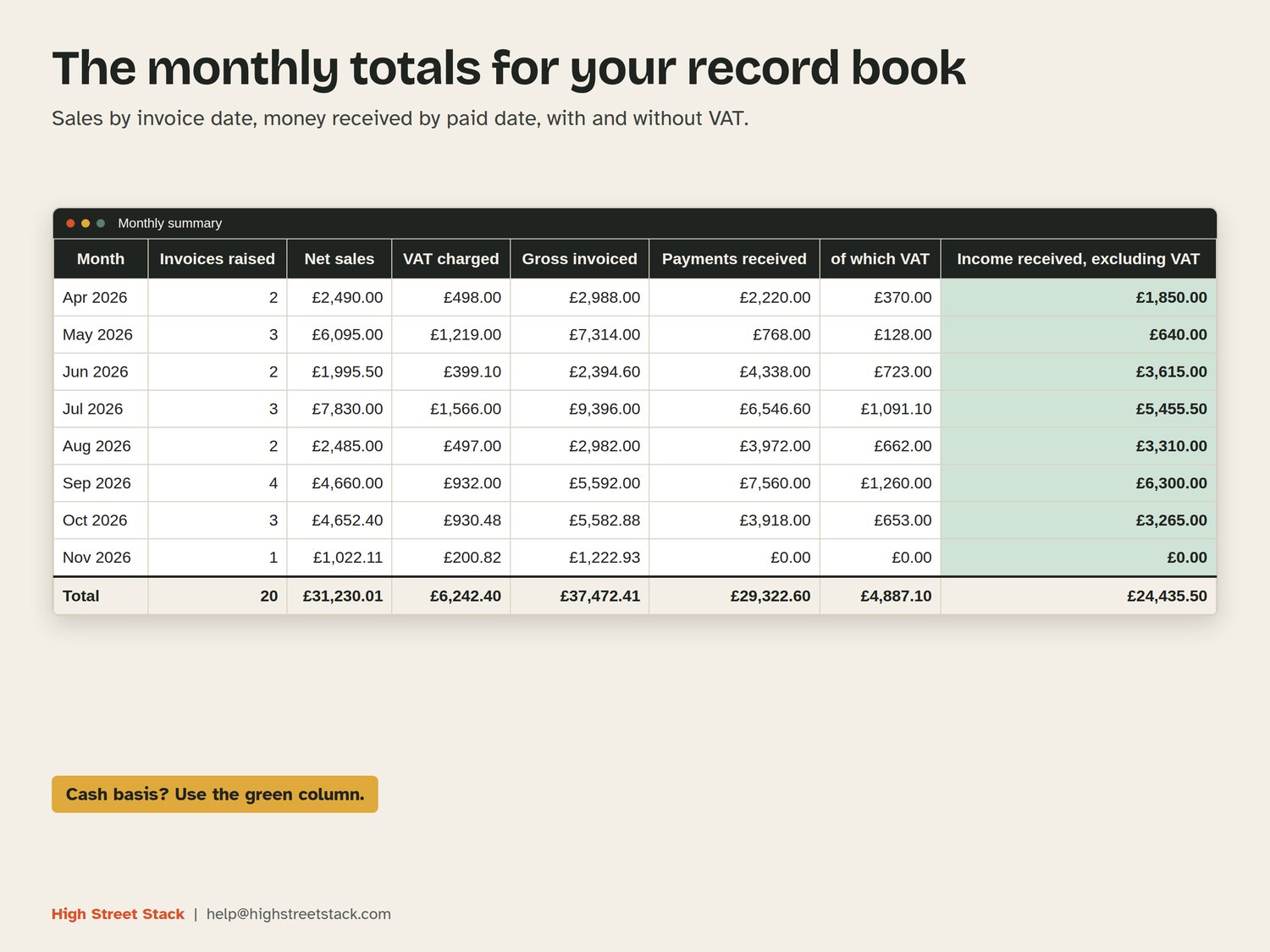
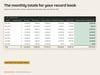
- Monthly summary: twelve months of sales by invoice date and money received by paid date, with and without VAT, ready to type into your record book.
HOW IT WORKS
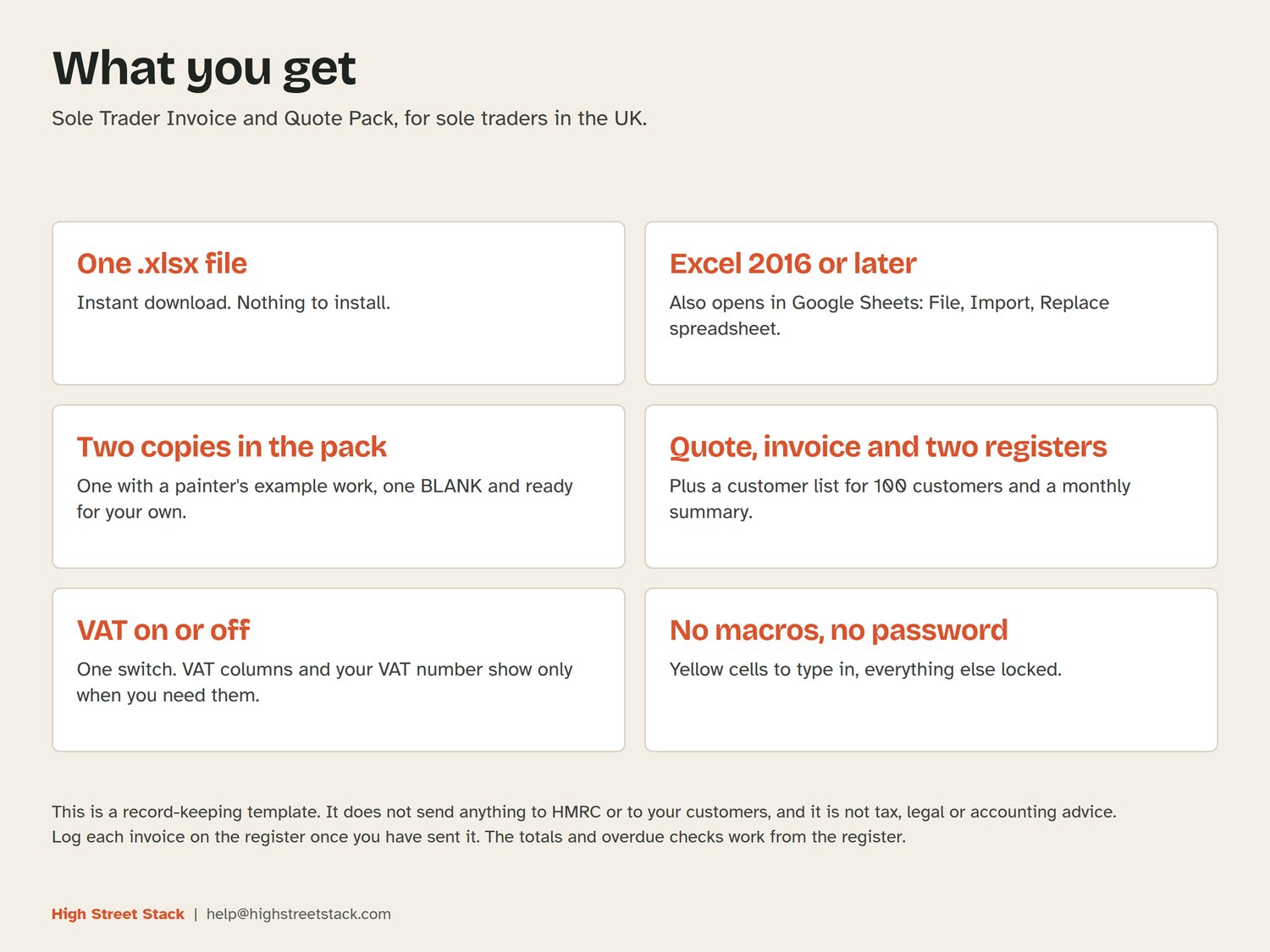
You type only in the pale yellow cells. Everything else is a formula and is locked, with no password. Turn VAT on or off in one cell and the VAT columns and your VAT number appear or disappear. Once you have sent an invoice, log it on the register (the sheet shows you the net and VAT to type) and the overdue checks, customer totals and monthly summary pick it up.
WHAT YOU GET
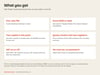
Two .xlsx files, available to download straight after purchase: one with example work for a painter and decorator so you can see it running, and a BLANK copy for your own figures. They open in Excel 2016 or later and in Google Sheets (File, Import, upload, Replace spreadsheet). No macros. The sheets use ordinary functions, so they behave the same in both.
WHAT IT DOES NOT DO
It does not send invoices or quotes, and it does not connect to HMRC or to a bank. It does not save a copy of each invoice for you: print or save the PDF, then log the invoice on the register. gov.uk lists a few more details for a full VAT invoice than the VAT number and VAT shown separately, so if you are VAT registered, check gov.uk/vat-record-keeping. The base rate is typed in by you, so look up the current rate. This is a record-keeping template, not tax, legal or accounting advice.
Sample names, addresses and bank details in the example copy are made up.