
SC_PosterizeKeyframes | Posterize Time for Keyframes
On Sale
$0.00
Posterize Time for Keyframes Modifier.
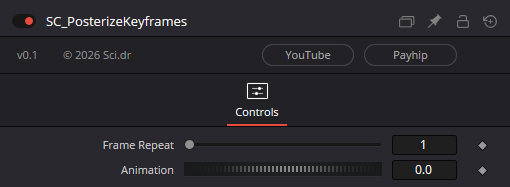
Frame Repeat: Similar to the Stop Motion Node, holds/repeats frames for the set amount of frames. In a 24 FPS comp, setting frame repeat to 2 will appear as 12 FPS.
Animation: Driver for your animation, store your original keyframed animation here or add other modifiers like a Shake modifier.
Usage:
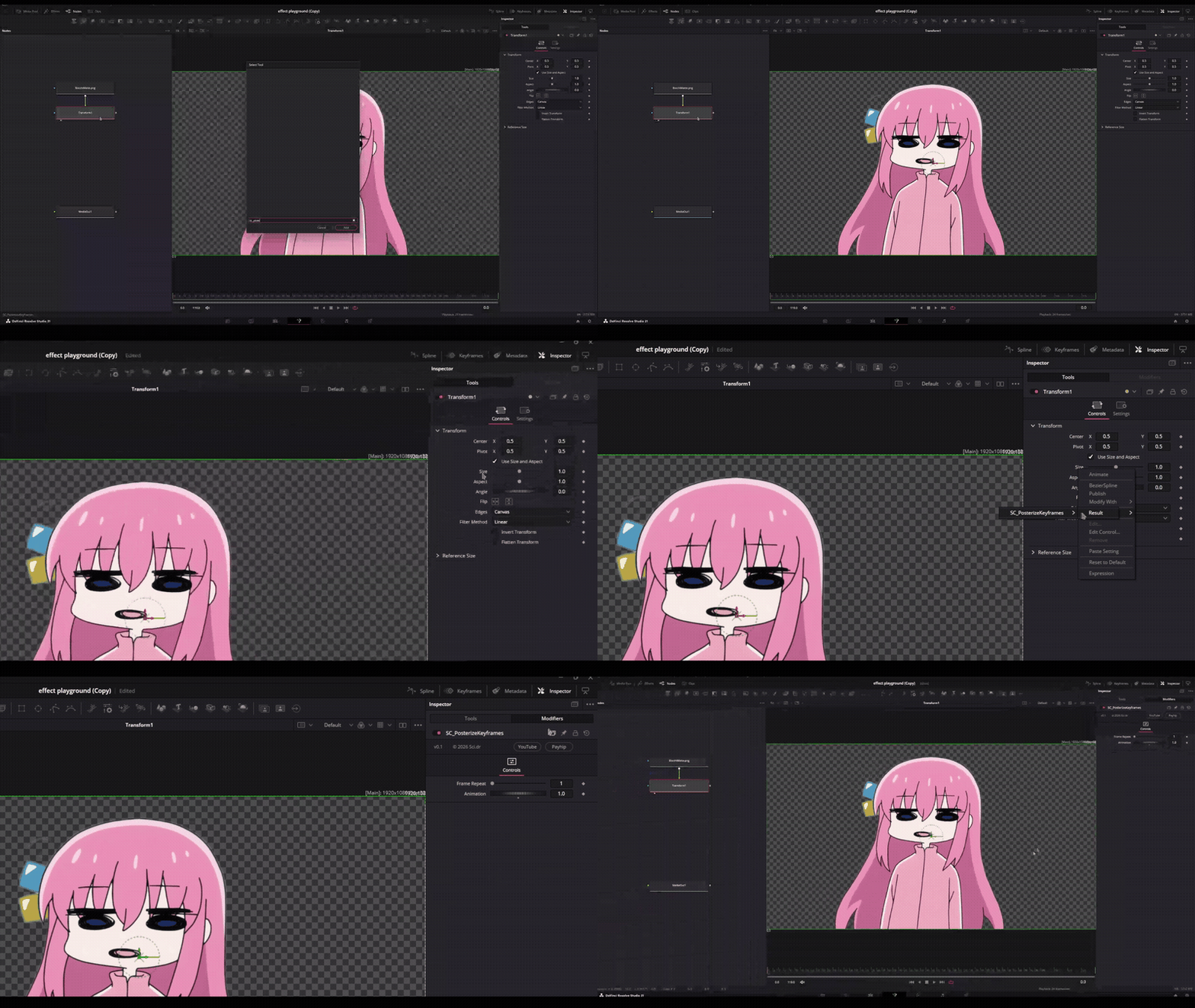
- Add the modifier to your flow by searching for it in your Effects Toolbox (CTRL + SPACE)
- Locate the control you would like to posterize
- Right click the control, go to Connect To, select SC_PosterizeKeyframes, then select Result.
- Open the modifiers tab and add your keyframes to the Animation slider.
Note: If multiple instances of the modifier exist in one composition the modifier name will change per addition. THIS IS A MODIFIER NOT A NODE. It will not appear in your flow when added to a composition.
Installation:
- Locate Macros Folder:
- Windows: C:\ProgramData\Blackmagic Design\DaVinci Resolve\Fusion\Macros\
- MacOS: /Library/Application Support/Blackmagic Design/DaVinci Resolve/Fusion/Macros/
- Linux: ~/.local/share/DaVinciResolve/Fusion/Macros/
- Place SC_PosterizeKeyframes.setting into your Macros folder.
- Follow the Usage directions or the GIF on the product page.