
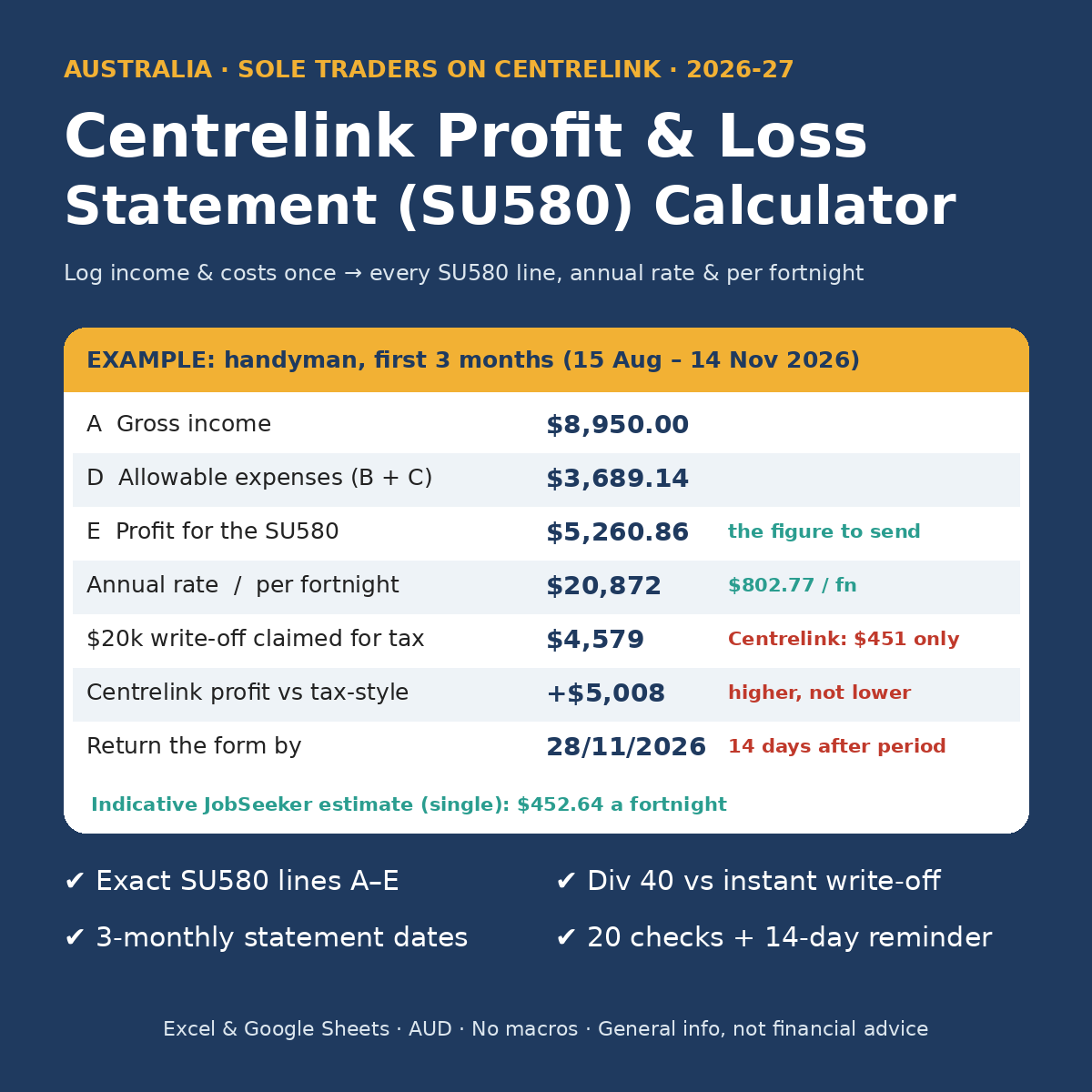
Centrelink Profit & Loss (SU580) Calculator – Sole Traders 2026-27
On JobSeeker or another Centrelink payment and running a business? Get your SU580 profit and loss statement right.
When you start a business while on a payment, Services Australia asks for a Profit and Loss Statement (SU580) after 3 months, then every 3 months, each one covering the whole time since you started. Centrelink turns the profit into an annual rate and splits it into 26 fortnights. That's the income your payment is worked out on.
The catch: Centrelink's profit isn't your tax profit. Your own super, tax agent fees, donations and entertainment can't go on the form. Neither can the $20,000 instant asset write-off, which is permanent for small business from 1 July 2026. Centrelink only allows the Division 40 depreciation amount. In the worked example, a handyman's Centrelink profit for his first 3 months is $5,008 higher than his tax-style figure.
Built for sole traders, tradies and partners in a small partnership.
What it does
- Every SU580 line, done for you: A gross income; each B line (annual amount and the amount for the period); each C line; D total expenses; E profit. Copy the figures straight into the form.
- Centrelink's rules built in: 28 expense categories, each mapped to its SU580 line, with the ones Centrelink doesn't allow left off and listed. Goods taken for your own use count as income. Asset sales and private money are left out. A loss counts as nil.
- Division 40 vs instant write-off: a depreciation helper (diminishing value or prime cost, business-use %, opening value) shows the amount Centrelink accepts next to the write-off you claim for tax.
- Your statement dates: the 3-monthly interim statement schedule from your start date, with each period's figures, the return-by date (14 days) and a countdown.
- What Centrelink will likely use: the annual rate, the fortnightly amount, the change against the figure on your latest letter, and an indicative JobSeeker estimate on the rates from 20 September 2026 (or type your own figures for another payment).
- GST and partnerships: takes GST out if you're registered, and applies your partnership share.
- 20 automatic checks: missing dates or categories, % typed as 60 instead of 60%, tools of $100 or more in the small-tools category, stock with no closing count, dates in the future, a return date that has passed, and more.
What you get
- 1 Excel workbook (.xlsx) that works in Excel, LibreOffice and Google Sheets
- Tabs: Instructions, Settings, Summary, SU580, Income, Expenses, Yearly costs, Assets, Statements, Checks, Checklist, Rates, Rules
- A worked EXAMPLE (a sole-trader handyman in his first 3 months) to type over
- A 15-step checklist for before you send the form
- No macros, no add-ins, no subscription. AUD.
Good to know
- Rules and rates were checked against Services Australia, the DSS Social Security Guide and the ATO on 22 November 2026. Payment rates change every 20 March and 20 September and are on one Rates tab you can update.
- It doesn't lodge anything. You fill in and upload the SU580 yourself. The payment estimate ignores partner income, Working Credit, the assets test and Rent Assistance unless you add them. Depreciation figures are estimates from the ATO formula. Companies and trusts aren't covered.
- General information, not financial, tax or legal advice. Centrelink makes the actual assessment. Not affiliated with Services Australia, Centrelink, the Department of Social Services or the ATO.