



MTD Made Simple: Standard Spreadsheet | UK Sole Trader | Excel & Google Sheets 2026/27
🔒 Secure checkout | Instant delivery | VAT collected automatically
Questions before buying? Email hello@mtd-madesimple.com — we typically reply within a few hours.
STAY MTD COMPLIANT WITHOUT PAYING MONTHLY SOFTWARE FEES
Making Tax Digital for Income Tax is here — and you don't have to give up your spreadsheet.
Already partway through the year with a pile of receipts and invoices to catch up on? This spreadsheet handles that too. Enter backdated transactions in any order and it automatically organises them into the right quarter. No starting from scratch, no panic.
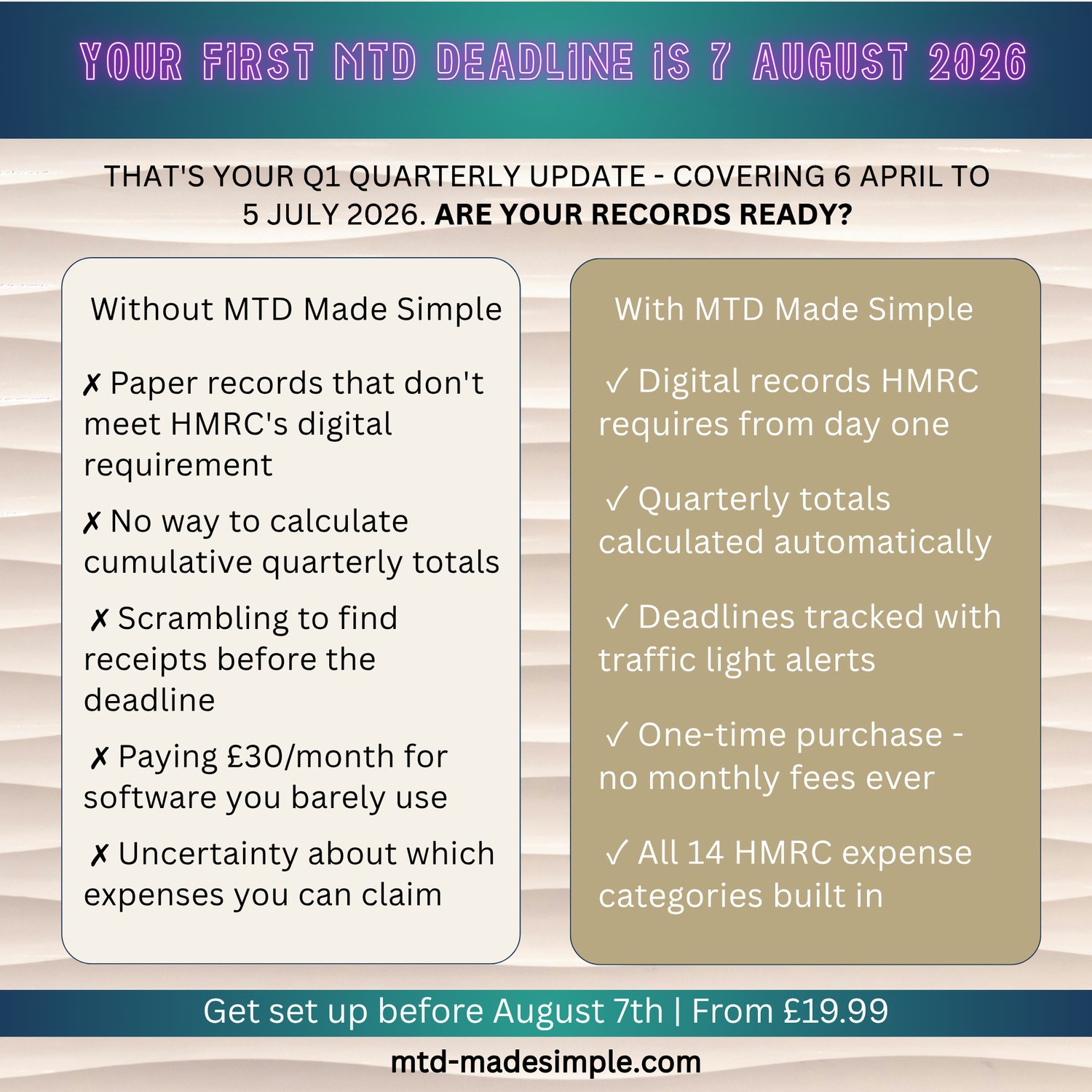
This professionally designed bookkeeping spreadsheet for UK sole traders is built around HMRC's exact requirements for MTD for Income Tax quarterly updates. Keep your records the way you always have, connect to free or low-cost bridging software, and submit your quarterly updates to HMRC — all without paying £30/month for accounting software you don't need.
⭐ ONE-TIME PURCHASE | NO SUBSCRIPTION | INSTANT DOWNLOAD
WHO IS THIS FOR?
✅ Sole traders with income over £50,000 who must comply with MTD for Income Tax from April 2026
✅ Freelancers, consultants, tradespeople, and self-employed professionals
✅ Anyone who already uses spreadsheets and wants to keep using them
✅ People who feel overwhelmed by expensive software subscriptions
✅ UK landlords who also have trading income
WHAT'S INCLUDED
📊 MTD Made Simple — Sole Trader Bookkeeping Spreadsheet (Excel .xlsx format)
📊 Google Sheets version (shareable template link)
📌 10 professional tabs — income log, expenses, mileage, quarterly summary, annual P&L, VAT tracker, deadlines, and more
✅ HMRC-aligned expense categories built in (all 14 SA103F categories)
📅 Automatic quarterly deadline calculator for 2026/27
🔒 Protected formula cells — you can't accidentally break the calculations
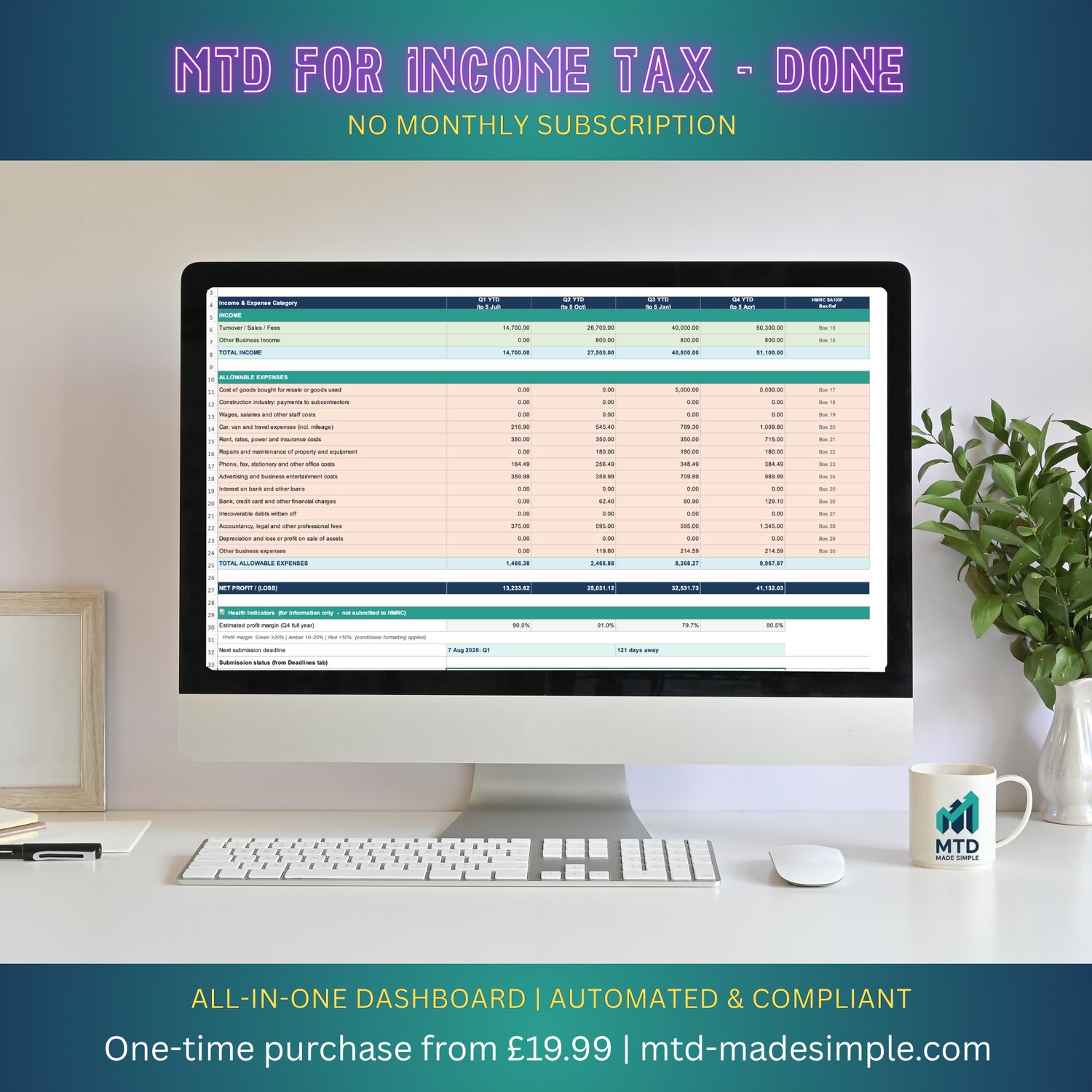
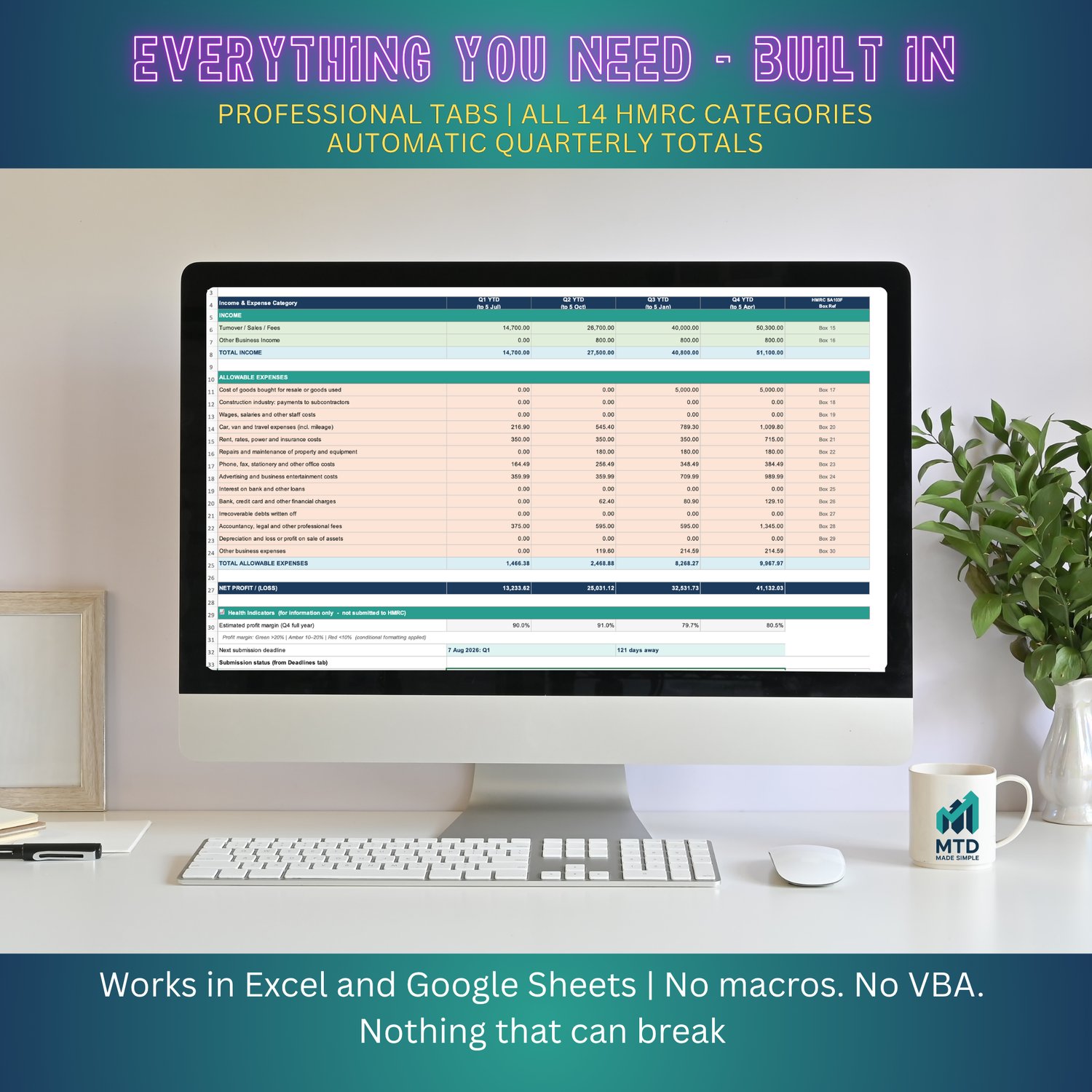
THE QUARTERLY SUMMARY TAB — YOUR MTD FOR INCOME TAX SUBMISSION DATA
The heart of the spreadsheet is the Quarterly Summary tab. As you log income and expenses throughout the year, this tab automatically calculates your cumulative year-to-date totals for each quarter — in exactly the format HMRC requires for MTD for Income Tax quarterly updates.
All you do is copy these totals into your bridging software and submit to HMRC. That's it.
WHAT IS BRIDGING SOFTWARE AND DO I NEED IT?
Yes — HMRC requires that quarterly updates are submitted digitally via approved software. Your spreadsheet alone cannot submit directly to HMRC. However, HMRC officially allows spreadsheets to be used alongside low-cost "bridging software" that connects your data to HMRC's systems.
Our recommended bridging software options:
The Pro version of this spreadsheet includes a dedicated "Bridging Software in 10 Minutes" guide walking you through the full setup.
ALL 10 TABS EXPLAINED
🟢 START HERE — Welcome, setup instructions, and quick-start guide
⚙️ SETTINGS — Enter your business name, tax year, VAT status, and all deadlines auto-generate
📥 INCOME TRANSACTIONS — Log every sale and payment
📤 EXPENSE TRANSACTIONS — 14 HMRC categories built-in, with mileage auto-added
🚗 MILEAGE LOG — HMRC-approved rates auto-calculate your claim
📊 QUARTERLY SUMMARY — Cumulative MTD for Income Tax quarterly totals, ready for bridging software
📋 ANNUAL SUMMARY — Full P&L, capital allowances, and Self Assessment preparation
🧾 VAT TRACKER — For VAT-registered businesses (hidden if not applicable)
📅 DEADLINES & REMINDERS — Traffic light system showing upcoming submission dates
❓ HELP & GLOSSARY — Plain-English answers to the most common MTD for Income Tax questions
AFTER PURCHASE
Your download will be available immediately. You'll receive:
NEED MORE SUPPORT?
Looking for a version with a PDF setup guide, 14-minute video tutorial, and bridging software walkthrough? See our Pro version (£34.99) — or visit our store at payhip.com/MTDMadeSimple for our Premium package which includes a personal 30-minute setup call.
ABOUT THE CREATOR
This spreadsheet was built by a UK accounting and bookkeeping professional who got tired of watching sole traders panic about MTD for Income Tax while paying for software they didn't need. Everything in this spreadsheet is built around HMRC's actual requirements — not generic bookkeeping theory.
⚠️ Disclaimer: This spreadsheet is a bookkeeping tool. It is not regulated financial advice. Always consult a qualified accountant for tax advice specific to your situation.
❓ FREQUENTLY ASKED QUESTIONS
Q: It's already any month — am I too late to start?A: Not at all. Enter your transactions backdated to 6 April 2026 and the spreadsheet will automatically sort them into the correct quarter. Many people start mid-year. HMRC's soft landing applies to the whole first year.
Q: I don't have perfect records — what do I do?A: Enter what you have. Bank statements are a good starting point. An incomplete record is better than no record, and you can fill in gaps before the Final Declaration.
Q: Do I need to buy new software for MTD for Income Tax?A: Not if you use this spreadsheet. We recommend AbraTax (free), 123 Sheets (£19.50+VAT/year), or VitalTax (£30+VAT/year) as low-cost bridging options.
Q: When do quarterly updates need to be submitted?A: 7 August (Q1), 7 November (Q2), 7 February (Q3), and 7 May (Q4). The spreadsheet shows all these dates automatically.
Q: I earn over £50,000 — do I have to use MTD for Income Tax?A: Yes — MTD for Income Tax is mandatory from 6 April 2026 if your qualifying income exceeds £50,000. Based on gross income, not profit.
Q: Will this spreadsheet be updated when HMRC rules change?A: We release an updated version every April. Pro customers receive the 2027/28 update free. Basic customers can purchase the update for a reduced price.
Q: Can I get a refund?A: Because this is an instant digital download, we cannot offer refunds once the file has been downloaded. Contact us first for any technical issues — we fix problems promptly.
Works with all major bridging software
MTD Made Simple includes a built-in Submission Helper tab. It shows your quarterly cumulative totals mapped to the exact field names used by VitalTax, AbraTax, suiteSheets, and 123 Sheets. Set up your bridging software once and your cell mappings are saved for every future quarter.
Compatible with:
VitalTax (vitaltax.uk), Excel add-in, £30 + VAT per year
AbraTax (abratax.co.uk), Excel and Google Sheets, currently free in beta
suiteSheets (suitesheets.co.uk), Excel and Google Sheets, £20 per tax year
123 Sheets (123sheets.com), Excel, £19.50 + VAT per year
MTD Made Simple handles your records. Bridging software handles the submission. Together they replace Xero for under £40 per year.