Offline AI Studio for Flash Drive USB or SSD | Local Text Image Speech | Windows Mac Linux | Private AI Workspace + Installation Manual |
🚀 Offline AI Studio for USB & Flash Drive | Your Private AI Workspace
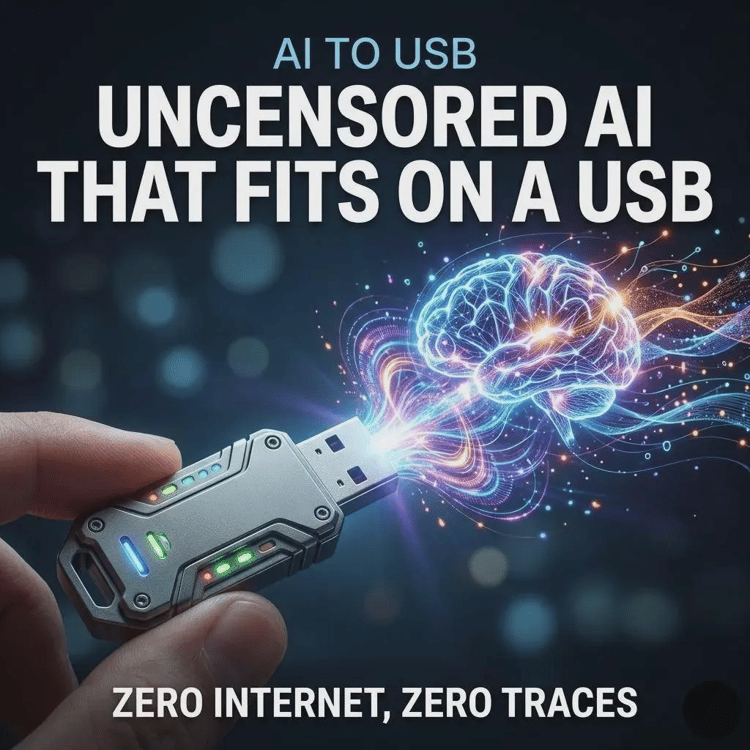
Take the power of Artificial Intelligence wherever you go! This Offline AI Studio lets you run advanced AI directly from your own computer or portable storage, giving you greater privacy, flexibility, and control without depending on cloud-based services.
Whether you're a content creator, programmer, designer, student, researcher, business owner, or AI enthusiast, this setup allows you to work with multiple AI tools from one workspace.
━━━━━━━━━━━━━━━━━━━━━━
📦 WHAT YOU'LL RECEIVE
━━━━━━━━━━━━━━━━━━━━━━
📄 1 Beginner-Friendly PDF Installation Guide
The guide includes step-by-step instructions for:
✔ Downloading the project
✔ Downloading from GitHub
✔ Extracting ZIP files correctly
✔ Windows Installation
✔ macOS Installation
✔ Linux Installation
✔ Downloading AI Models
✔ First-Time Setup
✔ Troubleshooting
✔ Frequently Asked Questions
✔ AI Assistant Prompt for Installation Help
━━━━━━━━━━━━━━━━━━━━━━
💻 COMPATIBLE WITH
━━━━━━━━━━━━━━━━━━━━━━
✅ Windows
✅ macOS
✅ Linux
━━━━━━━━━━━━━━━━━━━━━━
💾 STORE IT ON
━━━━━━━━━━━━━━━━━━━━━━
✔ Computer
✔ External SSD
✔ USB Flash Drive*
✔ Portable SSD*
*Portable use depends on your operating system, hardware, and where your AI models are stored.
━━━━━━━━━━━━━━━━━━━━━━
🤖 MULTIPLE AI FEATURES
━━━━━━━━━━━━━━━━━━━━━━
💬 TEXT AI
Perfect for:
• Writing
• Coding Assistance
• Brainstorming
• Research
• Summaries
• Emails
• Content Creation
🎨 IMAGE GENERATION
Generate images locally using compatible AI image models.
Create:
🖼️ Digital Art
🖼️ Concept Art
🖼️ Product Mockups
🖼️ Book Covers
🖼️ Social Media Graphics
🖼️ Marketing Materials
🖼️ Wallpapers
🖼️ Character Designs
🎙️ SPEECH-TO-TEXT
Convert audio into text.
Great for:
✔ Meetings
✔ Interviews
✔ Sermons
✔ Lectures
✔ Voice Notes
✔ Podcast Transcripts
✔ Video Subtitles
🔊 TEXT-TO-SPEECH
Convert written text into natural-sounding speech.
Perfect for:
✔ Audiobooks
✔ Narration
✔ Presentations
✔ Accessibility
✔ YouTube Voiceovers
━━━━━━━━━━━━━━━━━━━━━━
🌟 WHY BUY THIS?
━━━━━━━━━━━━━━━━━━━━━━
✔ Work privately on your own computer
✔ No recurring subscription fees
✔ No API keys required
✔ Continue working after your AI models are installed, even without internet
✔ Unlimited local usage (limited only by your computer hardware)
✔ Keep your conversations and files on your own device
✔ Supports multiple compatible AI models
✔ Beginner-friendly installation guide included
━━━━━━━━━━━━━━━━━━━━━━
👍 IMAGE GENERATION – ADVANTAGES
━━━━━━━━━━━━━━━━━━━━━
✅ Generate images completely offline
✅ Greater privacy—your prompts stay on your computer
✅ Unlimited image generation using your own hardware
✅ Compatible with multiple AI image models
✅ Perfect for designers, artists, marketers, and Etsy sellers
━━━━━━━━━━━━━━━━━━━━━━
⚠ IMAGE GENERATION – THINGS TO KNOW
━━━━━━━━━━━━━━━━━━━━━━
• Image quality depends on the AI model you install.
• Larger models require more RAM, storage, and may benefit from a dedicated GPU.
• Image generation speed depends on your computer specifications.
• Better prompts generally produce better results.
━━━━━━━━━━━━━━━━━━━━━━
👍 SPEECH-TO-TEXT – ADVANTAGES
━━━━━━━━━━━━━━━━━━━━━━
✅ Convert voice recordings into text locally
✅ Keep sensitive recordings private
✅ Great for churches, students, meetings, and interviews
✅ No cloud upload required after setup
━━━━━━━━━━━━━━━━━━━━━━
⚠ SPEECH-TO-TEXT – THINGS TO KNOW
━━━━━━━━━━━━━━━━━━━━━━
• Accuracy depends on microphone quality.
• Background noise may reduce transcription accuracy.
• Longer recordings take more processing time.
━━━━━━━━━━━━━━━━━━━━━━
👍 TEXT-TO-SPEECH – ADVANTAGES
━━━━━━━━━━━━━━━━━━━━━━
✅ Generate spoken audio offline
✅ Great for audiobooks and voiceovers
✅ No recurring character limits
✅ Natural-sounding voices (depending on the installed model)
━━━━━━━━━━━━━━━━━━━━━━
⚠ TEXT-TO-SPEECH – THINGS TO KNOW
━━━━━━━━━━━━━━━━━━━━━━
• Voice quality depends on the selected AI model.
• Longer audio takes more time to generate.
• Some uncommon names or technical words may need pronunciation adjustments.
━━━━━━━━━━━━━━━━━━━━━━
💻 RECOMMENDED COMPUTER REQUIREMENTS
━━━━━━━━━━━━━━━━━━━━━━
Minimum
✔ 64-bit Windows, macOS, or Linux
✔ 8 GB RAM
✔ Dual-Core Processor
✔ 20 GB Free Storage
Recommended
🚀 16–32 GB RAM
🚀 SSD Storage
🚀 Dedicated NVIDIA, AMD, Intel, or Apple Silicon GPU (recommended)
🚀 50 GB or More Free Storage
━━━━━━━━━━━━━━━━━━━━━━
📥 IMPORTANT
━━━━━━━━━━━━━━━━━━━━━━
• This is a DIGITAL PRODUCT.
• No physical item will be shipped.
• Internet is generally required only for downloading the software and AI models.
• AI models are downloaded separately and may require several gigabytes of storage.
• Performance depends on your computer specifications.
• The included PDF guide is written for beginners and includes an AI prompt that can be pasted into ChatGPT, Claude, Gemini, Grok, or another AI assistant for personalized installation help.
━━━━━━━━━━━━━━━━━━━━━━
❤️ PERFECT FOR
━━━━━━━━━━━━━━━━━━━━━━
👨💻 Developers
🎨 Designers
📷 Photographers
🎥 Content Creators
✍️ Writers
📚 Students
🎙️ Podcasters
⛪ Churches & Ministries
🏢 Small Businesses
🤖 AI Enthusiasts
━━━━━━━━━━━━━━━━━━━━━━
📄 INCLUDED FILES
━━━━━━━━━━━━━━━━━━━━━━
📄 3 PDF – Complete Beginner Installation Guide