





WordPress Speed Analyzer Kaddora Plugin
WordPress Speed Analyzer Kaddora Plugin :
Documentation Link:--https://womens.kaddora.com/docs-wordpress-speed-analyzer/
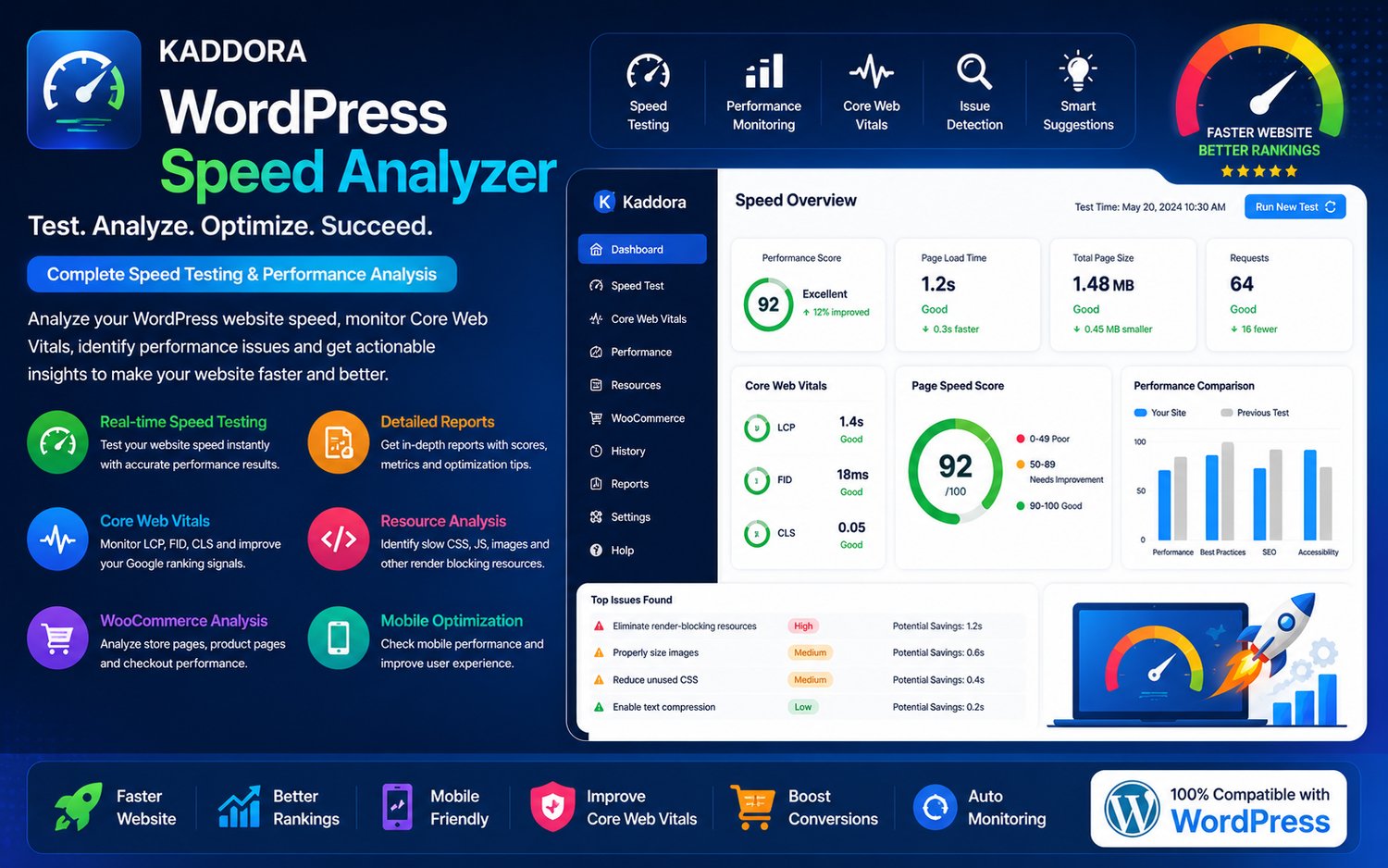
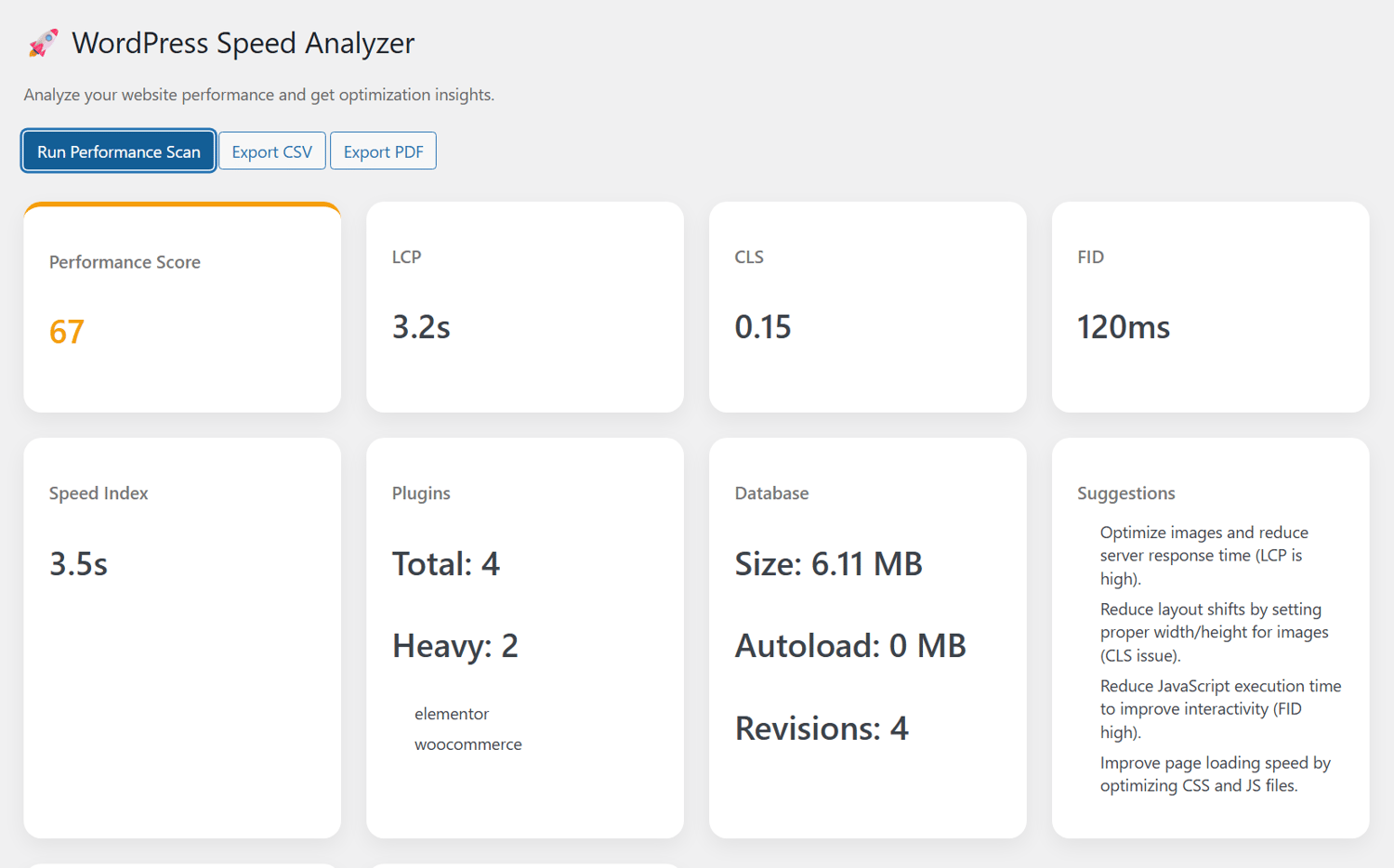
WordPress Speed Analyzer Kaddora Plugin is a professional website speed testing, performance monitoring, Core Web Vitals analysis, and optimization reporting solution designed for WordPress websites, WooCommerce stores, blogs, agencies, SaaS platforms, online businesses, portfolio websites, digital publishers, and modern web platforms. The plugin helps website owners analyze website speed, identify performance bottlenecks, monitor Core Web Vitals, optimize frontend performance, and improve SEO rankings directly from the WordPress dashboard.
The plugin combines real-time speed testing, page performance analysis, Core Web Vitals monitoring, WooCommerce performance tracking, frontend optimization insights, resource loading analytics, server response monitoring, and website optimization reports into one centralized WordPress performance analysis platform.
WordPress Speed Analyzer Kaddora Plugin helps businesses improve website loading speed, optimize WooCommerce performance, enhance user experience, reduce bounce rates, and improve Google PageSpeed scores while maintaining lightweight and scalable WordPress architecture.
The plugin is built with AJAX-powered analytics workflows, responsive performance dashboards, real-time monitoring systems, secure optimization tools, and modern website analysis technologies for WordPress environments.
Introduction
Modern websites require fast loading performance to improve SEO rankings, customer engagement, WooCommerce conversions, and mobile responsiveness. Slow websites can negatively affect user experience, search engine visibility, and business performance.
WordPress Speed Analyzer Kaddora Plugin helps website owners monitor and analyze website speed using advanced performance testing tools and intelligent optimization reports.
The plugin allows administrators to test page speed, monitor Core Web Vitals, identify slow-loading assets, analyze WooCommerce performance, monitor server response times, and improve frontend optimization without requiring advanced technical knowledge.
WordPress Speed Analyzer Kaddora Plugin is suitable for websites that want professional performance analysis and optimization monitoring directly inside WordPress.
Main Features
- Website speed analysis
- Core Web Vitals monitoring
- WooCommerce performance tracking
- Real-time performance testing
- PageSpeed analytics dashboard
- Frontend resource monitoring
- Server response analysis
- Performance optimization insights
- Mobile speed testing
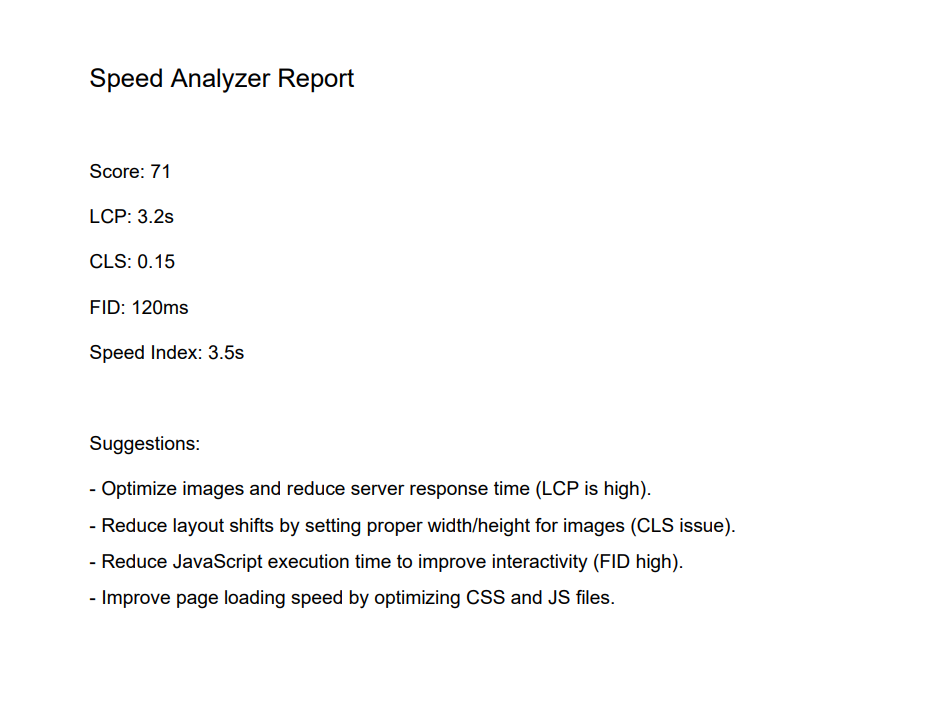
- Dynamic performance reports
- CSS and JavaScript analysis
- Image optimization monitoring
- AJAX-powered analytics workflows
- Responsive performance dashboard
- Lightweight architecture
- SEO performance monitoring
- Website health tracking
- Dynamic optimization suggestions
- Secure performance processing
- Easy setup and configuration
Requirements & Compatibility
Minimum Requirements
- WordPress 6.0 or higher
- PHP 7.4 or higher
- HTTPS-enabled website
- Modern browser support
Recommended Environment
- WordPress 6.x
- PHP 8.0+
- SSD hosting
- Cloud hosting compatibility
- WooCommerce latest version
Compatible With
- WooCommerce
- Elementor
- Gutenberg
- WPML
- RTL websites
- Multisite installations
- Mobile devices
- Modern WordPress themes
Plugin Installation
Installation Steps
- Download the plugin ZIP file.
- Login to the WordPress dashboard.
- Navigate to Plugins → Add New.
- Click Upload Plugin.
- Select the plugin ZIP file.
- Click Install Now.
- Activate the plugin.
- Open the Kaddora Speed Analyzer menu from the dashboard.
After Activation
The plugin automatically creates:
- Speed Analytics Dashboard
- Core Web Vitals Monitoring System
- WooCommerce Performance Tools
- Resource Analysis Modules
- Optimization Reports Dashboard
- Website Health Monitoring Controls
Settings (Admin Panel)
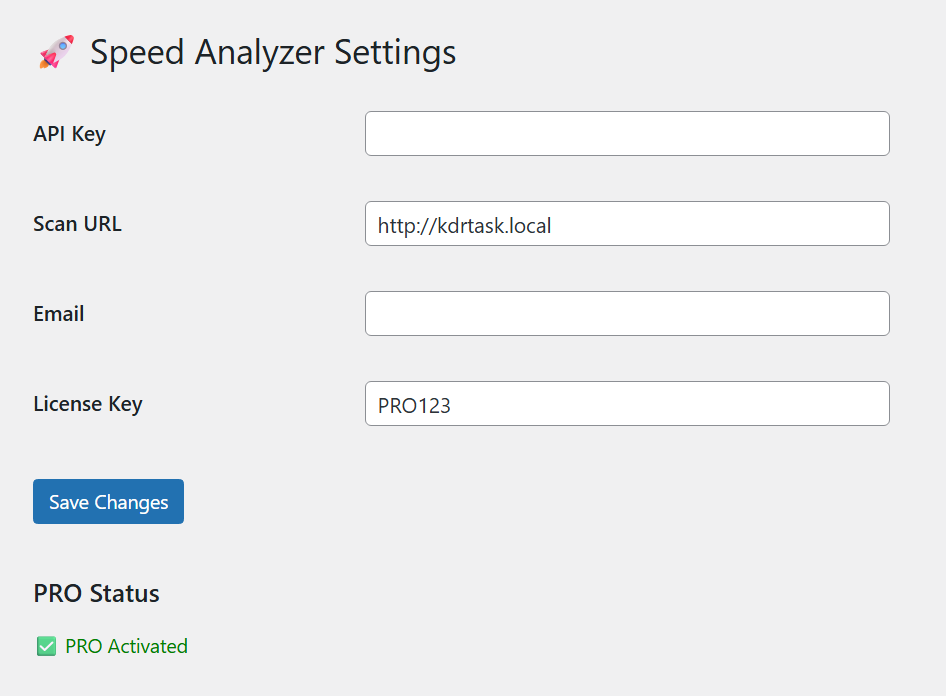
The Settings Panel provides centralized control for speed testing, performance monitoring, WooCommerce analysis, and optimization reporting.
Admin Panel Features
- Website speed testing controls
- Core Web Vitals configuration
- WooCommerce monitoring settings
- Frontend performance controls
- Server response monitoring
- Resource optimization analysis
- Analytics dashboard configuration
- Mobile speed testing settings
- SEO monitoring tools
- Performance optimization controls
Advanced Settings
- Real-time monitoring configuration
- Dynamic performance analysis
- Frontend asset tracking
- CSS and JavaScript analysis controls
- WooCommerce performance monitoring
- Mobile optimization workflows
- AJAX analytics processing
- Dynamic optimization reporting
- Website health monitoring
- Performance-focused configuration
Website Speed Analysis System
WordPress Speed Analyzer Kaddora Plugin includes intelligent website testing systems that analyze frontend and backend performance.
Speed Analysis Features
- Real-time speed testing
- Homepage performance analysis
- WooCommerce page testing
- Frontend resource monitoring
- Dynamic speed reports
- Mobile performance analysis
- Website loading time tracking
- Asset request monitoring
- Browser rendering analysis
- Website health scoring
Benefits
- Better website performance
- Faster troubleshooting
- Improved WooCommerce speed
- Better SEO rankings
- Improved customer experience
- Reduced bounce rates
Core Web Vitals Monitoring
The plugin includes advanced Core Web Vitals monitoring tools for SEO-focused performance optimization.
Core Web Vitals Features
- Largest Contentful Paint tracking
- First Input Delay monitoring
- Cumulative Layout Shift analysis
- Real-time Web Vitals reporting
- Frontend rendering analysis
- Mobile-first performance tracking
- Dynamic optimization insights
- WooCommerce Core Web Vitals monitoring
- Google PageSpeed compatibility
- Responsive performance workflows
Benefits
- Better Google rankings
- Improved mobile experience
- Better SEO performance
- Enhanced frontend responsiveness
- Improved user experience
- Better WooCommerce conversions
WooCommerce Performance Monitoring
WordPress Speed Analyzer Kaddora Plugin integrates directly into WooCommerce to analyze store performance and product speed optimization.
WooCommerce Features
- Product page speed analysis
- WooCommerce checkout monitoring
- Cart page performance testing
- WooCommerce asset monitoring
- Product image performance tracking
- WooCommerce database response analysis
- Mobile WooCommerce optimization
- WooCommerce frontend monitoring
- Product loading analytics
- WooCommerce performance insights
Performance Reports & Analytics
The plugin includes detailed reporting systems that help businesses monitor website speed and optimization progress.
Analytics Features
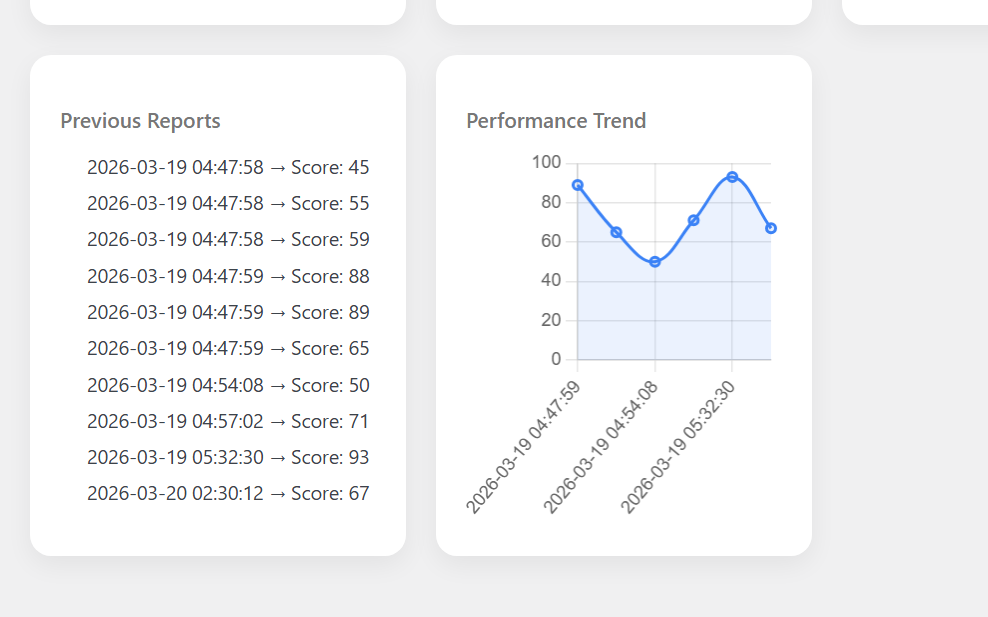
- Website performance reports
- Core Web Vitals analytics
- WooCommerce speed reports
- Resource loading analysis
- CSS and JavaScript reports
- Image optimization analytics
- Server response tracking
- Frontend rendering reports
- Real-time analytics dashboard
- Dynamic performance monitoring
Benefits
- Better optimization planning
- Faster issue detection
- Improved troubleshooting
- Better SEO monitoring
- Improved WooCommerce analytics
- Real-time performance insights
Frontend Resource Monitoring
WordPress Speed Analyzer Kaddora Plugin includes advanced frontend analysis tools for CSS, JavaScript, fonts, and media resources.
Resource Monitoring Features
- CSS loading analysis
- JavaScript performance tracking
- Font loading monitoring
- Image performance analysis
- Asset request tracking
- Frontend rendering monitoring
- Dynamic resource optimization
- WooCommerce asset analysis
- Third-party script monitoring
- Mobile resource tracking
Optimization Suggestions System
The plugin automatically identifies performance bottlenecks and provides optimization recommendations.
Optimization Features
- Dynamic optimization suggestions
- Frontend speed recommendations
- WooCommerce performance insights
- CSS optimization recommendations
- JavaScript improvement suggestions
- Image optimization analysis
- Server response optimization
- Mobile performance suggestions
- Cache optimization insights
- Core Web Vitals improvement tips
How It Works (Workflow)
WordPress Speed Analyzer Kaddora Plugin automatically scans WordPress pages and analyzes website performance in real-time.
Workflow Process
- Plugin scans WordPress pages and assets.
- Performance engine analyzes frontend resources.
- Core Web Vitals metrics are calculated dynamically.
- WooCommerce performance workflows are monitored.
- Optimization bottlenecks are identified.
- Real-time analytics update automatically.
- Dynamic performance recommendations are generated.
Workflow Features
- Real-time performance testing
- Dynamic frontend analysis
- AJAX-powered analytics workflows
- Responsive monitoring systems
- WooCommerce synchronization
- Automated optimization insights
- Core Web Vitals tracking
- Secure analytics processing
Website Health Monitoring
The plugin includes advanced website health monitoring systems for continuous performance tracking.
Monitoring Features
- Website uptime tracking
- Frontend health analysis
- WooCommerce health monitoring
- Server response tracking
- Resource loading analysis
- Dynamic performance alerts
- Website stability reports
- Mobile responsiveness monitoring
- SEO health tracking
- Real-time website diagnostics
Customization Options
The plugin provides advanced customization controls for analytics dashboards, monitoring workflows, and reporting layouts.
Customization Features
- Dashboard customization
- Performance report layouts
- Core Web Vitals display controls
- WooCommerce analytics layouts
- Typography settings
- Dynamic analytics widgets
- Responsive dashboard layouts
- Mobile performance panels
- Frontend monitoring controls
- Personalized reporting workflows
Appearance Controls
- Dark and light mode
- Responsive analytics dashboard
- Dynamic monitoring widgets
- Modern performance UI
- Mobile-friendly layouts
- User-friendly controls
- Flexible reporting panels
- WooCommerce dashboard integration
Shortcodes Guide
The plugin includes shortcode support for displaying speed analytics and performance widgets anywhere on WordPress websites.
Shortcode Features
- Website speed widgets
- Core Web Vitals displays
- WooCommerce performance panels
- Dynamic analytics sections
- Responsive shortcode layouts
- Website health widgets
- Performance tracking displays
- Frontend analytics sections
Example Usage
- Website performance dashboards
- WooCommerce speed reports
- Core Web Vitals sections
- Resource monitoring widgets
- SEO performance displays
- Optimization analytics panels
Performance & Security
WordPress Speed Analyzer Kaddora Plugin is designed with optimized architecture and secure analytics processing systems.
Performance Features
- Lightweight plugin structure
- Optimized database queries
- AJAX-powered analytics workflows
- Fast performance analysis
- Minimal server resource usage
- Selective asset loading
- Cloud hosting compatibility
- Performance-focused architecture
- Scalable monitoring systems
- Real-time performance tracking
Security Features
- Secure analytics processing
- Input sanitization
- SQL injection protection
- XSS protection
- Protected monitoring workflows
- Safe WooCommerce integration
- Secure AJAX operations
- Role-based access control
- Protected analytics reports
- Secure admin dashboard
SEO & User Experience Benefits
The plugin helps improve SEO rankings and website usability using advanced speed analysis and optimization systems.
SEO Benefits
- Better Google PageSpeed scores
- Improved Core Web Vitals
- Faster mobile performance
- Better WooCommerce SEO
- Improved frontend rendering
- Enhanced search engine rankings
User Experience Benefits
- Faster website browsing
- Better WooCommerce shopping experience
- Improved mobile responsiveness
- Reduced page loading delays
- Smooth frontend interactions
- Enhanced website usability
WooCommerce Integration
WordPress Speed Analyzer Kaddora Plugin integrates directly into WooCommerce frontend systems and product workflows.
WooCommerce Features
- WooCommerce speed testing
- Product page performance analysis
- Checkout optimization monitoring
- WooCommerce asset tracking
- Mobile WooCommerce testing
- Product rendering analysis
- WooCommerce analytics integration
- Frontend WooCommerce monitoring
- Dynamic WooCommerce reports
- Responsive WooCommerce workflows
Admin Dashboard Features
The admin dashboard provides centralized control for speed testing, Core Web Vitals monitoring, WooCommerce performance analysis, and analytics.
Dashboard Features
- Modern admin interface
- Website speed overview
- Core Web Vitals dashboard
- WooCommerce analytics reports
- Resource monitoring tools
- Dynamic performance widgets
- Real-time analytics tracking
- User-friendly controls
- Optimization monitoring panels
- Quick setup system
Suitable For
- WooCommerce stores
- Blogs
- Business websites
- Online magazines
- SaaS platforms
- Portfolio websites
- Digital agencies
- eCommerce businesses
- Media-heavy websites
- Modern WordPress platforms
Why Choose WordPress Speed Analyzer Kaddora Plugin?
WordPress Speed Analyzer Kaddora Plugin helps businesses improve website speed, optimize WooCommerce performance, monitor Core Web Vitals, improve SEO rankings, and enhance user experience using intelligent speed analysis systems and real-time performance monitoring technologies.
The plugin combines website speed testing, Core Web Vitals tracking, WooCommerce performance monitoring, frontend analytics, optimization reports, shortcode support, responsive dashboards, and dynamic performance insights into one complete WordPress speed analysis solution for modern websites.