



3-Page Graduation Website Template (Canva Editable)
Your grad deserves more than a basic flyer.
This 3-page Canva grad website gives you a clean, bold, luxury layout for photos, story, event details, and donations — all in one link you can text, post, or turn into a QR code.
🎓 ONE LINK. ONE PLACE. EVERYTHING.
Graduation season gets chaotic fast:
people asking the same questions, details getting lost in group chats, and your “announcement” looking like everybody else’s.
This template fixes all of that.
You’re getting a 3-page graduation website template that looks like an editorial feature — not a last-minute Canva flyer.
✅ What This Does For You
✔ Makes your grad look premium (like a real feature)
✔ Keeps everything organized (no more repeating details)
✔ Makes donating easy (college fund / cash gift page)
✔ Saves time (edit in minutes, share instantly)
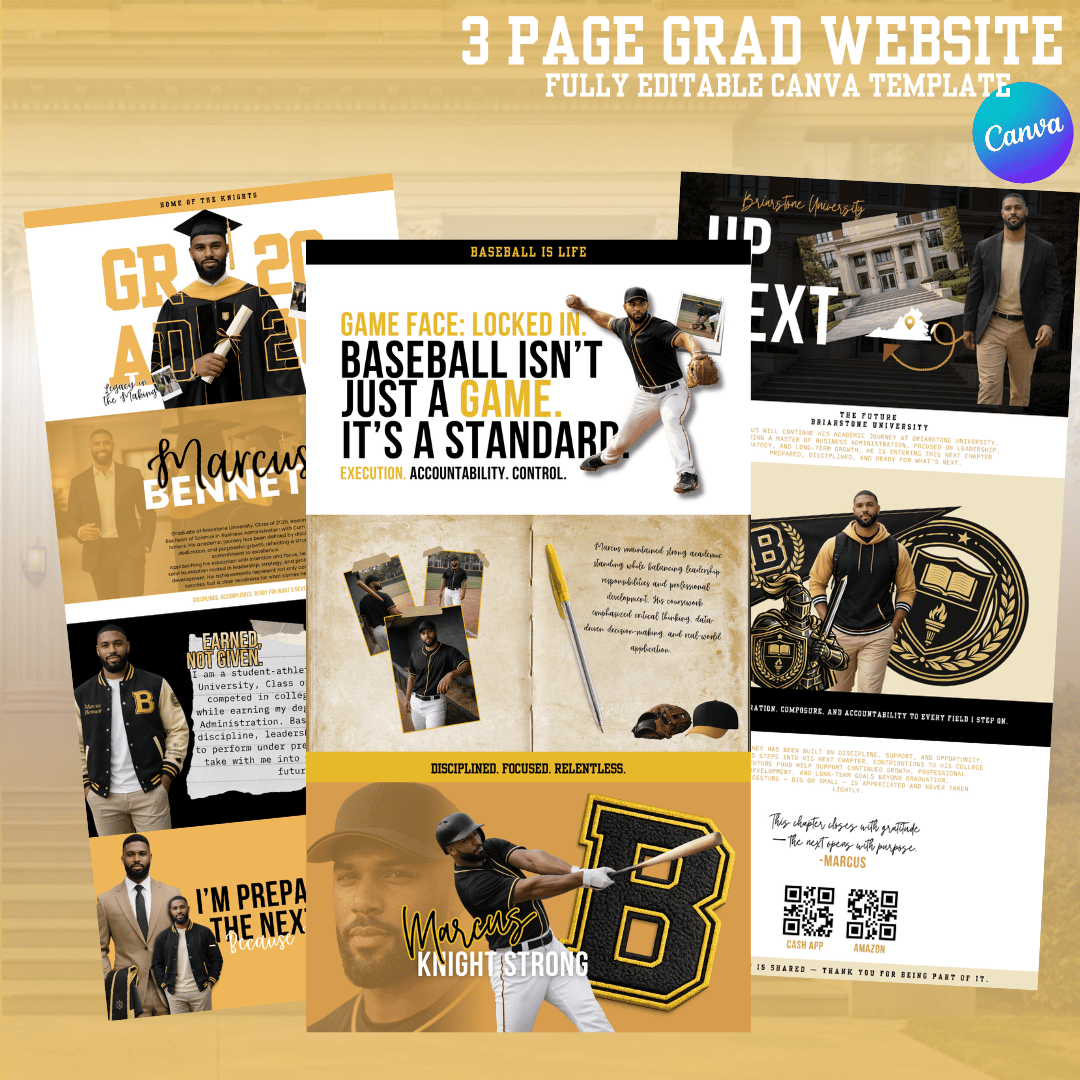
📄 What’s Included (3 Pages)
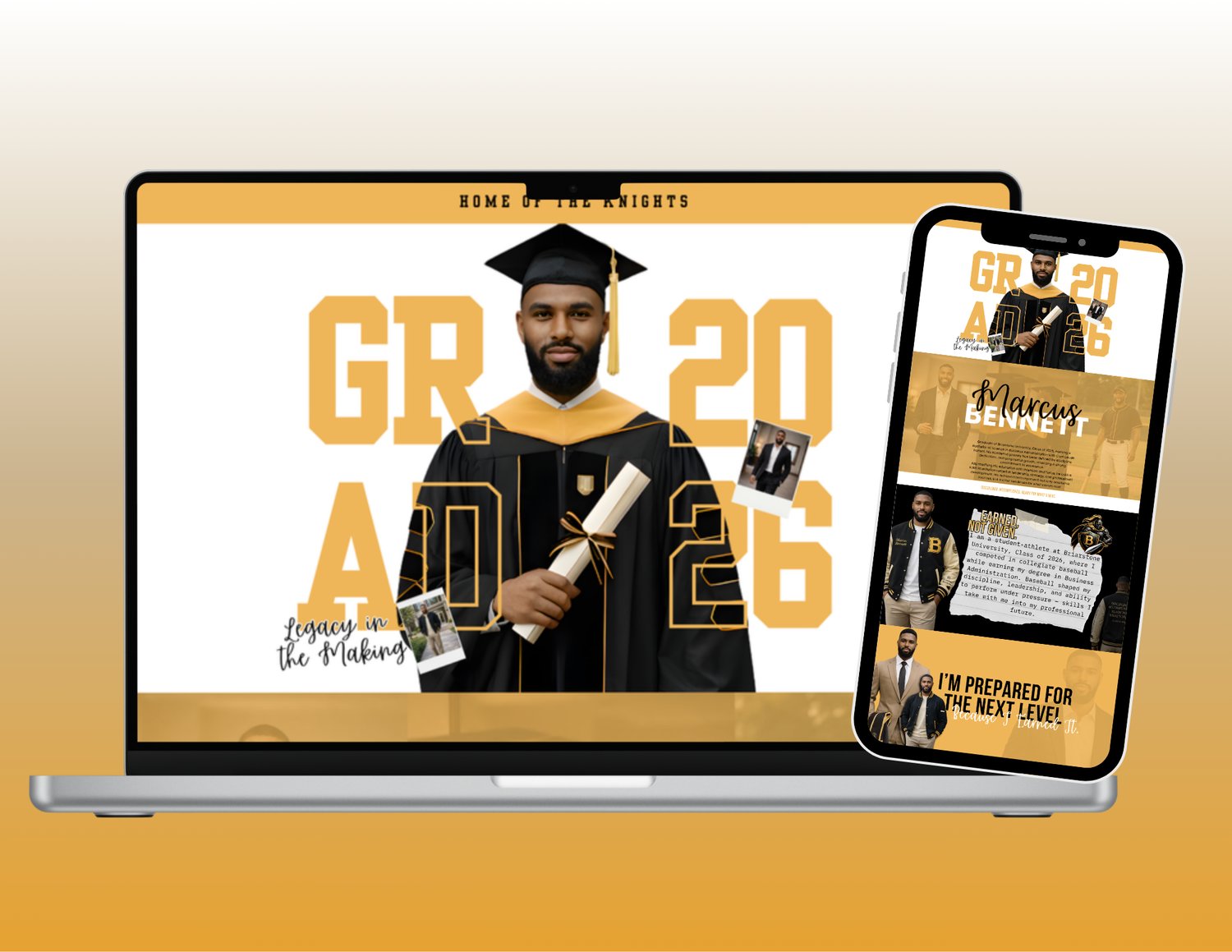
PAGE 1 — Announcement / Home
- Hero photo + headline
- Grad name + class year
- Quick overview + highlights
PAGE 2 — Photos + Story
- Bio + achievements
- Athlete/sports layout included
- Memory photos + feature-style design
PAGE 3 — Donation / College Fund
- Add Cash App / Zelle / Venmo / etc.
- QR-code ready so people can scan & support
- Thank you note placement included
✨ Who This Is For
- High school grads
- College grads
- Master’s grads
- Athlete seniors (any sport)
- Parents who want it to look CLEAN without doing the most
⏱ How Fast Can You Finish?
10–20 minutes if you already have photos.
Swap text, drop in pics, change colors if you want — done.
Template Specs
- Platform: Canva (editable link provided after purchase)
- Editable: text, colors, photos, fonts, layout elements
- Print-ready designs (you can print at home, local print shop, or online printer)
- Works for: Class of 2026 (and beyond — you can edit the year)
How It Works (simple)
- Purchase the listing
- Download the PDF with your Canva links
- Open in Canva (free account works)
- Edit + export (PDF Print for printing, PNG/JPG for sharing)
- Print or post 🎓
Perfect For
- Graduation announcements + invitations
- Senior year keepsakes
- Graduation parties & banquets
- Matching family shirts
- Fans/buttons for ceremony day
- Social media “Class of 2026” posts
Requirements
- A free Canva account (Canva Pro optional, not required)
- Basic Canva knowledge (drag, drop, type — nothing scary)
Digital Product Policy
This is a digital download — no physical items will be shipped.
Due to the nature of digital products, all sales are final (no refunds).
License / Usage
✅ Personal use + small business use allowed (for your clients)
❌ You may NOT resell, share, redistribute, or re-upload the templates/designs as-is or as templates.
Translation: you can sell finished designs to clients, but you can’t sell my editable files. Fair trade. 🤝
FAQ
Q: Can I edit this on my phone?
Yes — Canva mobile works, but desktop is easier for perfect alignment.
Q: Do I need Canva Pro?
Nope. If you swap fonts/photos and Canva flags something as Pro, just replace it with a free option.
Q: Can I change the school name/mascot/colors?
100%. Everything is editable.
Q: Will this print clean?
Yes — export using PDF Print for best quality.
828 kb download