
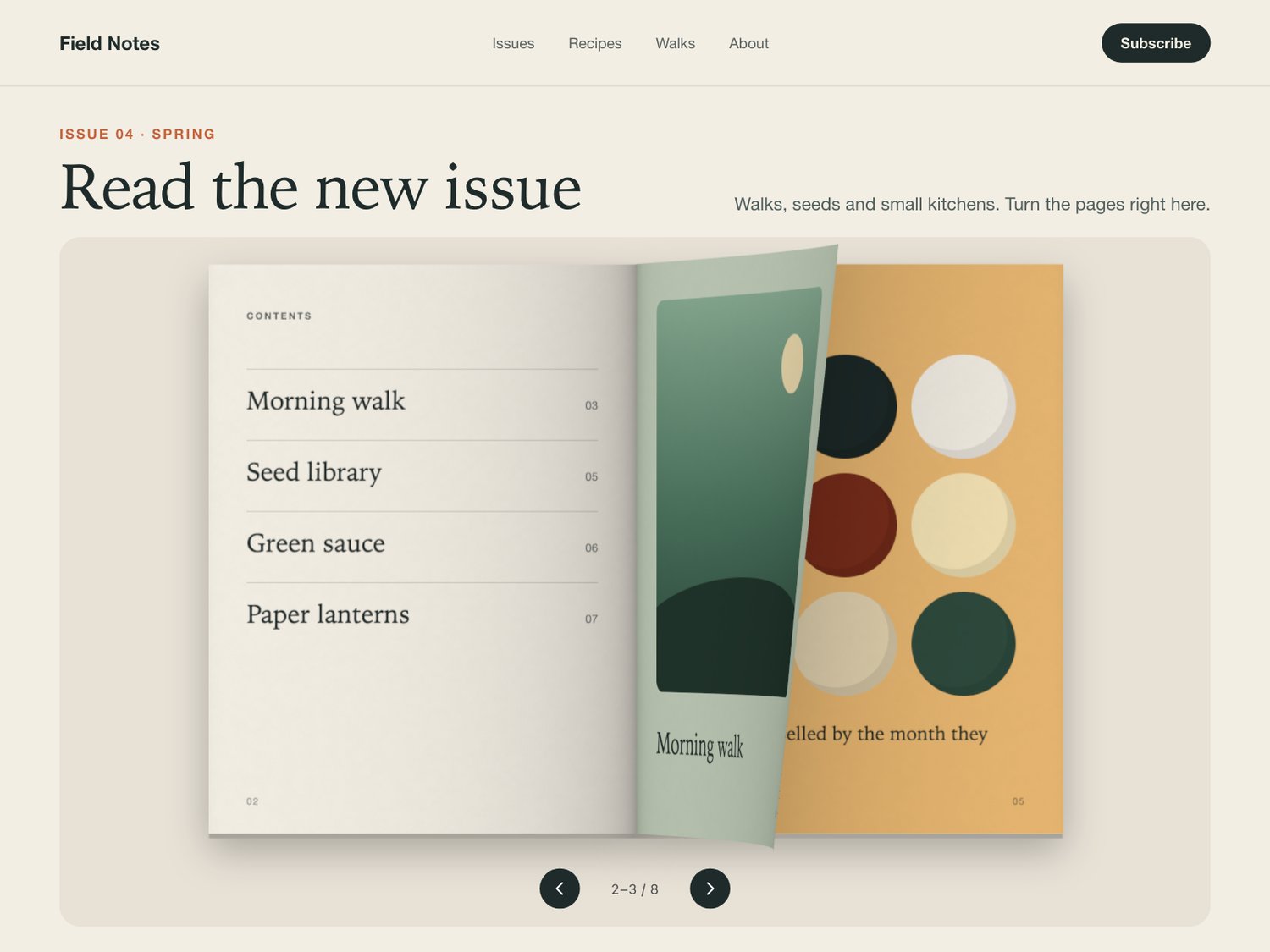
Paper Flipbook — page-turning book component for Framer
A book for your images whose pages bend and cast shadows as they turn. Drag, tap, buttons or keyboard.
What it is
A page-turning book for portfolios, lookbooks and catalogues: add one image per page and visitors page through it with a paper curl rendered in WebGL (three.js).
What you get
- One Framer code component (Paper Flipbook), delivered as a Component URL.
- Controls for pages, page ratio, start page, hard cover, curl, thickness and shadow.
- Background and accent colours, autoplay, arrows, page numbers, drag and label.
- Free updates.
How it behaves
- Turns like paper. Pages bend as they turn, with fold shading, a spine shadow and a shadow cast on the page below.
- Four ways to turn. Drag a page, click or tap either half, use the arrow buttons, or the keyboard (arrows, Page Up/Down, Home, End).
- Light on the page. Frames are drawn only while a page moves, and nothing is drawn while it is off screen.
- Safe fallbacks. The Framer canvas and browsers without WebGL show the same spread as a static layout; reduced motion changes pages instantly.
- Accessible. Real buttons, a focusable book and a polite live region that reads the pages in view.
Requirements
Any Framer project. Uses three.js, which Framer loads for the component; no plugins.
Live preview: https://thistle-timing-694660.framer.app/paper-flipbook