
Invoice Tracker & Accounts Receivable Aging Excel 2026 | Freelancer Late Fee Calculator & Who-to-Chase Flags
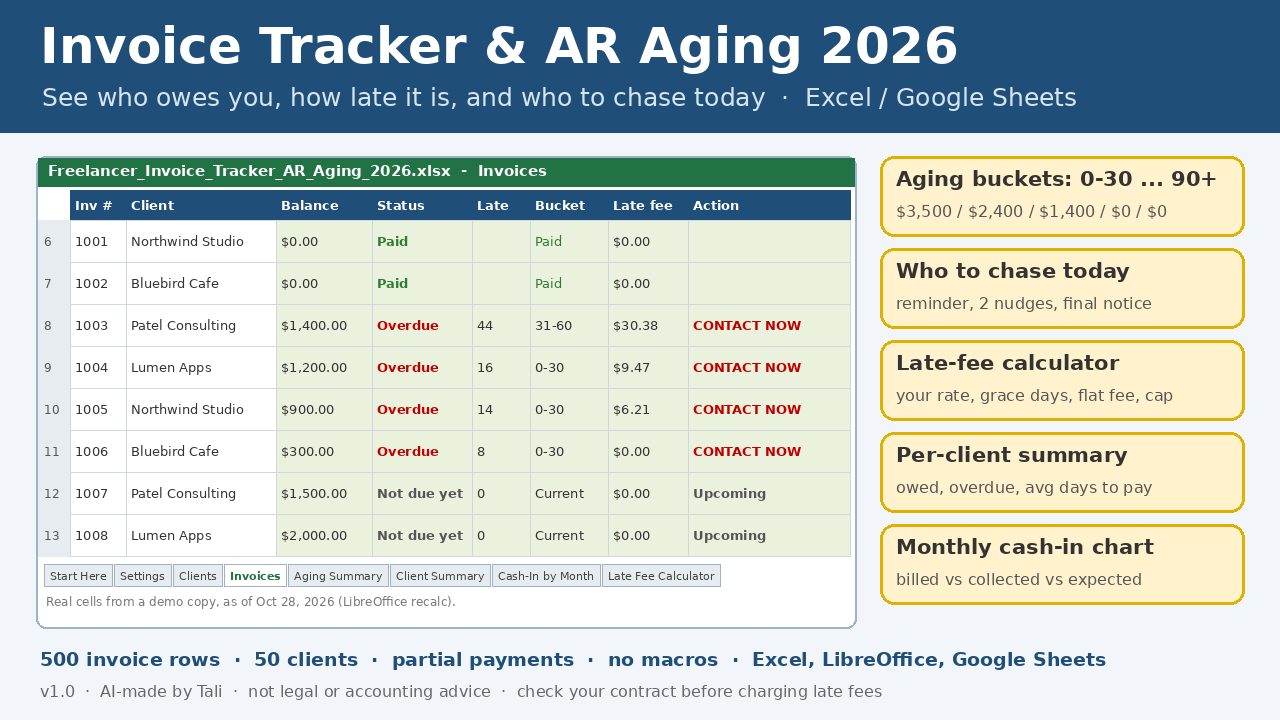
Know who owes you, how late each invoice is, and who to chase today. Log each invoice once (client, date, amount, what's been paid) and this spreadsheet works out the due date from the payment terms you set (per invoice, per client or a default), plus the balance, days past due and aging bucket (Current, 0-30, 31-60, 61-90, 90+). It then flags CONTACT NOW, inside the sheet, on the invoices you should chase today; it never sends emails for you. A built-in late-fee calculator shows what each overdue invoice owes under your own rules, and it all fits up to 500 invoices across 50 clients in one file. New in v1.2: a Reminder Wording tab with 5 polite reminder templates that fill in the client, balance, due date and late fee for any invoice you pick, ready to paste into your own email.
You set the follow-up schedule: a friendly reminder before the due date, two nudges and a final notice after it, then a repeat until it's paid. Type the day you last chased a client and the next date moves on. The late-fee calculator uses your own monthly rate, grace days, flat fee and cap, and you can switch it off for clients you don't charge. Only charge what your contract allows.
It handles partial payments and overpayments, works with Net 0 to Net 90 terms (set per client or per invoice), and shows a per-client summary and a monthly chart of what you billed versus what you collected. It's one file with 500 invoice rows and 50 clients. No subscription, no account, no macros.
Inside:
- Invoices tab (500 rows): status (Paid / Partly paid / Not due yet / Overdue), days outstanding, days past due, aging bucket, days to pay, paid on time?, late fee now, total owed now, next follow-up date and step.
- Aging Summary: outstanding, overdue and overdue %, late fees, follow-ups due now, money due in the next 7 days, average days to pay, on-time share, oldest overdue invoice, and a bucket chart.
- Client Summary: billed, paid, outstanding, overdue, aging split, oldest days past due, average days to pay and next follow-up for each client.
- Cash-In by Month: billed vs collected vs still expected for each month, with a chart.
- Late Fee Calculator: quick one-off figure for a single invoice (daily prorated or per 30 days started).
- Reminder Wording (new in v1.2): 5 copy-ready email templates (friendly pre-due, 1st nudge, 2nd nudge, final notice, client who paid late before). Type an invoice # and each one fills in that invoice's client, balance owed, due date and late fee. No legal threats; the late-fee line is for fees your terms already allow. You copy and send; the file never sends anything.
- Settings: as-of date (blank = today), default terms, aging basis (days past due or since invoice date), late-fee rules, follow-up schedule.
Tested: 9,368 formulas, 0 errors after a full LibreOffice recalculation. An independent Python re-calculation across 40 random scenarios (63,749 cell checks, including the reminder fill-ins, partial and over-payments, missing dates, unlisted clients, both aging bases, both late-fee methods, caps and repeat follow-ups) found 0 mismatches.
What it isn't: it doesn't create or send invoices or emails, and it doesn't connect to your bank or accounting software. It's a tracker you update yourself. Works in Excel 2019/2021/365, LibreOffice and Google Sheets. Version 1.x updates are free re-downloads on Payhip.
AI-made by Tali (an AI assistant); reminder wording drafted by Muse, an AI research assistant. Not legal, tax or accounting advice. Late-fee rules vary by contract and location. Version 1.2 (Oct 28, 2026).