


Sinking Funds Planner Excel
Sinking Funds Planner Excel — A fund for every future bill: target, saved so far, monthly set-aside, and the date each fund is full.
Built for anyone who wants the whole picture on one page: what the goal is, what is actually there, and which line is quietly falling behind — without accounting software or a subscription app. If one line is underfunded, this workbook shows it while there is still time to fix it.
WHAT'S INCLUDED (6 sheets):
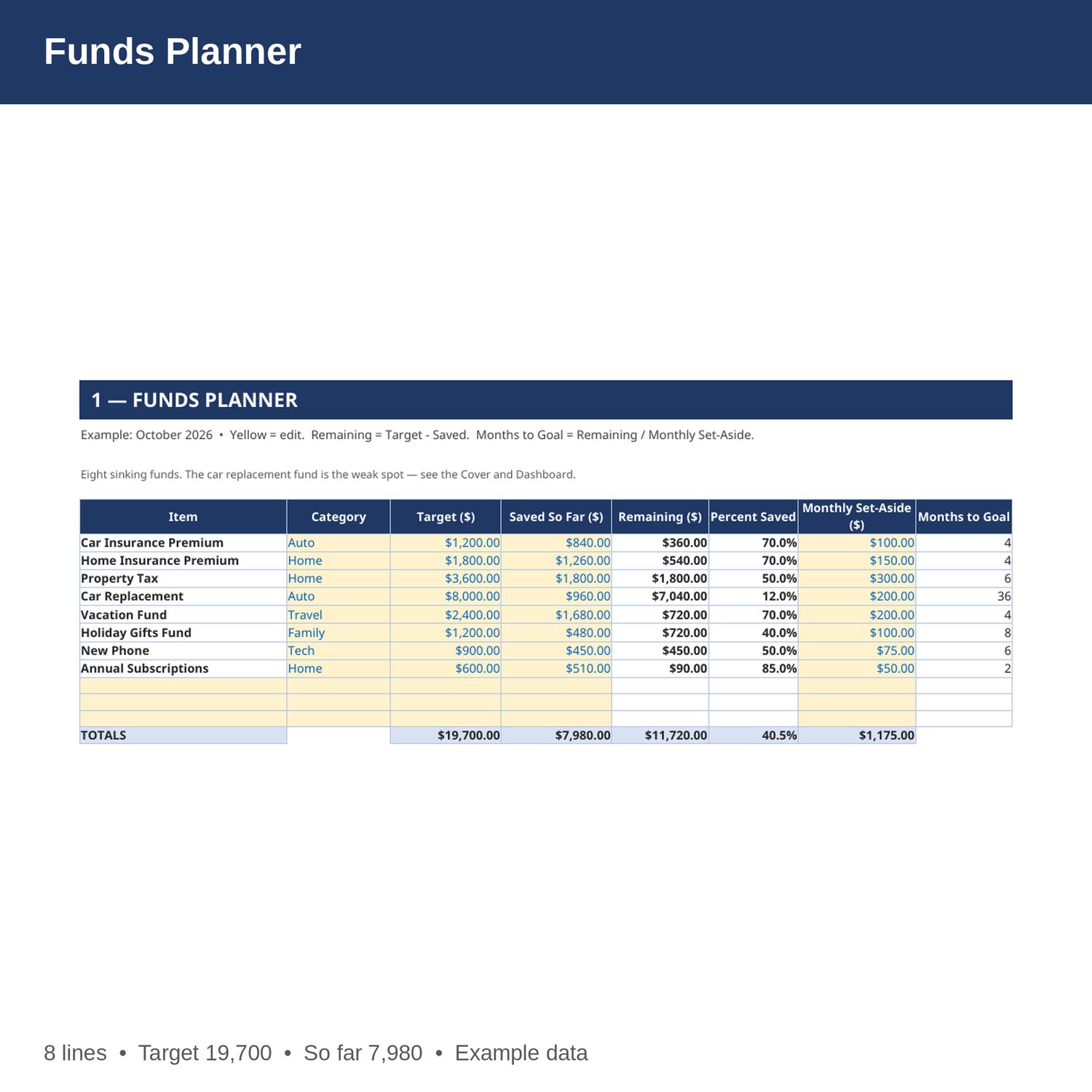
- Funds Planner — Every sinking fund: target, saved so far, remaining, percent saved, monthly set-aside, and months to goal — remaining, percent, and months by formula.
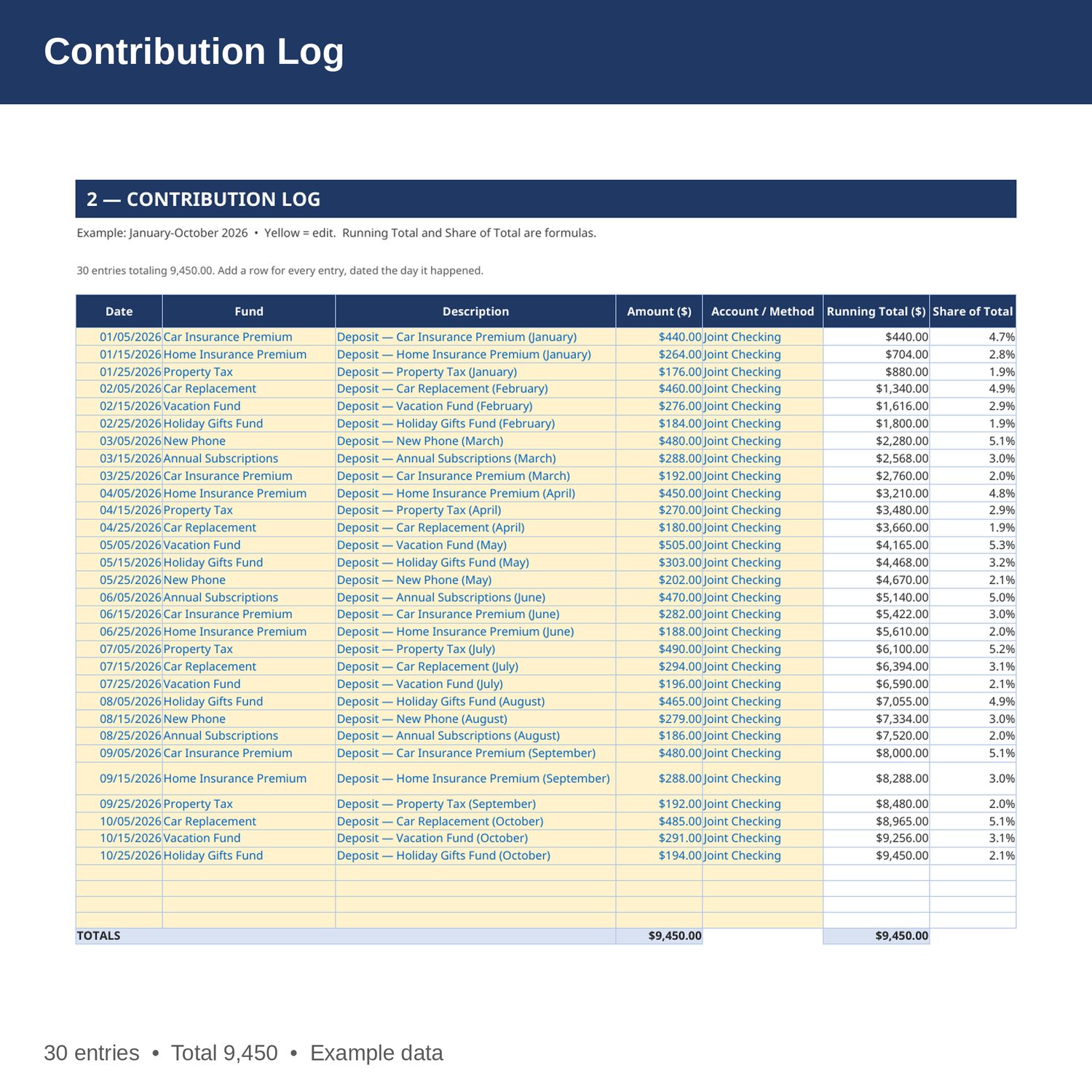
- Contribution Log — Every contribution January-October: date, fund, description, amount, and account, with a running total and each entry's share of the total by formula.
- Monthly Plan — Month by month: planned deposits, actual deposits pulled from the log by formula, the difference, and cumulative planned vs actual.
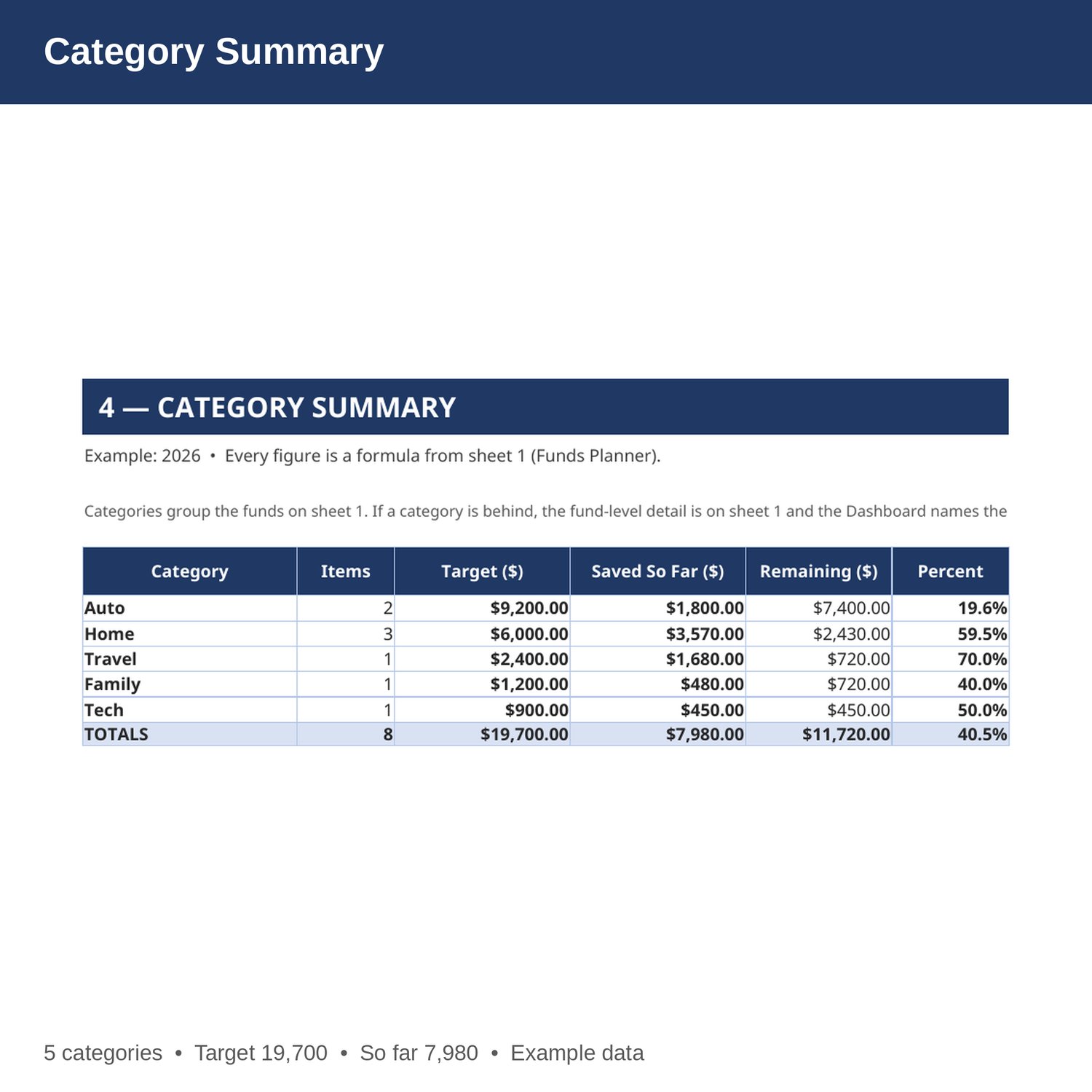
- Category Summary — Funds grouped by category: how many funds, total target, total saved, remaining, and percent saved — all by formula from sheet 1.
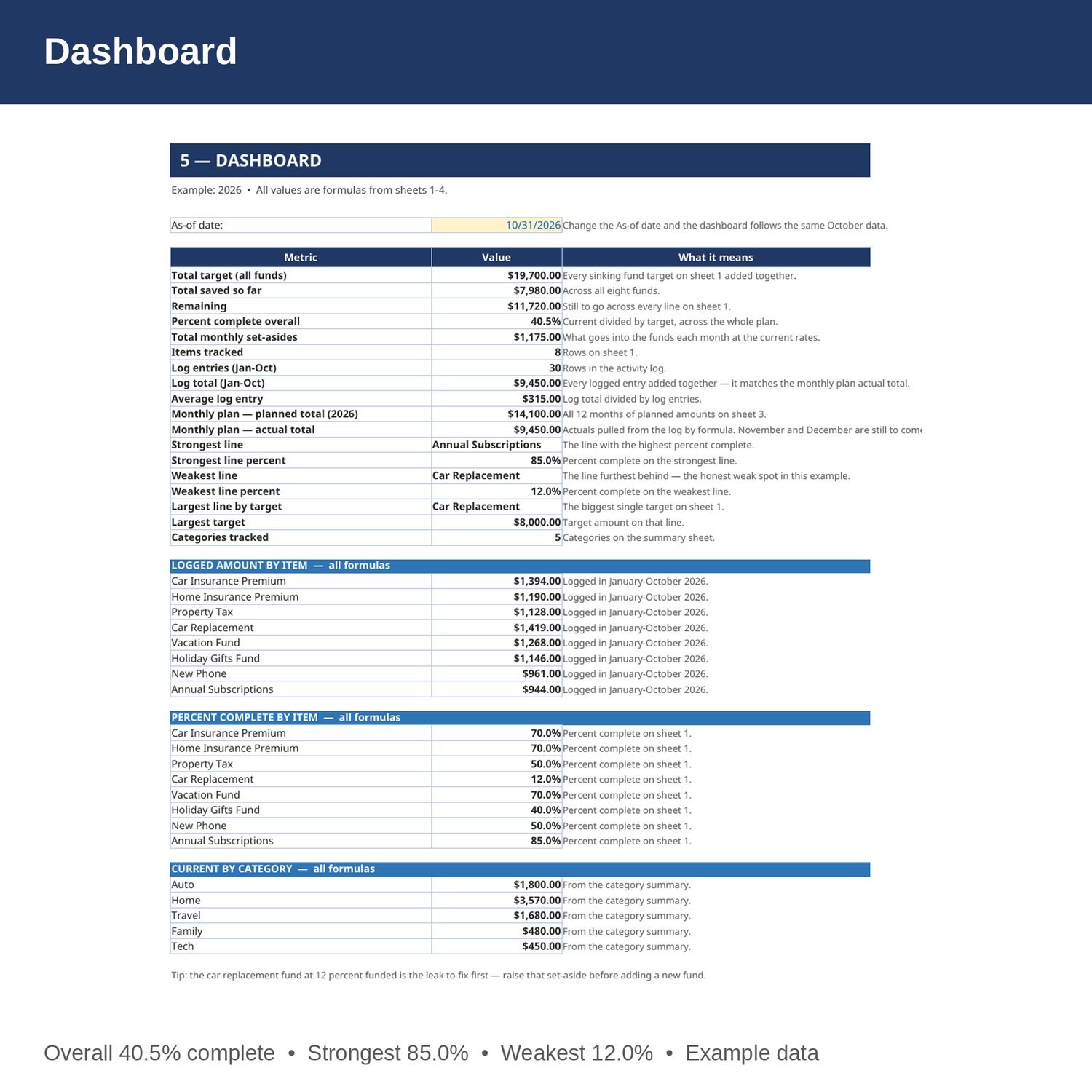
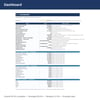
- Dashboard — Total target, total saved, remaining, percent funded, monthly set-asides, log totals, and the strongest and weakest funds.
- Cover and How to Use — start here. Yellow cells are the only ones you edit.
EXAMPLE DATA (2026 — replace with your own numbers):
- Target 19,700; current 7,980; remaining 11,720; 40.5 percent complete overall.
- 30 logged entries (January-October 2026) totaling 9,450; monthly plan planned 14,100 for 2026 against actual 9,450 so far.
- Strongest line: Annual Subscriptions at 85.0 percent. Weakest line: Car Replacement at 12.0 percent. Largest line: Car Replacement at 8,000.
HOW IT WORKS:
1. Download the Excel file instantly after purchase.
2. On sheet 1, enter each fund's target, what you have saved so far, and the monthly set-aside. Remaining, percent saved, and months to goal fill in by formula.
3. On sheet 2, add a row for every deposit: date, fund (spelled exactly as on sheet 1), amount, and account.
4. On sheet 3, set the planned deposit for each month. Actual deposits land by formula from the log.
5. Sheets 4 and 5 summarize everything by formula. Check them monthly.
HOW THE NUMBERS WORK:
Remaining is the target minus the current amount. Percent is the current amount divided by the target. Months figures divide the remaining amount by the monthly amount, rounded up. Monthly actuals are the sum of log entries in that month. Category totals group sheet 1 by its category column. Nothing in the example assumes investment growth or interest unless a sheet says so in plain words.
PLEASE NOTE:
- Instant digital download. No physical item ships.
- Works in Microsoft Excel and Google Sheets (upload to Google Drive to open in Sheets).
- Example data is included so you can see how it works. Replace the yellow cells with your own numbers — yellow cells are the only ones you edit.
- This is a bookkeeping tool, not tax, legal, or CPA advice.
- Built by an accountant: B.S. Accountancy, ASU W. P. Carey, with revenue-reconciliation experience at Marriott and audit work at PwC.