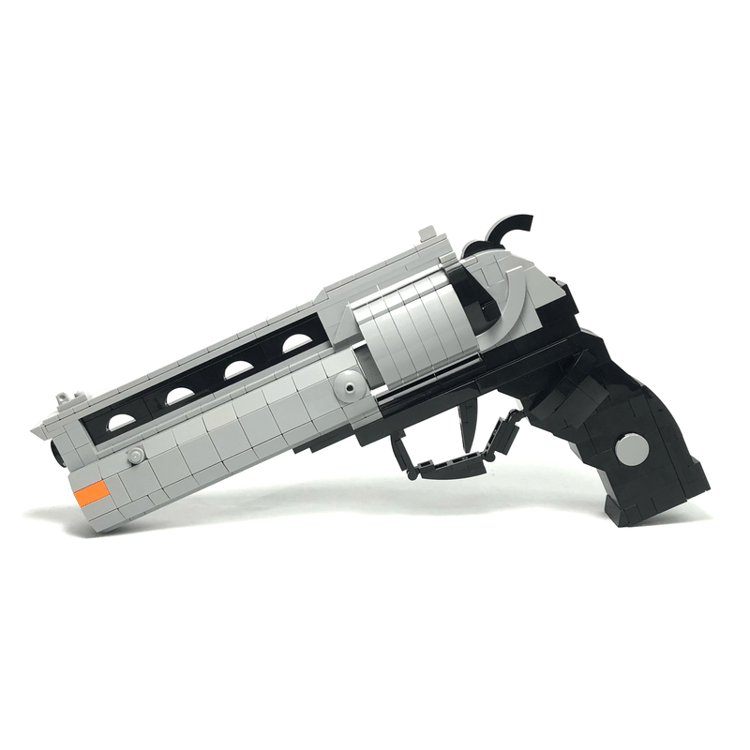


The Good Samaritan(PDF Instructions Only)
"Listen, Sammy, I'm not a very good shot, but the Samaritan here uses really big bullets." – Hellboy
Piece count: 347 pieces
Measurements: 3.2cm(width) X 23cm(length) X 16cm(height)
Weight: 315 grams
I actually didn’t know about Hellboy until Guillermo del Toro gave it life on the big screen. I immediately loved it. It was dark, funny and weird, definitely not your average comic book story.
The adventure revolves around the protagonist, Hellboy, who secretly works for the Bureau of Paranormal Research and Defense to keep supernatural threats in check. Oh yeah he happens to be a demon too.
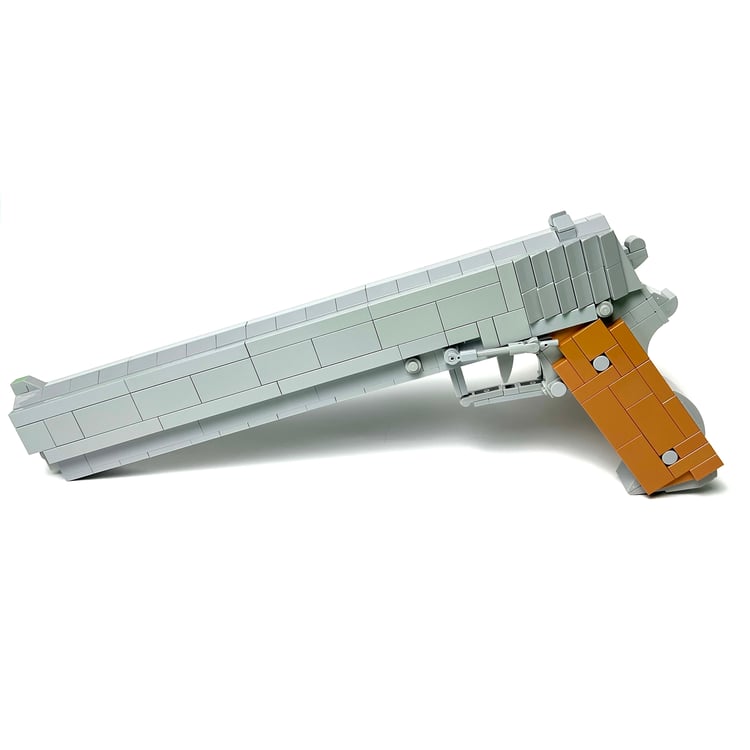
Among other paraphernalia Hellboy carries around, his main weapon is a four-bullet revolver he calls “The Samaritan”. The metal of the gun is supposedly made from a combination of Irish church bells, cold iron from crucifixes, blessed silver, and other mystic metals. The wood handle is believed to be from the cross that Jesus Christ was crucified on.
All said, it is a beautiful sidearm, so I had to build one for myself.
This one took way longer than expected, mostly because I just wasn’t happy with minor details along the way and kept refining it.
The important thing when building this was the scale. I looked at what pieces I had and then realized I couldn’t make it life sized, so I made a smaller version that fit my hand.
The refining process took months because I had to order certain parts and it took time to reach me, but I’m quite happy with The Samaritan’s final form and hope this pays proper homage to Mike Mignola’s iconic superhero.
The weapon is not an actual size representation, more like 1:2, and would probably look small if you have big hands.
How to Buy Parts from Bricklink:
1. Go to bricklink.com and log into your account. If you don't have one, create a free account first.
2. In the top menu, go to My BrickLink → Wanted List. This is where you'll upload your parts list(XML file).
3. Inside your Wanted List, click Upload at the top. Select Upload BrickLink XML, then choose your exported .xml file. Bricklink will parse every part automatically and populate your wanted list.
4. Once your wanted list is populated, click Buy All at the top. Bricklink will scan all current store inventories and suggest the most cost-efficient combination of sellers to source every part in your list.
5. Review the suggested stores, adjust if needed, and proceed to checkout with each seller individually.