

Basic Cisco Router Configuration Guide
Basic Cisco Router Configuration Guide
1️⃣ Accessing the Router
- Connect via console cable to PC or use SSH if already configured.
- Use terminal software (e.g., PuTTY, Tera Term).
- Power on the router. You should see:
Router>
2️⃣ Enter Privileged EXEC Mode
Router> enable
Router#
- enable lets you access commands to configure the router.
3️⃣ Enter Global Configuration Mode
Router# configure terminal
Router(config)#
- This mode allows you to configure interfaces, routing, passwords, etc.
4️⃣ Set Hostname
Router(config)# hostname R1
R1(config)#
- Changes router prompt for easier identification.
5️⃣ Configure Passwords
Console Password
R1(config)# line console 0
R1(config-line)# password cisco123
R1(config-line)# login
R1(config-line)# exit
Enable Secret Password
R1(config)# enable secret admin123
VTY (Telnet/SSH) Password
R1(config)# line vty 0 4
R1(config-line)# password vtypass
R1(config-line)# login
R1(config-line)# exit
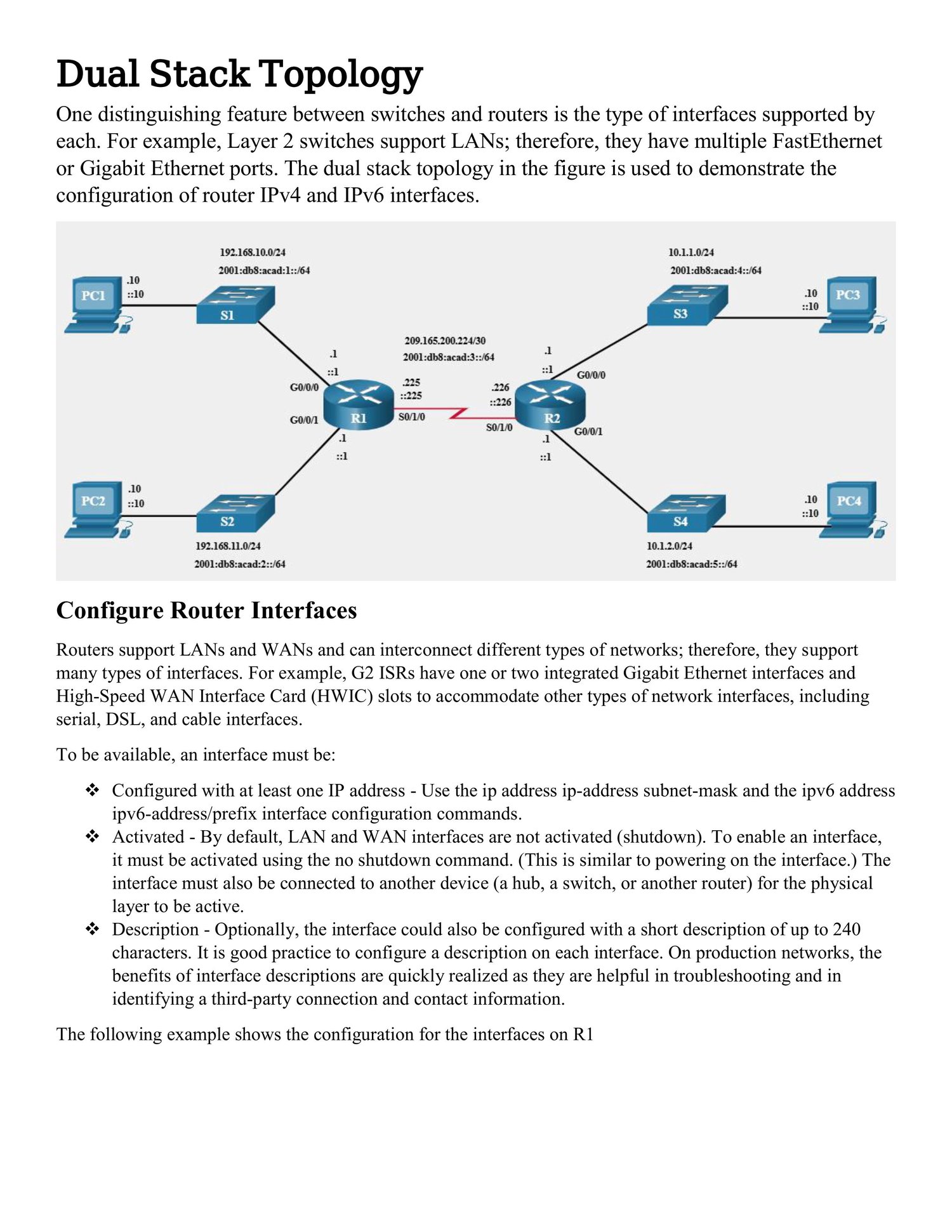
6️⃣ Configure Interfaces (IP Addressing)
Example: Assign IP to GigabitEthernet 0/0
R1(config)# interface g0/0
R1(config-if)# ip address 192.168.1.1 255.255.255.0
R1(config-if)# no shutdown
R1(config-if)# exit
- no shutdown activates the interface.
- Repeat for all required interfaces.
7️⃣ Configure a Default Route (Static Routing)
R1(config)# ip route 0.0.0.0 0.0.0.0 192.168.1.254
- Sends all unknown traffic to next-hop router.
8️⃣ Verify Configuration
- Check IP addresses:
show ip interface brief
- Check routing table:
show ip route
- Ping another device:
ping 192.168.1.2
9️⃣ Save Configuration
R1# copy running-config startup-config
- Saves your configuration permanently so it persists after reboot.
🔹 Optional: Enable SSH (Remote Management)
R1(config)# ip domain-name example.com
R1(config)# crypto key generate rsa
R1(config)# username admin privilege 15 secret Cisco123
R1(config)# line vty 0 4
R1(config-line)# login local
R1(config-line)# transport input ssh
R1(config-line)# exit