


MAD RELAY
On Sale
$29.99
$29.99
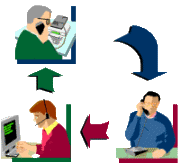
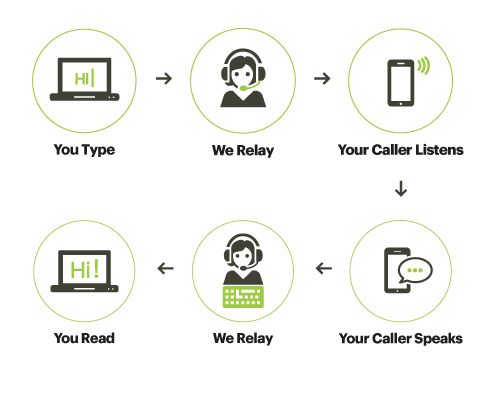
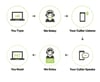
Mad-Relay - provides IP-Relay Service Account from top IP-Relay Service Network Providers this allows people who are Deaf, Hard of Hearing, Deaf Blind or have a Speech Disability to use an internet connection, a computer or mobile device and a relay operator. You type what you want to say to the operator, then the operator relays the message to your caller and types their response back to you.
Note: This service is made available for persons with hearing and speech disability
Requirements
- Internet connection (DSL, Cable, Wi-Fi or wireless network*, etc.) *Data and standard message rates may apply.
- Major Internet browser such as (Microsoft Internet Explorer, Firefox, Google Chrome, Safari) that are supported by the manufacture.
An IP-Relay 9-digit Number with userid and password will be provided.
Features and Benefits
- Save your conversation
- Choose language preference (English And Your Local Language)
- Ability to make Spanish language relay calls
- Ability to make Two-line Voice Carry Over (VCO) calls
- Ability to make Two-line Hearing Carry Over (HCO) calls
- Change font size/colors and background colors
- Ability to manage typing transmission speed
- Ability to receive Text Mail when you are not available to answer IP Relay call
- Make 911 emergency calls
HOW TO USE
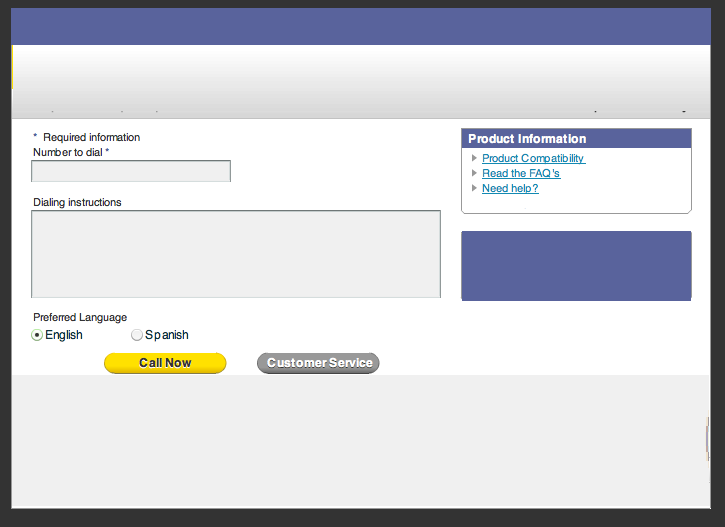
- IP users: Access the ip-relay web portal
- Login with Username and Password.
- Type the area code and telephone number you want to call.
- Type dialing instructions to the Relay Operator (OPR) (Optional).
- Click CALL NOW to connect to IP Relay Service.
- The Relay Operator (OPR) will answer “IP 9999F Dialing...1...2...3...
- Each OPR is assigned an identification number.
- F or M is the gender of the OPR.
- GA stands for “Go Ahead” which means it’s your turn to type.
- The OPR will relay/voice your typed message to your caller.
- The OPR will type everything your caller says and type GA at the end of each response.
- When you are ready to end your call, type 'SK' for 'Stop Keying' then click "Disconnect" button.
- Standard or wireless callers: Dial the number of the IP user.
You only pay for call charges
$29.99 - 1month call charge