
AI-Era Side Hustle Income and Tax Tracker
Ultimate Side Hustle Income & Tax Tracker | Automated Excel Spreadsheet Template
Take complete control of your freelance, AI creator, or gig-work finances with the ultimate Side Hustle Income & Tax Tracker Excel Template. Engineered specifically for Microsoft Excel, this automated spreadsheet removes the guesswork from bookkeeping, expense tracking, and quarterly tax planning.
Whether you are scaling an AI content business, doing freelance data labeling, or managing print-on-demand stores, this turnkey Excel file does the heavy lifting for you. No complex accounting software, no monthly subscriptions—just a clean, powerful, native Excel tool to maximize your net profit.
🚀 Powerful Excel Features & Benefits
- 100% Automated Formula Architecture: No manual calculation required. Every dropdown menu, summary chart, and calculation updates instantly the moment you log a transaction.
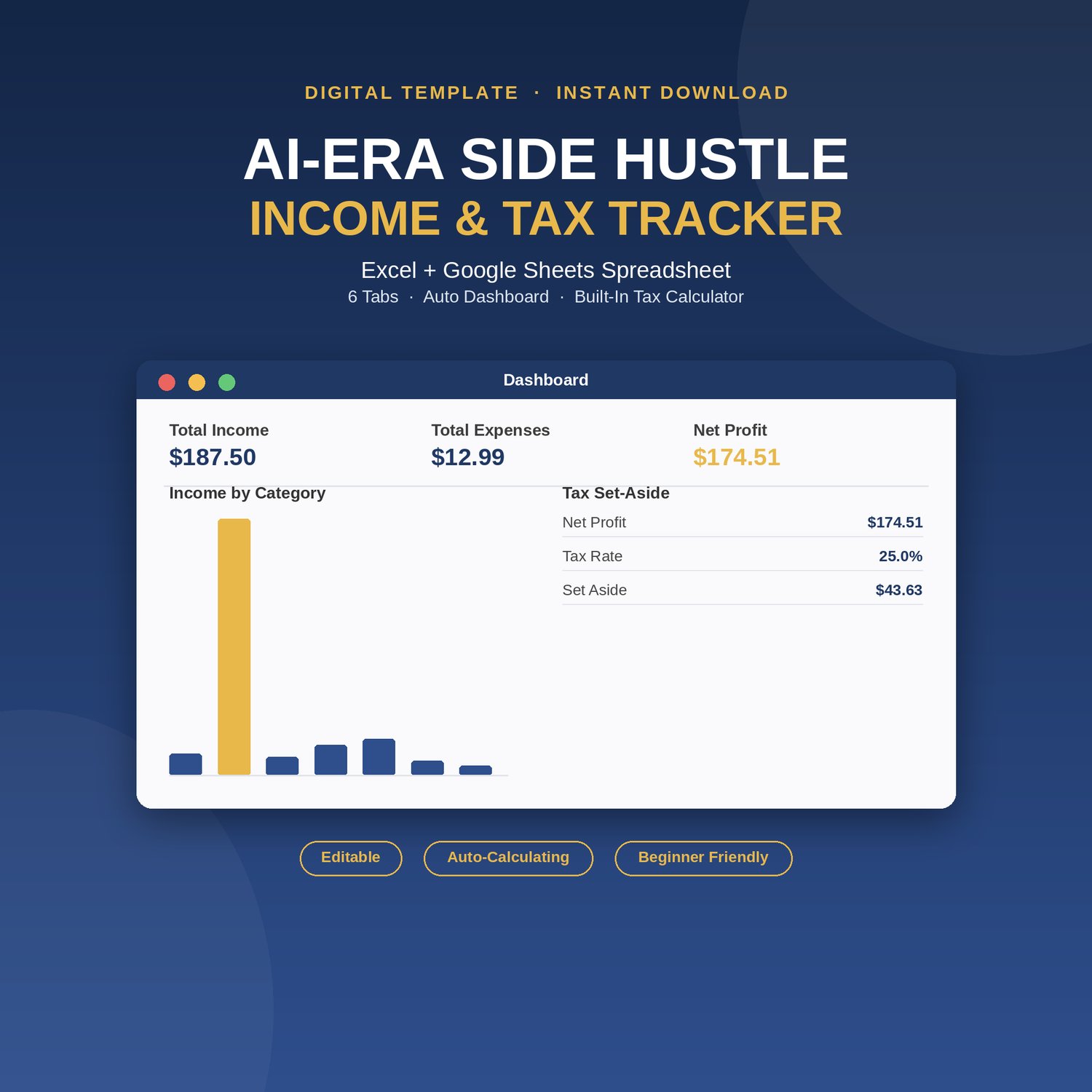
- Real-Time Profit Dashboard: Instantly view your total income, total expenses, and true net profit in real time. Features a clean month-by-month financial breakdown and dynamic visual charts.
- Built-In Tax Set-Aside Calculator: Stop fearing tax season. Input your custom tax rate into the dedicated parameter cell to instantly estimate exactly what you need to set aside per $100 earned.
- US Quarterly Tax Deadline Reference: Stay compliant and organized with a built-in calendar scheduling tool displaying tax periods and payment due dates.
- Fully Customizable Settings: Tailor the file to your exact workflow. Modify preset modern categories (like AI Content Sales, Data Labeling, Platform Fees, or Ad Spend) and payment methods—every dropdown in the workbook reads from this single tab.
- Massive Logging Capacity: Built for growth. Every advanced formula and data validation dropdown is pre-extended over 1,000 rows down.
📊 Inside the Excel Workbook
Your purchase unlocks a professionally formatted, macro-free .xlsx file featuring 5 distinct, interconnected tabs:
- Start Here: Clear step-by-step instructions, troubleshooting tips, and a quick-reference color-coded visual legend.
- Settings: Your editable command center for income categories, expense types, and payment channels.
- Income Tracker: Clean layout to log payments by platform, date, stream, and payment method.
- Expense Tracker: Track operational costs, recurring software subscriptions (like Canva Pro), and equipment purchases.
- Dashboard & Tax Calculator: Dynamic summaries, multi-year filtering, and estimated tax calculations.
🛠️ Pre-Configured for Modern Digital Businesses
This spreadsheet comes ready to use with categories tailored for today's digital economy:
- Income Categories: AI Content Sales, Data Labeling/Annotation, Print-on-Demand, Faceless Content/Ad Revenue, Freelance AI-Assisted Work, and Traditional Gig Work.
- Expense Categories: Software/Subscriptions, Ad Spend/Promotion, Equipment, and Platform Fees.
- Payment Methods: Direct Deposit, PayPal, Stripe, Credit Card, Bank Transfer, and Cash.
📋 Product Specifications & Requirements
- File Format: Native Microsoft Excel (.xlsx) file.
- Compatibility: Optimized for Microsoft Excel (Desktop, Mac, and Office 365).
- Skill Level: Beginner friendly. No advanced formulas or coding required.
- Delivery: Instant digital download via Payhip immediately after secure checkout.
- Disclaimer: This tool is an Excel template for bookkeeping and financial planning purposes only and does not constitute formal tax or legal advice.