
UK Tax Year Budget Planner – Google Sheets & Excel Budget Tracker (April–March) with Debt Snowball & Sinking Funds
Budget the way the UK year actually works. This easy-to-use spreadsheet runs from 6 April to 5 April, so your budget lines up with the tax year. Type in your start year once and every month and date updates for you, this year and every year after.
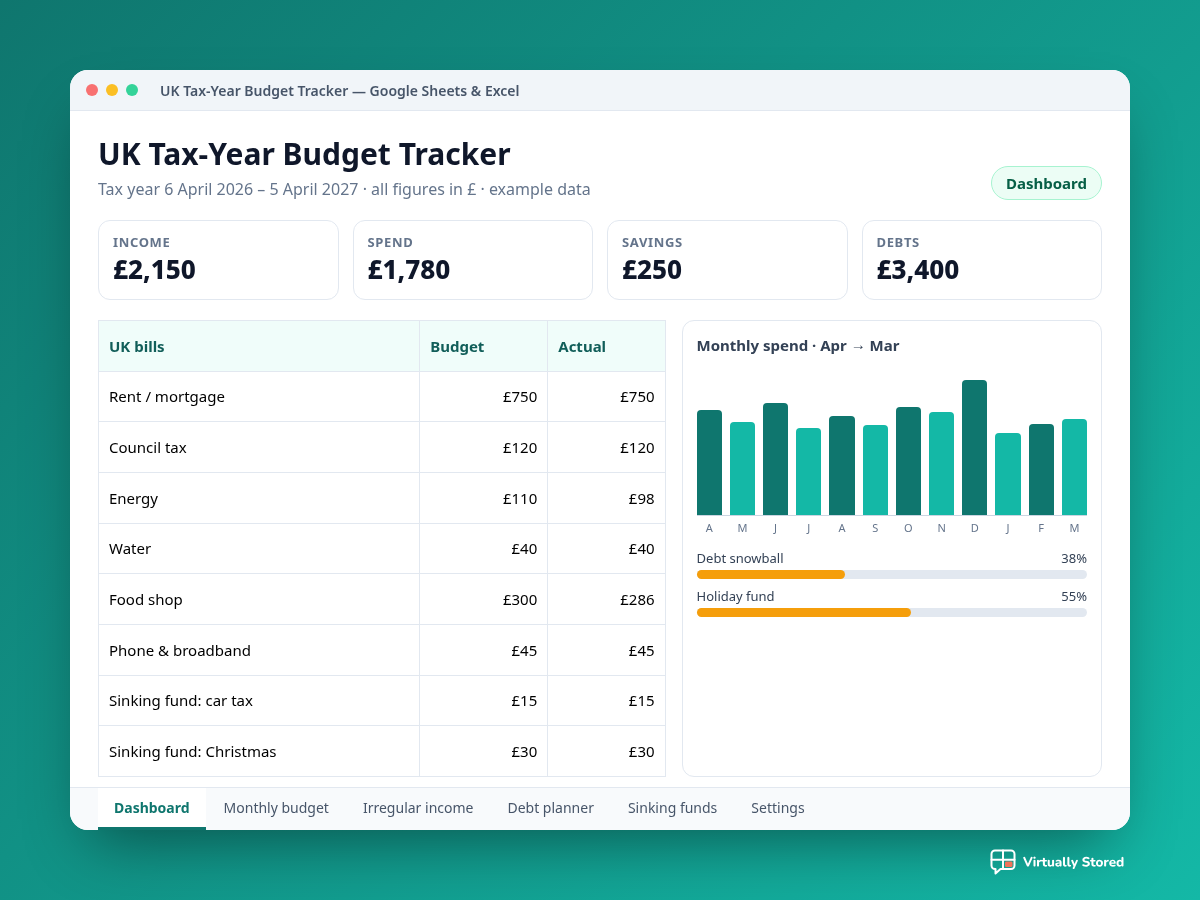
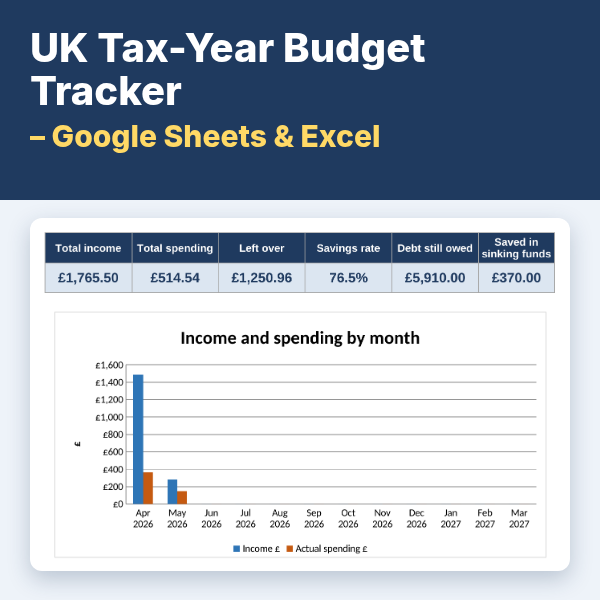
Log spending in seconds with drop-down categories already set up for UK households, from council tax and energy to TV licence, broadband and groceries. Add income as it arrives, including irregular self-employed earnings, online sales, pensions and benefits. The dashboard then shows your budget against what you really spent, your totals, your savings rate and clear charts.
Plan ahead with sinking funds for car tax, MOT, Christmas and birthdays, and choose the snowball or avalanche method to plan your debt payoff, with progress bars that show how far you've come.
Designed with accessibility in mind: high-contrast colours, plain English instructions and protected formulas, so nothing breaks by accident. Works in Google Sheets and Microsoft Excel. Instant access after purchase. For personal budgeting only, not financial advice.
FEATURES
- Runs on the UK tax year (6 April to 5 April): one start-year box updates every month and date
- Spending and income logs with dropdowns and ready-made UK categories, including irregular income and benefits
- Dashboard with budget vs actual, totals, savings rate and two charts
- Sinking funds planner (car tax, MOT, Christmas, birthdays) plus a debt tracker with Snowball or Avalanche order
- Accessible design: high contrast, plain English, protected formulas; works in Google Sheets and Excel
WHAT'S INCLUDED
- Start_Here_-_Get_Your_Tracker.pdf (Google Sheets copy link + quick start)
- UK_Tax_Year_Budget_Tracker.xlsx (Excel version)