
WC — Paste CAD drawings into Word as vectors
Zoom in all you want. A line stays a line.
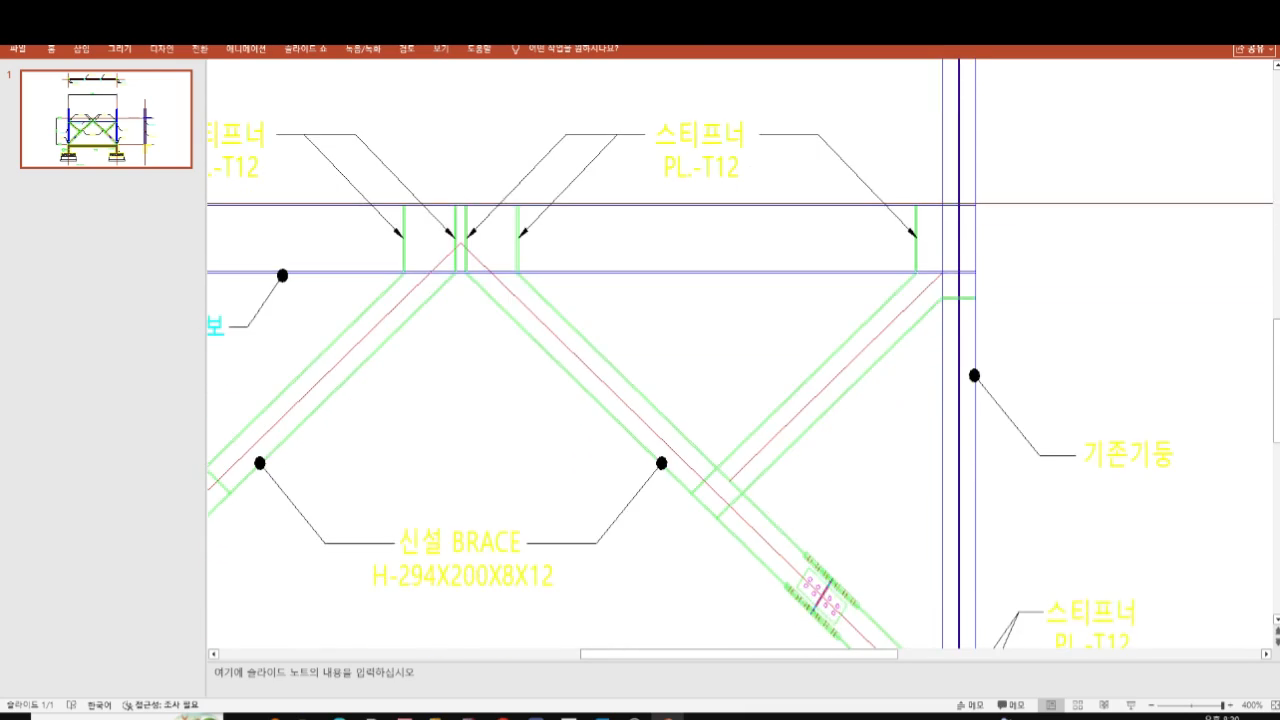
When you put a CAD drawing into a report, a screenshot gives you pixels. Zoom in and the lines turn into stairs. Print it and everyone can tell.
WC puts the drawing on your clipboard as vector art. Paste it into Word, Hangul (HWP) or PowerPoint and it stays sharp at any zoom. The black CAD background is removed and the margins are cropped for you.
HOW TO USE IT (10 seconds)
1. Type WC at the CAD command line
2. Drag a box around what you want
3. Press Ctrl+V in Word
INSTALL (1 minute)
1. Put the WC.lsp file anywhere you like
2. In CAD: APPLOAD, then select that file
Nothing to configure. One file is the whole product.
WORKS WITH
ZWCAD, BricsCAD, AutoCAD (including LT), GstarCAD. Windows 10 / 11.
It only uses what Windows already has, so it runs on old office machines too.
TRY IT FIRST
10 days free, full features, no card and no sign-up. Load the file and start using it.
PRICE
US$10 for one year. BetterWMF, which does the same job, is EUR 100 for a single user.
HONEST NOTES
- Windows-only CAD add-on. It does not run on Mac.
- It copies what is on screen in the area you drag, as vectors. It is not a DWG converter.
- Colours are copied exactly as your CAD shows them. We do not touch your line weights or plot styles.
Made by LeDeuxions, built by a working structural engineer who got tired of pasting blurry screenshots into reports.