

Bar Mitzvah Planner Spreadsheet for Excel & Google Sheets, Bat Mitzvah Budget, Guest List RSVP Tracker, Catering Head Count
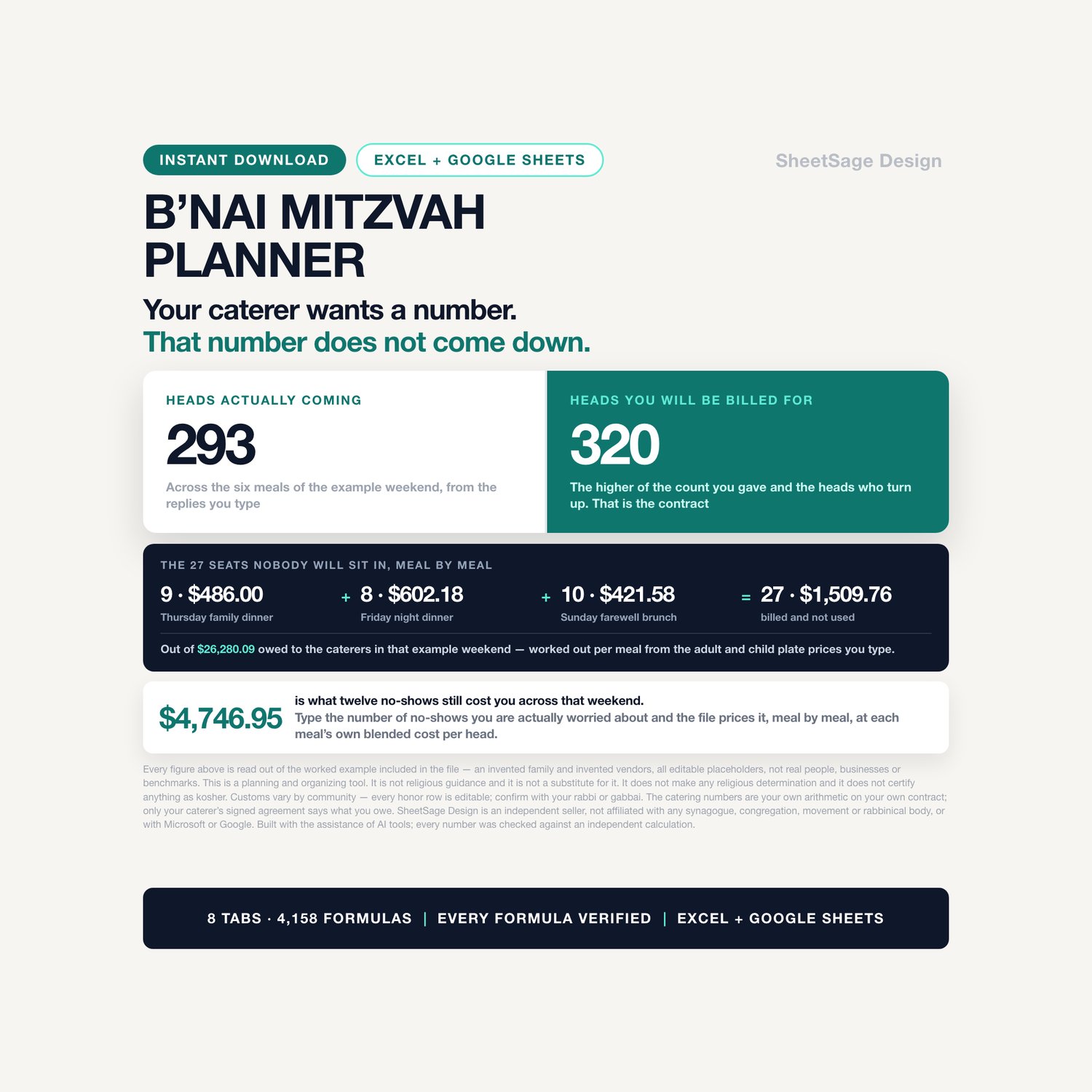
Your caterer wants a number days before the party. That number does not come down.
If you tell them 120 and 108 people walk in, you are billed for 120. If you tell them 76 and 84 walk in, the extra eight are charged at whatever rate your own contract sets for a late addition. A planner that only gives you somewhere to write the number down cannot tell you either of those things. This one works them out.
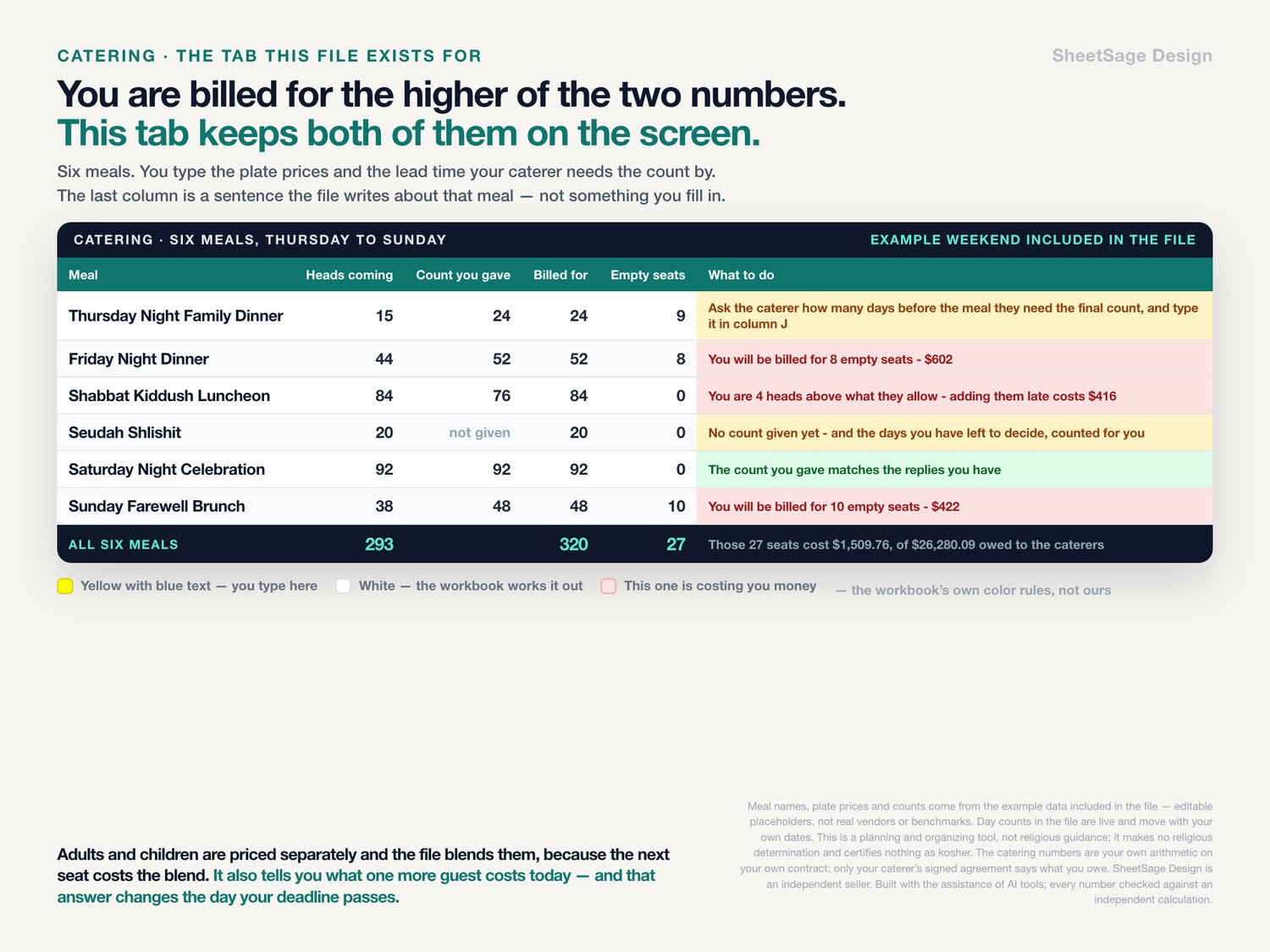
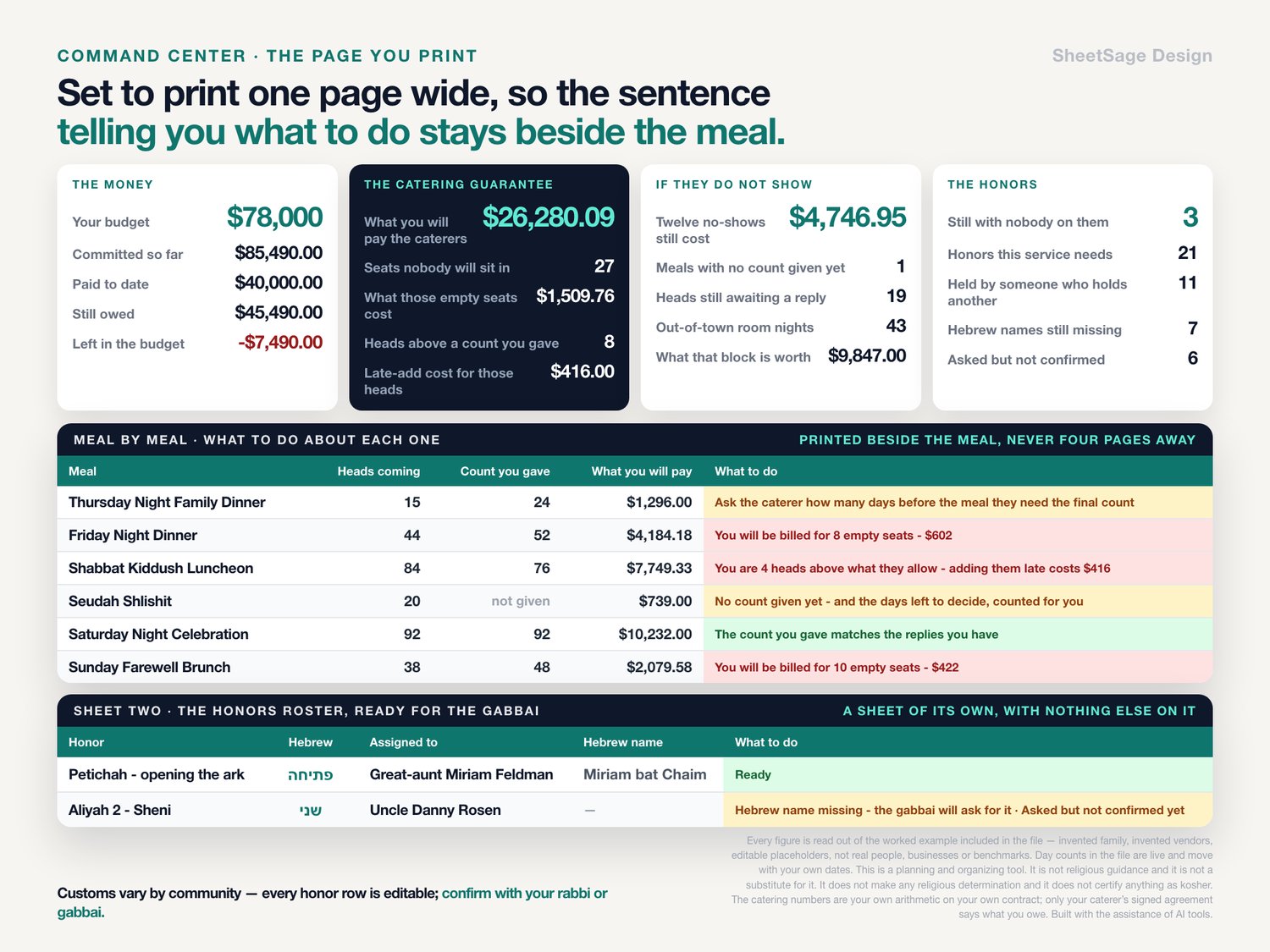
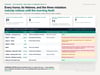
In the example weekend that ships inside the file - 41 households, 138 people invited, six meals from Thursday night to Sunday brunch - the workbook says this, in these words, before you have typed anything:
★ You will be billed for 8 empty seats - $602
★ You are 4 heads above what they allow - adding them late costs $416
★ No count given yet - 9 days left to decide
★ Ask the caterer how many days before the meal they need the final count, and type it in column J
Every day count in this description is live - it moves with your own calendar, and with the example file's own date, which always sits at least sixteen days out so the example never goes stale. Every dollar figure is fixed by the example data and will be exactly what you see.
Across the whole weekend that example is already paying for 27 seats nobody will sit in, worth $1,509.76, out of $26,280.09 owed to the caterers. And the line that makes people sit down: type the number of no-shows you are actually worried about - the file ships with twelve - and it prices it. Twelve no-shows across that weekend still costs $4,746.95.
THE COUNT ENGINE, COLUMN BY COLUMN
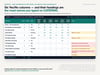
★ You type six things per meal: the date, the adult plate price, the child plate price, what a vendor meal costs and how many, and how many days before the meal your caterer needs the final count. That last number is in your contract. The workbook turns it into a real date and counts down to it.
★ It splits your replies into adults and children and blends the two prices, because a meal with 45 adults at one price and 47 children at another has a cost per head that is neither. Every gap figure is priced at that blend, because that is what the next seat actually costs.
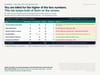
★ It bills you for the higher of the count you gave and the heads who are coming - which is what your contract does - and shows both halves: the empty seats you are paying for, and the heads sitting above the count you gave.
★ It handles the overage your caterer allows. Type 5% and the workbook only charges the late-add surcharge on the heads above that allowance, not on every head above the count.
★ It tells you what one more guest costs you today - and the answer changes the day your deadline passes, because that is the day the surcharge starts.
★ Pending replies are counted separately and never hidden. A household that has not answered contributes nothing to the confirmed head count, but its invited heads sit in a column of their own so you can see the worst case before you commit to a number.
THE HONORS BOARD CATCHES THE MISTAKE
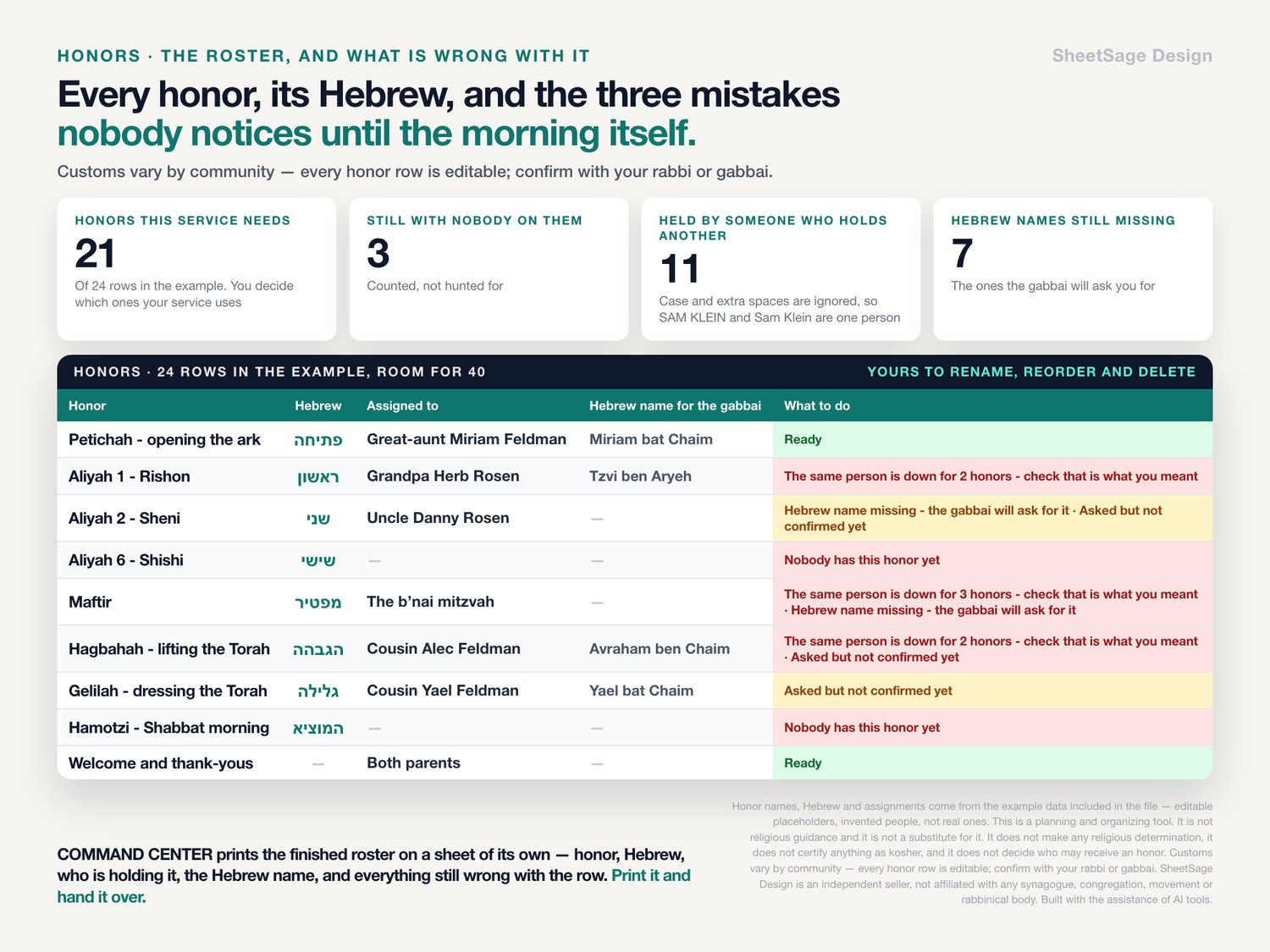
Twenty-four honor rows ship in the file, each with its Hebrew beside it and every one of them editable. Then three counters that no form can give you:
★ The same person, twice. In the example roster the workbook says The same person is down for 2 honors - check that is what you meant eleven times. Case and spacing are ignored, so SAM KLEIN and Sam Klein are one person - and so are Sam Klein and Sam Klein with the trailing space you get from pasting a name out of your contacts.
★ Nobody on it at all. Nobody has this honor yet - three of them in the example.
★ The name you still owe the gabbai. Hebrew name missing - the gabbai will ask for it - seven of them, and the printed roster says all seven. When a row has more than one thing wrong with it the workbook says all of them, so a missing name is never hidden behind anything else.
★ Plus Asked but not confirmed yet, and a countdown to the day you decided every honor should be accepted by.
★ COMMAND CENTER prints the finished roster on a sheet of its own: the honor, its Hebrew, who is holding it, the Hebrew name, and everything still wrong with the row. Print it and hand it over.
Customs vary by community - every honor row is editable; confirm with your rabbi or gabbai.
ONE GUEST LIST, SIX MEALS
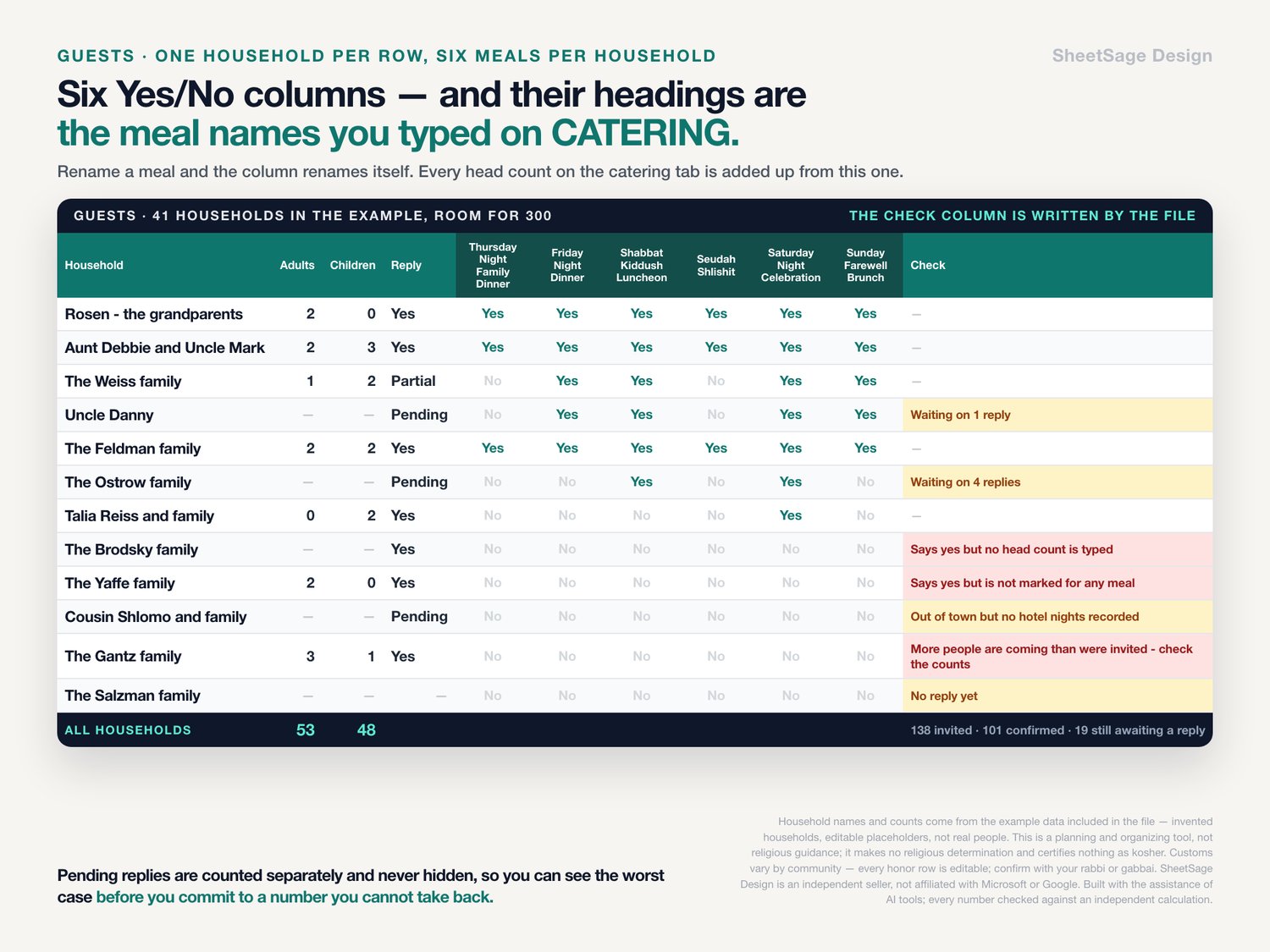
★ One household per row: invited, replied, adults, children, out of town, hotel nights, hotel rooms.
★ Six Yes/No columns for the six meals - and their headings are the names you typed on CATERING, so renaming a meal renames the column.
★ Every row is checked as you type it: More people are coming than were invited · Says yes but no head count is typed · Says yes but is not marked for any meal · Out of town but no hotel nights recorded · Waiting on 4 replies. All five are in the example data, because all five happen.
★ Out-of-town room nights are totaled and priced. The example carries 43 room nights, worth $9,847 at the nightly rate you set.
THE MONEY, LINE BY LINE
★ Estimate first, contracted number once you sign - the workbook switches to the contract on its own and tells you what the contract did to the estimate: The contract came in $100 over the estimate.
★ Deposit, payments since, still owed, and the date the balance falls due, with a countdown: $4,732 due in 9 days · Payment was due 5 days ago - $1,784 still owed · Nothing paid yet · No number yet - type an estimate.
★ Each line's share of the whole budget, and a chart of what each meal costs.
★ The example weekend has a ceiling of $78,000 and $85,490 committed against it, so COMMAND CENTER says -$7,490. That is deliberate. It is what a real one looks like in month ten.
AND A TIMELINE THAT KNOWS WHAT MONTH IT IS
Thirty tasks ship in the file, each carrying how many months before the service it belongs to. The workbook turns that into a real date and a countdown: Done · Overdue by 15 days · Due in 16 days · Not yet - 46 days out. A minus sign means after the weekend, so the thank-you notes and the album get real dates too.
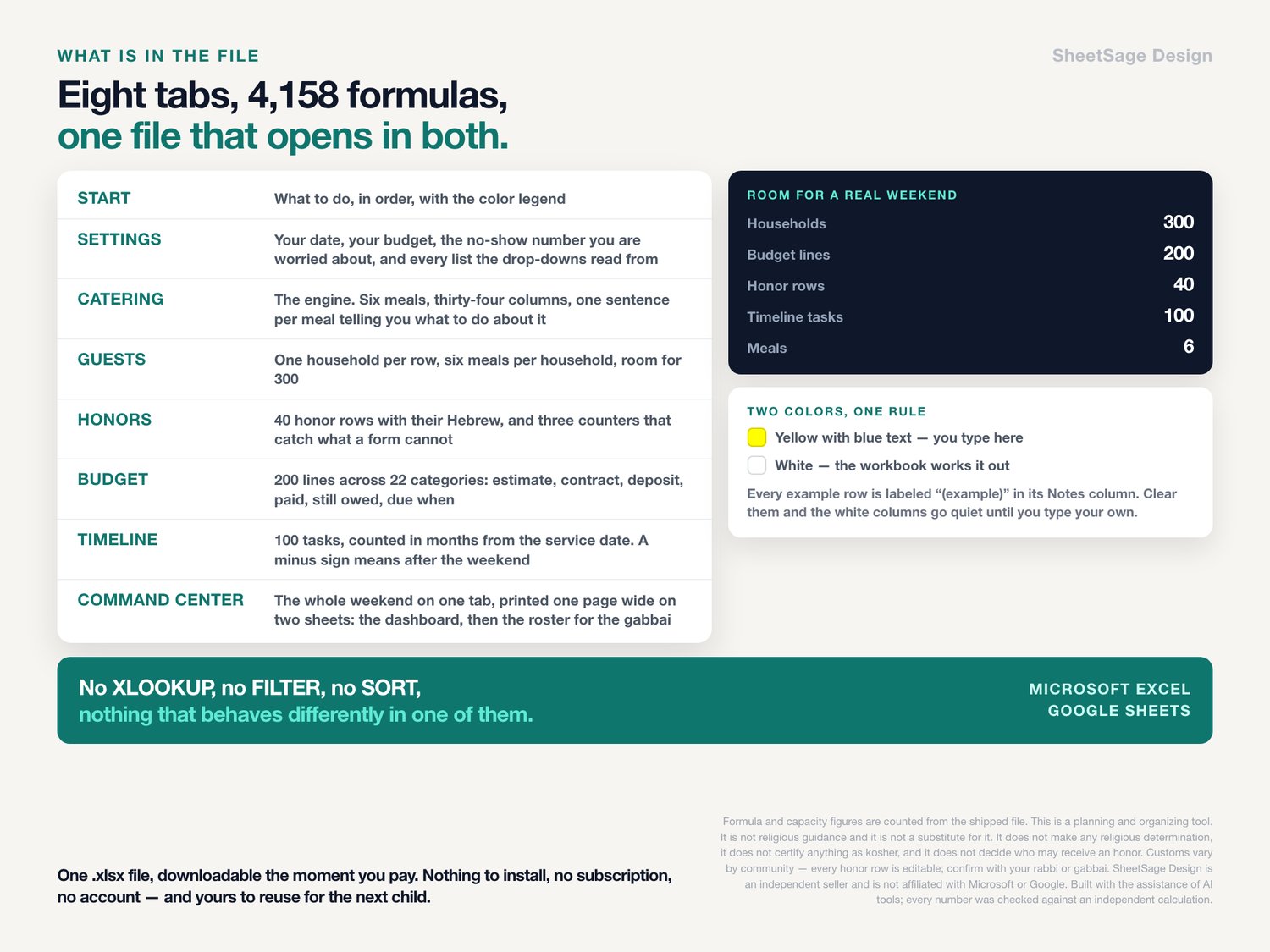
WHAT IS IN THE FILE
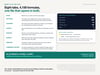
Eight tabs, 4,158 formulas, room for a real weekend:
▸ START - what to do, in order, with the color legend
▸ SETTINGS - your date, your budget, the no-show number you are worried about, and every list the drop-downs read from
▸ CATERING - the engine. Six meals, thirty-four columns, one sentence per meal telling you what to do about it
▸ GUESTS - room for 300 households
▸ HONORS - 40 honor rows, three counters, Hebrew beside every honor
▸ BUDGET - room for 200 lines across 22 categories
▸ TIMELINE - room for 100 tasks
▸ COMMAND CENTER - the whole weekend on one tab, printed one page wide on two sheets: the dashboard, then the honors roster for the gabbai on a sheet of its own
HOW IT IS BUILT
★ Works in Google Sheets and in Microsoft Excel, from the same file. No XLOOKUP, no FILTER, no SORT, no array formulas - nothing that behaves differently in one of them.
★ Yellow cells with blue text are the only cells you type in. White cells are formulas. The legend is on START and the rule holds on every tab.
★ Every example row is labeled "(example)" in its Notes column. Select them, clear them, and the white columns go quiet until you type your own data over them. On HONORS and CATERING only the names and notes are examples - the honor names and the six meal slots are the template, and they are yours.
★ The example dates move with you. The service date is a formula that always lands on the next Saturday at least sixteen days out, so the file never looks stale. Type your own date over it and it stops moving.
★ Drop-downs everywhere, reading from lists on SETTINGS that you can rename and extend.
★ Set to print one page wide, so the sentence telling you what to do about a meal prints beside that meal - and it comes out as two sheets on purpose: the dashboard, then the roster you hand over, with nothing else on it. START says why, and tells you the one setting to change if you are working in Google Sheets.
WHAT YOU GET
One .xlsx file, downloadable the moment you pay. Open it in Excel, or upload it to Google Drive and open it with Google Sheets. Nothing to install, no subscription, no account. Yours to reuse for the next child.
PLEASE READ
This is a planning and organizing tool. It is not religious guidance and it is not a substitute for it. It does not make any religious determination, it does not certify anything as kosher, and it does not decide who may receive an honor. Customs vary by community - every honor row is editable; confirm with your rabbi or gabbai. The catering numbers in this workbook are your own arithmetic on your own contract. Only your caterer's signed agreement says what you owe. Every name, date, price and quantity in the file is an editable placeholder you replace with your own.
This is a digital download. Nothing is shipped. Because it is delivered instantly, it cannot be returned - please read this description and look at the photographs before you buy, and message me first if anything is unclear.
The spreadsheet, its formulas and its wording were designed by me and built with the assistance of AI tools.