
Free Island Code Ui
Island Code UI 🔥 FREE
Your island's name and code on screen, in Fortnite style.
An animated code bar for your HUD: your map name and island code sit on both sides of a hex search icon. Every few seconds they slide into the hex and FAVORITE ❤️ and LIKE 👍 slide out to remind players to support your map, then it switches back.
🎁 Free For Everyone
A thank-you for all the support. No payment, no catch.
🎨 10 Animated Styles
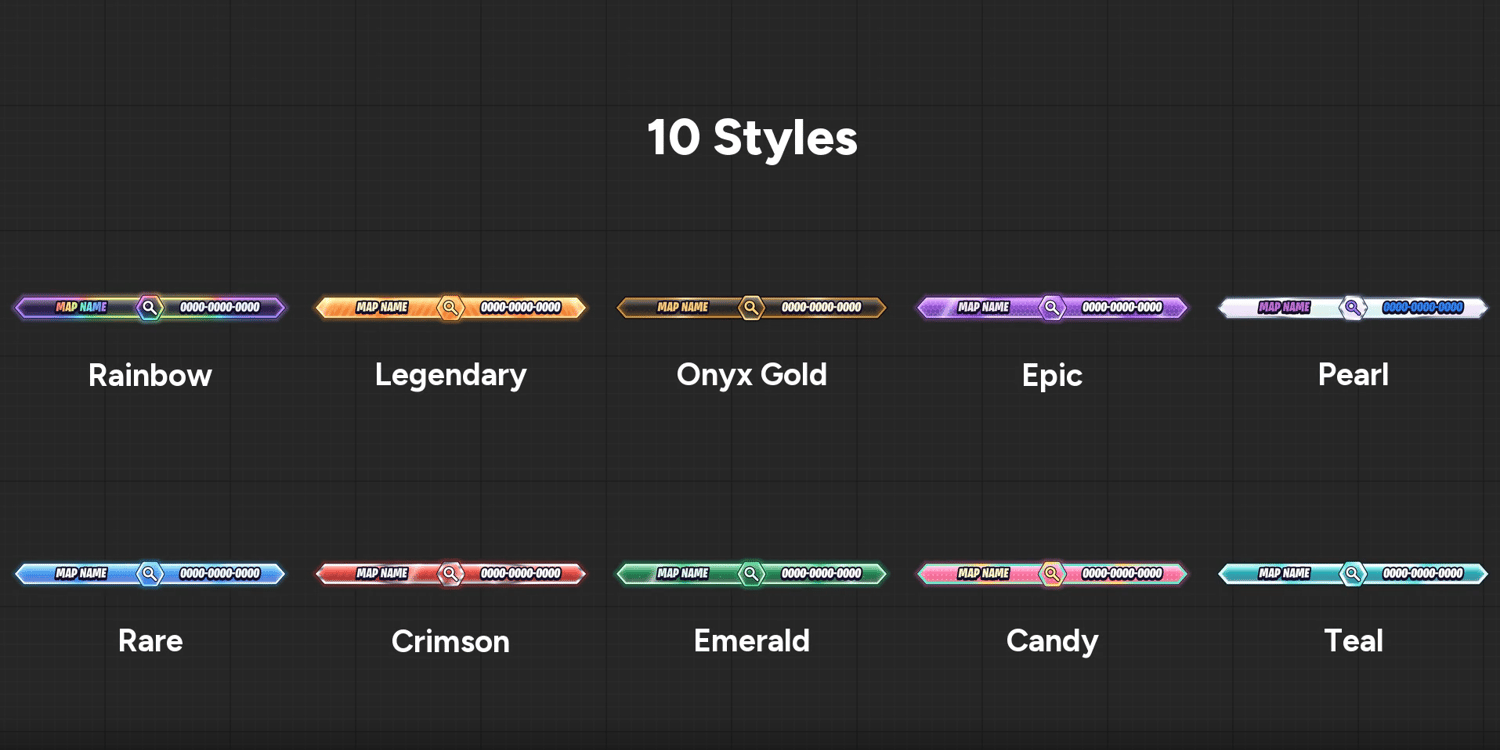
Rainbow, Legendary, Onyx Gold, Epic, Pearl, Rare, Crimson, Emerald, Candy and Teal, with flowing rims, glints and glow. Long names shrink to fit the bar.
🔄 Favorite & Like Switch
SwitchEvery sets how many seconds it waits between your code and Favorite & Like.
📍 Place It Anywhere
OffsetX and OffsetY move it anywhere on the screen.
📏 Any Size
Size scales the whole bar. SizeX and SizeY stretch the width and height.
🌊 Floating Motion
FloatHeight (0 to 10, 0 turns it off) and FloatSpeed.
✅ Plug & Play
One Verse device, every setting in the Details panel. It shows to every player automatically, late joiners included, and never blocks player input. No Verse knowledge needed.
📦 Package Contents
• Verse device
• Widget Blueprint with its animations
• Materials, material instances and textures
• Ready-to-use folder
⚠️ License
Free license. You MAY use it in all of your own UEFN projects, including published and monetized ones. You MAY share it with others, as long as it stays free. You MAY NOT sell or resell it, original or modified, put it behind a paywall (Patreon, paid Discord, paid downloads, etc.), or include it in any paid pack or bundle. By downloading, you agree to these terms.
After You Download
1. Close UEFN.
2. Extract the zip and paste the "HexIslandCode" folder into:
C:/Users/(your pc name)/Documents/Fortnite Projects/(your project)/Content
Keep the folder and sub-folder names as they are.
3. Open UEFN and click Verse > Build Verse Code.
4. In the Content Browser, go to your project > CreativeDevices and drag island_map_code into your level.
5. Type your MapName and MapCode in the Details panel. Done!