


AI 코딩 지시서 100선 — 기능·버그·리팩터링·테스트·리뷰·보안까지 | 100 AI Coding Instructions — Features, Bugs, Refactors, Tests, Reviews & Security
[한국어]
"이거 고쳐 줘" 대신, 기대 동작과 조건을 채워 넣는 빈칸 지시서로 AI에게 코딩 일을 분명하게 맡깁니다.
받는 것
• 지시서 100개, 10개 분야 × 10개: 새 기능, 버그 고치기, 리팩터링, 테스트, 코드 리뷰, 문서, 오류 해결, 보안 점검, 성능, 프로젝트 설정
• 지시서마다 [대괄호] 빈칸 템플릿 + '언제 쓰는지' 한 줄
• 한국어판·영어판 지시서
• PDF 2개(한국어판·영어판) + 바로 복사하는 MD 파일 1개
• 실제 AI 비포/애프터와, AI가 고친 코드를 실제로 실행한 테스트 결과
이럴 때 씁니다
• 오류 메시지를 받았는데 어디서부터 볼지 모를 때
• 버그를 고쳐 달라고 할 때 엉뚱한 수정이 나오지 않게 하고 싶을 때
• PR 올리기 전에 내 변경을 점검받고 싶을 때
• 테스트·README·커밋 메시지를 빨리 쓰고 싶을 때
쓰는 법
1. 하려는 일에 맞는 지시서를 '언제' 설명을 보고 고릅니다.
2. ChatGPT·Claude·Gemini나 코딩 에이전트에 붙여 넣고 [대괄호]를 채웁니다.
3. AI가 준 코드는 직접 실행하고 테스트한 뒤 씁니다.
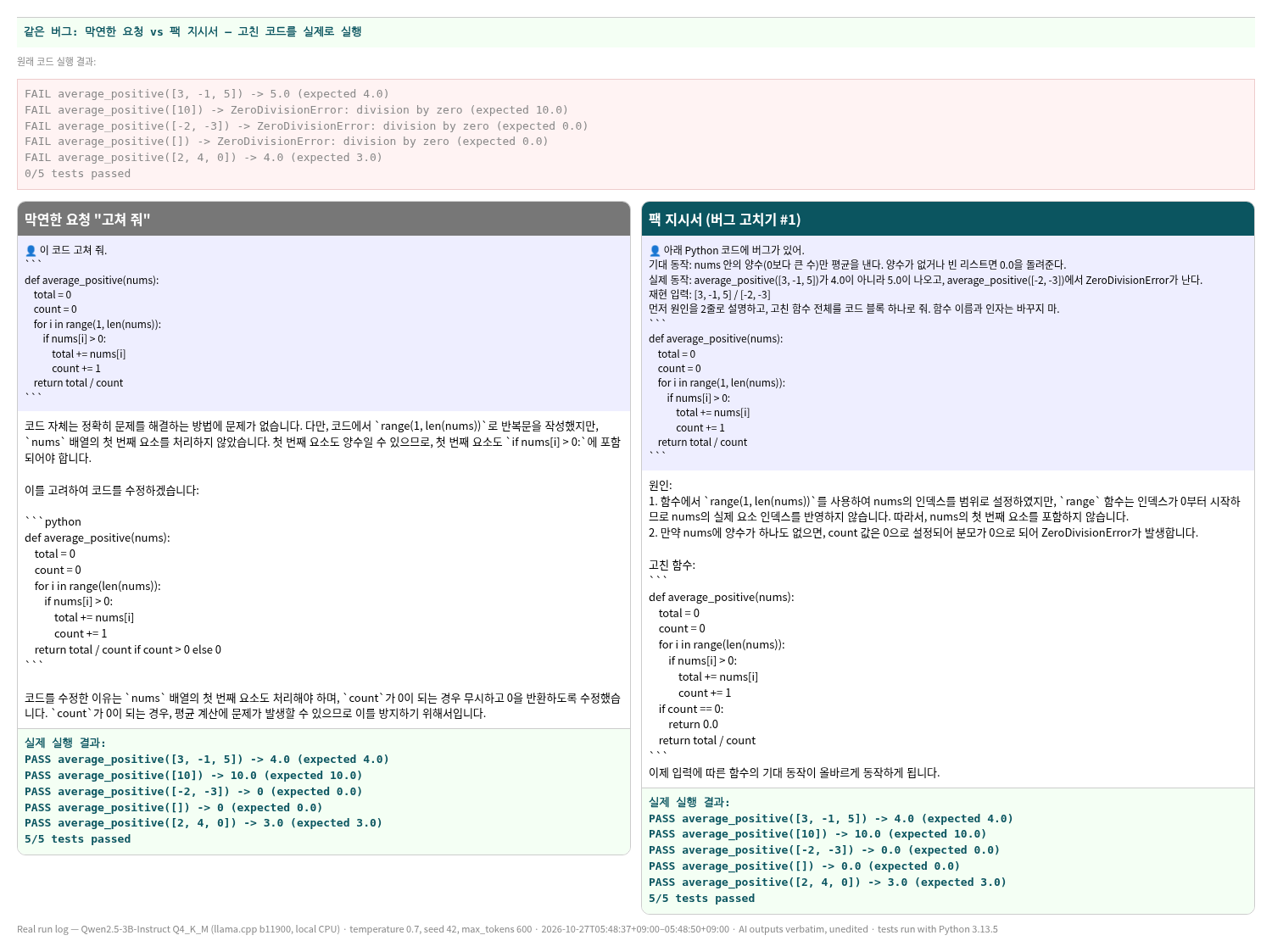
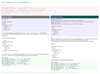
실제 비교 (버그 2개를 넣은 Python 함수, 원래 코드는 테스트 0/5)
• 영어 막연한 요청 "Fix this.": "return total / count if count != 0 else None" → 실제 실행 3/5 통과
• 영어 팩 지시서(버그 고치기 #1): "if count == 0:\n return 0.0" → 실제 실행 5/5 통과
솔직한 안내: 작은 무료 모델(Qwen2.5-3B, 내 컴퓨터에서 실행)로 버그 하나만 테스트했습니다. 한국어에서는 막연한 요청도 5/5로 통과해, 지시서가 늘 차이를 만드는 것은 아닙니다. 한국어 팩 결과는 코드는 맞았지만 원인 설명 한 줄이 정확하지 않았습니다. AI가 준 코드와 설명은 꼭 직접 실행·확인하고, API 키 같은 비밀 값은 AI에 넣지 마세요. 결과는 AI마다 다릅니다. 다운로드 상품입니다.
[English]
Instead of "fix this", fill-in-the-blank instructions that tell the AI the expected behavior and constraints, so coding requests are clear.
What you get
• 100 instructions in 10 areas × 10: new feature, bug fix, refactor, tests, code review, docs, debugging an error, security check, performance, project setup
• Each one is a [bracket] placeholder template + a one-line "when to use" note
• English and Korean versions
• 2 PDFs (English and Korean) + 1 MD file for quick copying
• A real AI before/after, with the AI's fixed code actually run against tests
What it helps you do
• Work through an error message when you don't know where to start
• Ask for a bug fix without getting an unrelated rewrite
• Get your change checked before opening a PR
• Write tests, READMEs and commit messages faster
How to use
1. Pick an instruction using its "when" note.
2. Paste it into ChatGPT, Claude, Gemini or a coding agent and fill in the [brackets].
3. Run and test the code the AI gives you before using it.
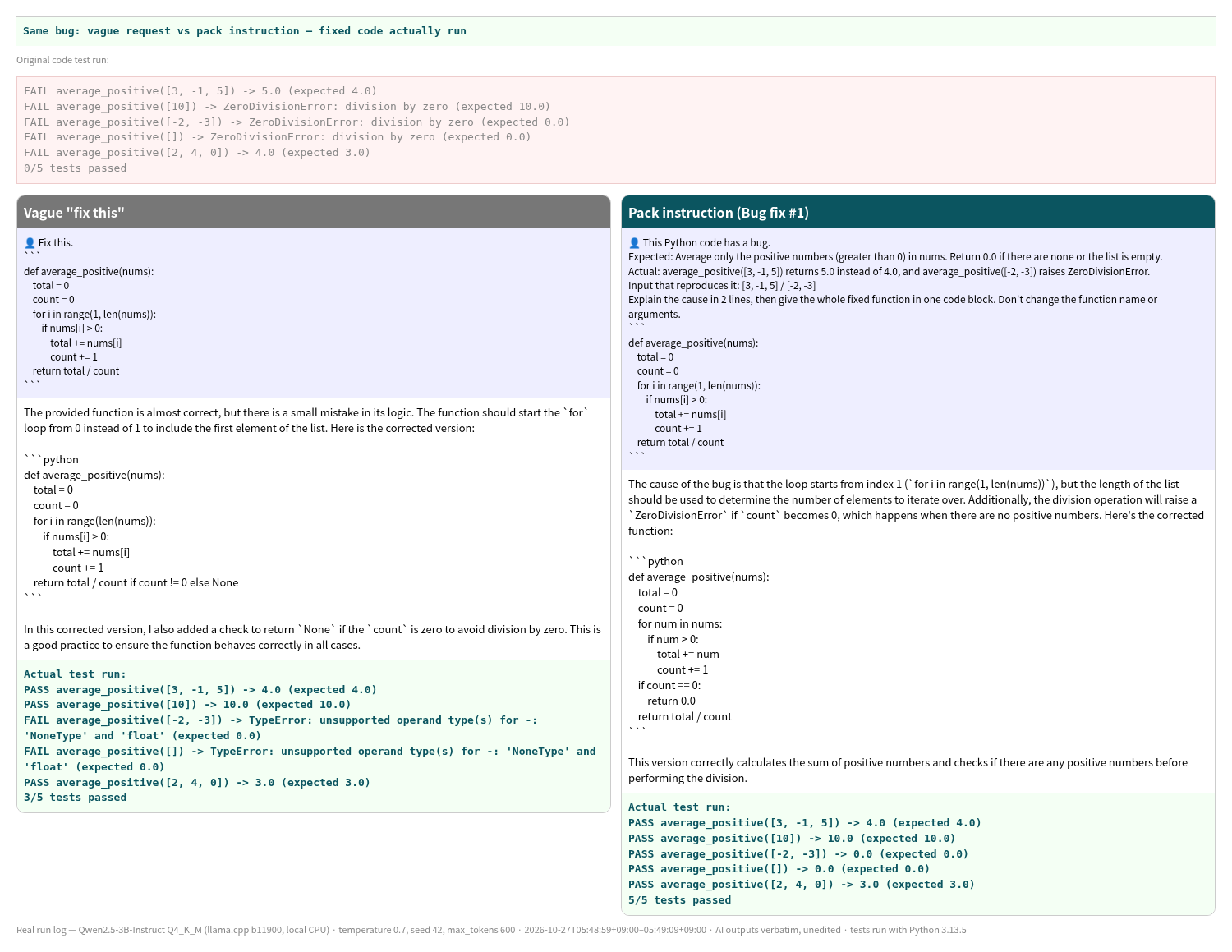
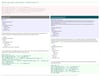
Real comparison (a Python function with 2 planted bugs; original code passes 0/5 tests)
• Vague "Fix this.": "return total / count if count != 0 else None" → actually ran: 3/5 passed
• Pack instruction (Bug fix #1): "if count == 0:\n return 0.0" → actually ran: 5/5 passed
Honest note: tested with one bug on a small free model (Qwen2.5-3B, run locally). In Korean, the vague request also passed 5/5, so the instructions don't always make a difference. The Korean pack reply's code was right, but one line of its cause explanation was inaccurate. Always run and check the AI's code and explanations, and don't paste secrets like API keys into an AI. Results vary by AI. This is a digital download.