

Wedding Command Center - 13-Tab Planning Spreadsheet (Excel & Google Sheets)
WEDDING COMMAND CENTER
One spreadsheet that tells you what is unpaid, unconfirmed and unfinished.
Thirteen tabs. Opens in Excel, Google Sheets (free), Apple Numbers and LibreOffice.
THE PROBLEM THIS SOLVES
Six weeks before the wedding you are not short of information. You are short of one place that
tells you the truth: which deposit is late, who has not replied, whether the florist is actually
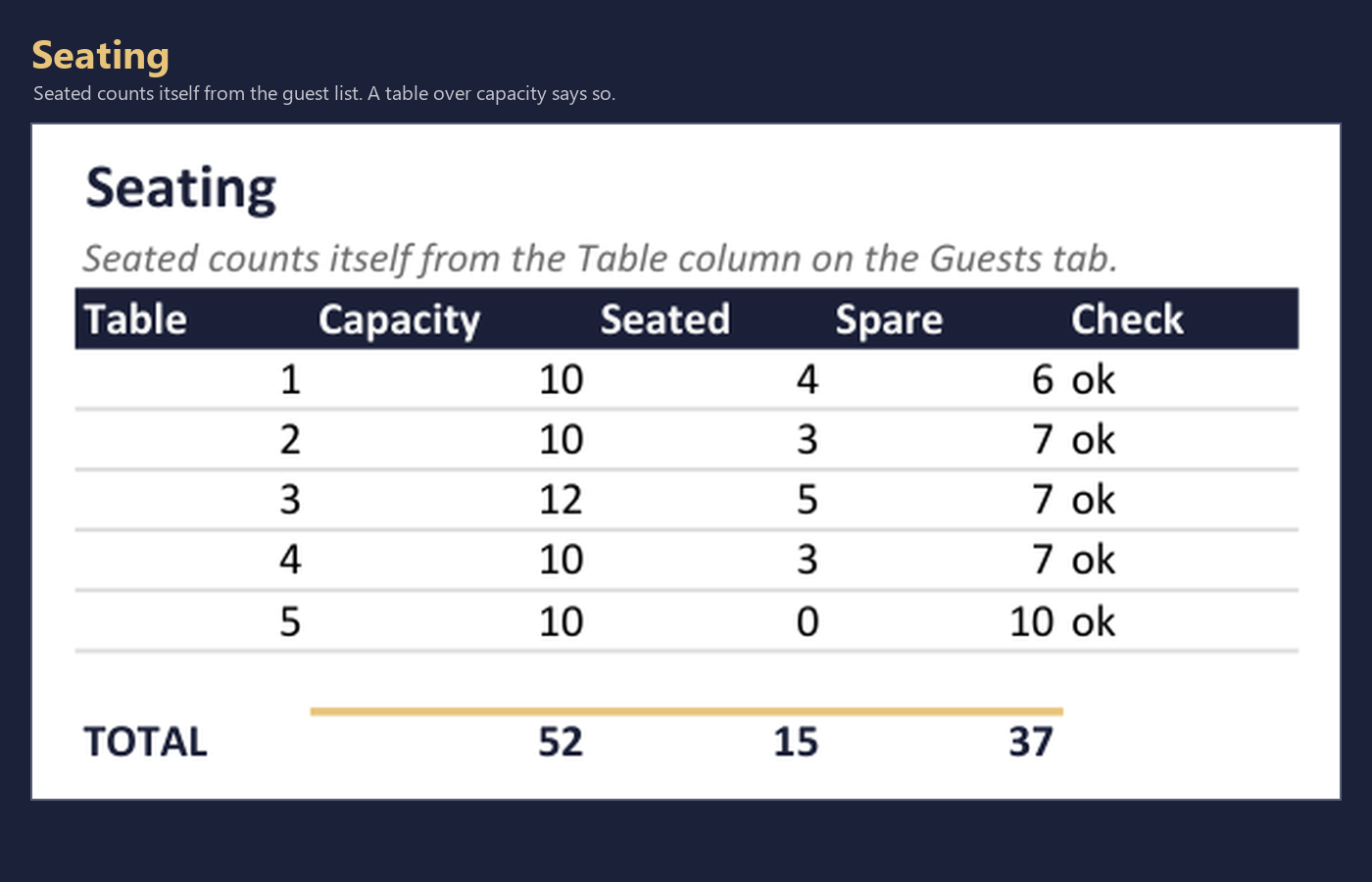
booked, and whether table four has eleven people at ten seats.
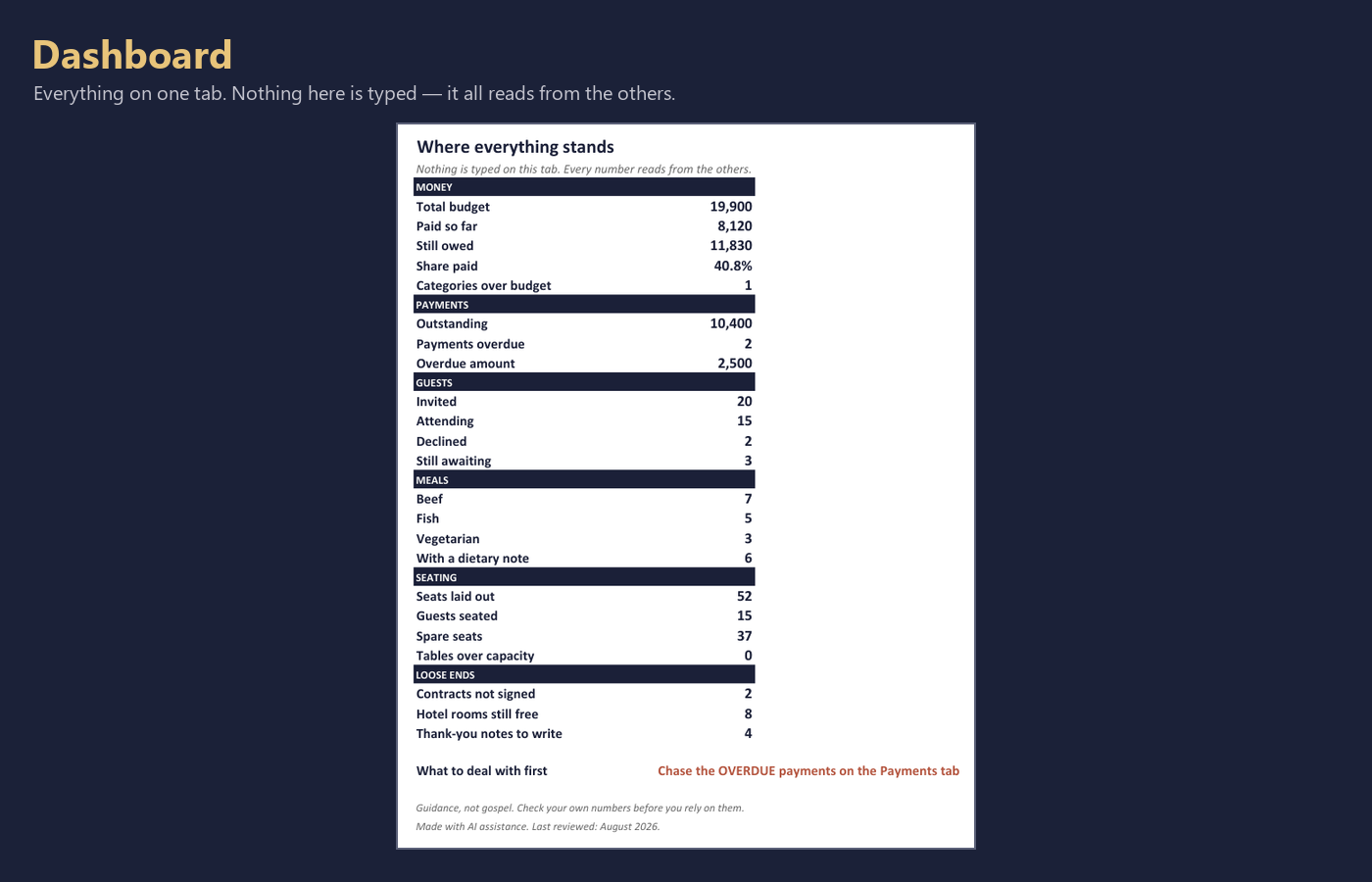
That is what the Dashboard is. Nothing is typed on it. Every figure reads from the other tabs.
WHAT IS IN IT
Dashboard every number in one place, and one line telling you what to deal with first
Setup your wedding date, your "as of" date, and the seats your venue allows
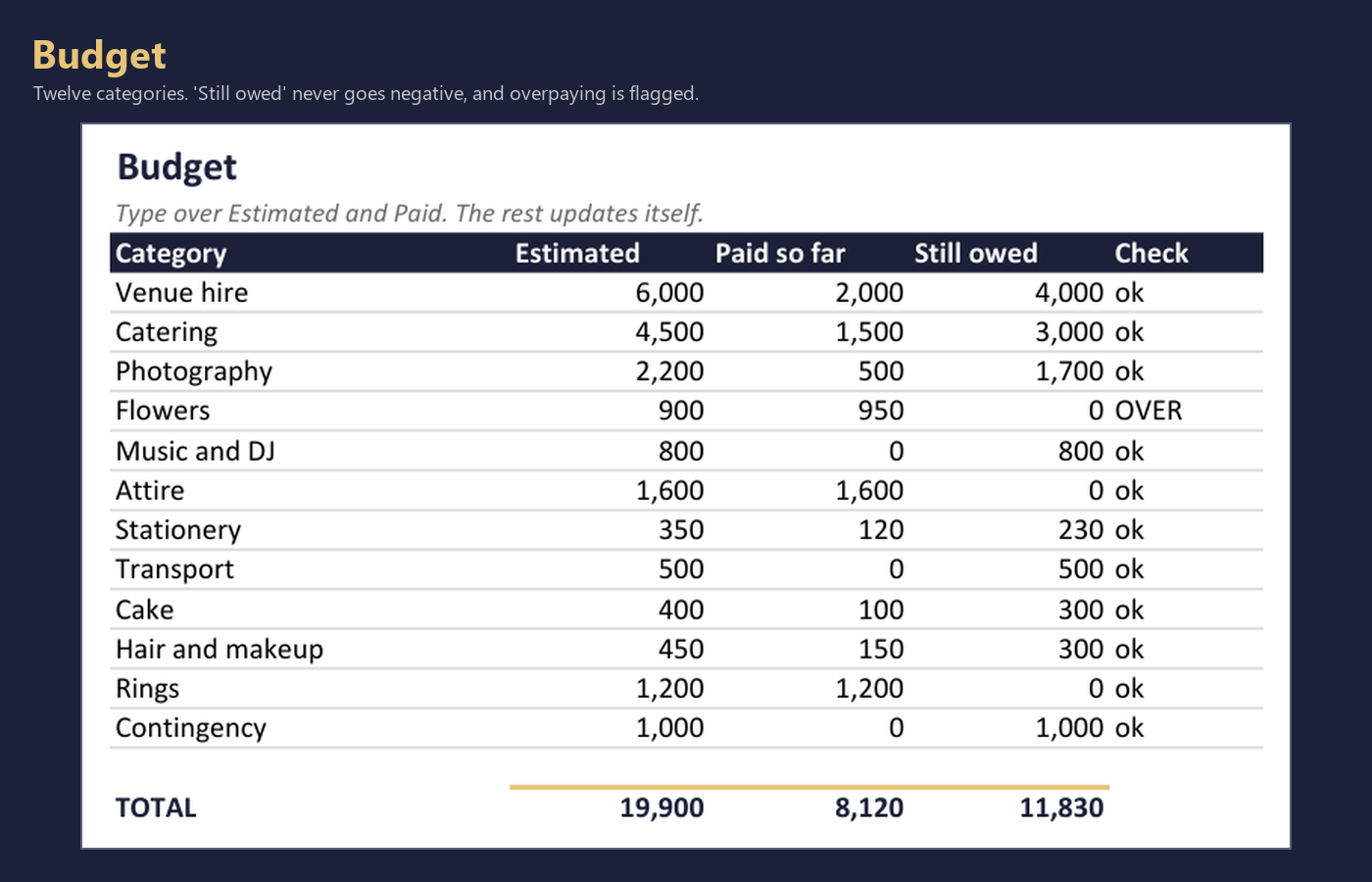
Budget estimated against paid, per category, with what you still owe
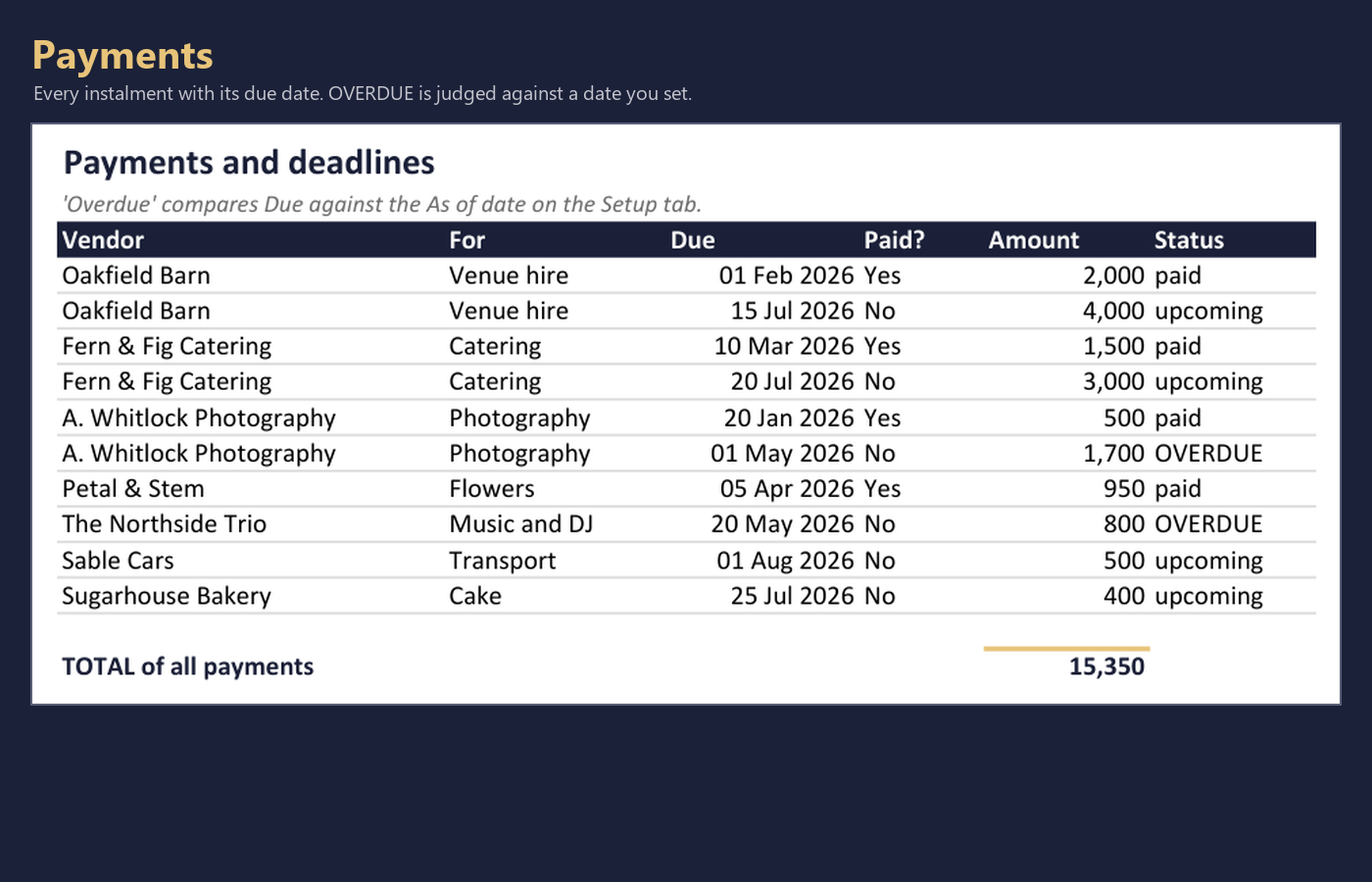
Payments each instalment, its due date, and whether it is overdue
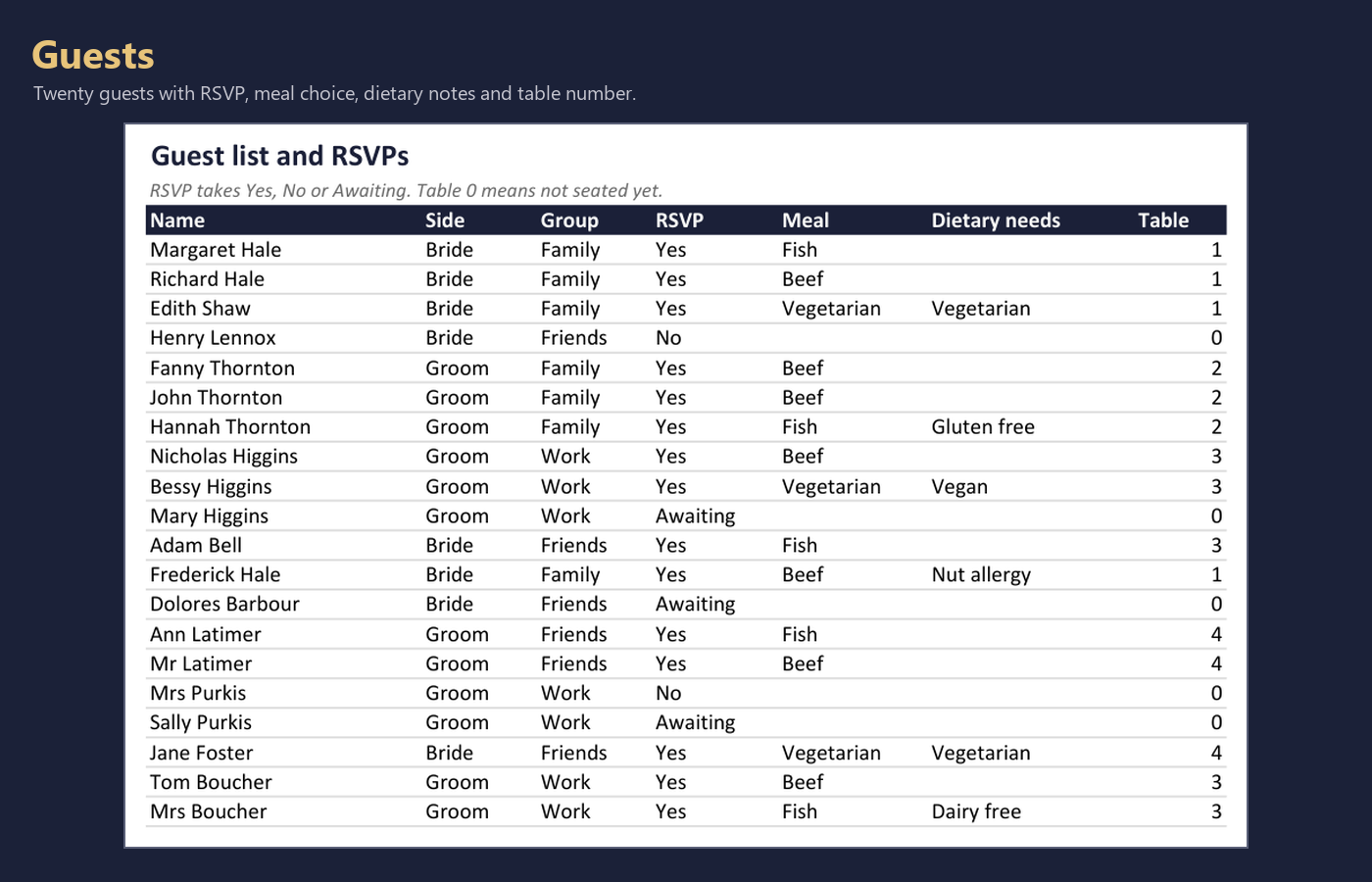
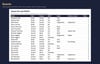
Guests the guest list: RSVP, meal choice, dietary needs, table number
Dietary counts itself from the guest list
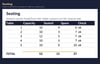
Seating tables and capacity; seated counts itself, over-capacity says so
Vendors quotes side by side, and which one you chose
Contracts signed? deposit paid? balance due when?
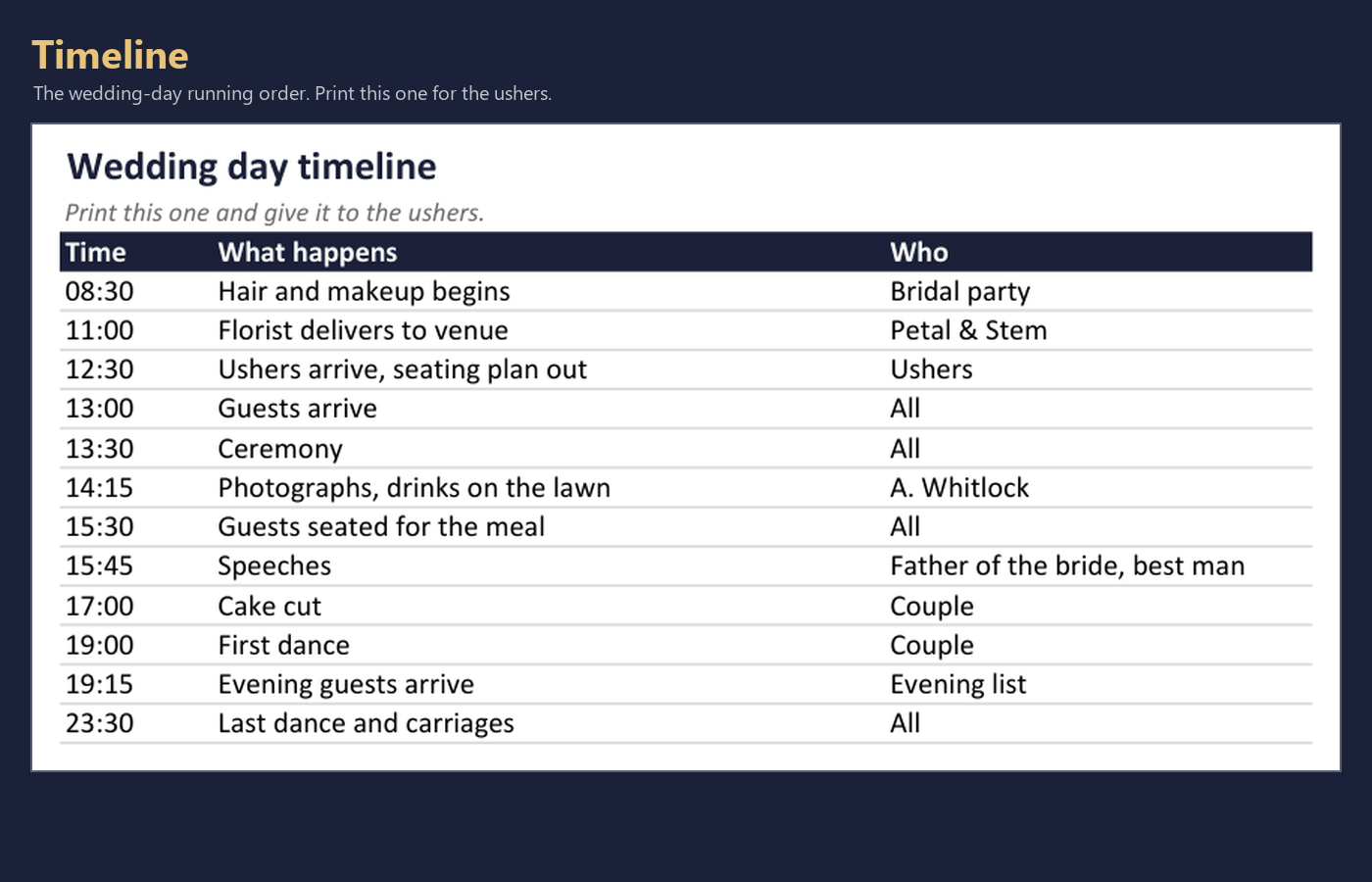
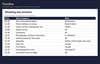
Timeline the wedding-day running order, ready to print for the ushers
Accommodation rooms you are holding against rooms actually taken
Transport every journey, and whether it is booked
Gifts who gave what, and whether the thank-you is written
IT ARRIVES ALREADY WORKING
The file comes filled with example data on purpose - twenty guests, ten payments, five tables,
eight vendor quotes. So every total, count and warning is live the moment you open it, and you
can see what the thing actually does before you commit to it. Type over the examples as you go.
There is no setup, no macros, and nothing to enable.
THE FORMULAS ARE CHECKED, NOT ASSUMED
This is the part nobody in this category will tell you, so here it is.
When a spreadsheet is built programmatically, the tool that writes it writes formula TEXT and
never calculates anything. A workbook full of subtly wrong formulas therefore looks flawless.
And a spreadsheet is the one product where "looks right" is worth nothing, because you trust
the total.
So before release: every total, count and percentage is worked out a second time, separately.
The finished file is opened in real Excel and forced to recalculate everything from scratch.
Thirty-two computed cells are then read back out and compared against those independent
figures. If one disagrees, it does not ship.
This release: 32 of 32 matched.
A REAL BUG THAT CHECK FOUND
The Dashboard ends with a line telling you what to deal with first - overdue payments, then
unsigned contracts, then an over-capacity table, and so on.
That line was reading the wrong cells. The Dashboard has section headings (MONEY, PAYMENTS,
GUESTS), each heading takes a row, and that shifts every figure below it down by one. The
formula had been written against the unshifted positions. It would have looked at the guest
count and confidently told you to chase overdue payments.
Confident advice from unrelated numbers is worse than no advice. It is fixed, and the file now
refuses to build if its own layout and its formulas disagree.
And in fairness: when those checks first ran, 24 of 32 failed - and 23 of those 24 were the
CHECK being wrong, not the workbook. Only one was a real defect. That is what a good test does.
It disagrees loudly, and then you find out which side was wrong.
NO =TODAY() ANYWHERE
"Overdue" is measured against a date you type on the Setup tab, not against the clock. Two
reasons: it keeps the numbers still while you are reviewing them, and it means the file can be
verified at all - a moving date can never agree with a check twice. If you would rather it ran
live, type =TODAY() into Setup C5 and everything keeps working.
WORKS IN GOOGLE SHEETS, PROPERLY
Only SUM, SUMIF, COUNTIF and IF are used. No XLOOKUP, no LET, no LAMBDA, no dynamic arrays, no
macros. Those are exactly the things that break when an .xlsx is opened in Sheets, and they are
all deliberately absent. Upload it to Drive, choose Save as Google Sheets, and it recalculates.
LICENCE
Use it for your own wedding. If you are a planner or coordinator, use it with as many paying
clients as you like, copy it per event, change anything, and send clients their filled-in file
or a PDF of it.
You may not resell or share the blank template, or sell it converted to another format. Your
filled-in file and your work are yours. The template is not.
INCLUDED
Wedding-Command-Center.xlsx the workbook, 13 tabs
Quick-Start.pdf what each tab does, and the Google Sheets steps
HOW-THIS-WAS-CHECKED.txt exactly what was verified, and the bug it caught
01-START-HERE.txt the two-minute version
LICENCE.txt
DELIVERY
Instant download after checkout. One .zip, 79 KB. Nothing is shipped.
If a formula is wrong or a tab will not open, contact me - I will fix it or refund you. The
formulas are verified in Excel before release, so any failure is a genuine defect and I want to
know about it.