
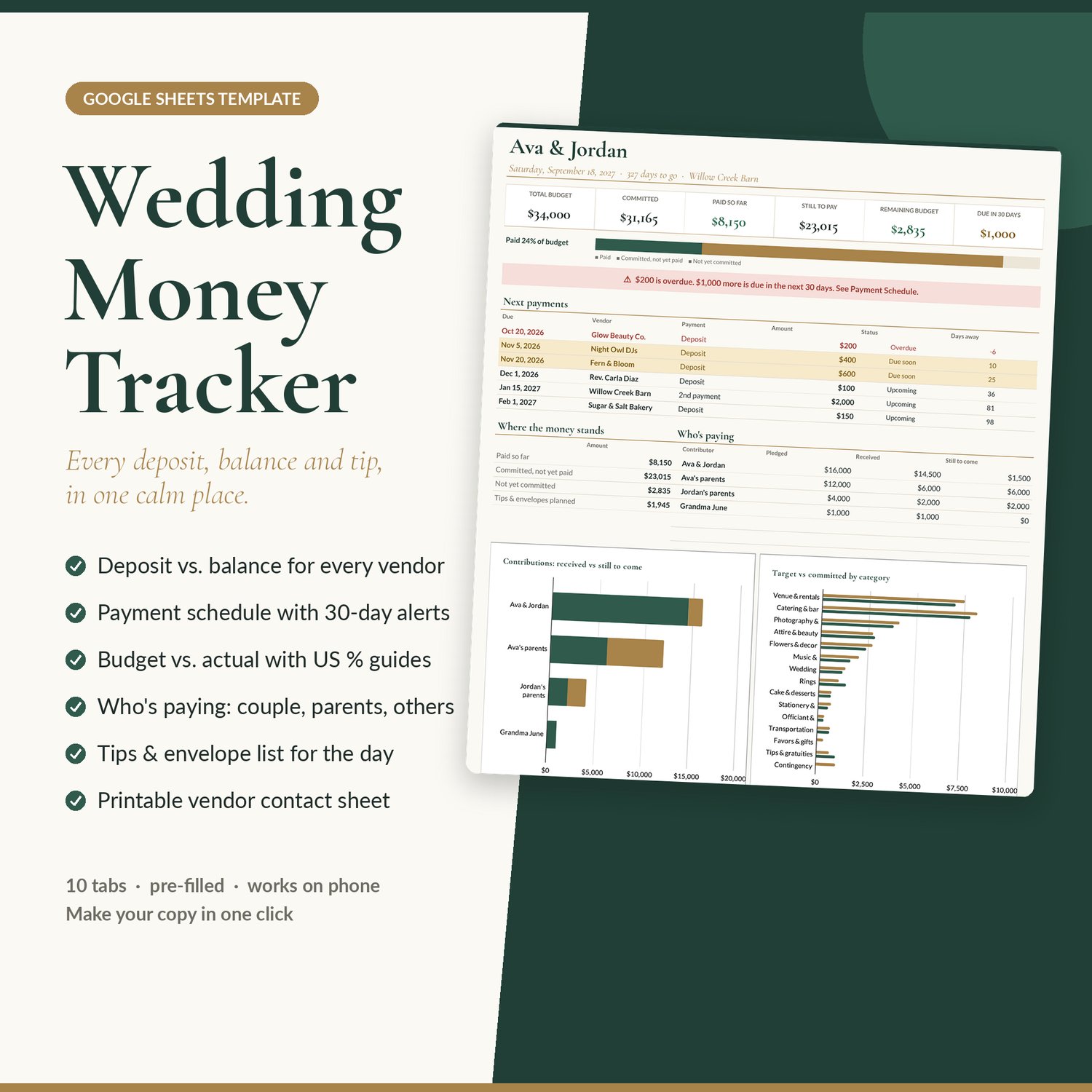
Wedding Money Tracker | Deposits, Balances, Who's Paying & Tip Envelopes (Google Sheets)
Know exactly what you've paid, what you still owe, and what's due next.
Once you've booked six or eight vendors, the money gets messy fast: a deposit here, a second installment there, a final balance due two weeks before the wedding, a parent who's covering the flowers, and a pile of tip envelopes nobody has worked out yet. The Wedding Money Tracker is a Google Sheets template that keeps all of it in one calm, elegant place, and does the math for you.
Who it's for
- Engaged couples who want a clear picture of the wedding money, not another 30-tab planner
- Couples with parents or grandparents chipping in, who need to see who's paying for what
- Anyone juggling deposits, installments and final balances across several vendors
- Day-of coordinators and helpers who need a clean contact and envelope list on the day
What it does
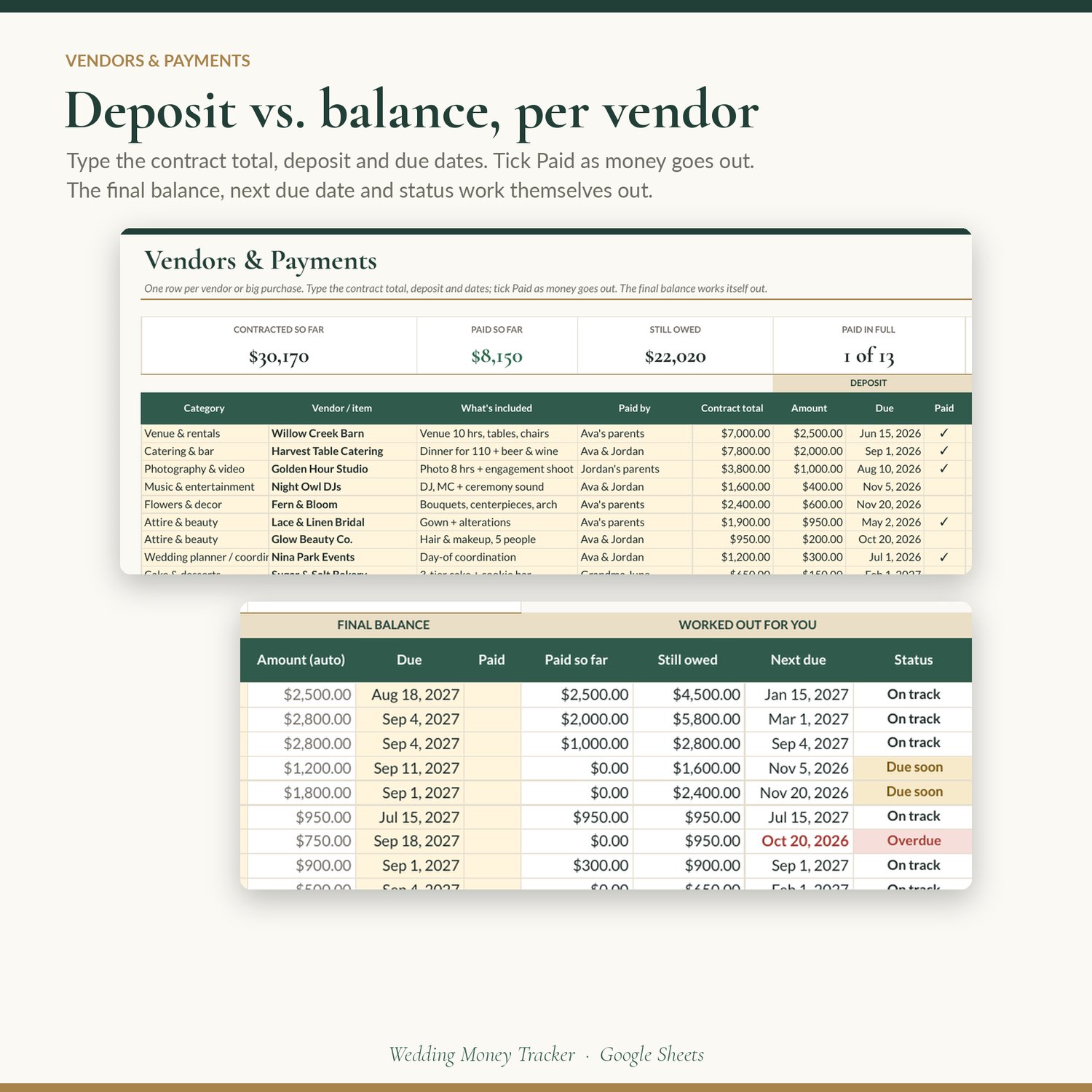
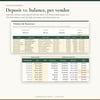
- Deposit vs. balance for every vendor. Type the contract total, the deposit and its due date, an optional second payment, and the final balance due date. Tick Paid as money goes out. The final balance, paid so far, still owed, next due date and status (Paid in full, Overdue, Due soon, On track) fill themselves in.
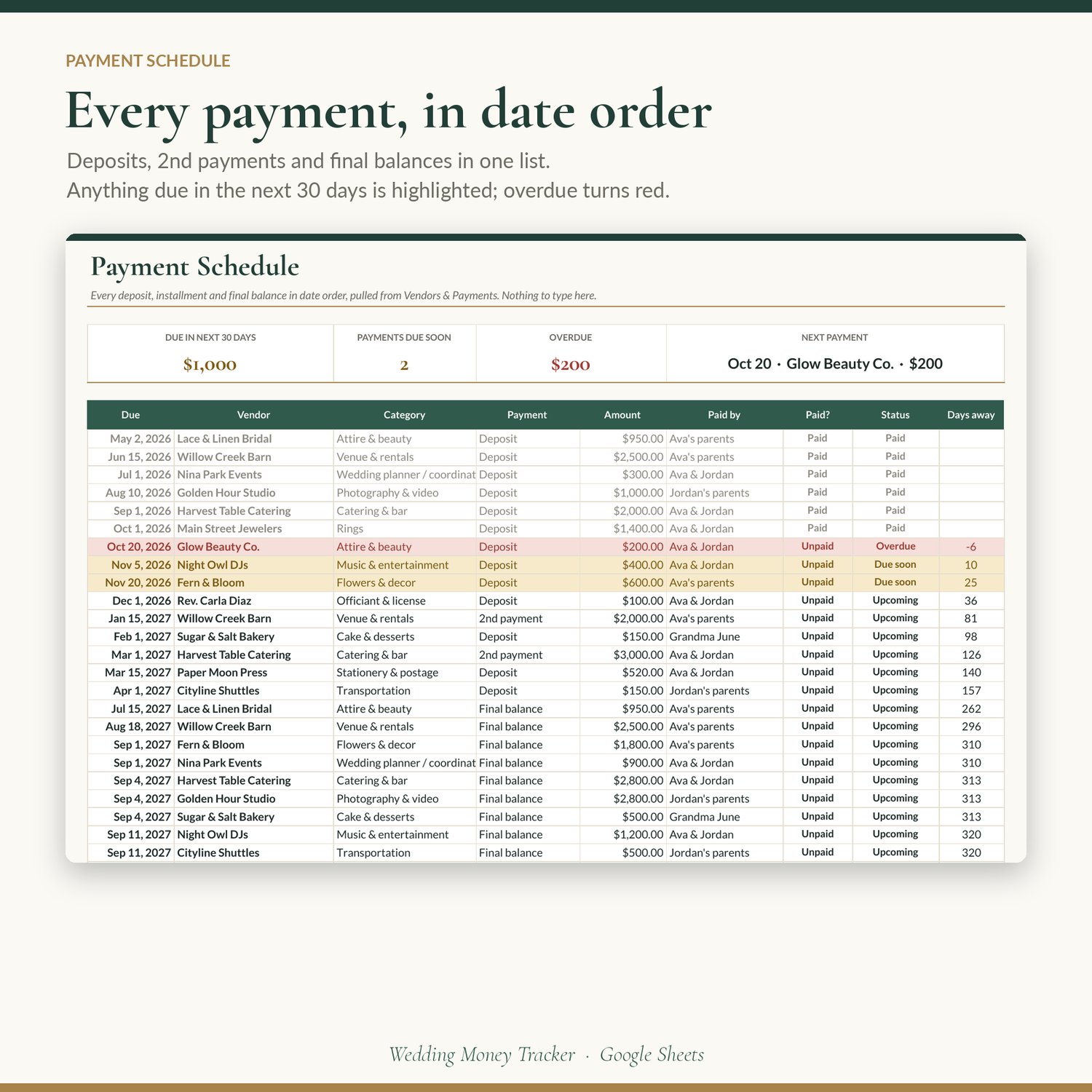
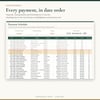
- A payment schedule that watches the calendar. Every deposit, installment and final balance lands in one list, sorted by due date. Anything due in the next 30 days is highlighted in gold, overdue turns red, and paid payments fade to grey. You can change the 30-day window.
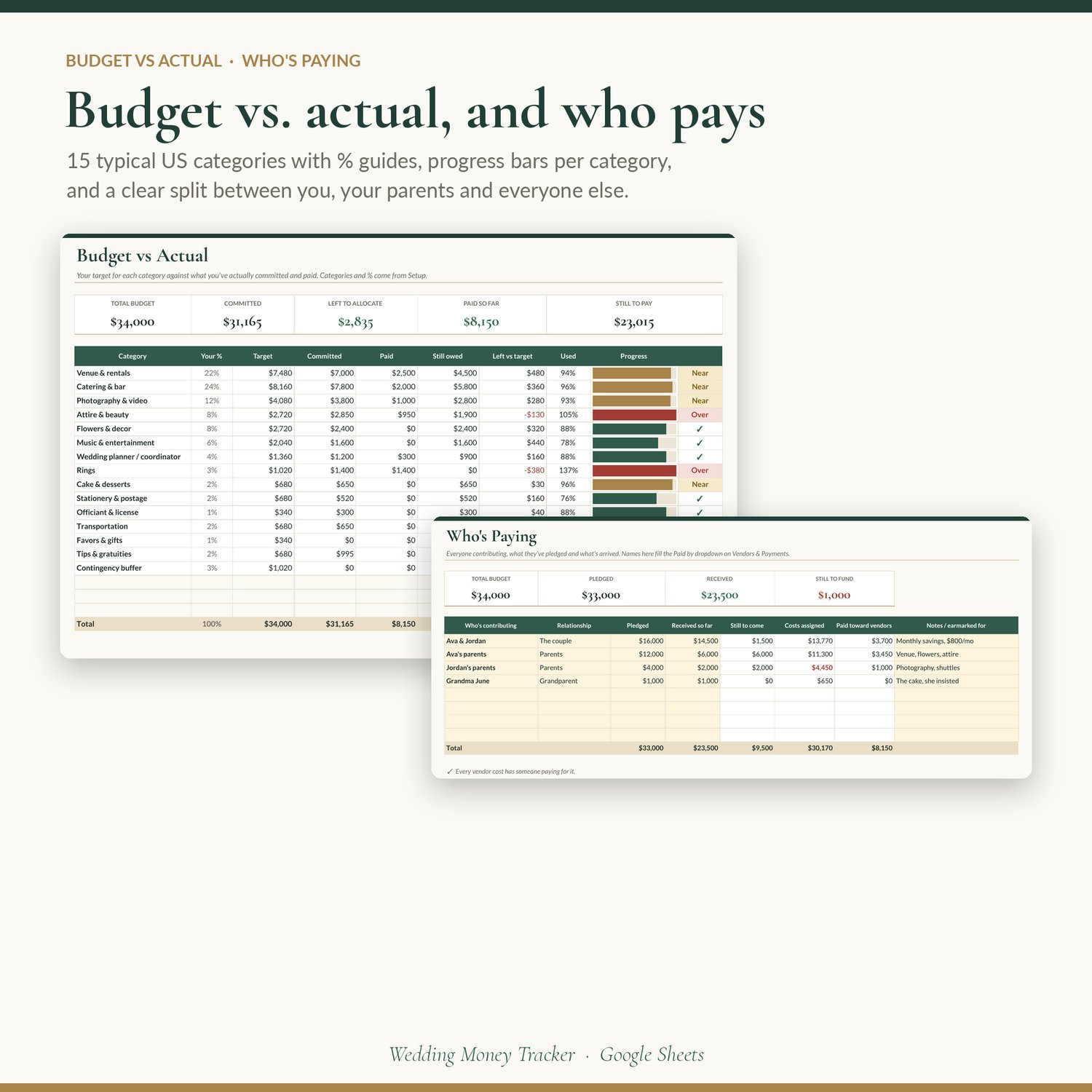
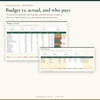
- Budget vs. actual by category. 15 typical US wedding categories come pre-filled with suggested % ranges (venue, catering, photography, attire, flowers, music, planner, rings, cake, stationery, officiant, transportation, favors, tips, contingency). Set your total budget and your own split, then see target vs. committed vs. paid for each one, with a progress bar and an Over / Near flag.
- Who's paying. List the couple, each set of parents and anyone else contributing: what they pledged, what's arrived, what's still to come, and which vendors are assigned to them. It warns you if a cost has no payer or someone's share goes over their pledge. Share it view-only with parents so they can see where their gift is going.
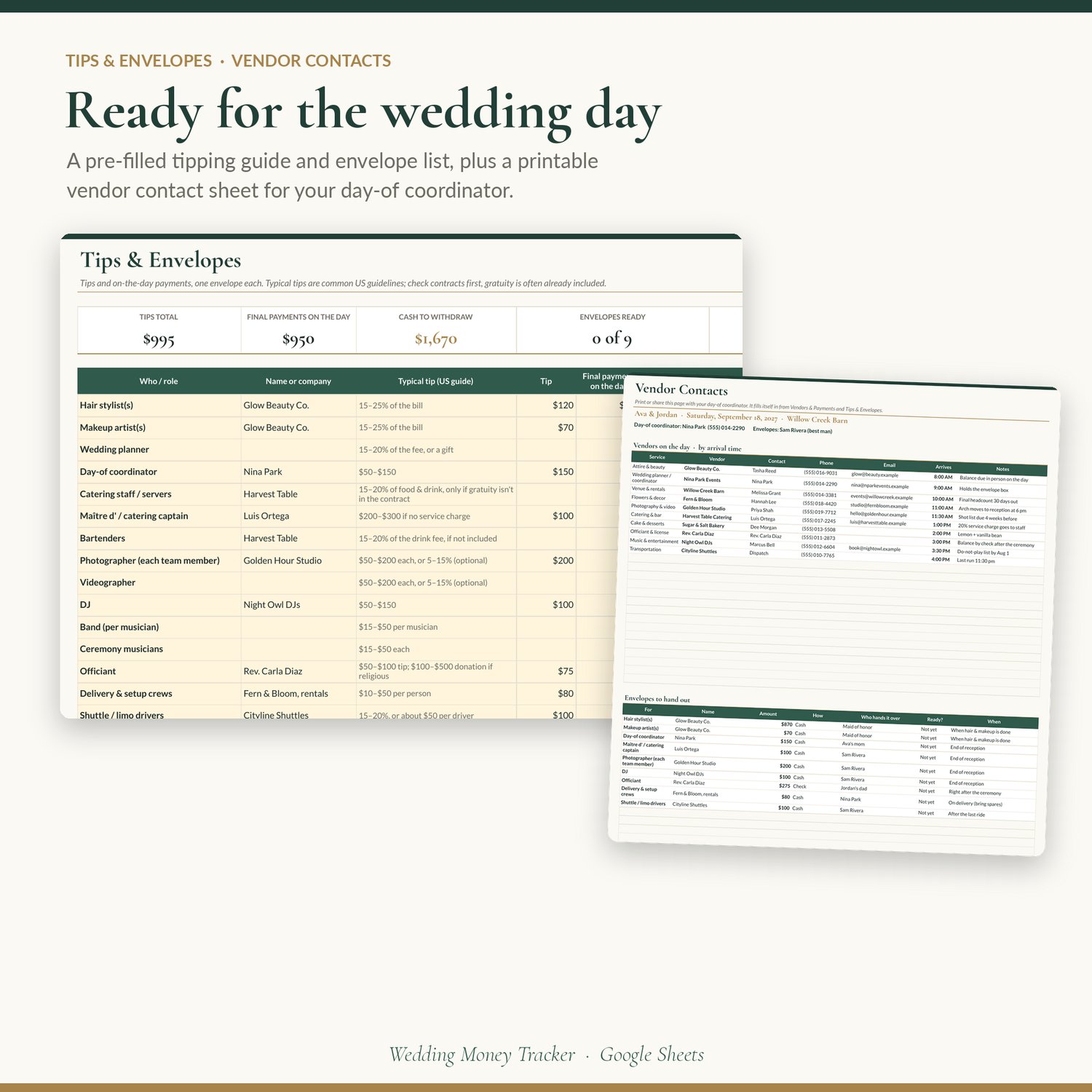
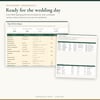
- Tips & envelopes, already worked out. 19 roles pre-filled with typical US tipping guidelines (hair & makeup, catering staff, bartenders, coordinator, photographer, DJ, officiant, delivery crews, drivers and more). Add final payments due in person on the day and get an envelope total for each, the cash to withdraw, who hands it over, when, and a Ready and Handed tick.
- A printable vendor contact sheet. One page for your day-of coordinator: every vendor's contact, phone, email and arrival time, sorted by arrival, plus the list of envelopes to hand out. It fills itself in.
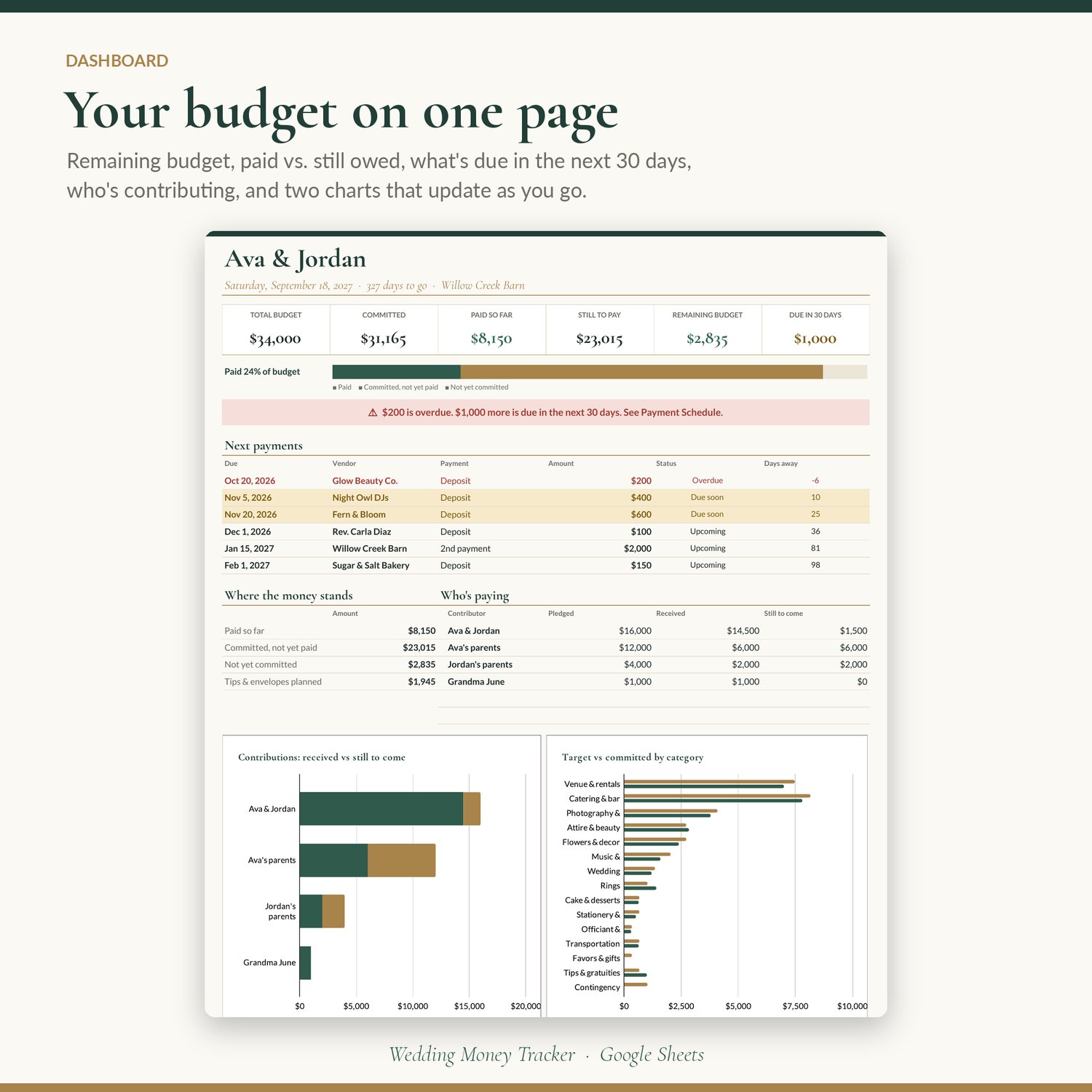
- A dashboard you'll actually check. Remaining budget, committed, paid, still to pay, what's due in the next 30 days, a progress bar, a banner that tells you when something's overdue, the next six payments, who's paying, and two charts.
- A money checklist that isn't blank. 37 money tasks, from "agree your budget" to "chase refundable deposits", with due dates that count back from your wedding date.
What's included
- Google Sheets template (10 tabs) with a one-click Make a copy link, inside the PDF you download
- Start Here: 6 setup steps, colour key, what each tab does, tips
- Dashboard: tiles, progress bar, alert banner, next payments, who's paying, 2 charts
- Setup: your details, total budget, due-soon window, categories with typical % ranges
- Vendors & Payments: 40 vendor rows with deposit, 2nd payment and final balance, plus day-of contact details
- Payment Schedule: automatic, sorted by due date, next 30 days highlighted
- Budget vs Actual: target, committed, paid, still owed and progress for each category
- Who's Paying: up to 8 contributors with pledges, money received and assigned costs
- Tips & Envelopes: 30 rows, 19 pre-filled roles with typical tip guides
- Vendor Contacts: print-ready sheet for your coordinator
- Money Checklist: 37 pre-filled tasks with automatic due dates
- Quick-start PDF with your copy link
- Filled with a clearly made-up sample couple so you can see how everything connects before you type your own
How to use it
1. Download the PDF and click Make your copy while signed in to Google. The copy lives in your own Google Drive.
2. Look around the sample, then clear it: select the cream cells and press Delete. Formulas stay put.
3. On Setup, add your names, date, total budget and coordinator, and adjust the category split.
4. On Who's Paying, list everyone contributing.
5. On Vendors & Payments, add each vendor as you book. Tick Paid when money goes out.
6. Check the Dashboard now and then. In wedding week, fill in Tips & Envelopes and print Vendor Contacts.
Specs
- Format: Google Sheets (works with a free Google account). Not an Excel file; you can download a copy as .xlsx, but some formulas and checkboxes work best in Google Sheets.
- 10 tabs; 40 vendor rows (up to 120 scheduled payments), 18 budget categories, 8 contributors, 30 envelope rows, 55 checklist rows
- Cream cells are for typing; white formula cells are protected with a gentle warning
- Works on computer, tablet and phone (free Google Sheets app). Editing is easiest on a computer; ticking payments and checking the dashboard work well on a phone.
- Amounts in US dollars by default; switch to any currency with Format › Number › Custom currency
- Instant digital download. No physical product is shipped.
FAQ
Do I need Excel or any paid software? No. A free Google account is all you need.
Can my partner and parents use it too? Yes. Share your copy with your partner as an editor, and with parents as a viewer so they can see the plan without changing anything.
How is this different from a wedding planner spreadsheet? It's built only for the money. No guest list, no seating chart, no 30 tabs to ignore. Just deposits, balances, due dates, who's paying and tips, done properly.
What if a vendor has three or four installments? Each vendor row has a deposit, a second payment and an automatic final balance. For more installments, add the vendor on two rows (for example "Venue – installments 1–2" and "Venue – installments 3–4").
Where do the typical % ranges and tip amounts come from? They're common US wedding planning guidelines, meant as a starting point. Always check your contracts first; many caterers and venues already include gratuity.
Will the "due soon" alerts email me? No. Google Sheets doesn't send alerts on its own. The highlights and dashboard banner update every time you open the sheet.
Can I change the categories? Yes. Rename, add (up to 18) or re-split them on Setup, and every tab follows.
Is my information private? Your copy lives in your own Google Drive. We can't see it.
Refunds? Because it's an instant digital download, all sales are final. If something isn't working, reply to your receipt email and we'll help you fix it.
License
Personal use for your own wedding. You may share your own copy with your partner, family and coordinator. Please don't resell, share or give away the template, the copy link or the PDF, and please don't use it for paying clients. Buying for someone else? One copy per couple. Typical budget ranges and tip amounts are guidelines, not financial advice.