
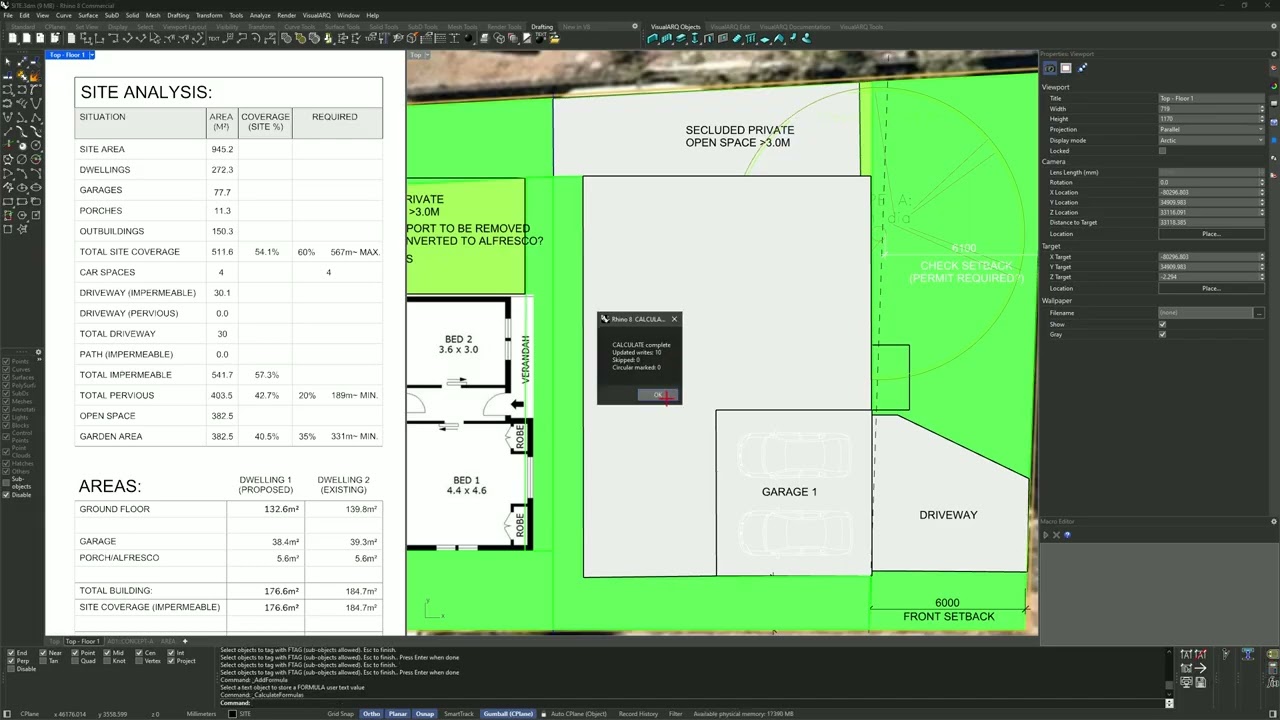
Formulas: Rhino 8 Tool
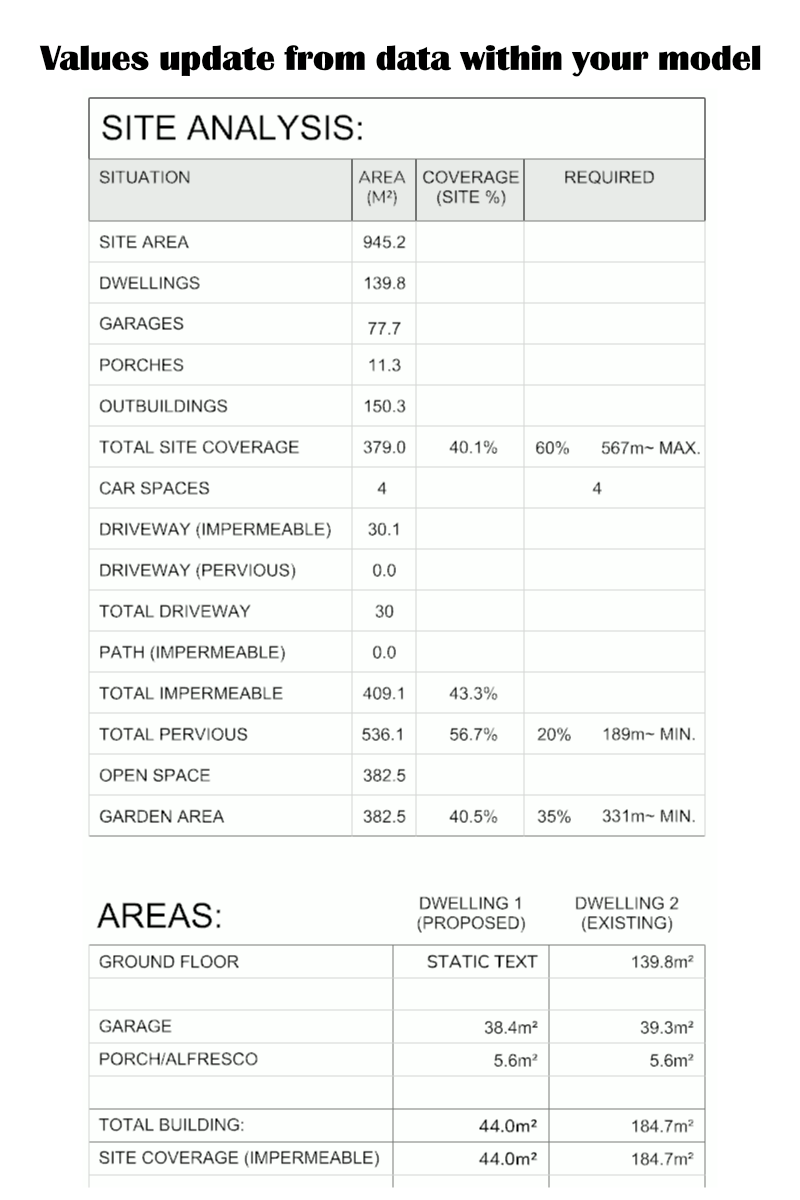
Formulas tool allows you to create tables, schedules and text that will update from Rhino geometry.
Turn Rhino geometry into live, reusable project data.
This three-script toolkit for Rhino 8 lets you tag objects, build schedules and tables that calculate and update quantities such as areas, lengths, counts and totals directly inside your model. It's like having a spreadsheet within your drawing.
Included scripts:
Label
Assign one or more FTAG values to Rhino objects. Tags can be reused across surfaces, hatches, curves, blocks, text and other model objects.
Formula
Add a FORMULA value to Rhino Text or TextDot objects, creating calculation fields that can be updated at any time.
Format: <type:tag>[prefix,decimals,suffix,units]
Units:
m = metres
mm = millimetres
cm = centimetres
fi = feet and inches
Example: 8'-3.50"
ff = feet and fractional inches
Example: 8'-3 1/2"
fd = decimal feet
Example: 8.25 feet.
i = decimal inches
If units are not specified areas use m².
Calculate
Reads the tagged objects in the model, evaluates the formulas and updates the displayed text.
Supported calculations
- <A:TAG> total area of tagged surfaces, hatches and closed planar curves
- <L:TAG> total length of tagged curves and lines
- <T:TAG> numeric value from tagged text objects
- <C:TAG> count tagged objects
- <CB:BLOCKNAME> count block instances by block name
Formulas can also include standard arithmetic and functions such as:
+ - * / floor ceil round int abs min max
Example formulas
<A:FLOOR>[Floor Area: ,2, m²]
<L:FENCE>[Fence Length: ,1, m]
<C:TREE>[Trees: ,0,]
(<A:HOUSE> + <A:GARAGE>) * 1.10
Typical uses
Ideal for:
- Floor-area schedules
- Site-area calculations
- Fence and wall lengths
- Tree, window and fixture counts
- Planning and building documentation
- Reusable dynamic project schedules
Compatibility
Designed for:
- Rhino 8
- Metric and imperial workflows
- Standard Rhino geometry and annotation objects
The toolkit keeps calculations inside Rhino, reducing repeated manual measurements and making project data faster to update and easier to manage.