
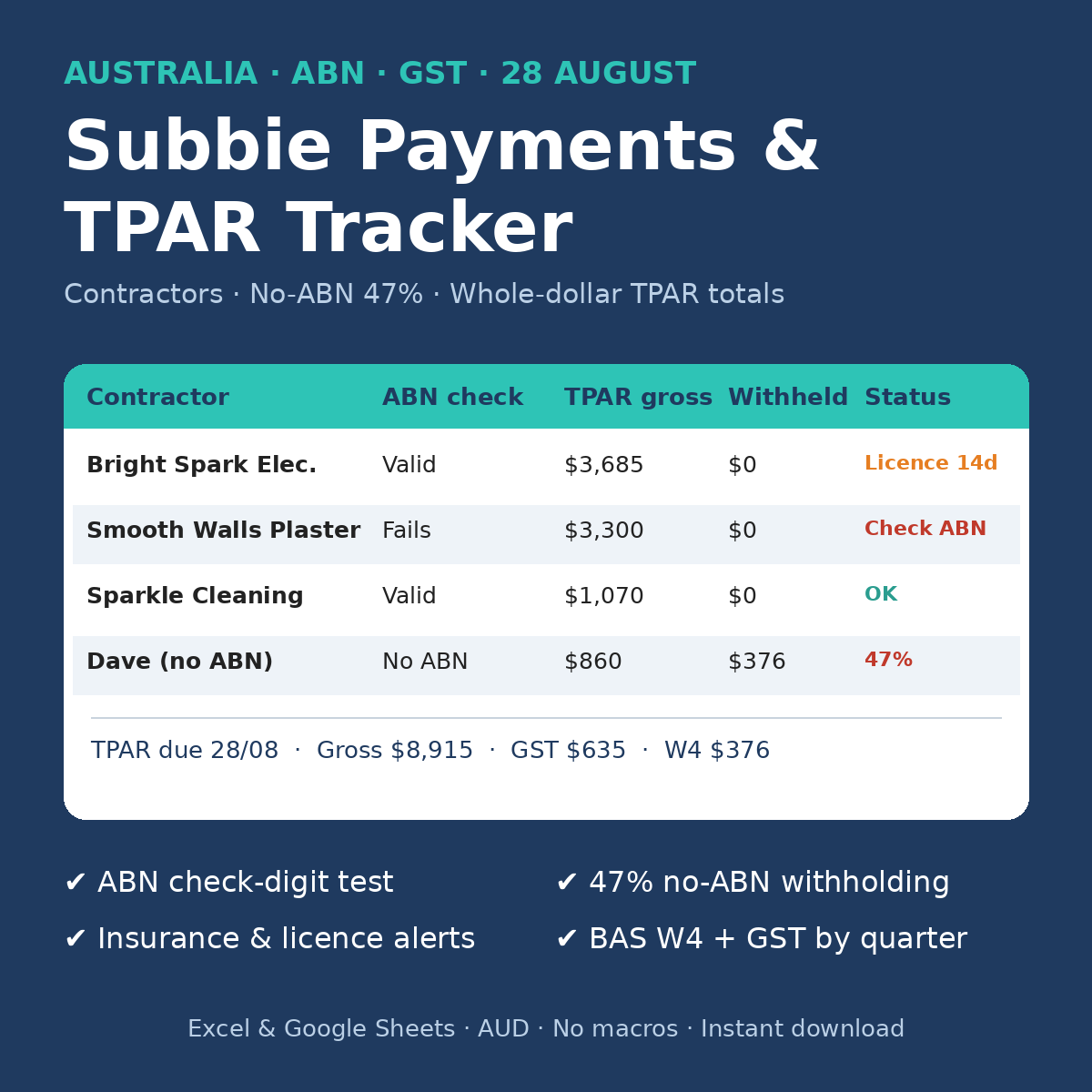
Subbie Payments & TPAR Tracker – Australia, ABN & GST (AUD)
Pay subbies? Make TPAR time a 20-minute job, not a weekend in your bank statements.
A simple spreadsheet for Australian businesses that pay contractors for building and construction, cleaning, courier, road freight, IT or security work. Record each payment as you make it, and the sheet builds your per-contractor Taxable payments annual report (TPAR) totals, flags subbies with no ABN, works out the 47% to withhold, and warns you before insurance or licences run out.
What it does
- Contractor register: ABN, address, GST status, service type, ABN Lookup check date, public liability and licence expiry dates for each subbie.
- ABN check-digit test: catches mistyped ABNs instantly ("Fails check digit – check on ABN Lookup").
- Alerts: "NO ABN – withhold 47%", "Insurance EXPIRED", "Licence expires in 14 days", "ABN not yet checked".
- Payments log: date paid, invoice, total incl GST, invoice type (labour & materials / labour only / materials only / incidental labour). GST, ex-GST, withholding and the net amount to pay fill in for you.
- No-ABN withholding: if no ABN is quoted and the payment is over $75 ex GST, it shows the 47% to withhold and pay to the ATO (BAS label W4).
- TPAR Summary: for each contractor, the gross paid (incl GST and tax withheld), GST and tax withheld for the financial year, in whole dollars with cents dropped, the way the ATO asks. Materials-only invoices, non-TPAR suppliers and payments outside the FY are left out automatically.
- "Do I need to lodge?" checker: the ATO 10% test, with a note for building and construction.
- BAS by quarter: contractor payments, GST credits (1B estimate) and W4 withholding for Q1–Q4.
- Payee Statement: a printable per-contractor summary if a subbie asks what you reported.
- Editable ATO settings: GST 10%, 47% withholding rate, $75 threshold, 28 August due date, with the ATO source for each noted.
What's included
- 1 × .xlsx workbook with 7 tabs: Instructions, Summary, Settings, Contractors, Payments, TPAR Summary, Payee Statement
- Example contractors and payments clearly marked EXAMPLE, so you can see how it works before you delete them
- Room for 100 contractors and 500 payments
- Works in Microsoft Excel and Google Sheets. No macros.
Who it's for
- Builders, trades and small construction businesses that pay subbies
- Cleaning, courier, road freight, IT and security businesses that use contractors
- Sole traders and small businesses who do their own books, or who want clean figures to hand to their BAS/tax agent
Who it's NOT for: businesses whose accounting software (Xero, MYOB, QuickBooks) already tracks contractor payments and lodges the TPAR for them, and anyone needing payroll or STP. This sheet does not lodge anything with the ATO.
FAQ
Does it lodge my TPAR? No. It gives you the totals to type into Online services for business, your software or your agent.
Do I need Excel? No. It works in free Google Sheets too. Upload the file, then choose File → Save as Google Sheets.
What if the ATO rates change? They're editable on the Settings tab, with the ATO source noted next to each one.
Does the ABN check prove the ABN belongs to that business? No. It catches typos. Always confirm on ABN Lookup (abr.business.gov.au). The sheet has a column for the date you checked.
No-ABN payments: TPAR or the separate annual report? The ATO says to report withheld amounts in one or the other, not both. There's a switch on Settings.
Is it a subscription? No. You pay once, download it instantly and keep the file.
General information only, not tax, legal or financial advice. Check current TPAR and withholding rules at ato.gov.au or with a registered tax/BAS agent.