
Rental Property & BRRRR Deal Analyzer Spreadsheet
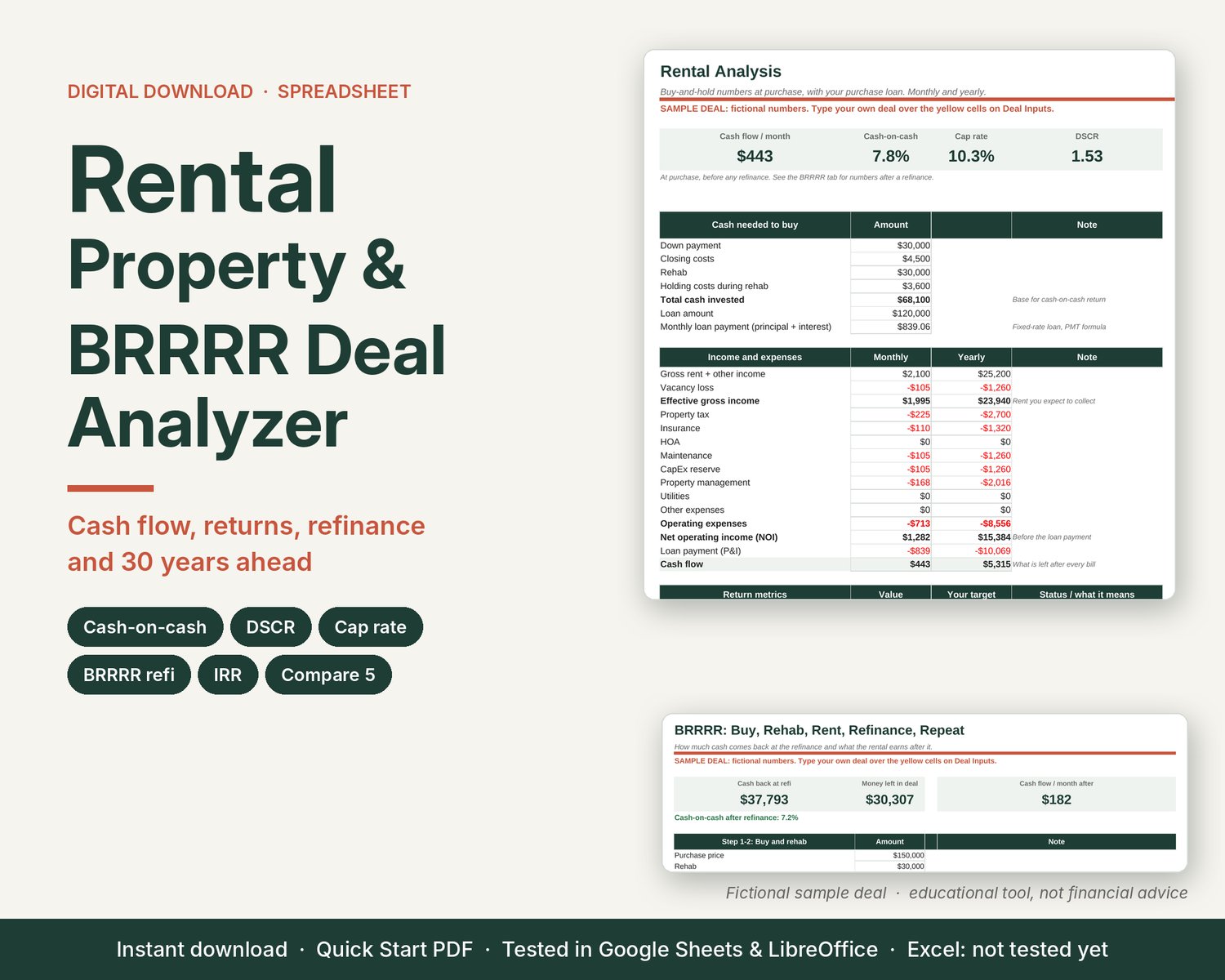
A rental property and BRRRR deal analyzer spreadsheet for running the numbers before you make an offer. Type the purchase price, loan, rent and expenses once, and every tab updates: monthly cash flow, cash-on-cash return, cap rate, DSCR, the 1% rule, a BRRRR refinance, a 30-year projection with IRR, and a side-by-side comparison of up to 5 deals. Standard .xlsx file, tested in Google Sheets and LibreOffice Calc (more under Works in). Made with an AI tool and checked by automated recalculation on sample deals (details below). Educational tool, not financial advice.
WHAT IT CALCULATES
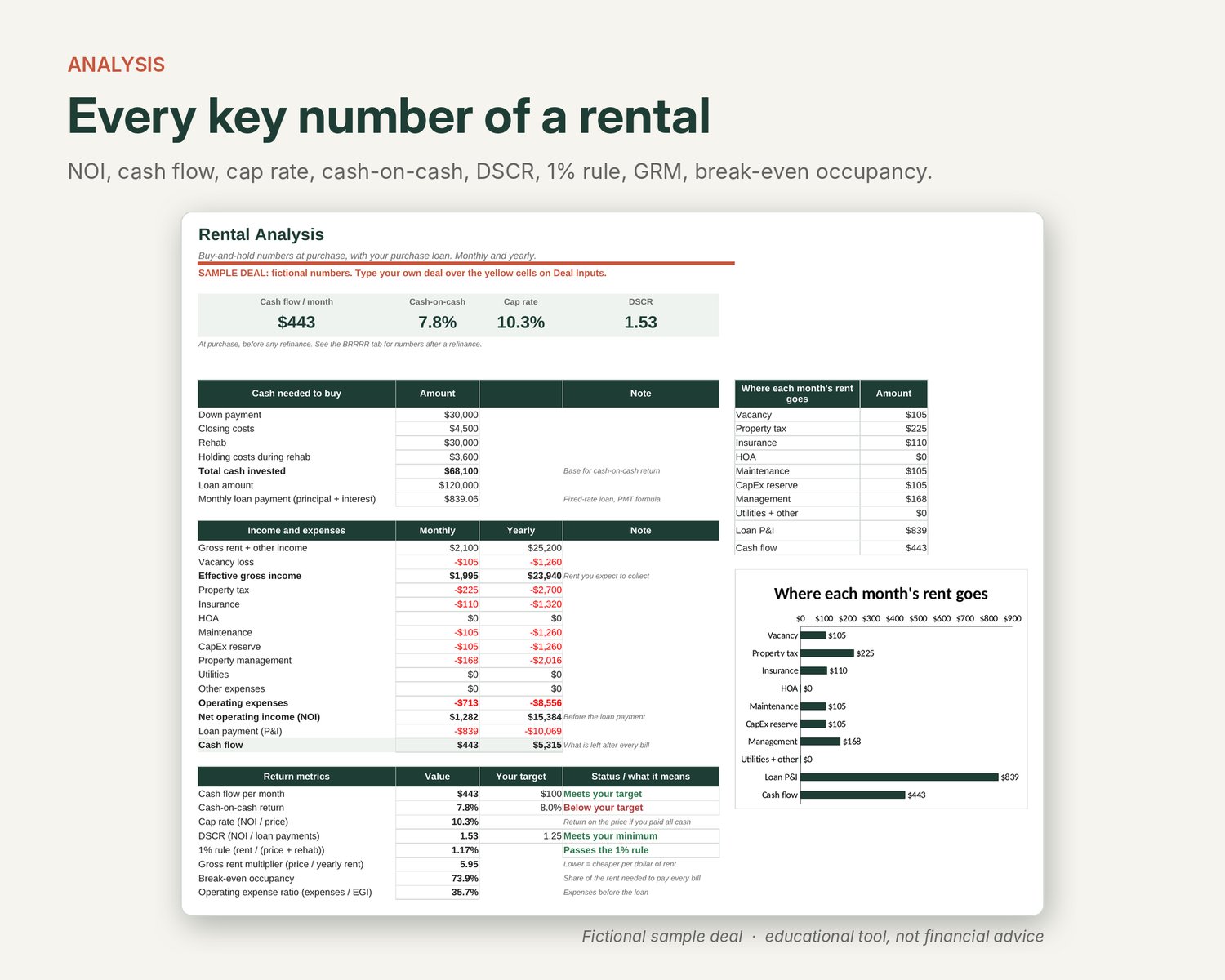
- Cash needed to buy: down payment, closing costs, rehab and holding costs
- Monthly loan payment (principal + interest), fixed-rate loan
- Income and expenses, monthly and yearly: vacancy, property tax, insurance, HOA, maintenance, CapEx, management, utilities, other
- NOI and cash flow, monthly and yearly
- Cap rate, cash-on-cash return, DSCR, 1% rule, gross rent multiplier, break-even occupancy, operating expense ratio
- Your own targets for cash flow, cash-on-cash and DSCR, with a "Meets / Below your target" status for each
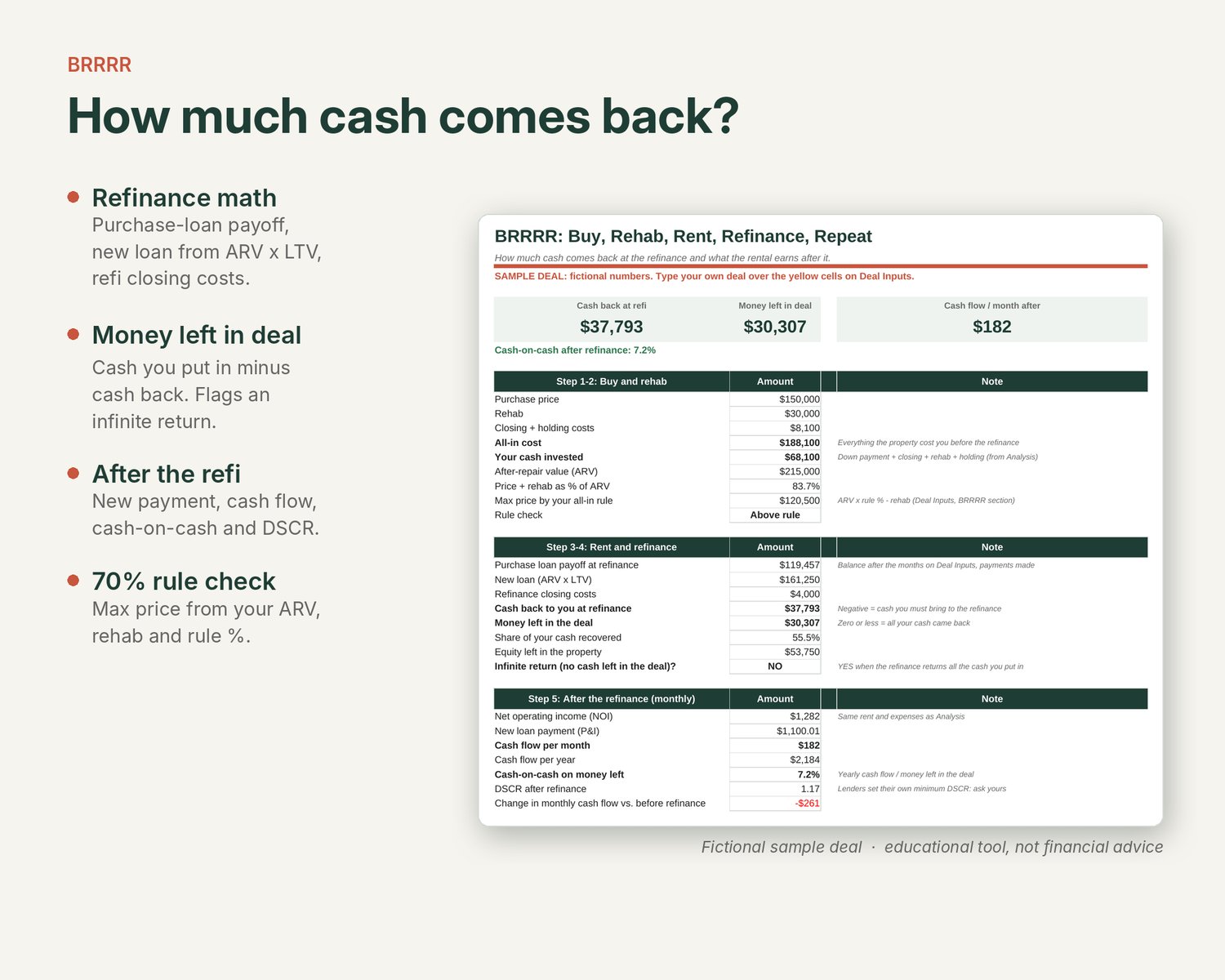
- BRRRR: all-in cost, max price by your rule % of ARV (70% or your own), purchase-loan payoff at refinance, new loan from ARV x LTV, cash back at refinance, money left in the deal, and an infinite-return flag when no cash is left in
- After the refinance: new payment, cash flow, cash-on-cash on the money left in, DSCR
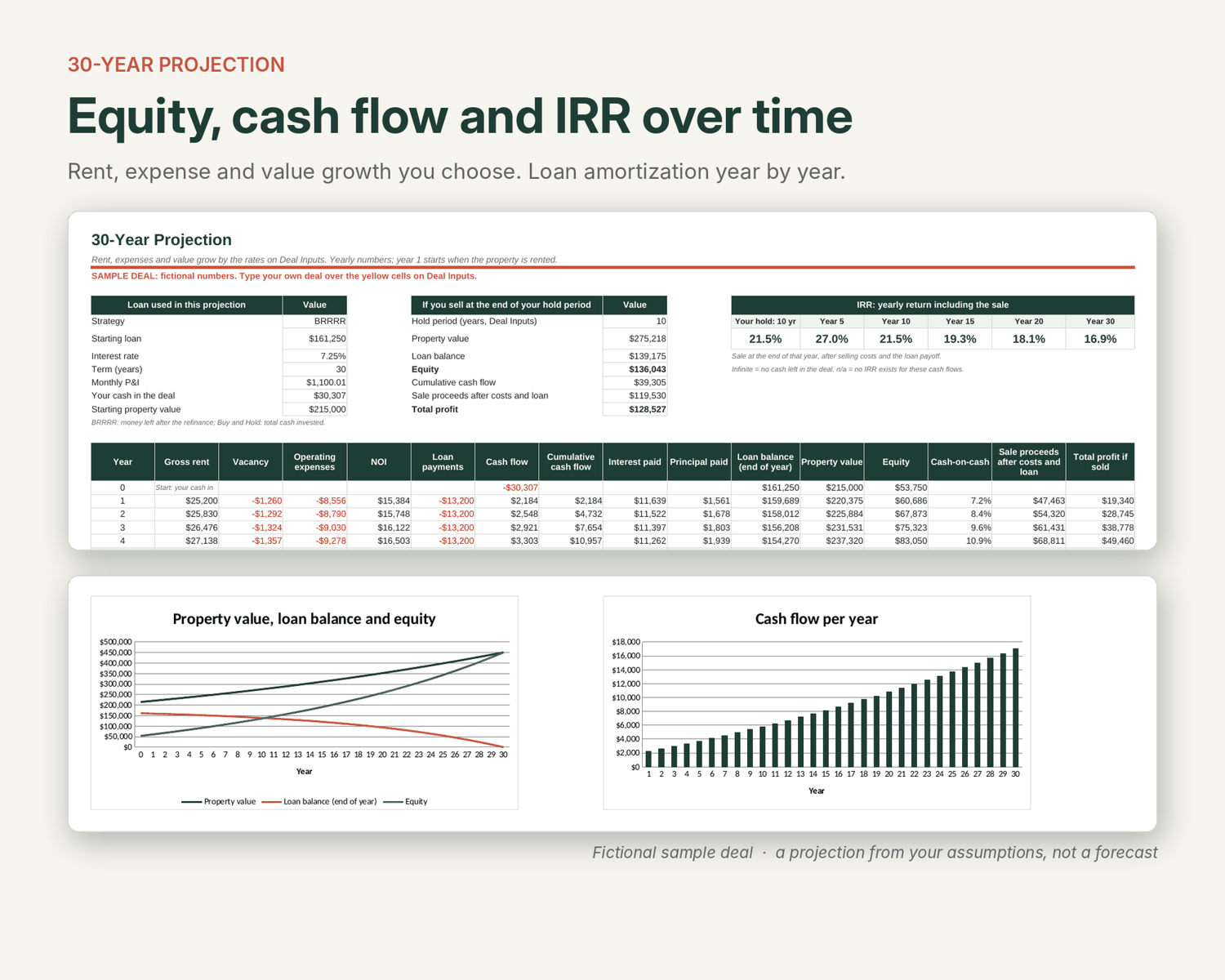
- 30-Year Projection: rent, expenses, NOI, cash flow, loan balance, property value and equity year by year, with your own growth rates and selling costs
- IRR including the sale for your hold period and for 5, 10, 15, 20 and 30 years
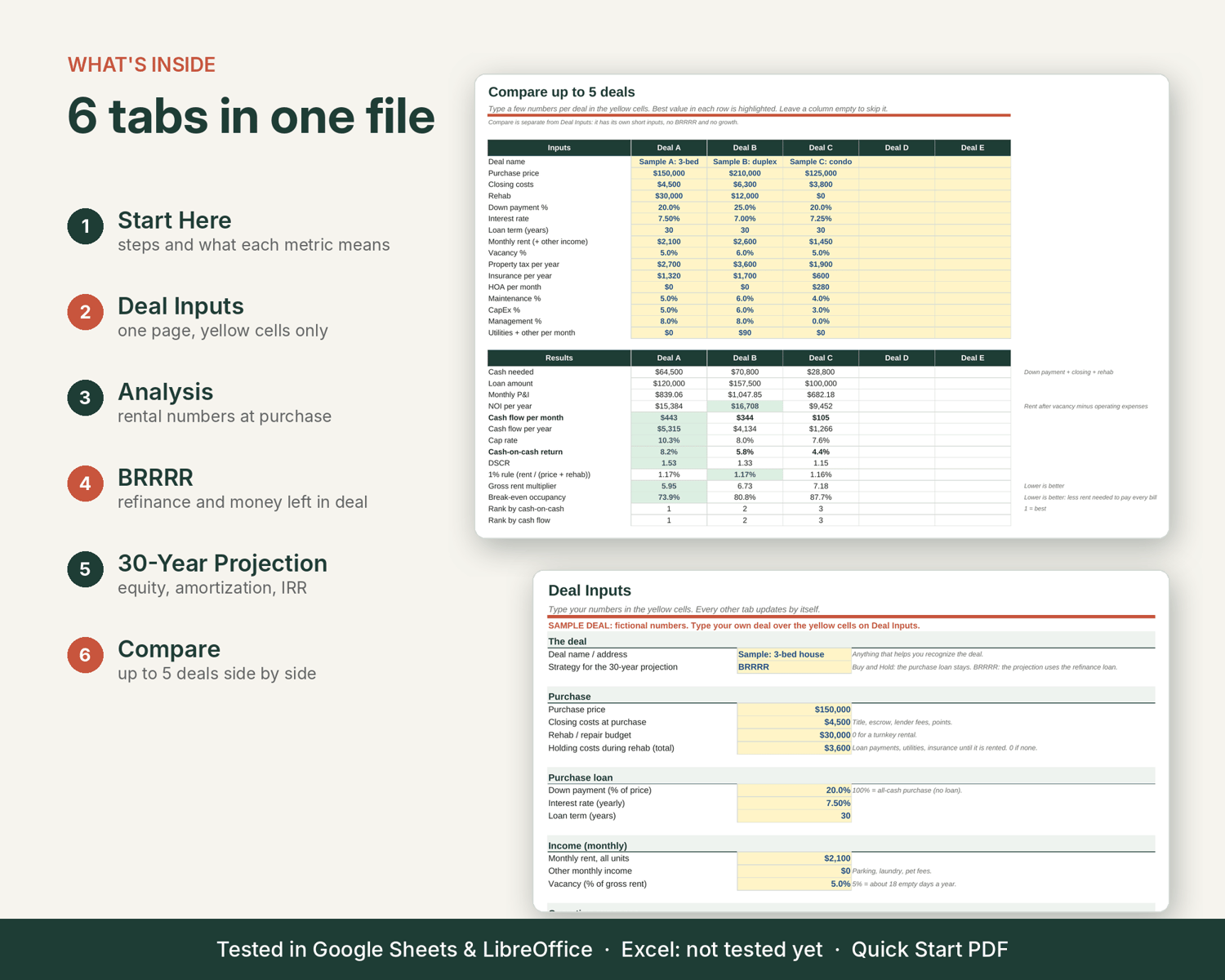
- Compare: up to 5 deals in columns, ranked by cash-on-cash and cash flow, best value in each row highlighted
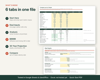
WHAT'S INSIDE: ONE SPREADSHEET, 6 TABS
- Start Here: 5 setup steps and what each of the 11 metrics means
- Deal Inputs: every input on one page, yellow cells only. Pick Buy and Hold or BRRRR for the projection
- Analysis: the rental numbers at purchase, 4 headline numbers and a chart of where each month's rent goes
- BRRRR: the refinance step by step
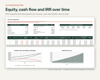
- 30-Year Projection: the year-by-year table, IRR and 2 charts
- Compare: short inputs for up to 5 deals; leave a column empty to skip it
YOU GET
- Rental-BRRRR-Deal-Analyzer.xlsx
- Quick Start PDF (2 pages): how to open the file, what to type where, a glossary of the metrics, and how the projection works
You get a download link right after purchase. Nothing will be shipped.
WORKS IN
- Google Sheets (free): upload the .xlsx to Google Drive and open it with Google Sheets, then File > Save as Google Sheets. Google Sheets may not keep the formula lock after upload.
- LibreOffice Calc (free)
- Microsoft Excel: it is a standard .xlsx with classic formulas only, but we have not tested it in Excel yet.
Tested in Google Sheets and LibreOffice Calc.
ABOUT THE NUMBERS
Every result comes from the numbers you type in. The 30-year projection and IRR assume the growth rates you choose, a fixed loan rate and a sale at the end of the hold period. Income tax, depreciation, capital gains tax, rate changes and large one-off repairs beyond your CapEx reserve are not included. The numbers already in the file are a fictional sample deal that shows how it works; they are not a real property or a forecast.
This is an educational tool, not financial, tax or investment advice. Results depend on your inputs. Check important numbers with your lender, agent or tax professional.
GOOD TO KNOW
- Formula cells are locked without a password so you don't break them by accident. Yellow cells are for your input.
- US-style inputs (dollars, yearly tax and insurance, monthly HOA), but the math works in any currency.
- English only.
- Personal use only. Please don't resell or share the file.
HOW IT WAS MADE
Made by our small studio with an AI tool (Claude): the layout, formulas, tab notes and the Quick Start guide were created with AI. Before release the file was recalculated in LibreOffice Calc on 5 sample scenarios (BRRRR, buy and hold, all-cash, a refinance that returns all your cash, and 0% loans), and 303 numbers per scenario, including all 30 projection years and IRR, were compared with an independent calculation (a separate script, also written with AI). All of them matched. See WORKS IN for which programs it has been opened in. Product images are screenshots of the spreadsheet with the fictional sample deal.
FAQ
Do I need to buy Excel?
The file is a standard .xlsx. You can upload it to Google Drive and open it with free Google Sheets, or use free LibreOffice Calc. See WORKS IN above for what we have tested.
Does it work for a deal without a refinance?
Yes. Choose Buy and Hold on Deal Inputs. The BRRRR tab still shows the refinance math if you want to look at it.
Can I analyze a duplex or a small multifamily?
Yes, as one property: enter the total rent of all units.
What if IRR shows "n/a" or "Infinite"?
"Infinite" means no cash is left in the deal after the refinance. "n/a" means no IRR exists for those cash flows, for example when the deal never pays back.
Will it tell me whether to buy?
No. It shows the numbers for your inputs and how they compare with your own targets. The decision is yours.
Something doesn't work or looks wrong?
Reply to your receipt email with a screenshot and we'll help you fix it.