


Law school - Reading planner - Notion template
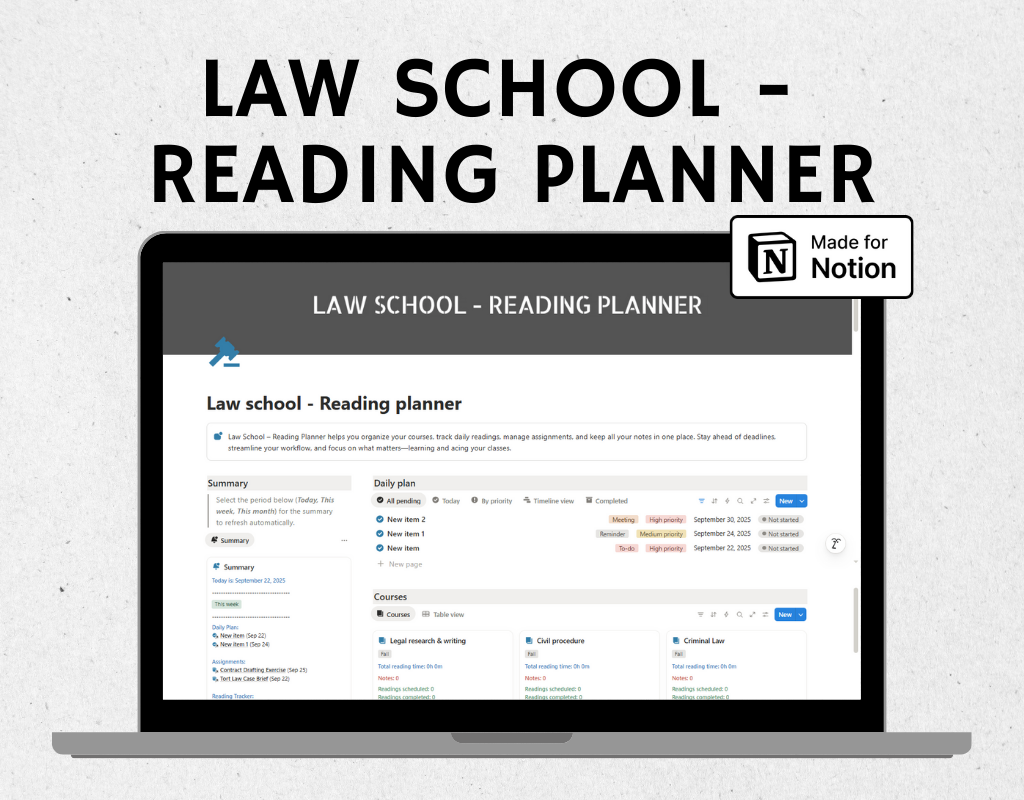
The Law School – Reading Planner is a complete Notion template built for law students to stay organized, manage tasks, track readings, and consolidate notes. Law school workloads are heavy, with multiple readings and assignments each day, making it easy to feel overwhelmed. This planner keeps everything in one place, helping you focus on learning, preparing cases, and acing exams, instead of scrambling to track your work.
Key features:
Courses: Link courses to assignments, readings, and notes for easy reference.
Assignments: Track due dates, priority, and completion.
Readings: Log daily readings: cases, statutes, articles, or book chapters. Assign due dates, type, priority, and completion status.
Daily Plan: Track all your tasks, including study prep, assignments, and personal study goals.
Notes: Take and organize lecture notes, case briefs, or study outlines. Link notes to courses and readings for easy retrieval.
Summary
Provides a single-glance dashboard that consolidates your Daily Plan (Tasks), Assignments, and Readings.
- Uses a dynamic formula to display items due Today, This Week, or This Month.
- For each period, the Summary shows:
- Daily Plan: Lists tasks due, or indicates “No daily plan” if empty.
- Assignments: Lists assignments due, or indicates “No assignments” if none.
- Readings: Lists readings due, or indicates “No readings” if none.
- Each item displays the name and due date for quick reference.
- Automatically updates as tasks, assignments, or readings are added or completed.
Why it’s beneficial for law students:
- All-in-One Organization: Keep courses, tasks, assignments, readings, and notes in one workspace.
- Dynamic Tracking: The Summary updates automatically for Today, This Week, and This Month, so nothing slips through the cracks.
- Independent Workflows: Tasks, assignments, and readings are tracked separately for clarity.
- Focus on Learning: Spend less time tracking work and more time understanding cases and studying.
- Visual Progress at a Glance: Know exactly what’s due each day, week, or month.
This keeps your workflow clear, structured, and always up-to-date, making the Law School – Reading Planner a truly powerful study and task management system.
FAQ's
Q: What is Notion?
A: Notion is an all-in-one workspace that combines note-taking, task management, and collaboration tools into one platform. It's highly customizable and allows users to create their own databases, pages, and templates to suit their specific needs.
Q: How do I duplicate the template after purchasing?
A: After purchasing the template, you'll receive a link to access it in Notion. Simply click on the link, and then click on the "Duplicate" button in the top-right corner of the template. This will create a copy of the template in your own Notion workspace, which you can then customize and use as you wish.
Q: Is there a refund policy for the templates?
A: Due to the nature of digital templates, refunds are not applicable once the template has been purchased. However, if you encounter any issues or have questions about the template, please don't hesitate to reach out, and I'll be happy to assist you.