
Fuel Tax Credits Tracker & BAS 7D Calculator – Australia (2026-27)
Fuel tax credit rates changed four times in 2026. This spreadsheet uses the right one for every fill.
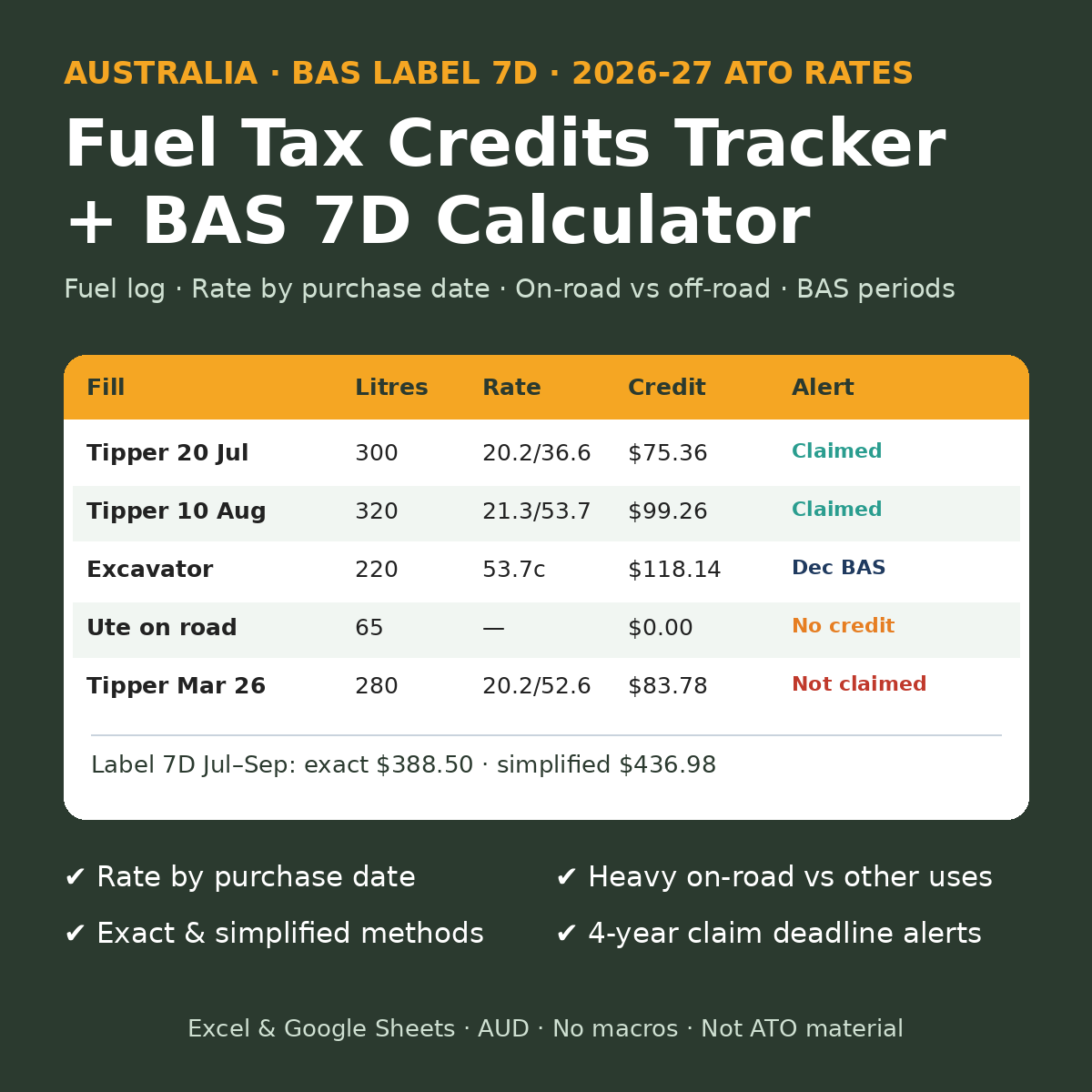
A fuel tax credits log for Australian tradies, earthmovers, landscapers, farmers, owner-drivers and small fleets. Set up each truck, ute, machine and generator once, then log each fill or fuel docket. It looks up the ATO rate for the date you bought the fuel, works out the eligible litres and the credit, and totals BAS label 7D for every quarter or month.
What it does
- The right rate for every purchase date: an editable ATO rate table (1 July 2025 to now, all six rate periods, with sources) that the log looks up automatically. A July–September quarter with fuel at 36.6c and 53.7c is split for you.
- Heavy vehicle on public roads vs all other uses: each vehicle's on-road share goes at the lower heavy-vehicle rate, and the rest (site work, idling, tipper hoist) at the full rate. You can override the share for any fill.
- Knows what isn't claimable: light vehicles (4.5t GVM or less) on public roads, private use, and AdBlue are left out, and a light vehicle's off-road share is still counted. Heavy vehicles on the ATO's mainly-off-road list go at the full rate. Pre-1996 heavy diesel vehicles are flagged if they don't meet the environmental criteria.
- Exact and simplified, side by side: every line and every BAS period shows the credit using the rate on the purchase date and using the rate on the last day of the BAS period (the ATO's simplified method for claims under $10,000 a year). Pick your method once in Settings, and you're warned if you pass $10,000.
- BAS 7D tab: last year and this year by quarter (or month), with litres, eligible litres, the 7D amount for your method, how many rate changes fell in the period, what you've marked as claimed, and what's still unclaimed.
- Never lose a fuel docket: unclaimed fills after the BAS due date are flagged "add to your next BAS", with an approximate 4-year time-limit date and a "claim soon" warning.
- Typo catcher: flags a cost per litre that looks wrong, unknown vehicle IDs and fuel types, and dates before your rate table.
- Summary: fuel bought, eligible and non-claimable litres, credits both ways, claimed vs unclaimed, a month-by-month table, credits by fuel type, and a quick one-purchase credit calculator.
- Future-proof: when the ATO publishes the February 2027 rates, add one row to the Rates tab. Formulas don't change.
What's included
- 1 × .xlsx workbook with 7 tabs: Instructions, Summary, Settings, Rates, Vehicles, Fuel Log, BAS 7D
- Example vehicles and fills, all clearly marked EXAMPLE, so you can see how it works before you delete them
- Room for 50 vehicles/machines and 500 fills
- Works in Microsoft Excel and Google Sheets. No macros.
Who it's for
- Tradies and earthmovers with plant (excavators, bobcats, generators) and a truck or two
- Farmers and landscapers claiming fuel for machinery, generators and off-road use
- Owner-drivers and small fleets with heavy vehicles over 4.5t GVM
- Bookkeepers who want a tidy worksheet behind a small client's 7D figure
Who it's NOT for: large fleets using telematics or GPS-based claims, fuel suppliers or packagers, and anyone wanting the ATO's basic method for heavy vehicles or the auxiliary-equipment percentages built in (you can enter your own on-road share instead). It doesn't connect to the ATO or lodge anything.
FAQ
Is this official ATO material? No. It's an independent template. The rates come from the ATO's published tables, with the source noted on each row. Check them against the ATO's fuel tax credit calculator.
What happens when rates change in February? Add a row to the Rates tab with the start date and the new rates. Every fill bought from that date picks them up.
Can I claim fuel for my ute? Not for driving on public roads if it's 4.5 tonnes GVM or less. Fuel it uses off public roads for the business (a work site or farm) can be claimed. The sheet handles this with a per-vehicle on-road share.
Which method should I use? If you claim under $10,000 a year you can use the end-of-period rate. Otherwise use exact rates. The sheet shows both. Ask your BAS agent if you're unsure.
Do I need Excel? No. It works in free Google Sheets. Upload the file, then choose File → Save as Google Sheets.
Is it a subscription? No. You pay once, download it instantly and keep the file.
General information only, not tax or financial advice. Not produced or endorsed by the ATO. Check the current fuel tax credit rates and rules at ato.gov.au, and ask your BAS agent or accountant about your situation.