


Fixed Asset Reconciliation Excel Template - Register, Inventory & GL
Find the records behind your fixed asset differences
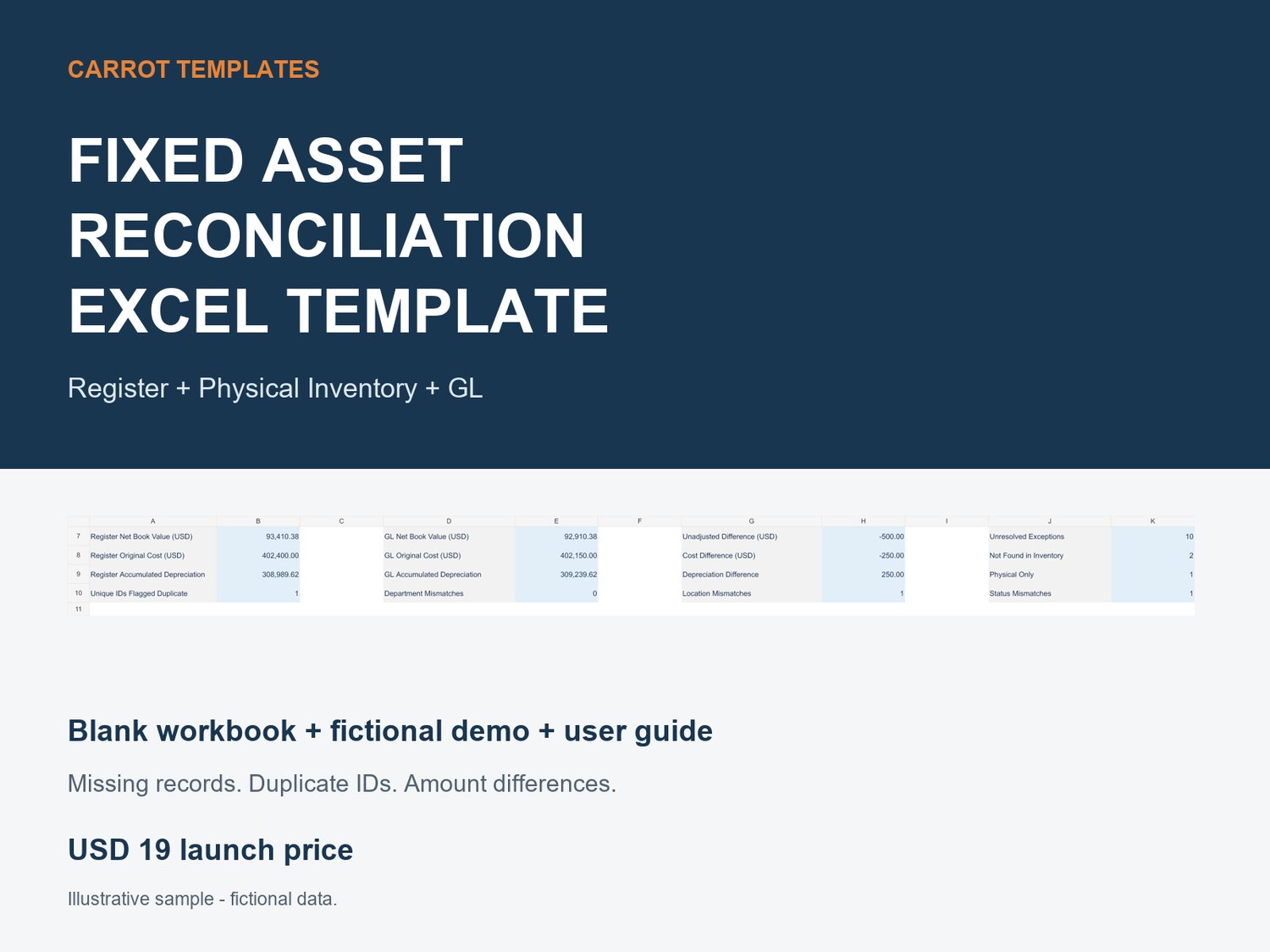
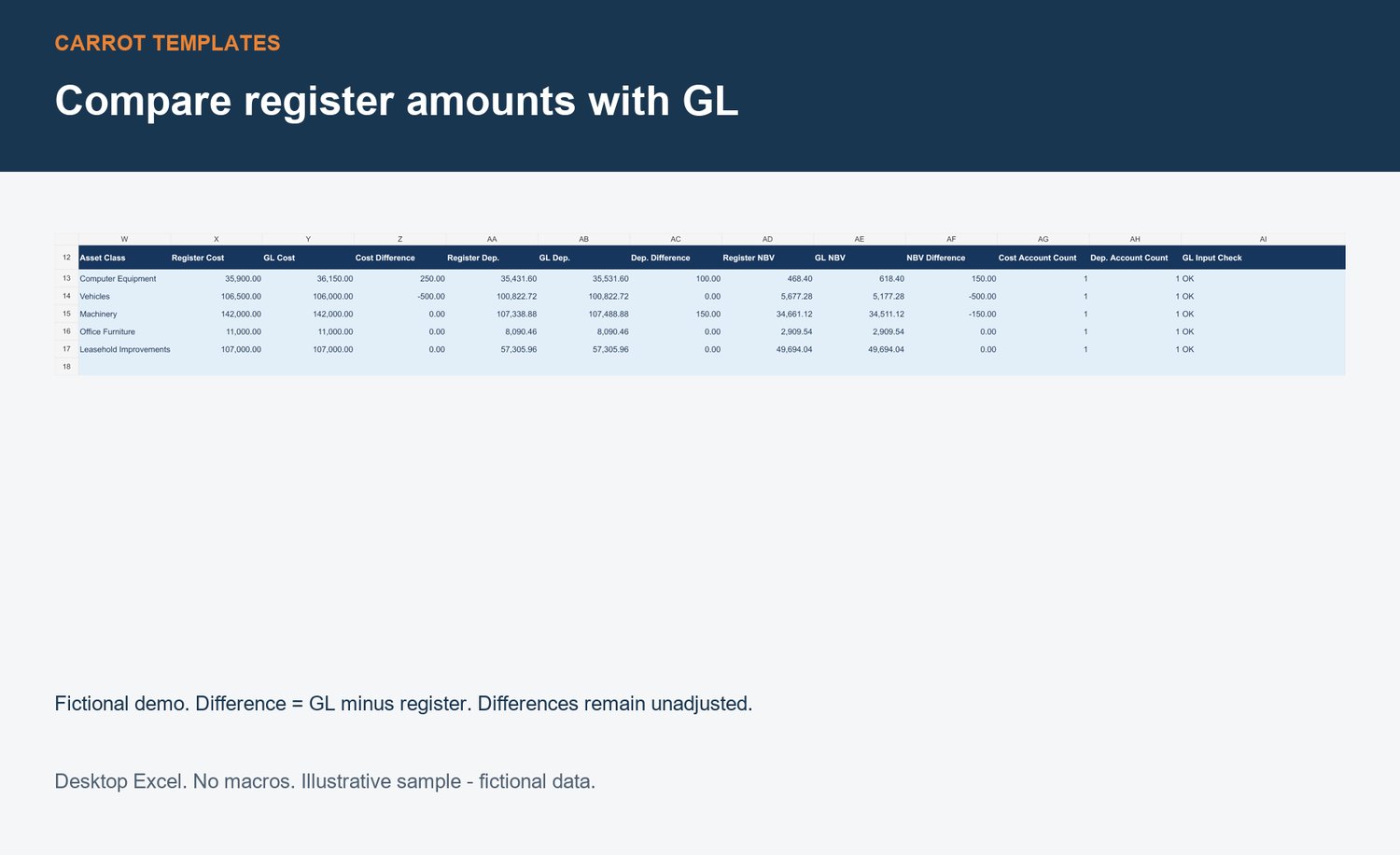
Compare three sources in one formula-linked Excel workbook: asset register, physical inventory and general ledger balances. Review specific exceptions while keeping unadjusted differences visible.
WHAT IT CHECKS
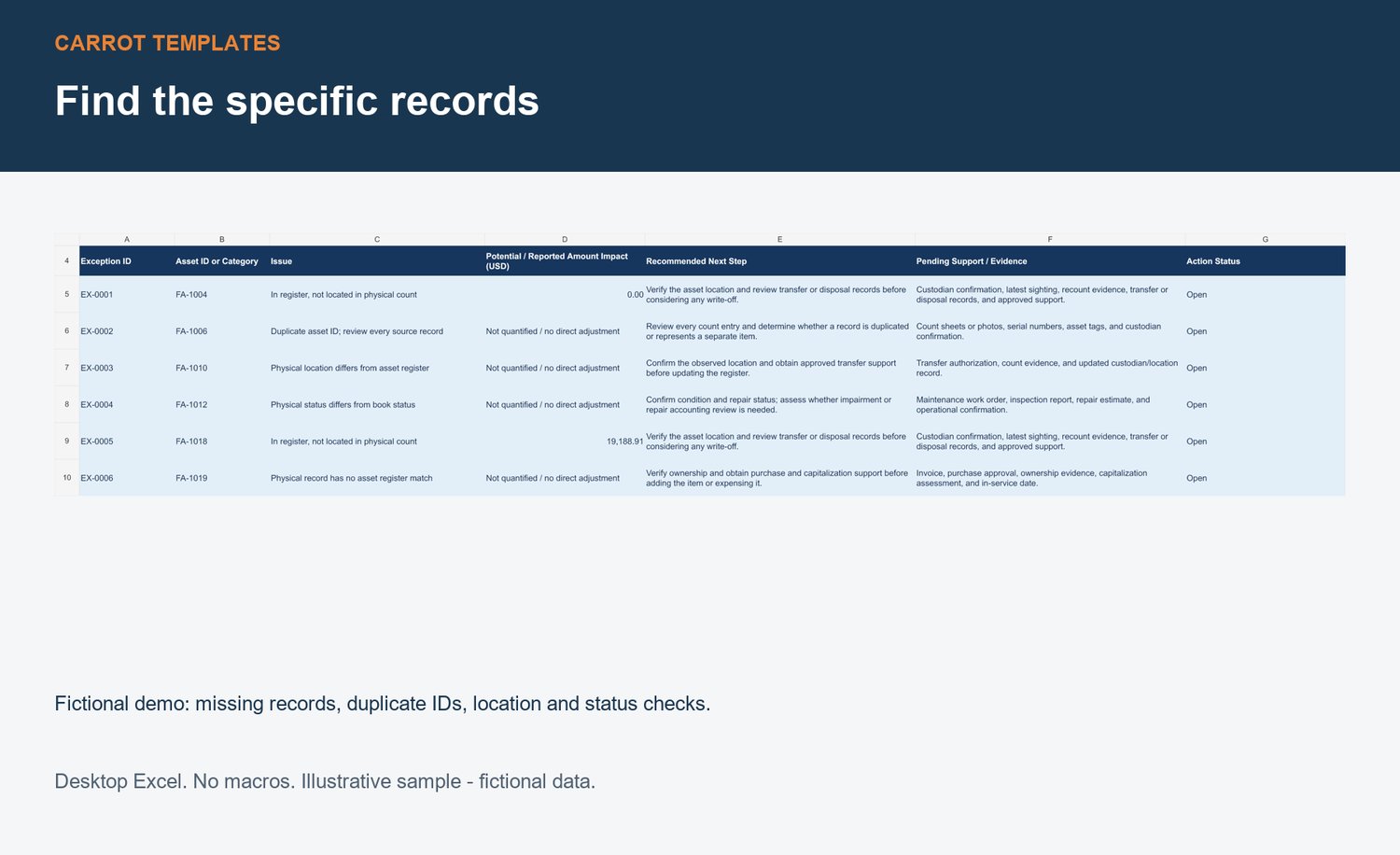
• Missing and duplicate asset IDs
• Department, location and status mismatches
• Original cost, accumulated depreciation and net book value differences by category
• Source input and reporting-date issues
WHAT YOU RECEIVE
• Blank Excel workbook for your own data
• Worked demo with fictional assets and intentional differences
• English PDF user guide
• Read Me and usage license
HOW IT WORKS
Paste source values into yellow input cells, set the optional report date and review Reconciliation and Exceptions. The exception list links to source records and suggests evidence to collect. Manually tracked actions stay tied to stable issue keys. No macros, VBA or Power Query. No live accounting-system connection.
REQUIREMENTS AND SCOPE
Desktop Microsoft Excel required. Checked in Windows Excel 2007. Other Excel versions, Mac Excel, Google Sheets and LibreOffice have not been separately tested.
500 rows per source sheet, 1,000 unique asset keys, 100 categories and 4,000 exceptions. One asset ID per individual item. English labels and USD amounts. No currency conversion. Avoid *, ? and ~ in identifiers/category keys.
Depreciation uses purchase date as an in-service date proxy and elapsed days / 365.25. Includes illustrative straight-line and double-declining methods with useful life and residual value inputs. No historical accumulated depreciation import, disposal accounting, impairment, tax depreciation or full monthly roll-forward. Check that these assumptions fit your needs before purchasing.
The workbook identifies issues for investigation. It does not post journals, alter source balances or automatically write off missing assets. Check location, custody, transfers, disposal records and supporting approvals first. An empty workbook showing zero exceptions is not a completed reconciliation.
LICENSE
Single purchaser / one organization internal use. Internal modifications allowed. No resale, redistribution or public sharing of the workbook or formulas as another template. Multi-client use requires a separate agreement before purchase. Custom implementation and unlimited support are not included. For product issues, use this store’s Contact page.
All demo data is fictional. This is an illustrative product sample, not a past client engagement.
Launch price: USD 19.