Complete Audit System-Logistics Compliance Pack
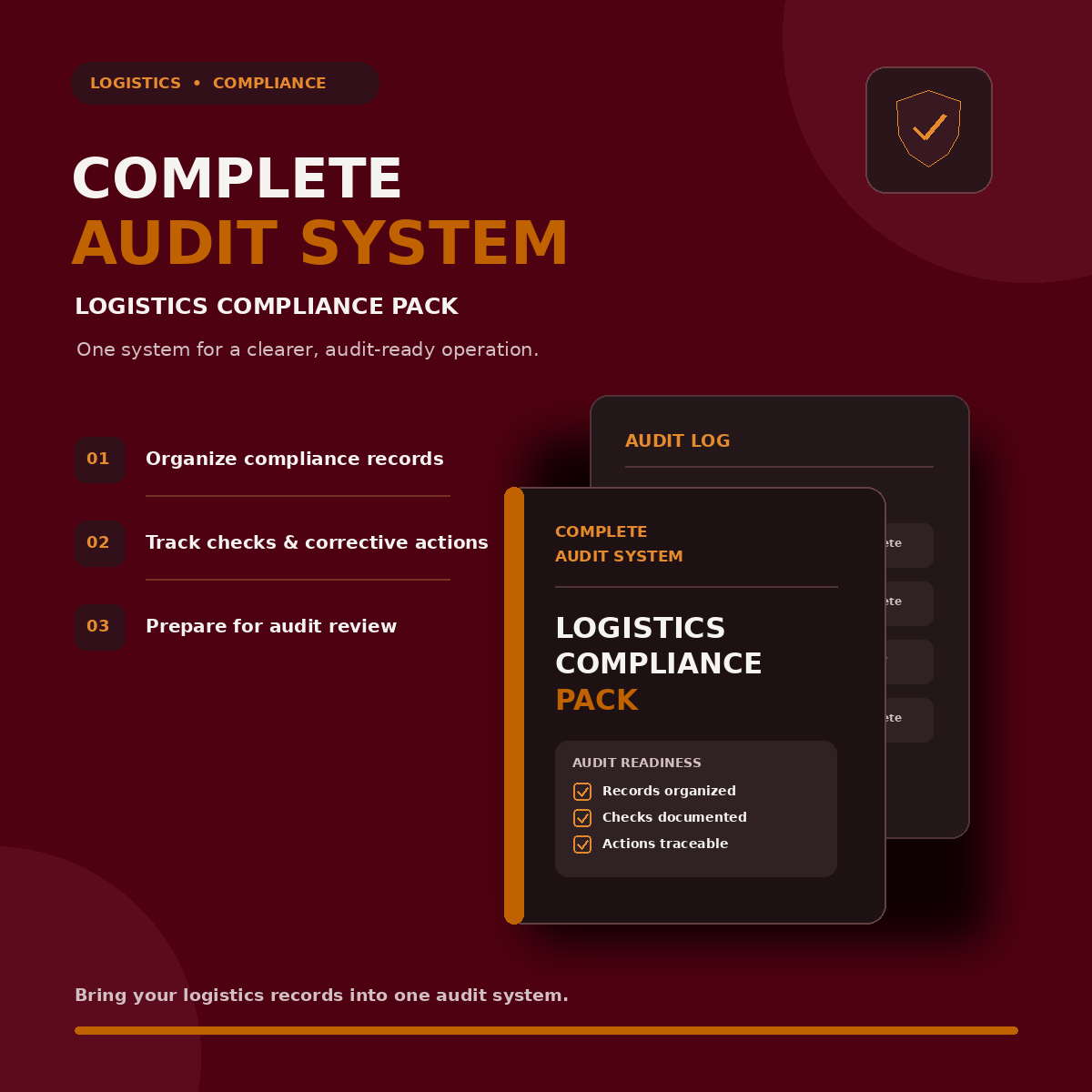
COMPLETE AUDIT SYSTEM – LOGISTICS COMPLIANCE PACK
Run Every Audit. Track Every Finding. Verify Every Corrective Action. Maintain Control of Your Logistics Compliance.
A completed checklist does not necessarily mean an operation is compliant.
The real challenge begins after the audit: recording non-compliances, assigning responsibility, tracking corrective actions, verifying whether problems have actually been resolved and maintaining reliable evidence for future reviews.
Without a structured system, audit findings get lost, corrective actions remain overdue and the same operational issues continue to appear.
The Complete Audit System – Logistics Compliance Pack is an integrated, browser-based audit management solution designed for warehouse, transport, fleet, freight and logistics operations.
It brings 9 weighted audit checklists, an automated Audit Findings Register, a Corrective and Preventive Action (CAPA) Tracker and a live Compliance Dashboard into one connected system.
Unlike ordinary audit templates, this system follows the complete audit lifecycle:
AUDIT → IDENTIFY → RECORD → ASSIGN → CORRECT → VERIFY
Every finding has a reference. Every corrective action has an owner and due date. Every closure requires an effectiveness verification.
The result is a more structured, traceable and accountable approach to logistics compliance management.
No expensive compliance software. No monthly subscription. No complicated installation.
One integrated digital system. Fully offline. Ready to use.
WHAT YOU'LL BE ABLE TO DO
- Conduct Structured Audits: Perform daily, weekly, monthly and specialized logistics audits using standardized checklists.
- Apply Weighted Audit Scoring: Evaluate findings according to their operational importance using predefined weights from 1 to 5.
- Automatically Record Findings: Convert identified non-compliances into numbered, dated records with automatically assigned severity classifications.
- Manage Corrective Actions: Assign responsibilities, establish due dates and monitor corrective and preventive actions.
- Verify Actual Resolution: Confirm whether corrective actions have been effective before closing associated findings.
- Monitor Overdue Actions: Identify overdue corrective actions and bring outstanding issues to management attention.
- Track Compliance Performance: Monitor audit scores, open findings, non-compliances and verified closures through a centralized dashboard.
- Maintain Audit History: Review previous audit runs and update records without creating unnecessary duplicate findings.
- Generate Audit Evidence: Produce printable audit records, checklist manuals and CSV exports for further analysis.
- Customize Audit Requirements: Edit checklist questions, standards and weights without requiring programming knowledge.
WHAT'S INCLUDED – THE COMPLETE 11-COMPONENT AUDIT SYSTEM
PART 1: NINE SPECIALIZED AUDIT CHECKLISTS
The system includes 9 structured audit engines containing 98 weighted compliance checks.
1. Daily Operations Audit – 12 Checks
Evaluate essential daily warehouse and logistics operating practices.
Covers:
- Shift briefings.
- Personal protective equipment (PPE).
- Fire exits and emergency access.
- Dock equipment.
- Load planning.
- Pre-trip checks.
- Housekeeping and workplace conditions.
2. Weekly Warehouse Audit – 13 Checks
Review warehouse infrastructure, inventory controls and equipment-related compliance.
Covers:
- Storage rack conditions.
- FIFO/FEFO practices.
- Quarantine procedures.
- Material handling equipment inspections.
- Equipment tag-outs.
- Battery-charging areas.
- Putaway discipline.
3. Monthly Compliance Audit – 12 Checks
Review important administrative, statutory and workforce compliance requirements.
Covers:
- Statutory certificates.
- Insurance validity.
- Driver documentation.
- Training matrices.
- Incident records.
- Corrective action performance.
4. Documentation Audit – 11 Checks
Examine the quality, completeness and traceability of essential logistics documentation.
Covers:
- Proof of Delivery (POD).
- Delivery notes.
- Customs documentation.
- Dangerous goods documentation.
- Invoice traceability.
- Document retention.
- Access control.
5. Shipment Audit – 9 Checks
Evaluate shipment preparation, handling and dispatch compliance.
Covers:
- Picking accuracy.
- Weight plausibility.
- Packaging standards.
- Load stability.
- Shipment labels.
- Security seals.
6. Transporter Audit – 11 Checks
Evaluate the compliance and operating practices of transport service providers.
Covers:
- Operating licences.
- Insurance requirements.
- Subcontracting controls.
- Driver documentation.
- Hours-of-service records.
- On-time delivery (OTD).
- Claims records.
7. Vehicle Audit – 12 Checks
Examine vehicle condition, maintenance controls and transport safety requirements.
Covers:
- Roadworthiness.
- Service schedules.
- Defect reporting and resolution.
- Tachograph downloads.
- Load-restraint equipment.
- Telematics.
8. Process Compliance Audit – 9 Checks
Assess whether established operational procedures are followed in practice.
Covers:
- Live SOP adherence.
- Segregation of duties.
- System enforcement.
- Operational improvement processes.
9. KPI Audit – 9 Checks
Evaluate the reliability and effectiveness of logistics performance measurement.
Covers:
- KPI definitions.
- Target realism.
- Gaming risks.
- Reproducibility from raw data.
- Management review and follow-through.
PART 2: AUTOMATED AUDIT FINDINGS REGISTER
Every identified non-compliance becomes a structured record.
The Findings Register automatically captures:
- Unique reference number.
- Finding date.
- Source audit.
- Finding details.
- Automatically derived severity.
- Corrective action status.
Findings are classified into four severity levels:
- Critical.
- Major.
- Minor.
- Observation.
This creates a centralized record of issues requiring attention instead of leaving findings scattered across individual checklists or spreadsheets.
Importantly, findings linked to open CAPAs cannot simply be closed from the register.
They must go through the verification process.
PART 3: CORRECTIVE AND PREVENTIVE ACTION (CAPA) TRACKER
Recording a problem is only the beginning. Corrective action management is where operational improvement actually happens.
The integrated CAPA Tracker allows you to:
- Promote findings into corrective or preventive actions.
- Automatically carry forward relevant finding details.
- Assign action owners.
- Set target completion dates.
- Monitor action status.
- Identify overdue actions.
- Track actions awaiting verification.
- Record whether corrective actions were effective or ineffective.
The CAPA workflow follows:
OPEN → IN PROGRESS → AWAITING VERIFICATION → CLOSED
The system includes an important verification control.
A finding can only be closed as effectively resolved when its associated CAPA is verified as effective.
If the action is ineffective, the finding remains open.
This helps prevent problems from being marked complete without evidence that the corrective action has worked.
PART 4: LIVE COMPLIANCE DASHBOARD
Get a consolidated overview of your audit and corrective action performance.
The dashboard provides visibility into:
- Total completed audits.
- Number of non-compliances.
- Open audit findings.
- Overdue CAPAs.
- Verified corrective action closures.
- Latest score for each audit category.
- Traffic-light audit status indicators.
- Escalation cards.
- Filterable audit score history.
Instead of reviewing multiple spreadsheets to understand your compliance position, you can examine important audit information from one central dashboard.
A MORE DEFENSIBLE AUDIT SCORING SYSTEM
Ordinary checklists often treat every question equally, regardless of its operational importance.
This system uses weighted scoring to provide a more structured approach to audit assessment.
1. Weighted Checks
Each of the 98 audit checks carries a predefined weight between 1 and 5.
2. Automatic Severity Classification
- Weight 5: Critical.
- Weight 4: Major.
- Weights 2–3: Minor.
- Weight 1: Observation.
3. N/A Exclusion
Questions marked Not Applicable are excluded from the score calculation, so the percentage reflects only the items actually assessed.
4. Automatic Audit Result Classification
The system applies the following result bands:
- PASS: Zero non-compliances.
- PASS WITH FINDINGS: Score of 80% or higher, with no critical failure.
- FAIL: Any critical failure or an overall score below 80%.
5. Audit Sign-Off
Unsigned audits are rejected to help maintain a consistent record of audit completion.
These scoring rules provide consistency within the system. They should be reviewed against your organization's own audit methodology and applicable compliance requirements before formal adoption.
ORDINARY CHECKLISTS VS. THE COMPLETE AUDIT SYSTEM
Ordinary audit processComplete Audit SystemManual score calculationAutomatic weighted scoringN/A answers may distort scoresN/A items excludedFindings recorded in commentsAutomatically numbered Findings RegisterFollow-ups depend on remindersCAPA owner and due-date trackingIssues marked complete manuallyEffectiveness verification requiredRe-audits create duplicate recordsExisting runs updated in placeManual reportingLive compliance dashboardReports prepared separatelyCSV exports and printable recordsFixed checklist templatesEditable checklist standards and weights
The difference is simple: this is not just an audit checklist collection. It connects audit execution with finding management, corrective action and verification.
WHO IS THIS SYSTEM FOR?
The Complete Audit System is designed for professionals responsible for logistics operations, audit management and compliance monitoring.
WAREHOUSE AND DISTRIBUTION CENTER MANAGERS
Conduct structured operational audits, identify recurring warehouse issues and monitor corrective action completion.
FLEET AND TRANSPORT MANAGERS
Review vehicle conditions, driver documentation, transporter performance and transport compliance.
QHSE AND COMPLIANCE OFFICERS
Maintain structured audit records, monitor non-conformities and follow corrective actions through effectiveness verification.
3PL AND FREIGHT OPERATIONS MANAGERS
Review shipment handling, documentation accuracy, operational processes and service-provider compliance.
INTERNAL AUDITORS AND CONSULTANTS
Conduct structured client assessments and provide documented findings and corrective action records.
SMALL AND MEDIUM-SIZED LOGISTICS BUSINESSES
Introduce a more organized audit and compliance management process without investing in expensive enterprise software.
BUILT FOR REAL-WORLD LOGISTICS OPERATIONS
The system includes several practical features designed to support regular audit activities.
Complete Audit Run History
Review previous audits, examine their results and maintain a record of completed assessments.
Reopen and Re-Audit
Reopen previous audit runs and update them in place while maintaining the relationship between findings and corrective actions.
Printable Checklist Library
Access the complete checklist standards and weight table for all 98 audit items. Print it as a reference audit manual.
CSV Data Exports
Export audit history, findings and CAPA records for further analysis in Excel or other compatible applications.
Professional Print Layout
Print individual audits as clean paper checklists suitable for clipboard-based inspections.
Worked Demonstration Data
Explore a sample operation containing 10 audit runs, 14 findings and 4 CAPAs to understand how the complete workflow operates.
Editable Audit Checklists
Modify questions, standards and scoring weights using clearly labelled text-based data sections. No coding knowledge is required.
Local Data Storage
Your operational data is stored in your browser's local storage rather than being uploaded to an external server.
100% Offline Functionality
Once downloaded, the system can operate without an internet connection, including in environments without internet access.
HOW TO GET STARTED
You don't need a software installation project or a complicated setup process.
STEP 1 – PURCHASE AND DOWNLOAD
Purchase the Complete Audit System and download the digital files.
STEP 2 – OPEN IN YOUR BROWSER
Open the HTML application using Chrome, Edge, Firefox or Safari on a compatible desktop or tablet.
STEP 3 – EXPLORE THE DEMO
Select Load Demo Data to explore a worked example with audits, findings and CAPAs already populated.
STEP 4 – START YOUR FIRST AUDIT
Reset the demonstration workspace and begin recording your actual operational audit information.
STEP 5 – MANAGE FINDINGS AND CAPAs
Review automatically recorded findings, assign corrective actions and monitor their progress.
STEP 6 – VERIFY AND REPORT
Verify corrective action effectiveness, review your compliance dashboard and export records when required.
No installation wizard. No account creation. No monthly subscription.
FREQUENTLY ASKED QUESTIONS
Q: What exactly do I receive?
A: You receive the Complete Audit System, comprising 9 audit checklist engines, an automated Findings Register, a CAPA Tracker, Compliance Dashboard, printable Checklist Library, CSV export functionality and demonstration data.
Q: Does the system require an internet connection?
A: No. It is designed to run fully offline in a compatible modern web browser.
Q: Do I need to install additional software?
A: No specialized software installation is required. Open the HTML application in your browser.
Q: Where is my data stored?
A: Data is saved locally in your browser's storage on your computer. It is not automatically uploaded to an external server. Export your records regularly to maintain independent backups.
Q: Can I customize the audit checklists?
A: Yes. Questions, standards and weights can be edited in the clearly labelled data sections of the application. No coding knowledge is required.
Q: Can findings be closed without verifying corrective action?
A: Findings linked to an open CAPA cannot be directly closed from the Findings Register. The associated CAPA must undergo effectiveness verification. An ineffective action leaves the finding open.
Q: Can I use the system for multiple warehouses or clients?
A: Yes. You can use separate browser profiles as individual workspaces for different sites or clients. CSV exports can be used to consolidate records separately.
Q: Can I print audit checklists?
A: Yes. Individual audits can be printed as paper checklists, and the complete Checklist Library can be printed as an audit reference manual.
Q: Does purchasing this product guarantee ISO certification or legal compliance?
A: No. The system provides structured audit and corrective action management tools. It does not independently establish legal compliance, replace professional audits or guarantee certification. Your organization remains responsible for aligning audit criteria with applicable standards and regulations.
TAKE CONTROL OF YOUR LOGISTICS AUDIT PROCESS
A checklist can identify a problem.
A proper audit management system helps ensure that the problem is recorded, assigned, corrected and verified.
With 9 specialized audit engines, 98 weighted checks, an automated Findings Register, a CAPA Tracker and a live Compliance Dashboard, the Complete Audit System brings the essential parts of logistics compliance management together.
Stop managing audits through disconnected spreadsheets and forgotten follow-ups.
Start building a more consistent, traceable and accountable audit process.
GET INSTANT ACCESS – $12.99
Your purchase includes:
- 9 specialized logistics audit checklists.
- 98 weighted compliance checks.
- Automated Audit Findings Register.
- Integrated CAPA Tracker.
- Live Compliance Dashboard.
- Printable Checklist Library.
- CSV exports and audit history.
- Worked demonstration data.
- Editable audit standards and weights.
- Fully offline browser-based access.
One purchase. One connected audit system. No recurring subscription.
Download today and see how a complete audit-to-verification workflow can transform the way you manage logistics compliance.
IMPORTANT NOTE
This product is an operational audit management and decision-support tool. It is not a certification, regulatory approval or guarantee of compliance with ISO standards, statutory requirements or customer-specific audit schemes.
The included checklists and scoring criteria are general-purpose starting points and should be reviewed, customized and validated against applicable laws, regulations, contractual requirements and your organization's management systems.
Users remain responsible for the accuracy of audit records, evidence, corrective actions and compliance decisions.