
ImageForge Pro — 26-in-1 Browser Image Processor
ImageForge Pro is a complete browser-based image processing toolkit delivered as a single HTML file + Python Flask server.
🛠️ 26 PROFESSIONAL TOOLS
• Compress — Smart quality control, up to 80% size reduction
• Resize — Percentage or exact pixel dimensions
• Crop — Visual selection with aspect ratio lock
• Rotate & Flip — 90° / 180° / mirror
• Filter — Grayscale / Sepia / Invert
• Watermark — Text or image, adjustable opacity + angle
• Mosaic (Blur) — Privacy protection for sensitive areas
• Brightness / Contrast — Slider-controlled adjustment
• Text / Bubble / Shape — Creative overlay tools
• Border / Shadow / Corners — Quick styling effects
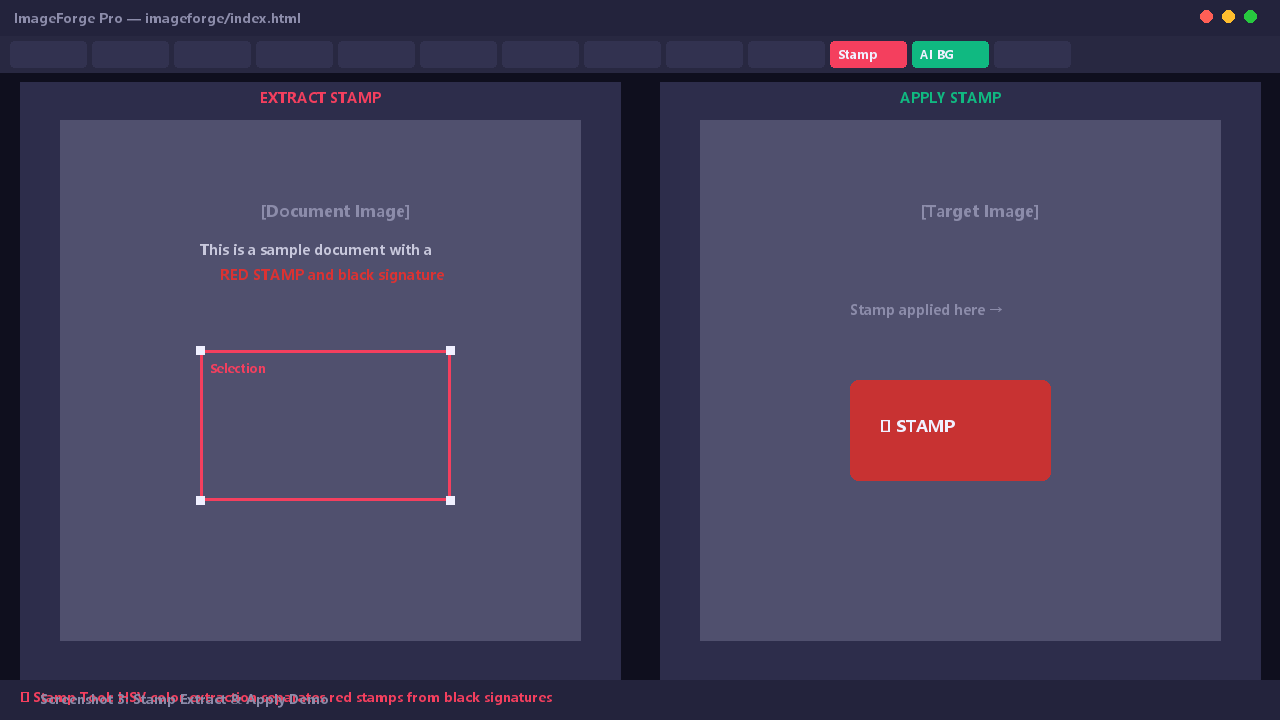
• Stamp Extract & Apply — HSV color extraction, separate red stamps from black signatures
• AI Background Remove — U²-Net powered, auto-detect objects
• Transparent to White — Fix PNG transparency issues
• HEIC / WebP / AVIF — Format conversion
• EXIF Viewer — Inspect image metadata
• Batch Compress — Process dozens of images at once
• DPI Change / Mirror / Rotate — Additional utilities
🌐 LIVE DEMO
Try before you buy: https://wdsega.github.io/imageforge
💡 WHY CHOOSE IMAGEFORGE PRO?
✅ 100% Offline — No cloud upload, your images never leave your computer
✅ Zero Installation — The standalone version is a single index.html file, open directly in any browser
✅ Privacy Safe — No analytics, no tracking, no data collection
✅ Dual Mode — Use the single HTML file for quick tasks, or run app.py for batch processing
✅ Double-Layer Architecture — index.html (185KB, 26 tools, pure Canvas) + app.py (Flask server)
📦 WHAT'S INCLUDED
• index.html — Standalone offline version (26 tools, no server needed)
• app.py — Flask server for batch processing
• README.md — Full documentation
• DISCLAIMER.md — Usage disclaimer
• test_images/ — 3 sample images for testing
• requirements.txt — Python dependencies
🖥️ REQUIREMENTS
• Standalone: Any modern browser (Chrome/Edge/Firefox/Safari)
• Server mode: Python 3.8+ with Flask and Pillow
🚀 HOW TO USE
1. Download and unzip
2. Double-click index.html to open in browser (offline mode)
3. Or run: pip install -r requirements.txt && python app.py
4. Open http://localhost:5000
No registration. No subscription. No cloud. Just a solid image tool that works.