
The System — 15 Interaction Effects for Claude Code
A single HTML file with 21 prompt blocks. Open it in your browser, search,
copy, paste into Claude Code.
WHAT'S INSIDE
Part 1 — Rules. Paste once at the start of a project. Three composition
schemes, type scale, colour limits, hover timings, easing, stagger values.
The same effects on a page built without these rules produced a centred
column with the object above the heading.
Part 2 — The object. A prompt that generates the thing your page is built
around.
Part 3 — The page. A layout prompt with five sections.
Part 4 — 15 effects. Magnetic cursor. Scroll reveal with blur. Object
parallax. Heading rises into place. Object drifts from the cursor. Text
scramble on hover. Directional hover fill. Sticky panels. Horizontal
gallery. Grain and vignette. Object rotates with the cursor. Sliced reveal.
Characters repel from the cursor. Object assembles from fragments.
Expanding mask transition.
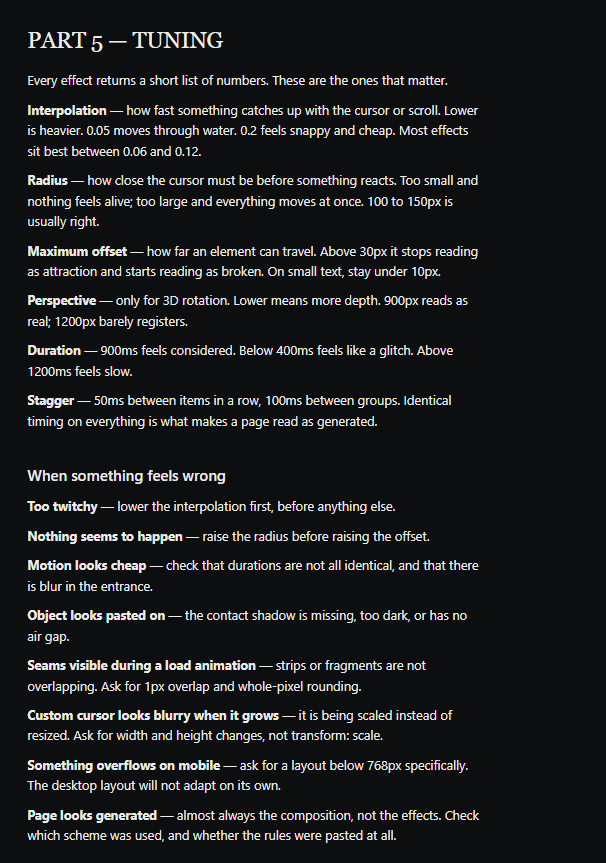
Part 5 — Tuning. Interpolation, radius, maximum offset, perspective,
duration, stagger: what each value does and the range it works in. Plus
what to say when something feels twitchy, cheap, or pasted on, and why
describing the feeling works better than naming a number.
FORMAT
One HTML file. Opens in any browser. Works offline. Built-in search and
copy buttons. Nothing to install.
REQUIREMENTS
Claude Code. Every prompt here was written and tested in it.
NOTES
Effects marked OBJECT REQUIRED will not run on a blank page. The file says
which ones.
Default values are starting points. Expect to adjust two or three per
effect.
HOW TO OPEN
Download the file and double-click it. It opens in your browser. If Windows
asks which app to use, choose Chrome, Edge or any browser.