


Freelancer Invoice & Payment Tracker for Excel
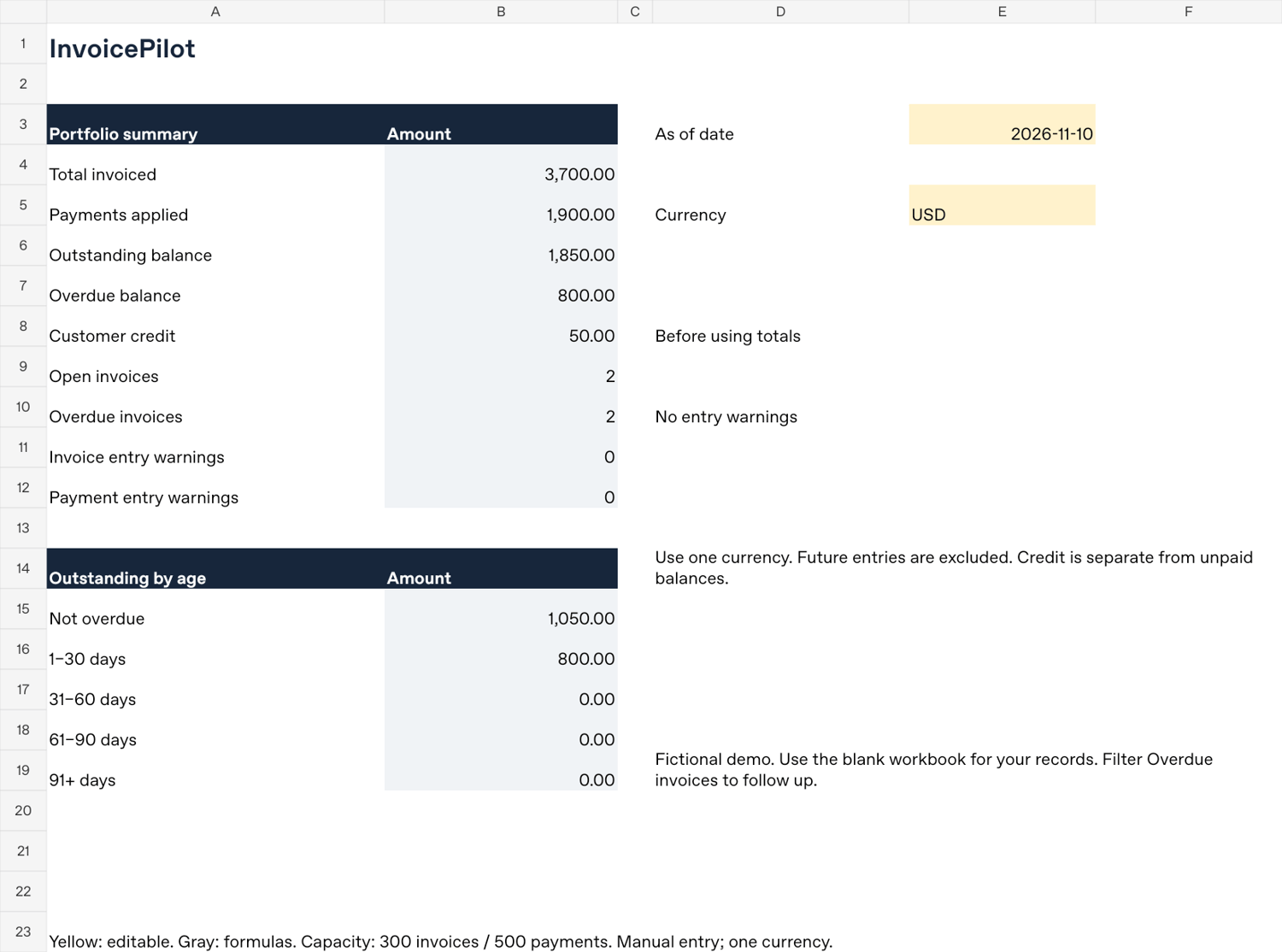
Track what is still owed after a partial payment. For freelancers who already issue invoices elsewhere and keep their records in Excel. Enter invoices and payments manually; the dashboard calculates outstanding balances, overdue amounts and customer credit.
Example: record a $100 invoice and a $40 payment against its invoice ID. The remaining balance becomes $60. This is a fictional demonstration, not customer results.
Included:
- Clean tracker for 300 invoices and 500 payment entries
- Separate fictional demo
- Partial-payment and overpayment handling
- Warnings for duplicate IDs, unmatched payments and invalid entries
- Quick start guide, FAQ and editable follow-up drafts
Use one currency per workbook. This manual-entry toolkit does not create invoices, connect to banks, collect payments, send emails or calculate taxes. Refunds, credit notes and write-offs are not supported.
Desktop Excel checks on 18 November 2026 covered partial payments, overpayment credit and opening a clean workbook. The exact Excel version was not recorded. Google Sheets and mobile use remain unverified. Excel is not included. Screenshots contain fictional sample data dated 10 November 2026.
One-time purchase for internal use by one business. Redistribution and resale are not permitted.
Seller and support
Mohammad Yousuf Ameer, trading as Freelancer Spreadsheet Tools
Olav M. Troviks vei 28A
0864 Oslo, Norway
Email: Yousuf@aqlis.no