

Kaddora-AI-Event-Manager-Smart-Calendar-Booking-Automation-for-WordPress
Kaddora AI Event Manager – Smart Calendar, Booking & Automation Plugin for WordPress :-
Documentation Link:--https://mens.kaddora.com/docs-ai-event-manager/
Kaddora AI Event Manager – Smart Calendar, Booking & Automation Plugin for WordPress is a professional event management, smart scheduling, ticket booking, calendar automation, WooCommerce event integration, and attendee management solution designed for event organizers, conference platforms, educational institutions, webinars, workshops, concerts, business events, online communities, agencies, booking platforms, and modern digital businesses. The plugin helps website owners create and manage events, automate ticket bookings, synchronize calendars, manage attendees, automate notifications, and improve event workflows directly from the WordPress dashboard.
The plugin combines AI-powered event scheduling, smart calendar management, WooCommerce ticket booking, attendee tracking, automated reminders, event registration workflows, real-time analytics, event automation tools, and responsive event dashboards into one centralized WordPress event management platform.
Kaddora AI Event Manager helps businesses improve event organization, automate scheduling workflows, increase booking efficiency, improve attendee engagement, simplify ticket management, and optimize WooCommerce event operations while maintaining lightweight and scalable WordPress architecture.
The plugin is built with AJAX-powered automation workflows, responsive event dashboards, intelligent AI scheduling systems, secure ticket booking technologies, and advanced calendar synchronization tools for modern WordPress environments.
Introduction
Modern businesses and organizations require intelligent event management systems to organize conferences, webinars, workshops, bookings, live events, training sessions, business meetings, and online registrations efficiently.
Managing events manually can lead to scheduling conflicts, missed registrations, poor attendee communication, and inefficient event coordination.
Kaddora AI Event Manager – Smart Calendar, Booking & Automation Plugin helps website owners automate event management workflows using intelligent AI-powered scheduling systems and WooCommerce-focused booking tools.
The plugin allows administrators to create event schedules, manage attendees, automate ticket bookings, synchronize calendars, send reminders, manage recurring events, and monitor analytics without requiring advanced technical knowledge.
Kaddora AI Event Manager is suitable for businesses and organizations that want professional event management and automation directly inside WordPress.
Main Features
- AI-powered event scheduling
- Smart calendar management
- WooCommerce ticket booking
- Event registration system
- Automated event reminders
- Attendee management tools
- Dynamic event automation
- Real-time calendar synchronization
- Online event booking system
- Multi-event management
- Event analytics dashboard
- Automated email notifications
- AJAX-powered workflows
- Responsive event dashboard
- Lightweight architecture
- Secure booking system
- Dynamic event forms
- Mobile-friendly scheduling
- Real-time booking notifications
- Easy setup and configuration
Requirements & Compatibility
Minimum Requirements
- WordPress 6.0 or higher
- PHP 7.4 or higher
- HTTPS-enabled website
- Modern browser support
Recommended Environment
- WordPress 6.x
- PHP 8.0+
- SSD hosting
- Cloud hosting compatibility
- WooCommerce latest version
Compatible With
- WooCommerce
- Elementor
- Gutenberg
- WPML
- Google Calendar
- RTL websites
- Multisite installations
- Mobile devices
- Modern WordPress themes
Plugin Installation
Installation Steps
- Download the plugin ZIP file.
- Login to the WordPress dashboard.
- Navigate to Plugins → Add New.
- Click Upload Plugin.
- Select the plugin ZIP file.
- Click Install Now.
- Activate the plugin.
- Open the Kaddora AI Event Manager menu from the dashboard.
After Activation
The plugin automatically creates:
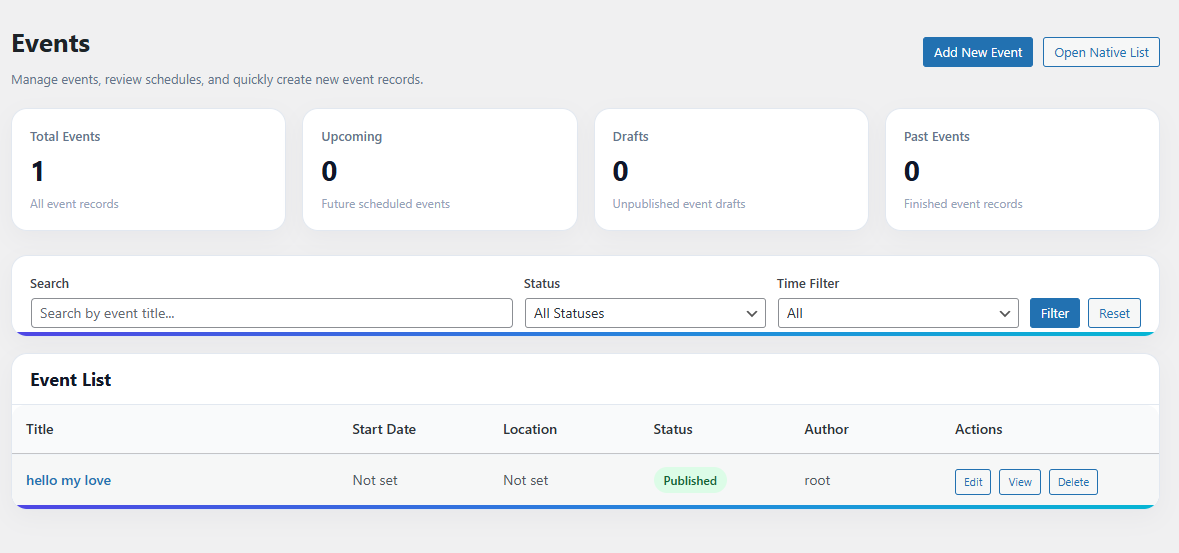
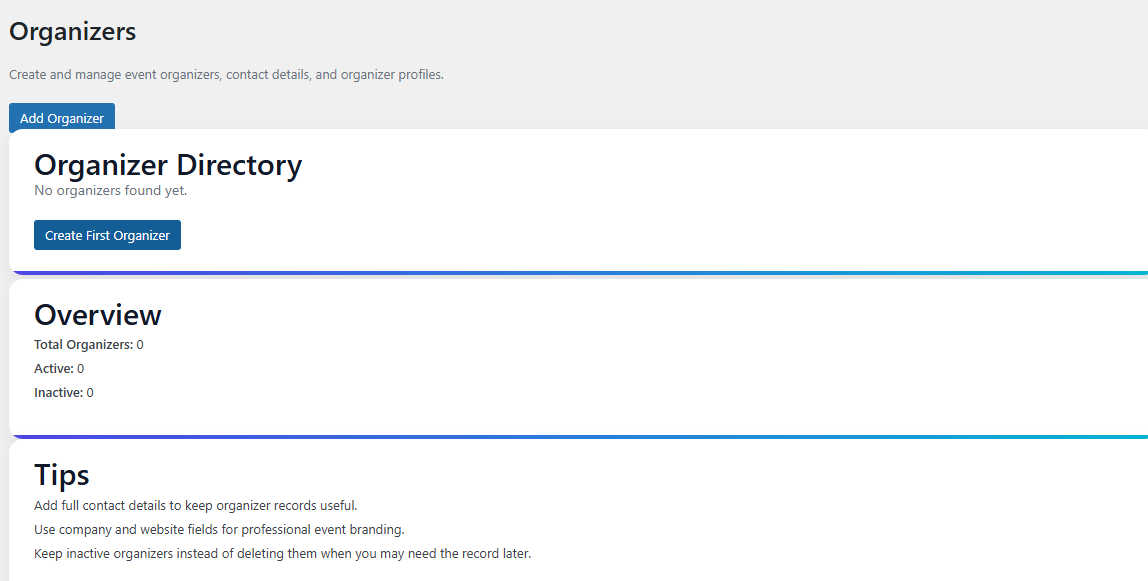
- Event Management Dashboard
- Smart Calendar Modules
- Booking Automation Tools
- WooCommerce Ticket System
- Attendee Analytics Dashboard
- Event Notification Controls
Settings (Admin Panel)
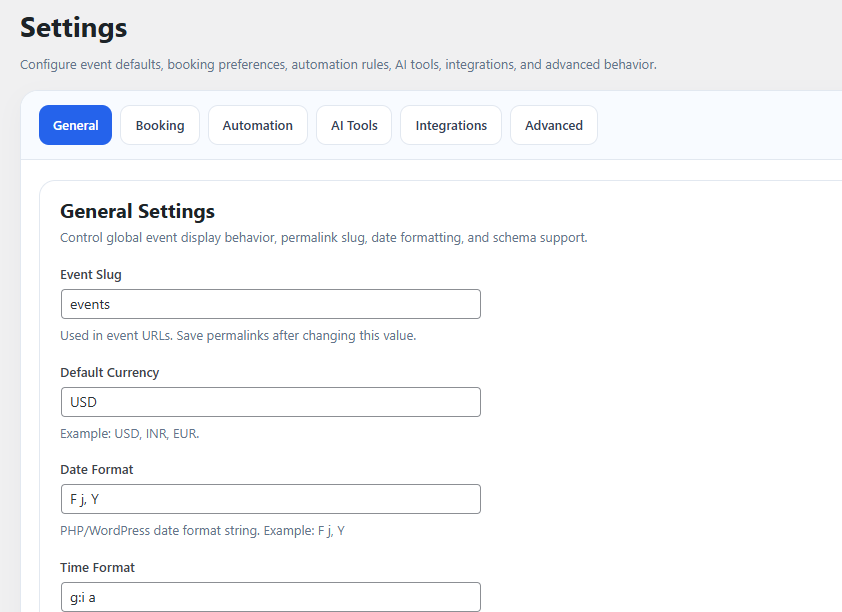
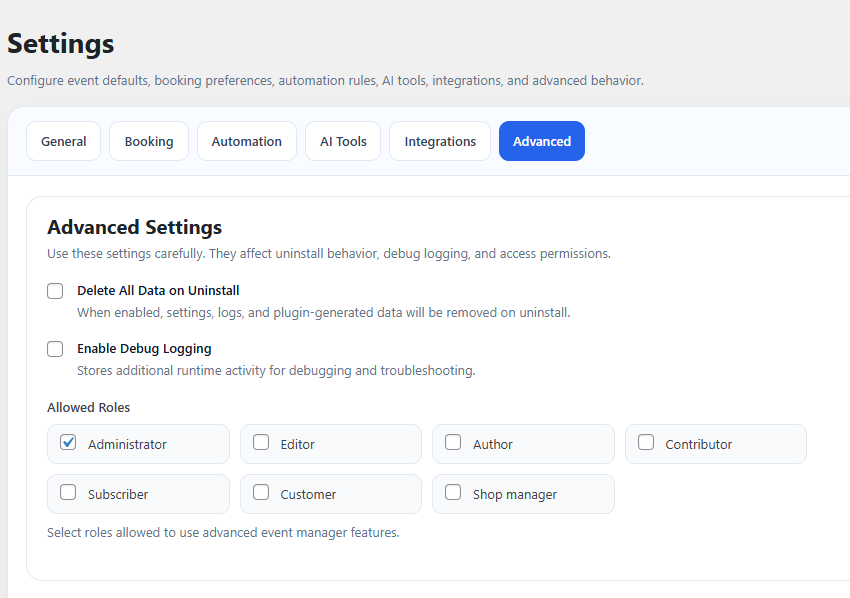
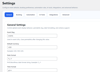
The Settings Panel provides centralized control for event scheduling, ticket bookings, attendee workflows, calendar synchronization, and automation systems.
Admin Panel Features
- Event scheduling controls
- Smart calendar settings
- WooCommerce booking configuration
- Attendee management tools
- Dynamic notification controls
- Event registration settings
- Calendar synchronization workflows
- Analytics dashboard configuration
- Booking automation tools
- Performance optimization settings
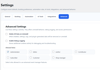
Advanced Settings
- AI-powered scheduling workflows
- Dynamic event automation
- Real-time booking management
- WooCommerce event synchronization
- Automated attendee reminders
- AJAX-powered workflows
- Mobile scheduling optimization
- Smart availability management
- Personalized attendee communication
- Dynamic event notifications
AI-powered Event Scheduling
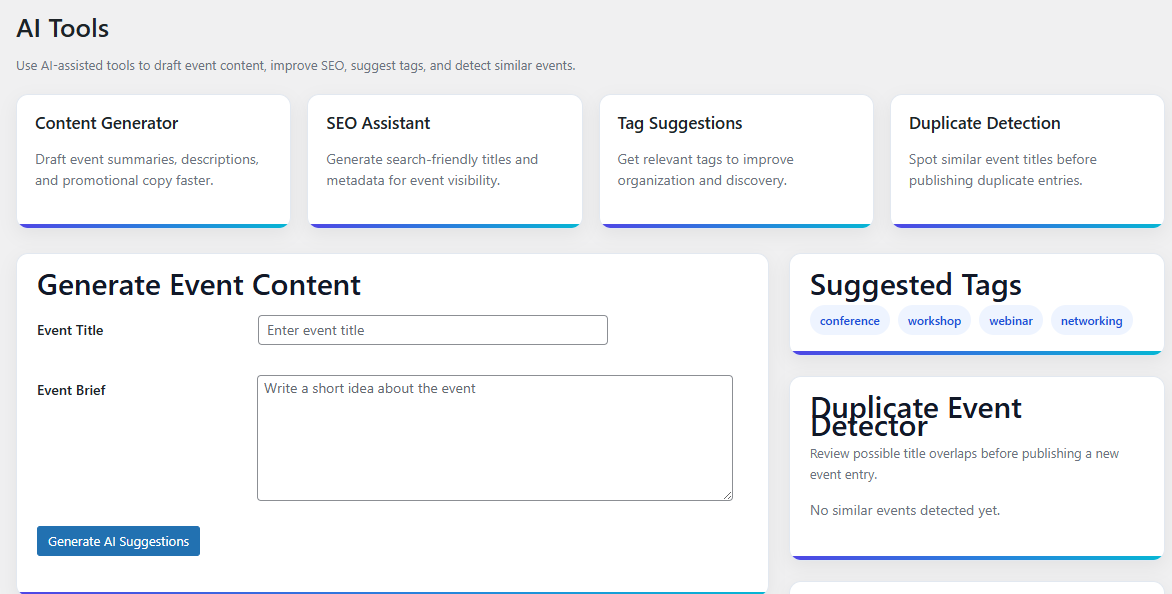
Kaddora AI Event Manager includes intelligent AI systems that automate event scheduling and booking workflows.
AI Features
- Smart event scheduling
- AI-powered availability optimization
- Intelligent booking suggestions
- Dynamic event management
- Automated conflict prevention
- AI attendee recommendations
- Real-time scheduling optimization
- Smart event planning workflows
- Automated recurring event generation
- Intelligent calendar synchronization
Benefits
- Reduce scheduling conflicts
- Save time managing events
- Improve attendee experience
- Increase booking efficiency
- Automate event workflows
- Improve WooCommerce event management
Smart Calendar Management
The plugin includes advanced calendar systems for organizing events, bookings, and schedules directly inside WordPress.
Calendar Features
- Interactive event calendar
- Real-time event scheduling
- Dynamic calendar views
- Multi-event organization
- Responsive calendar layouts
- Mobile calendar optimization
- Drag-and-drop scheduling
- Calendar availability tracking
- Dynamic event filtering
- Real-time calendar updates
WooCommerce Ticket Booking
Kaddora AI Event Manager integrates directly into WooCommerce for paid event bookings and ticket management.
WooCommerce Features
- WooCommerce ticket sales
- Event booking products
- Online ticket checkout
- Dynamic event pricing
- Customer booking history
- WooCommerce attendee management
- Event reservation workflows
- Mobile WooCommerce booking
- Dynamic ticket generation
- WooCommerce analytics integration
Event Registration System
The plugin includes intelligent registration systems for attendee management and booking workflows.
Registration Features
- Online attendee registration
- Dynamic booking forms
- Multi-step registration workflows
- Event attendee management
- Secure booking submissions
- Real-time registration tracking
- Mobile-friendly registration forms
- Personalized attendee workflows
- Dynamic event capacity management
- Automated attendee approvals
Automated Notifications & Reminders
Kaddora AI Event Manager includes advanced reminder systems for customer communication and event notifications.
Notification Features
- Booking confirmation emails
- Event reminder notifications
- SMS event alerts
- WooCommerce ticket confirmations
- Dynamic attendee communication
- Real-time schedule updates
- Staff event notifications
- Personalized attendee reminders
- Mobile-friendly notifications
- Automated cancellation alerts
Recurring Event Automation
The plugin includes recurring scheduling systems for repeated events, webinars, classes, and meetings.
Recurring Features
- Daily recurring events
- Weekly event scheduling
- Monthly event automation
- Dynamic recurring workflows
- Calendar synchronization for recurring events
- Automated attendee reminders
- Smart recurring management
- Real-time recurring updates
- Mobile recurring scheduling
- Personalized recurring workflows
Attendee Management System
Kaddora AI Event Manager includes intelligent attendee management systems for customer tracking and engagement workflows.
Attendee Features
- Attendee registration tracking
- Dynamic attendee profiles
- Event participation monitoring
- WooCommerce customer integration
- Real-time attendee analytics
- Dynamic attendee grouping
- Event attendance history
- Personalized attendee communication
- Mobile attendee workflows
- Automated attendee verification
Event Booking Automation
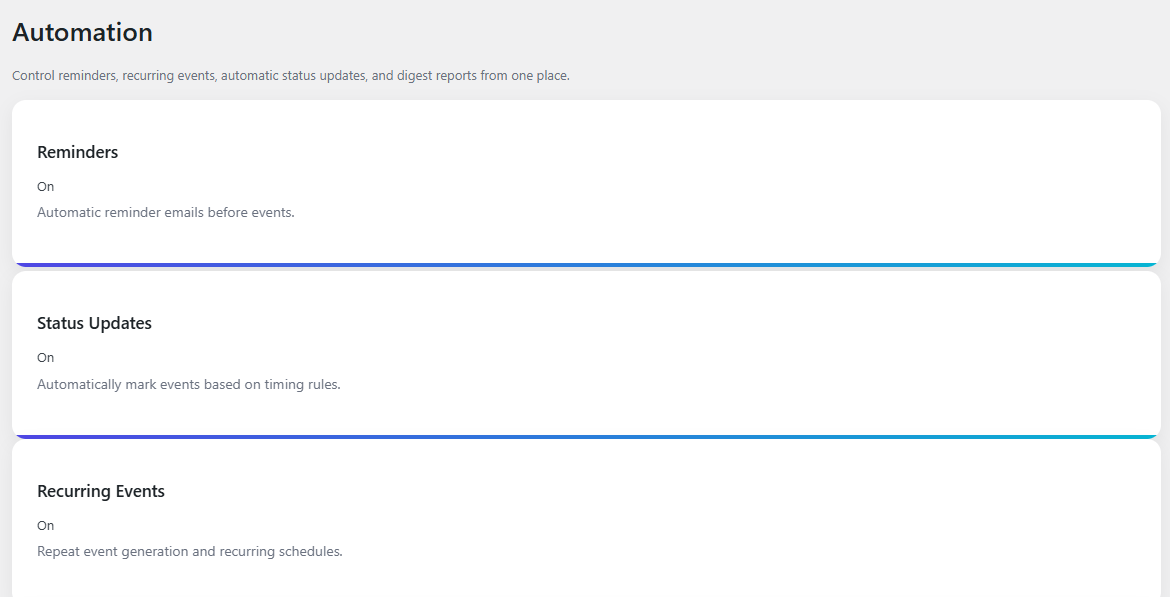
The plugin includes advanced automation workflows for event scheduling and booking management.
Automation Features
- Automated booking approvals
- Dynamic event workflows
- AI-powered scheduling automation
- WooCommerce booking synchronization
- Automated attendee management
- Real-time booking confirmations
- Dynamic event reminders
- Smart booking optimization
- Responsive event workflows
- Automated calendar updates
How It Works (Workflow)
Kaddora AI Event Manager automatically analyzes booking requests and executes scheduling workflows in real-time.
Workflow Process
- User selects an event or booking option.
- AI scheduling engine analyzes availability.
- Dynamic booking workflows generate time slots automatically.
- Customer completes registration and payment.
- Event confirmations and reminders are sent instantly.
- Calendar synchronization updates automatically.
- Event analytics monitor booking performance.
Workflow Features
- Real-time event automation
- AI-powered scheduling analysis
- AJAX-powered booking workflows
- WooCommerce synchronization
- Automated attendee management
- Responsive scheduling systems
- Dynamic customer communication
- Real-time analytics updates
Analytics & Reporting
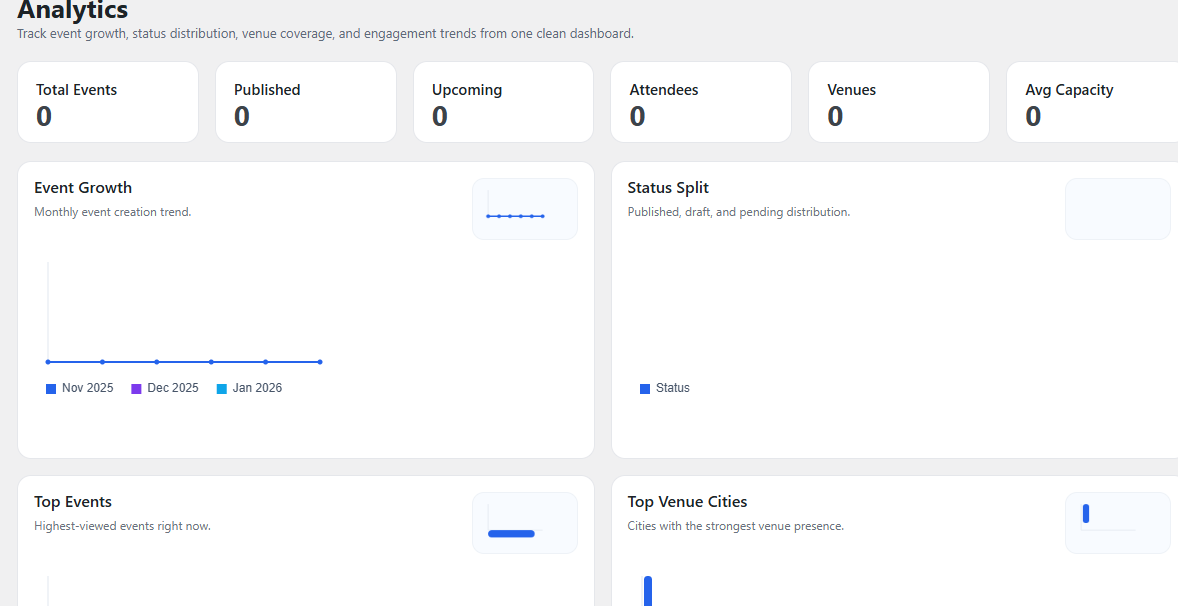
The plugin includes advanced analytics systems that help businesses monitor event performance and attendee engagement.
Analytics Features
- Event booking reports
- WooCommerce ticket analytics
- Attendee engagement tracking
- Revenue monitoring dashboard
- Dynamic event performance reports
- Real-time booking analytics
- Customer interaction monitoring
- Event conversion tracking
- Mobile booking analytics
- Attendance history reports
Benefits
- Better event insights
- Improved booking optimization
- Better attendee management
- Increased event efficiency
- Faster reporting analysis
- Improved business planning
Customization Options
The plugin provides advanced customization controls for event forms, booking workflows, dashboards, and notifications.
Customization Features
- Event page customization
- Dynamic booking layouts
- WooCommerce ticket templates
- Typography settings
- Color scheme customization
- Responsive calendar widgets
- Personalized attendee workflows
- Dynamic event controls
- Flexible scheduling management
- Mobile booking optimization
Appearance Controls
- Dark and light mode
- Responsive event dashboards
- Dynamic analytics widgets
- Modern event UI
- Mobile-friendly layouts
- User-friendly controls
- Flexible booking panels
- WooCommerce dashboard integration
Shortcodes Guide
The plugin includes shortcode support for displaying event calendars and booking forms anywhere on WordPress websites.
Shortcode Features
- Event booking forms
- Smart calendar widgets
- WooCommerce ticket displays
- Dynamic event sections
- Responsive shortcode layouts
- Booking CTA sections
- Event analytics widgets
- Attendee registration forms
Example Usage
- Event registration pages
- WooCommerce ticket booking forms
- Webinar scheduling sections
- Conference management widgets
- Event calendar displays
- Booking analytics dashboards
Performance & Security
Kaddora AI Event Manager is designed with optimized architecture and secure booking systems.
Performance Features
- Lightweight plugin structure
- Optimized database queries
- AJAX-powered automation workflows
- Fast booking processing
- Minimal server resource usage
- Selective asset loading
- Cloud hosting compatibility
- Performance-focused architecture
- Scalable event systems
- Real-time scheduling optimization
Security Features
- Secure booking processing
- Input sanitization
- SQL injection protection
- XSS protection
- Protected reservation workflows
- Safe WooCommerce integration
- Secure AJAX operations
- Role-based access control
- Protected attendee analytics
- Secure admin dashboard
SEO & User Experience Benefits
The plugin helps improve customer engagement, WooCommerce ticket conversions, and business efficiency using intelligent event management systems.
SEO Benefits
- Increased event engagement
- Better WooCommerce interaction
- Improved customer participation
- Better event visibility
- Enhanced booking activity
- Improved user engagement signals
User Experience Benefits
- Easy online booking
- Faster event registration
- Better WooCommerce ticket experience
- Real-time event availability
- Mobile-friendly booking workflows
- Improved attendee communication
WooCommerce Integration
Kaddora AI Event Manager integrates directly into WooCommerce event systems and booking workflows.
WooCommerce Features
- WooCommerce event ticketing
- Event checkout workflows
- Customer registration tracking
- Dynamic event scheduling
- Booking analytics integration
- Product-based event reservations
- Mobile WooCommerce booking
- Responsive ticket workflows
- Dynamic WooCommerce notifications
- WooCommerce attendee management
Admin Dashboard Features
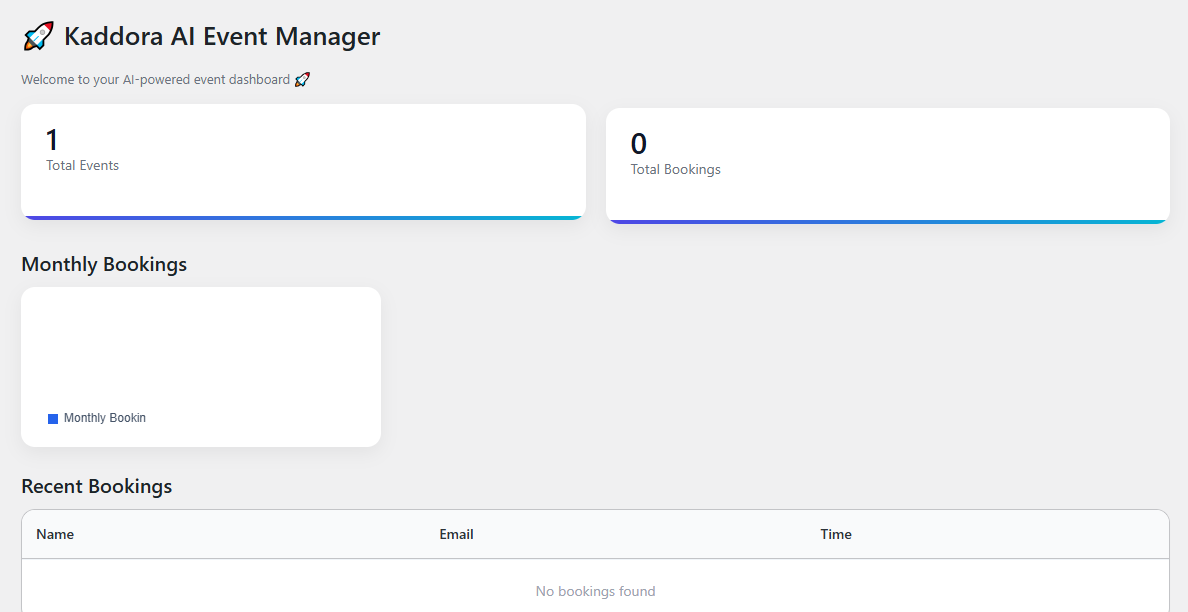
The admin dashboard provides centralized control for event scheduling, WooCommerce ticket bookings, attendee management, analytics, and automation.
Dashboard Features
- Modern admin interface
- Event scheduling overview
- WooCommerce booking reports
- Dynamic attendee widgets
- Real-time event tracking
- Responsive booking controls
- User-friendly dashboards
- Workflow monitoring panels
- Customer management tools
- Quick setup system
Suitable For
- Event organizers
- Conference websites
- Webinar platforms
- Educational institutions
- Agencies
- Concert organizers
- Rental businesses
- Workshops and seminars
- Community platforms
- Modern WooCommerce businesses
Why Choose Kaddora AI Event Manager – Smart Calendar, Booking & Automation Plugin for WordPress?
Kaddora AI Event Manager helps businesses automate event scheduling, improve WooCommerce ticket management, simplify attendee workflows, optimize booking automation, and improve customer engagement using intelligent AI-powered event systems and real-time scheduling technologies.
The plugin combines AI scheduling, smart calendars, WooCommerce ticket booking, attendee management, analytics, shortcode support, responsive dashboards, recurring event automation, and dynamic customer communication workflows into one complete WordPress event management solution for modern websites.