
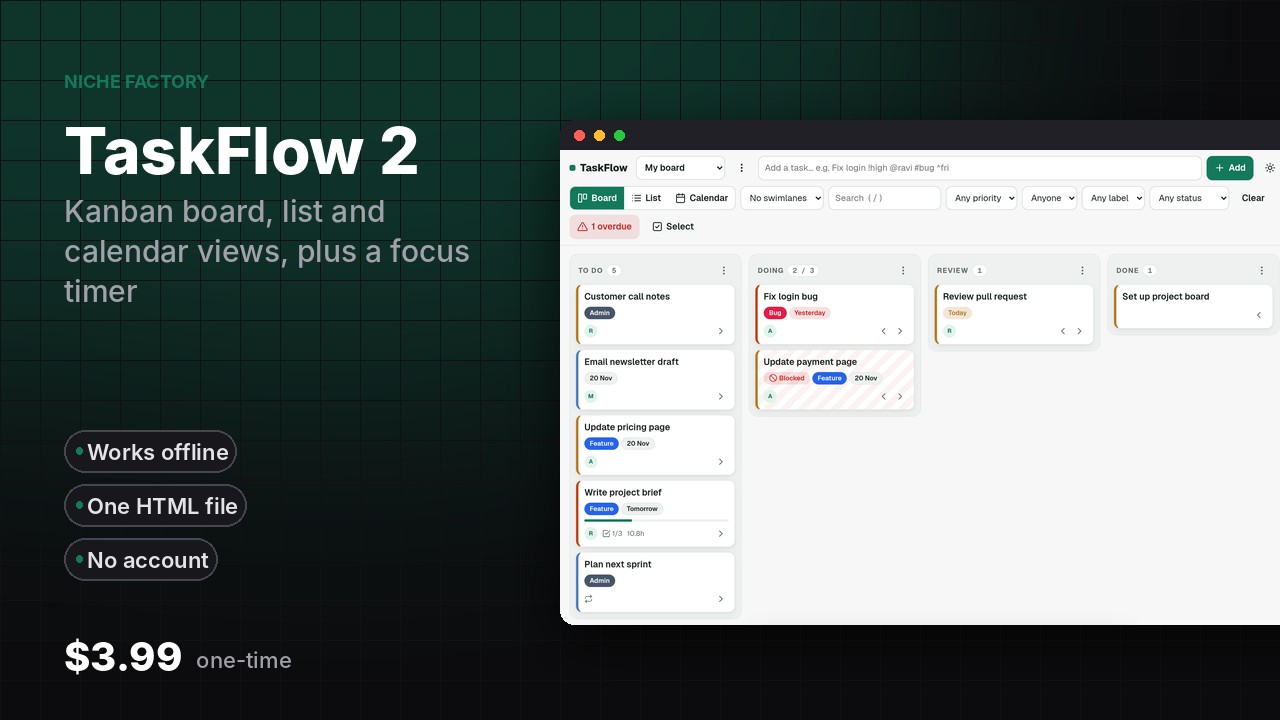
TaskFlow 2: Kanban Board, Calendar and Focus Timer (Offline)
On Sale
$3.99
$3.99
A calm, fast kanban board and deep-work focus timer in one offline file. Version 2.1 adds list and calendar views, swimlanes, board templates, repeating and blocked tasks, bulk editing and drag-and-drop on phones.
Board
- Multiple boards (work, home, each client). Start blank or from a template: personal week, software sprint, content calendar, sales pipeline, study planner
- Your own columns: add, rename, reorder, delete, collapse, or sort by priority or due date
- Drag and drop between and within columns, on a computer or a phone (press and hold), or use the arrows and keyboard shortcuts
- Swimlanes: split the board into rows by person, priority or label
- Work-in-progress limit per column, so you don't overload yourself
- Task details: priority, person, due date, estimate, coloured labels, notes with clickable links, and a checklist with a progress bar
- Blocked tasks (with what they wait for) and repeating tasks (daily, weekdays, weekly, monthly)
- Each task keeps a short activity history; cards stuck in a column show how long
- Quick add in one line: Fix login !high @ravi #bug ^fri
- Select many cards to move, re-prioritise, label, archive or delete at once
- Search and filter by priority, person, label, due date, blocked or repeating; one-click overdue button
- Archive finished tasks; undo delete; duplicate tasks and boards
List and calendar
- List view: a sortable table of every task
- Calendar view: tasks on their due dates by month. Drag to reschedule, click a day to add a task
Focus
- Focus timer with short and long breaks (lengths you choose), progress ring, sound and optional notification
- Focus time is logged per task
- Last-7-days chart: focus hours, tasks done, average cycle time, overdue and blocked counts
Your data
- Saved in your browser only: no account, no tracking
- Backup and restore (.json), export a board to CSV for Excel or Sheets, print the board
- Light and dark mode; works on phones
- Already have an earlier version? Your tasks and focus history move over automatically
What it does not do: no real-time sharing or sync between people or devices (move a board with a backup file).
What you get: one HTML file. Double-click it to open in Chrome, Edge, Firefox or Safari on Windows, macOS or Linux, or open it on your phone. No install, no account, no subscription. One-time purchase, yours to keep.
Includes a full user guide (README): how to open it on any device, every feature explained, saving and backups, troubleshooting and support contact.