



Interior Elevation Generator Pro
On Sale
$39.00
$39.00
Interior Elevation Generator Pro
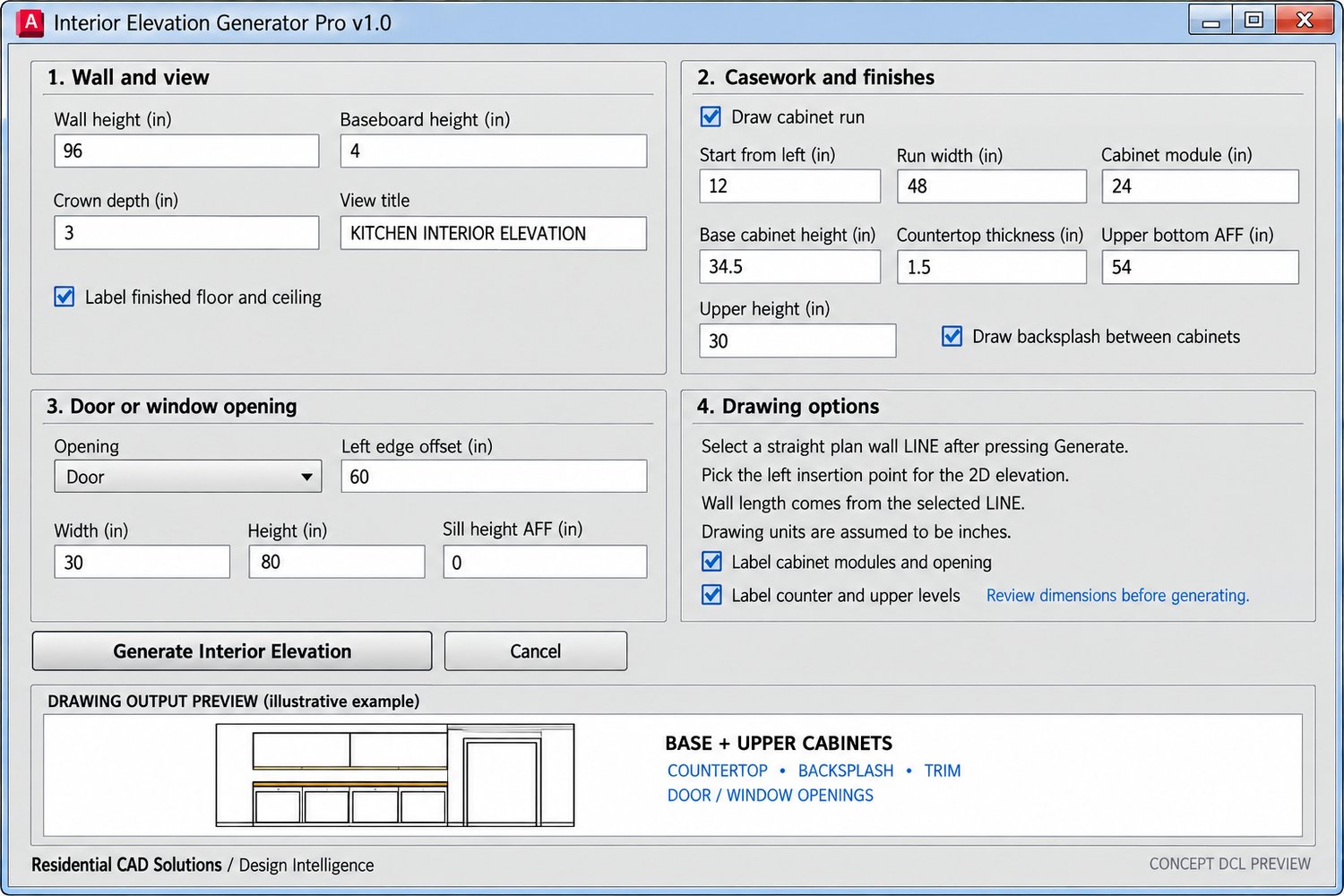
Create editable 2D interior wall elevations in AutoCAD with an AutoLISP routine and DCL control panel. Select a straight plan wall line, enter your dimensions, and place the elevation in your drawing.
Set the wall height, baseboard, crown, cabinet run, countertop, upper cabinets, and backsplash. Add one door or window opening by entering its offset and size. The routine can also label cabinet modules, openings, and finished floor and ceiling levels.
Included: AutoLISP file, DCL file, and setup instructions. Designed for AutoCAD 2002 and drawings measured in inches.
This tool creates schematic drafting linework for one wall at a time. Review all dimensions and details before using the elevation in a drawing set.