

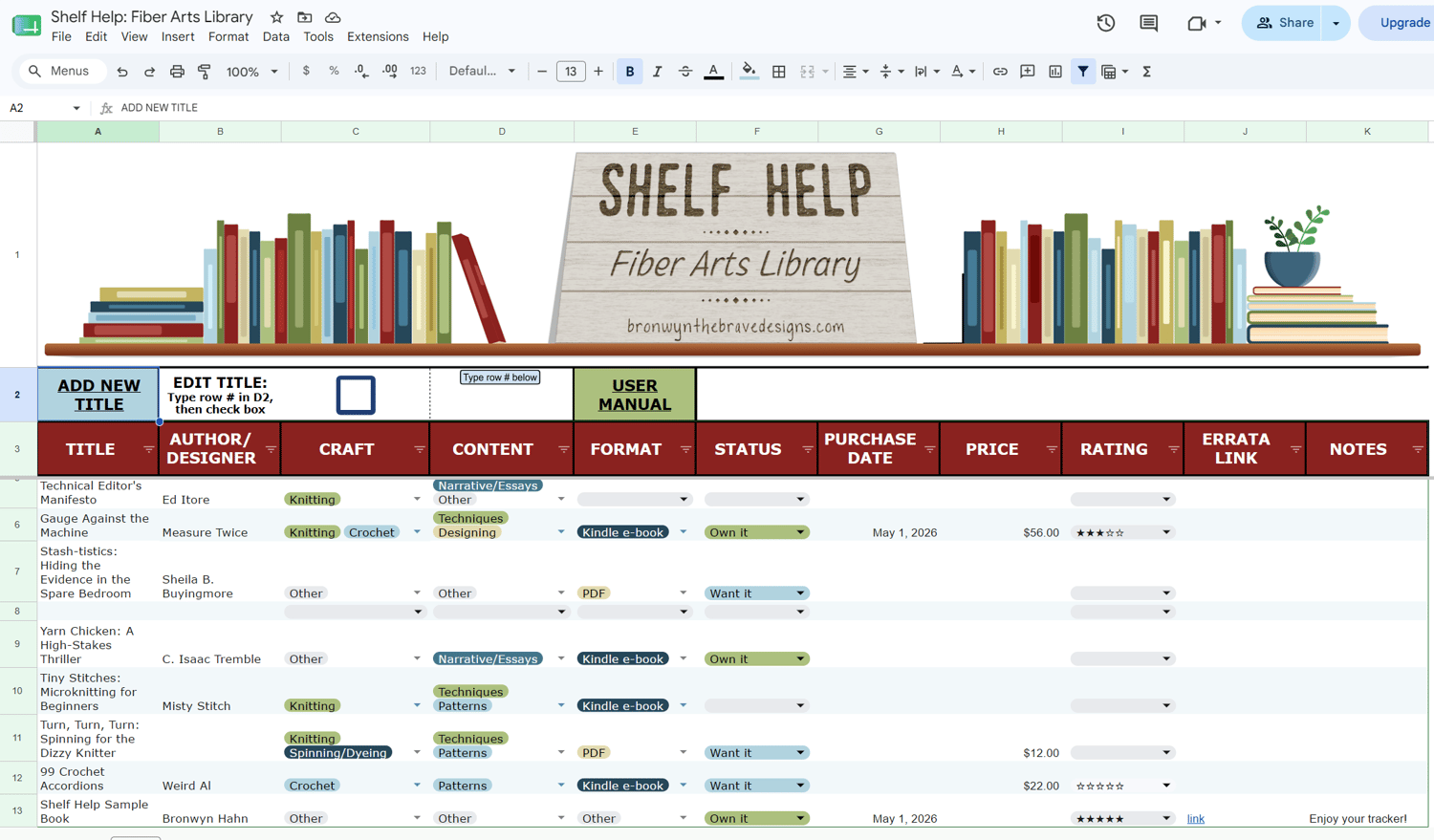
Shelf Help: Fiber Arts Library
WAIT! Have you signed up for my newsletter? You can get this tracker for 50% off! Sign up now and come back to save!
Shelf Help: Fiber Arts Library is a Google Sheets tracker designed to help you organize your fiber arts library in one place.
Physical books are easy enough to spot on your shelf, but Kindle books, downloaded PDFs, magazine purchases, and random files tucked away on your computer are often out of sight, out of mind. Shelf Help helps you round them all up so you can finally see what you own, avoid duplicate purchases, and rediscover forgotten inspirations.
Whether your craft is knitting, crochet, spinning, dyeing, weaving, embroidery, sewing, quilting, or something else entirely, Shelf Help gives you one searchable home for all your fiber arts resources.
Track:
- Physical books
- E-books & Kindle titles
- PDFs
- Magazines
- Stitch dictionaries
- Technique resources
- Pattern collections
- Workshop/class notes
- Summit bonuses
- And more
Shelf Help includes:
- Searchable, sortable library organization
- Shopping/wishlist tracking
- Filters by craft, content type, format, and status
- Mobile-friendly access
- Automated forms and tools powered by built-in Google Sheets scripts
Important Setup Information
Use the link on Page 1 of the User Manual to get started.
Shelf Help is a Google Sheets file, so you’ll need to save your own personal copy to Google Drive before using it.
You do not need a Gmail address, but you do need a Google account. You can create a free account using any email address.
The spreadsheet also contains built-in scripts that power the forms and automation features. These scripts are already included in the file and run only inside your personal copy of the spreadsheet—nothing is installed on your device.
A detailed user manual is included, and most users are up and running in just a few minutes. Prefer video instructions? I’ve also created walkthroughs for setup and everyday use.