

TT Standings v1 (Windows only!)
"TT Standings" is used to record league standings. Only leagues that do not allow ties are currently supported. Therefore, it can easily be used for Baseball and Basketball.
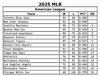
Clicking the "Create HTML Standings" button will generate an HTML files which will be loaded into your default browser.
NOTE: The standings order is based on the Win-Loss percentage.
How To Use:
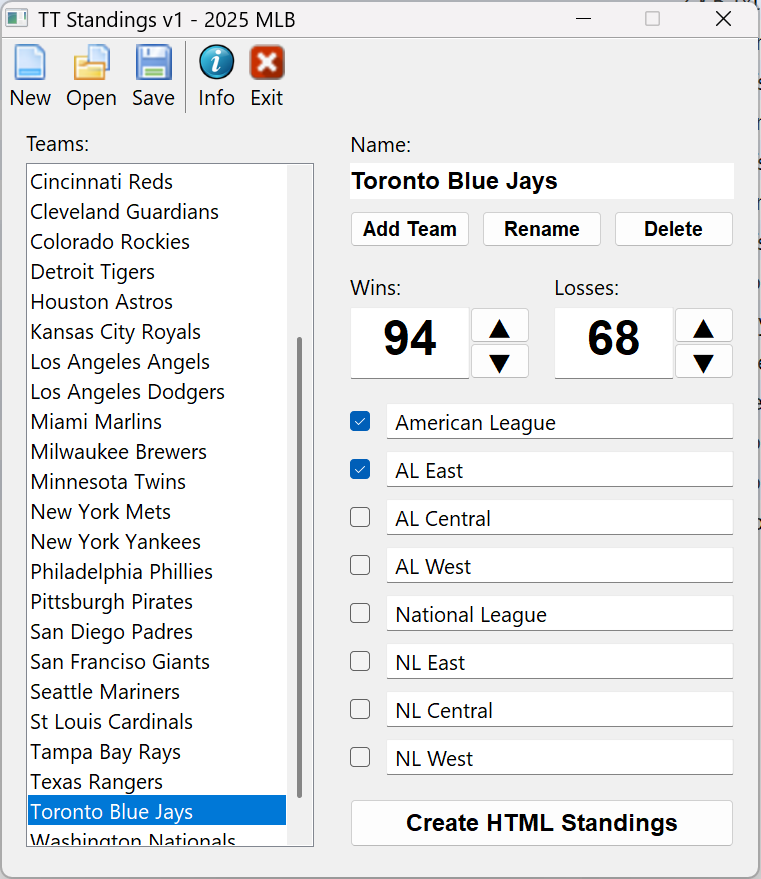
Create a Team file using the "New" icon or "Open" an existing file to update team data.
Once a file is "Open" you must "Add Team" before you can enter Wins and Losses.
You can also select a team name from the "Teams" list. Once a selection appears in the "Name:" field you can begin to edit their record. The Up or Down buttons will add one or remove one from Wins and Losses. You can also enter a number manually.
There are 8 string fields which can be used to enter league or division names. Click a checkbox to add a team to a league or division and teams can belong to more than one. See the example files to understand this usage.
NOTE: A team must always be shown in the "Name:" field before any editing can be done.
Toolbar Icons:
New - create a "New" team file to record data
Open - "Open" an existing team file for editing
Save - "Save" the currently loaded data. The data is saved upon any change but you can also use this button if you are unsure.
Info - "Info" about "TT Standings"
Exit - "Close" the program
Register - "Register" TT Standings
Versions:
v1 [2026-04-16]
* First official release!