




BRRRR Strategy Calculator | Real Estate Investing Spreadsheet (Excel & Google Sheets)
Stop guessing. Start knowing — before you ever make an offer.
The BRRRR Strategy Calculator is a professional-grade Excel spreadsheet built for real estate investors who use the Buy, Rehab, Rent, Refinance, Repeat method. Whether you're analyzing your first deal or your fiftieth, this tool walks you through every number — from purchase price and renovation budget to refinance loan size and long-term cash flow — so you know exactly where you stand before you commit a single dollar.
What Is BRRRR?
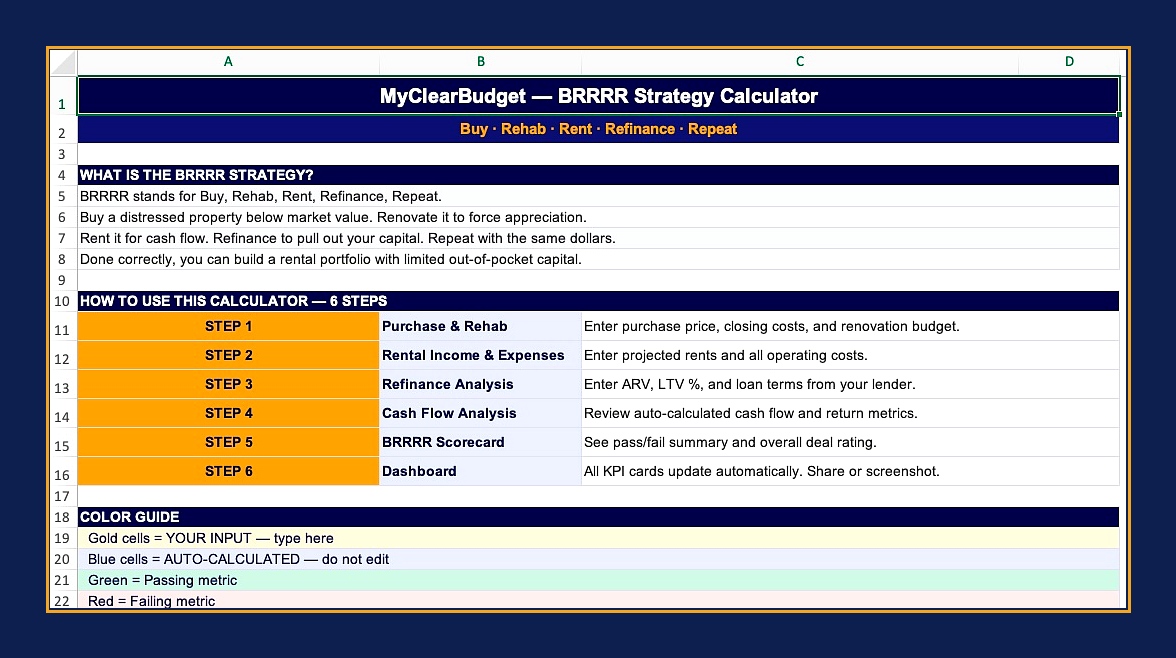
BRRRR is one of the most powerful wealth-building strategies in real estate. You buy a distressed property at a discount, renovate it to force appreciation, rent it out for cash flow, refinance to pull out most or all of your initial investment, and repeat the process. Done right, you can build a substantial rental portfolio while recycling the same dollars over and over. Done without a calculator, you're flying blind.
What's Inside — 7 Professional Tabs
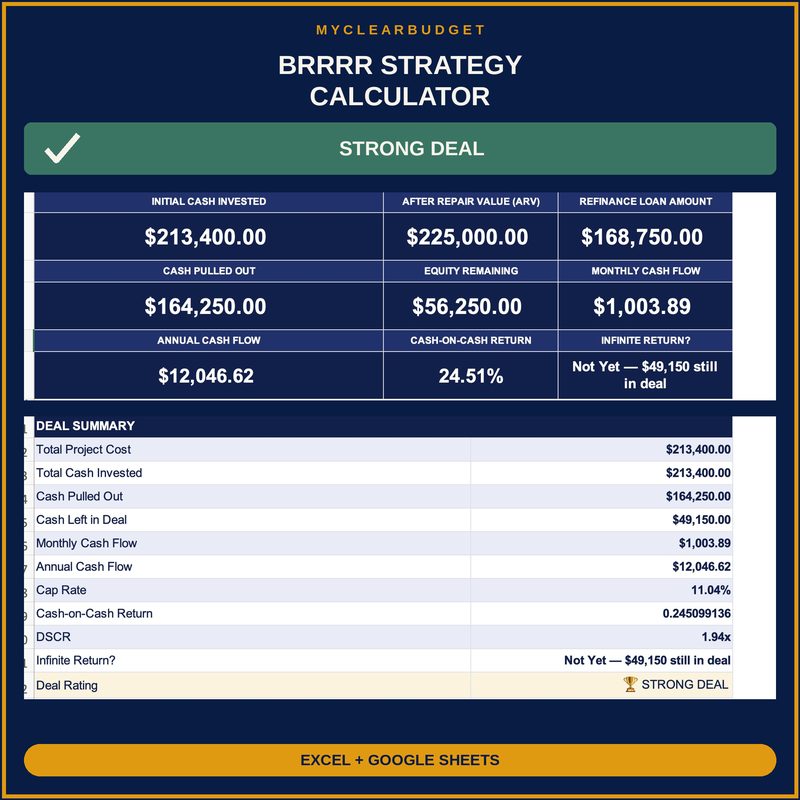
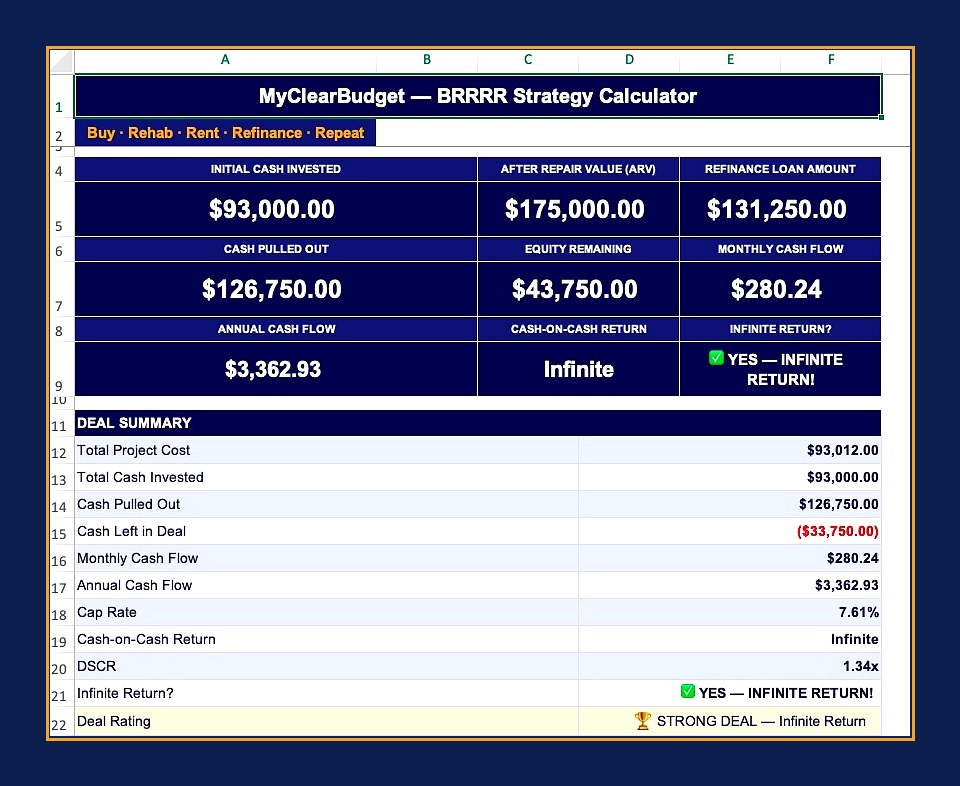
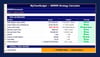
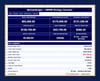
The Dashboard opens first, giving you an instant read on the entire deal: Initial Cash Invested, After Repair Value, Refinance Loan Amount, Cash Pulled Out, Equity Remaining, Monthly Cash Flow, Annual Cash Flow, Cash-on-Cash Return, and whether you achieved Infinite Return. A capital flow bar chart visualizes your numbers at a glance.
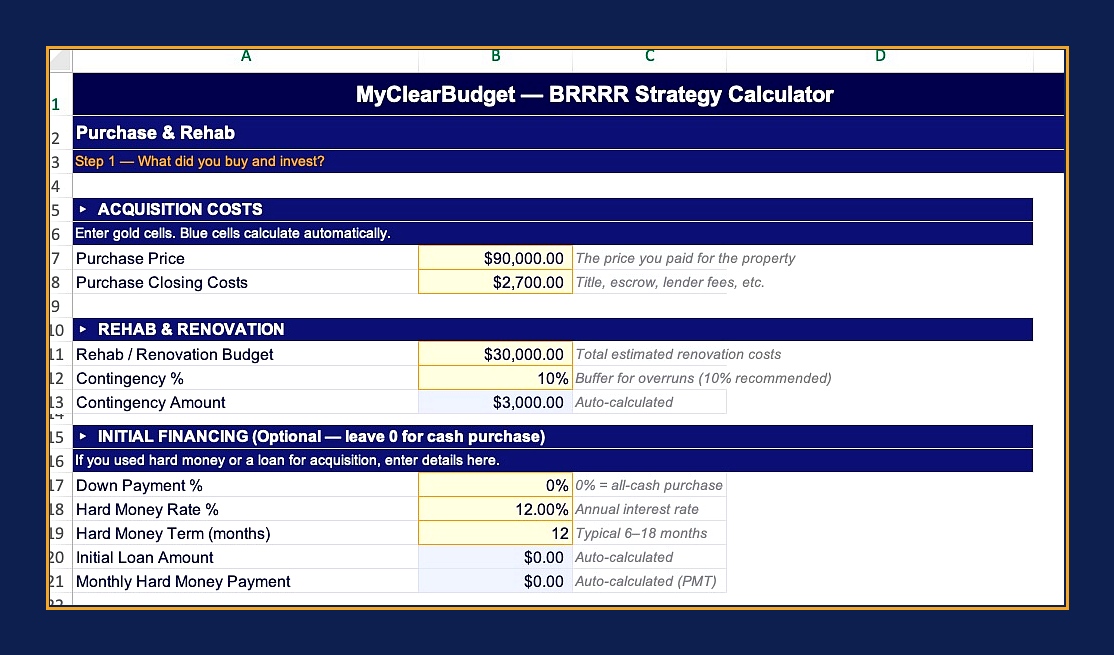
The Purchase and Rehab tab captures every acquisition cost — purchase price, closing costs, renovation budget, and a built-in contingency calculator so you don't get caught by surprise. Optional hard money financing fields calculate your monthly payment automatically using a PMT formula.
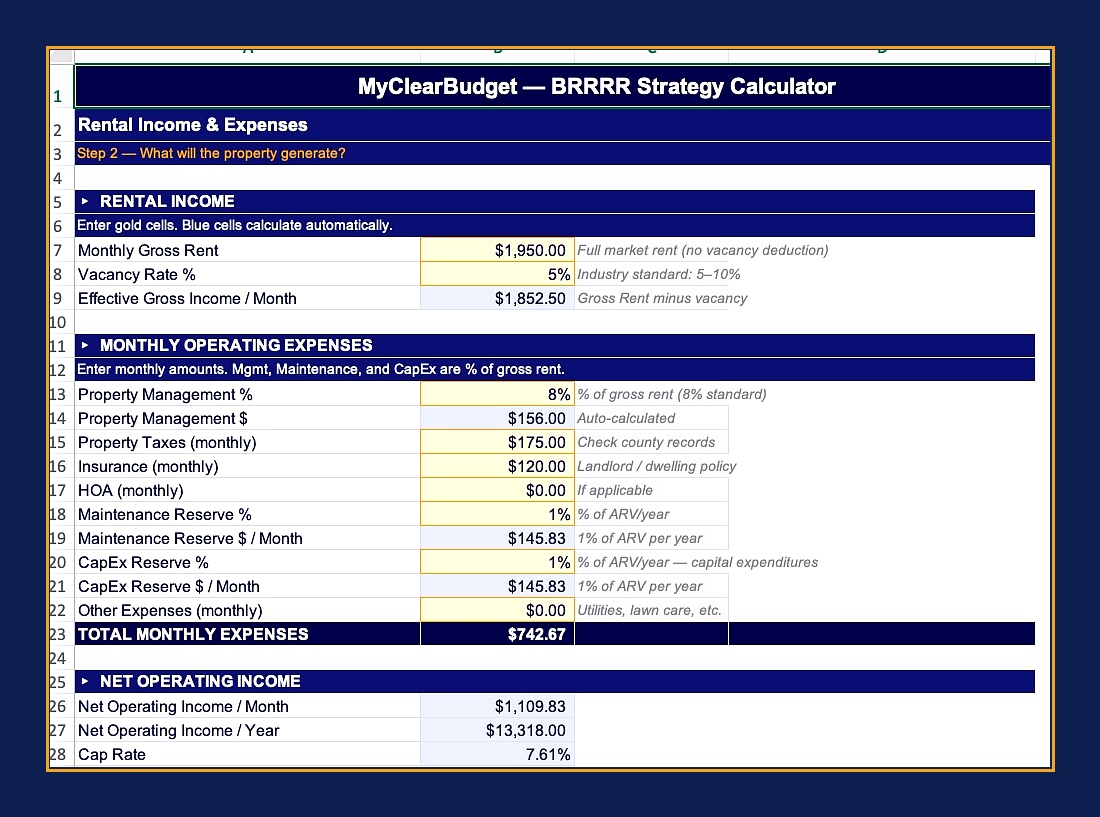
The Rental Income and Expenses tab handles your full income picture — gross rent, vacancy rate, and an itemized expense breakdown covering property management, taxes, insurance, HOA, maintenance reserves, and CapEx reserves. Net Operating Income and Cap Rate calculate automatically.
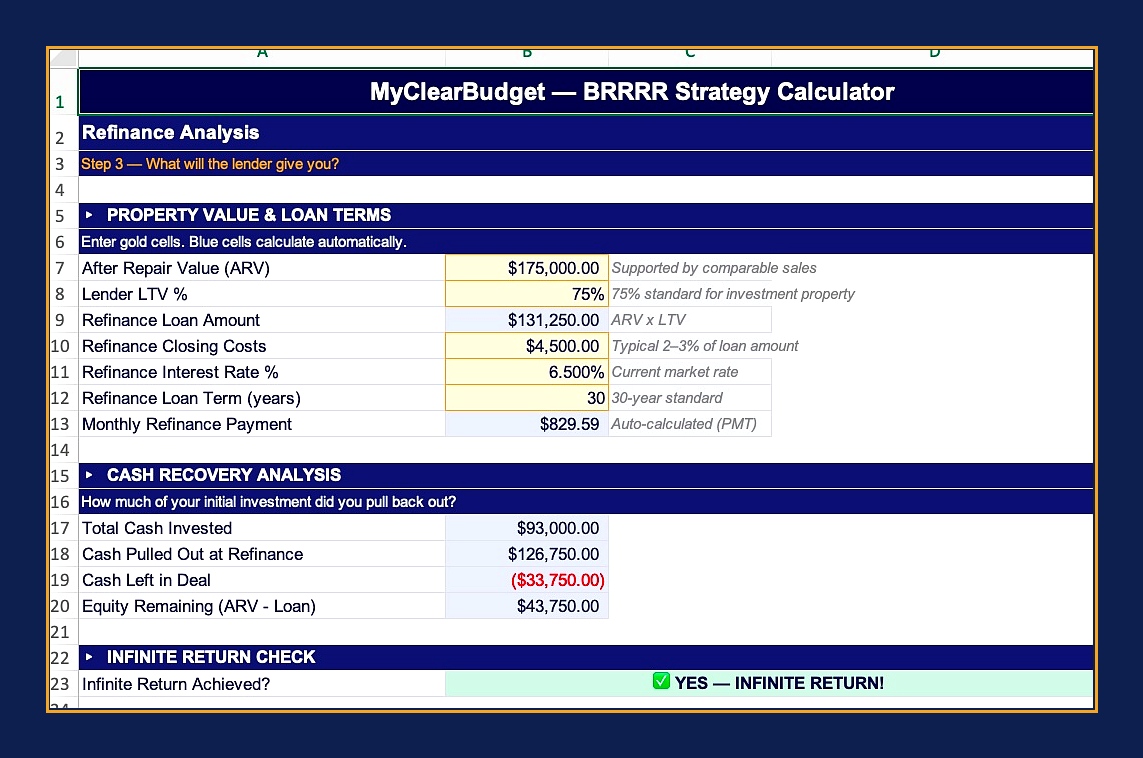
The Refinance Analysis tab is where the strategy comes to life. Enter your ARV, lender LTV, interest rate, and loan term. The calculator shows your refinance loan amount, monthly payment, total cash invested, cash pulled out, cash left in the deal, and equity remaining. If you pulled out all your money, it tells you: YES — Infinite Return.
The Cash Flow Analysis tab pulls everything together post-refinance: rental income minus the new mortgage payment minus operating expenses gives you monthly and annual cash flow. Cash-on-Cash Return and Debt Service Coverage Ratio (DSCR) are calculated automatically so you can check lender requirements instantly.
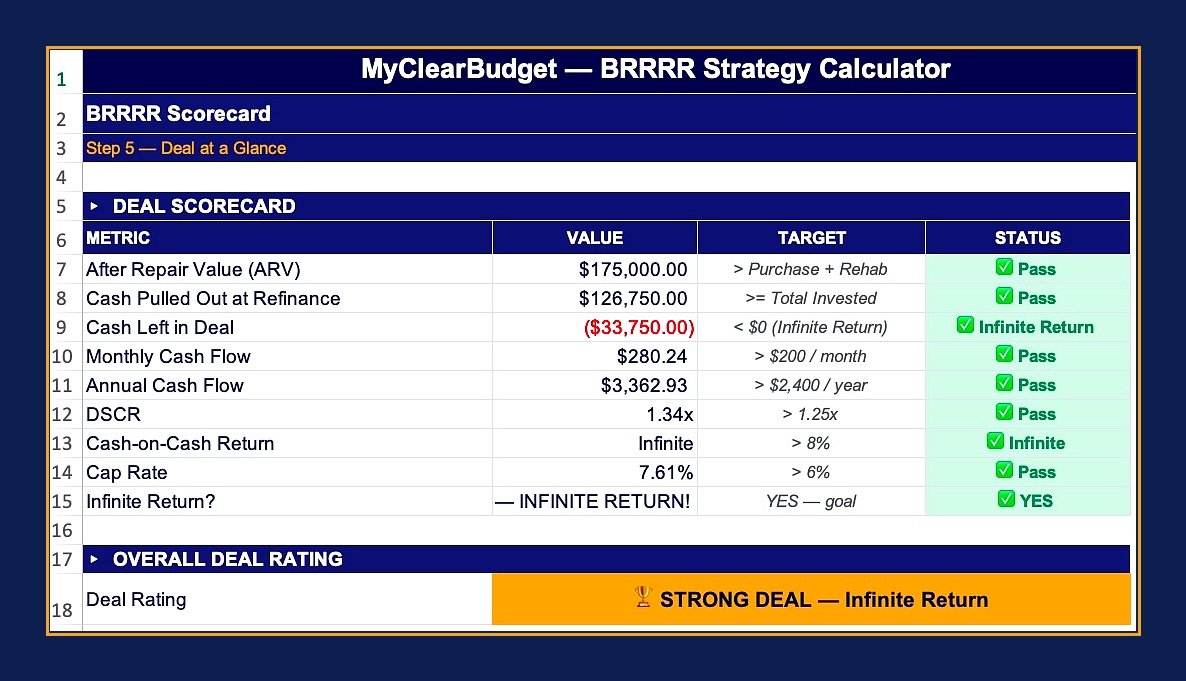
The BRRRR Scorecard summarizes every key metric in one pass/fail table — ARV vs. purchase plus rehab, cash pulled out vs. total invested, monthly cash flow target, DSCR, Cash-on-Cash Return, Cap Rate, and Infinite Return status. An overall Deal Rating (STRONG / GOOD / MARGINAL / PASS) tells you at a glance whether this deal is worth pursuing.
The Getting Started tab explains the BRRRR method, walks through each tab, and includes tips from experienced investors — buy at 70% of ARV, stress-test vacancy at 10%, always budget a contingency.
Sample data is pre-filled so the calculator is working the moment you open it. Just replace the numbers with your own deal.
What You Get
- Microsoft Excel file (.xlsx) — works on Mac and PC
- Compatible with Excel 2016 and later, Microsoft 365
- Instant digital download
- No subscription, no login, no cloud required
- Yours to keep and reuse on every deal
Perfect For
Real estate investors, house hackers, rental property owners, real estate wholesalers sourcing deals for buyers, agent