
grade_calculator.py
On Sale
$0.00
File Name: grade_calculator.py
Purpose: This Python script is designed to calculate and display grades for students based on their test scores. It collects input data from the user, processes the data to determine the grade category for each student, and then outputs the results in a readable format.
Features:
- Grade Calculation: The script uses a function to determine the grade category based on the score provided. The grade categories are "Distinguished", "Merit", "Passing", and "Failing".
- Input Validation: It ensures that the test scores entered are within a valid range (0 to 100). If a score is out of range, the user is prompted to enter a valid score.
- Data Collection: It collects the names and scores of multiple students and stores the data along with their calculated grades.
- Results Display: After processing all input data, it prints out the results for each student, including their name, score, and grade.
Code Overview:
- calculate_grade(score) Function:
- Takes a numeric score as input and returns the corresponding grade category based on predefined thresholds.
- Handles invalid score ranges by returning an error message.
- main() Function:
- Prompts the user to enter the number of students.
- Collects each student's name and score, validating the score to ensure it's within the 0-100 range.
- Calculates the grade for each student using the calculate_grade function.
- Stores and prints the results, showing each student's name, score, and assigned grade.
Usage:
- Run the script in a Python environment.
- Follow the prompts to input the number of students, their names, and their test scores.
- The script will validate scores, calculate grades, and display the results.
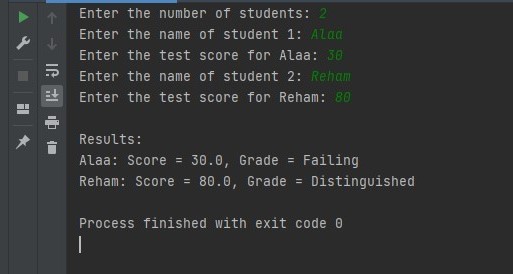
Example Output:
Enter the number of students: 2
Enter the name of student 1: Alaa
Enter the test score for Alaa: 30
Enter the name of student 2: Reham
Enter the test score for Reham: 90
Results:
Alaa: Score = 30.0, Grade = Failing
Reham: Score = 90.0, Grade = Distinguished