


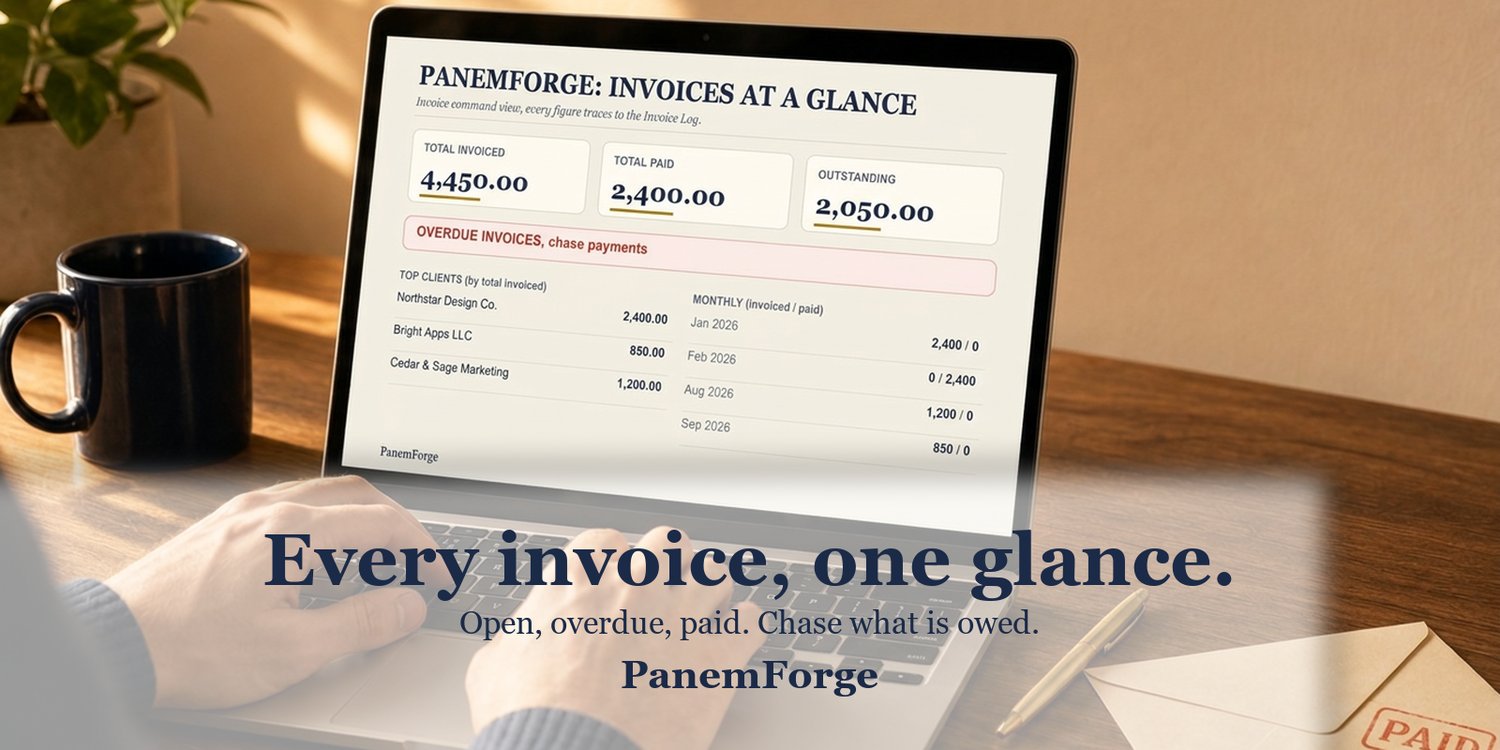




Invoice Tracker (Freelancer Edition)
Know who owes you what without opening a spreadsheet tab you didn't ask for.
This one-file invoice tracker flags overdue payments when they become overdue, totals what each client owes you, and turns your invoices into a dashboard.
One Excel file that also works in Google Sheets. No subscriptions, no accounts, no logins. Everything runs on your own computer and in your own file. It pairs with the PanemForge Bookkeeping Starter Kit: the tracker shows who owes you money; the kit records payments when they come in.
WHAT YOU GET (1 file, 6 tabs):
- Invoice Log: Add one row for each invoice, including the invoice number, client, amount, and due date. The Status column calculates automatically: OPEN, PAID, or OVERDUE. It also counts the days overdue. Don't type over a formula. Just add new rows.
- Client Directory: Keep your client list here. See live totals for each client, including total invoiced, total paid, outstanding balance, and open and overdue invoice counts.
- Dashboard: See Invoices at a Glance, including total invoiced, total paid, outstanding balance, overdue amount, a payment follow-up flag, top clients, and the monthly picture. Light and dark versions are included. Pick the one you prefer.
- Monthly Summary: Compare invoiced and paid amounts by month. A running outstanding balance helps you see when a lean month may be coming.
HOW IT WORKS (3 steps):
- Add your clients.
- Log each invoice when you send it.
- Check the Dashboard when you want to know where your money is. That's the whole system.
WHY IT'S DIFFERENT: Invoicing apps charge a monthly subscription for information a spreadsheet already has. This file has no fees, no accounts, and no vendor looking at your client list. The OVERDUE flag works the same on day one and day one thousand.
WHO IT'S FOR: Freelancers, contractors, and solo service providers who send invoices and want to see payment status at a glance.
Not for: Companies that need formal accounts receivable departments, or anyone who wants software to email invoices automatically. This file tracks invoices; it doesn't send them.
REQUIREMENTS: Excel (2016 or later) or free Google Sheets. The file is a macro-free .xlsx, safe to open. Formulas, dropdowns, and formatting carry over to Google Sheets.
SALES POLICY: All sales are final. Digital files can't be returned. If a file won't open or is damaged, reply to your purchase email, and we'll send a fixed or replacement file, free.
FAQ
Q: Is this the same as the Bookkeeping Starter Kit?
A: No. They work together. The kit handles your books, including categorizing, ledgers, and weekly reports. This tracker handles your invoices: what you sent, what was paid, and what's overdue. Buy either one by itself, or buy all three finance tools together in the Complete Bundle.
Q: Does it send invoices for me?
A: No, and that's deliberate. You still send invoices through your email, where you control the process. This file tracks what you've sent, what's been paid, and what needs a follow-up.
Q: Can I use my own invoice numbering?
A: Yes. The Invoice Log doesn't require a certain invoice number format. Type in your own numbers as you go. The samples are marked SAMPLE. Replace them with your own.
Q: What happens at year-end?
A: Keep logging. The Dashboard and Monthly Summary keep rolling. When a year closes, start a fresh copy for the new year. Keep the old one as your record.
Q: Excel or Google Sheets?
A: Both work. The file is a macro-free .xlsx. Formulas and formatting carry over to Google Sheets.
Q: What if it doesn't work for me?
A: Digital files can't be returned, so all sales are final. If a file won't open, is damaged, or isn't what the page promised, reply to your purchase email. We'll send a fixed or replacement file for free, with no forms.
See the tools in action: Watch short commercials on YouTube (youtube.com/@PanemForge) and daily pins on Pinterest (pinterest.com/panemforge).