


Household Bill & Due-Date Tracker: Bills by Paycheck, Due Dates & Sinking Funds (Excel + Google Sheets)
List your bills once, and see what's due next, which paycheck pays it, and what to set aside for the yearly ones.
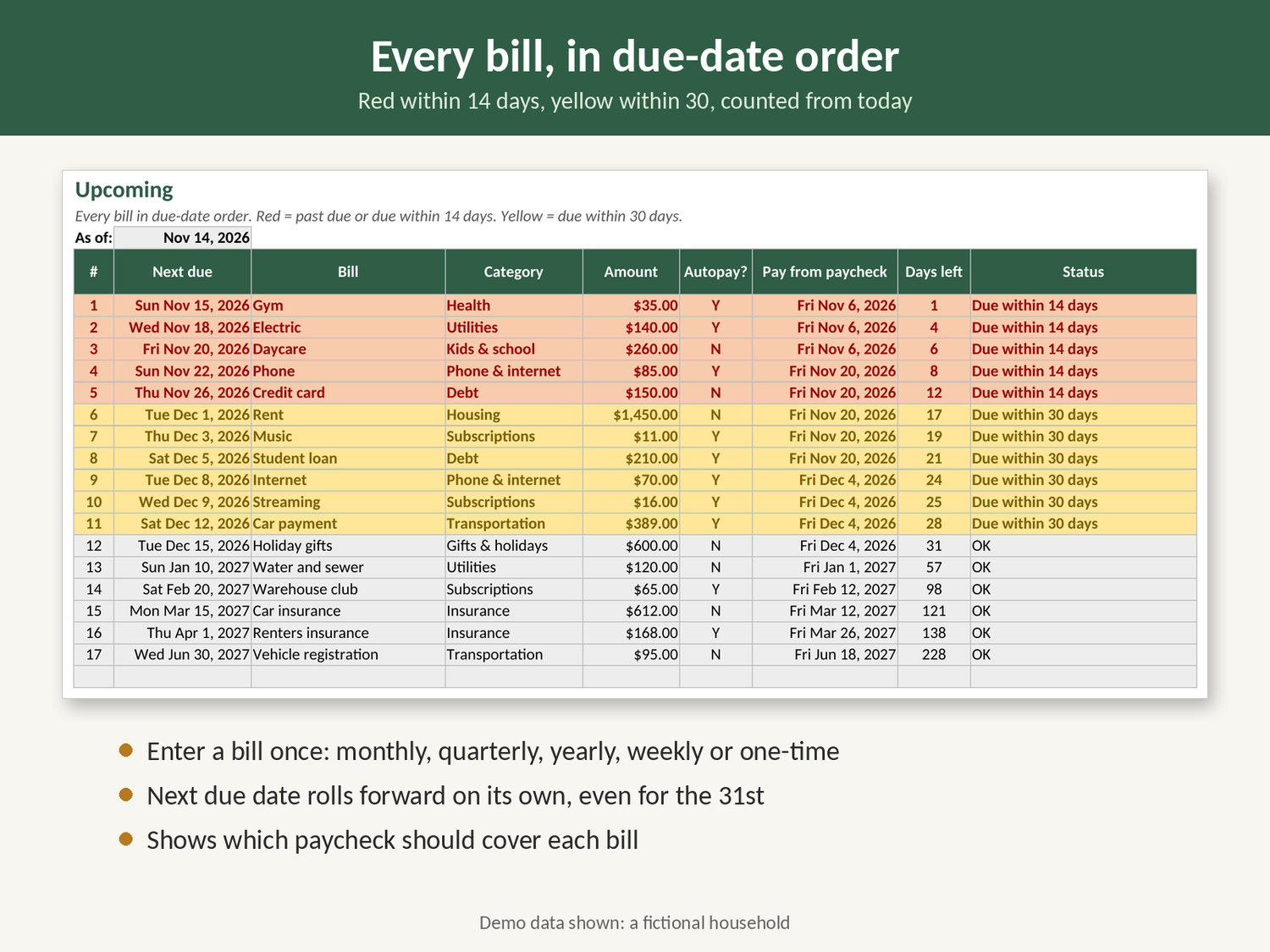
Most late fees happen because a due date sneaks up, not because there's no money. This spreadsheet puts every bill in one place: monthly, quarterly, twice-a-year, yearly, weekly or one-time. It shows what's coming in date order and tells you which paycheck should cover each bill.
It comes filled with made-up demo bills for a fictional household so you can see how everything works before typing your own.
What's in each tab:
- Bills: up to 40 bills with amount, how often they come, category and autopay. Enter any one due date and it rolls forward to the next one on its own.
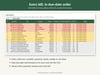
- Upcoming: every bill sorted by next due date, with days left. Red within 14 days, yellow within 30.
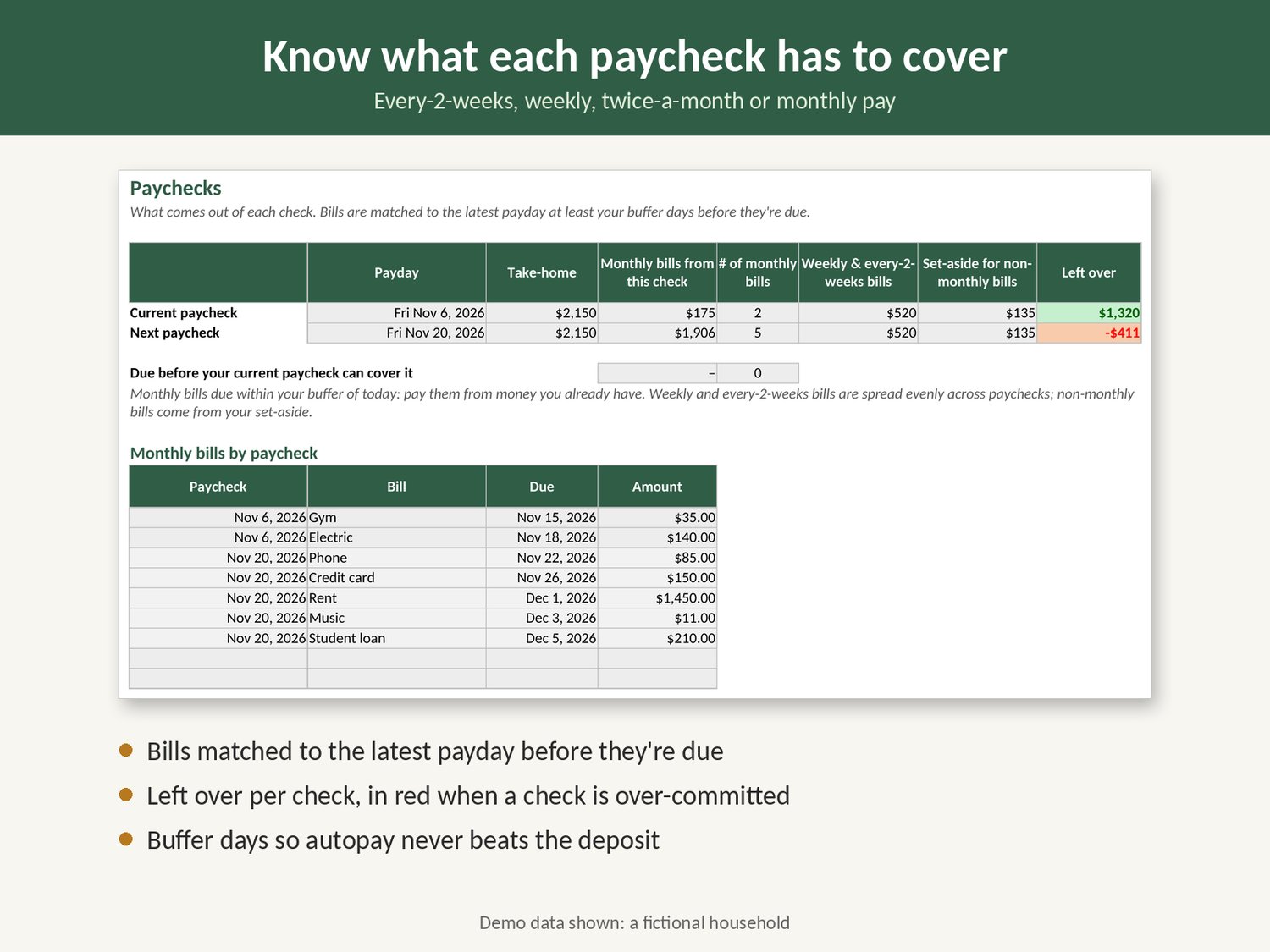
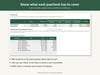
- Paychecks: your current and next paycheck, with the monthly bills each one covers, your weekly bills, your set-aside and what's left over. A check that can't cover its bills turns red.
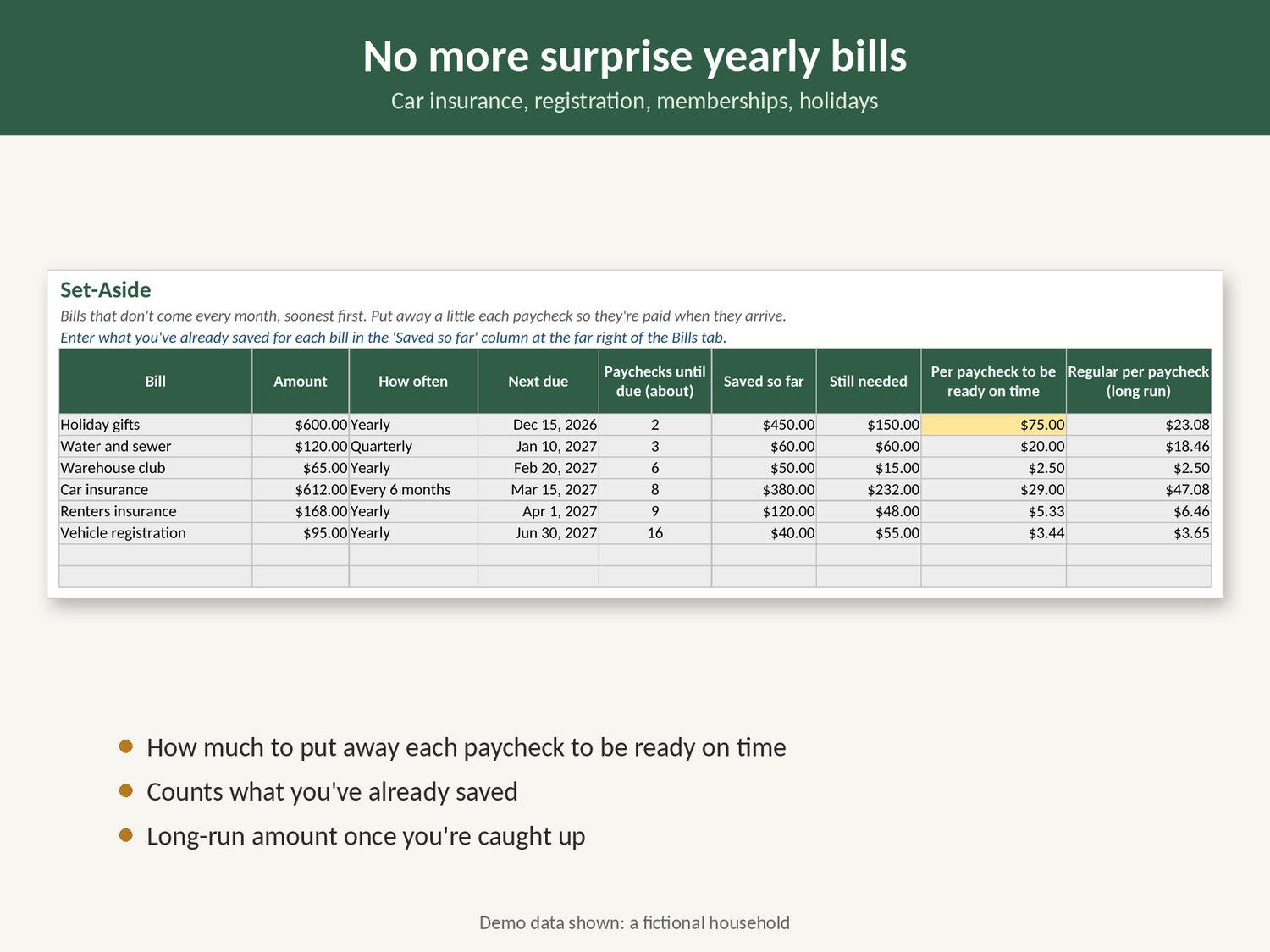
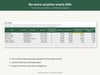
- Set-Aside: quarterly, twice-a-year and yearly bills (car insurance, registration, memberships, holidays) with how much to put away per paycheck to be ready on time, counting what you've already saved.
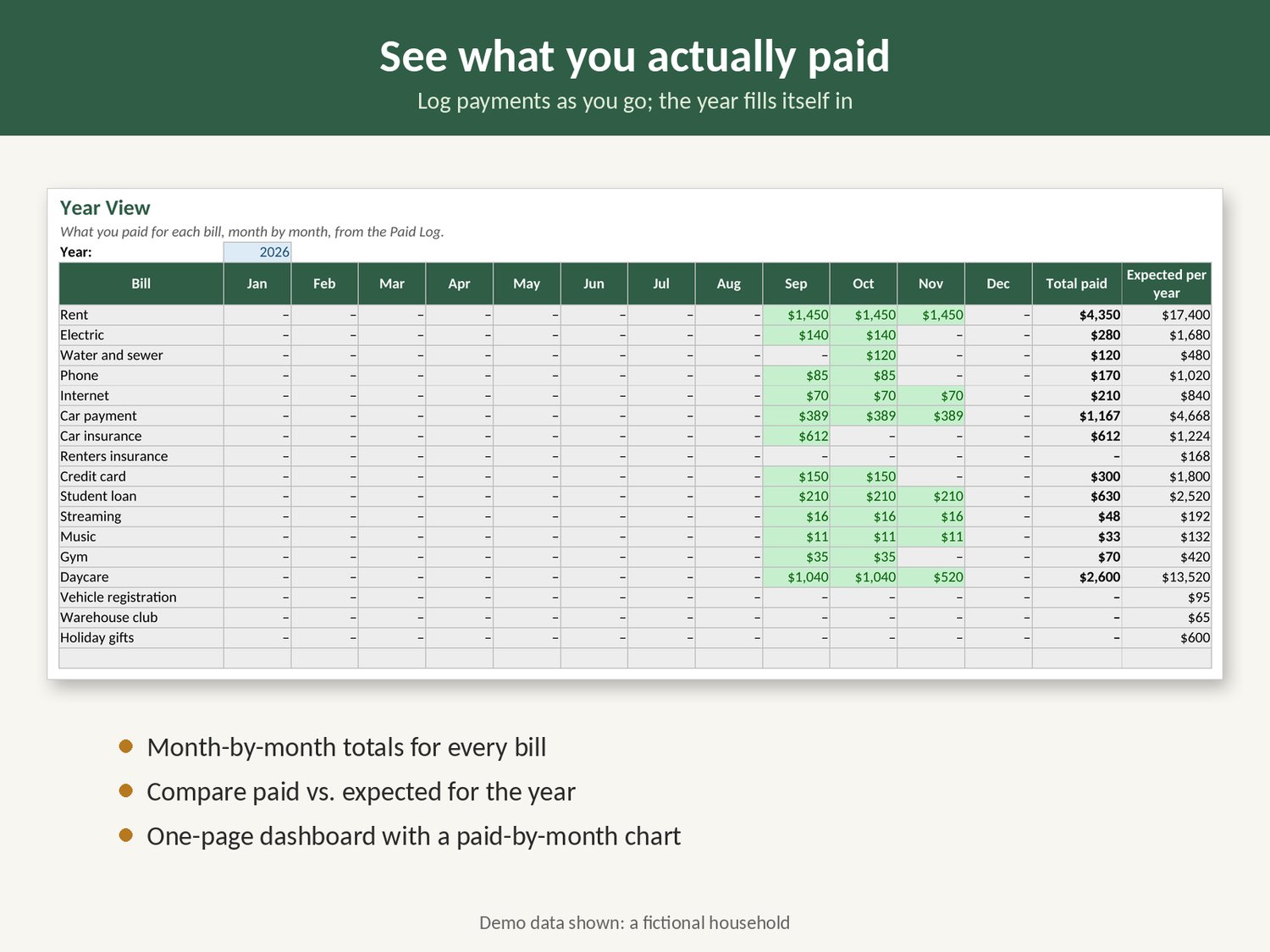
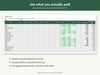
- Paid Log + Year View: log payments as you make them and see what you paid for each bill, month by month, against what you expected for the year.
- Dashboard: due in the next 14 and 30 days, average bills per month, set-aside per paycheck, left over this paycheck, the next 6 bills, cost by category and a paid-by-month chart.
It works with every-2-weeks, weekly, twice-a-month (1st and 15th) or monthly pay. It runs in Excel or Google Sheets with no macros, no bank login and no account. Your numbers stay in your own file.
One honest note: Google Sheets drops the cell protection when you import the file, so take care not to type over the gray formula cells.
This is a planning tool, not financial advice.