
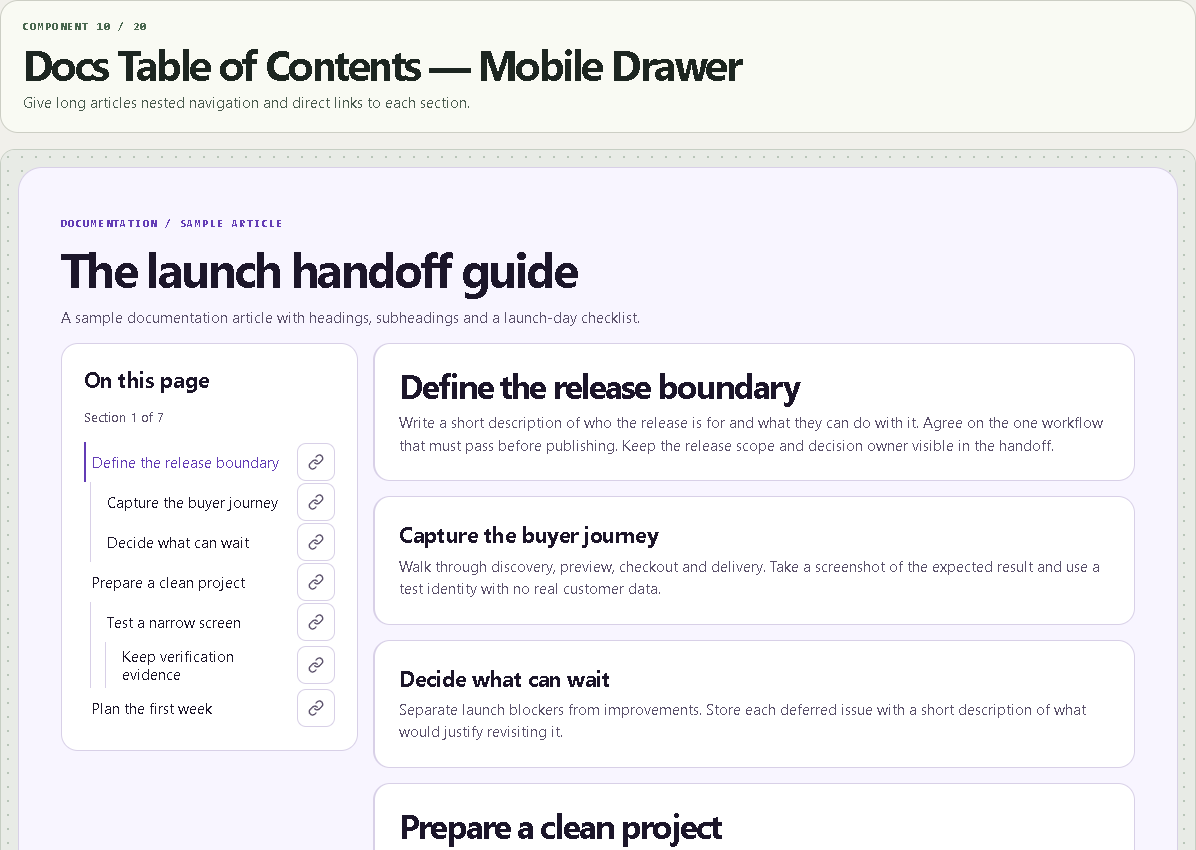
Docs Table of Contents — Mobile Drawer
Give long articles nested navigation and direct links to each section.
WHAT IT DOES
- Live nested heading discovery within a selectable content scope
- Active section marker, per-section copy links and reduced-motion support
- Native mobile drawer with focus restoration and configurable sticky and scroll offsets
WHAT YOU CAN CUSTOMIZE
- Example or page scope, heading levels and generated anchor prefix
- Sticky mode, offsets and drawer width
- Menu label, copy action and motion
- Font, spacing, corners and color palette
HOW TO SET IT UP
1. Try an included sample article. For your own page, switch to Page scope and set a selector matching the rendered article, such as article or #article-content.
2. Use real heading elements in your rich text. Check the rendered HTML on a published Framer page, and set a unique selector if multiple articles render.
3. Set the drawer breakpoint for the viewport in page mode. Set the scroll offset to clear a fixed site header.
REQUIREMENTS AND LIMITS
- Looks for headings in the first visible matching element. No direct CMS API connection. Verify your template outputs semantic headings and exposes the target to the component.
- Uses the document scroll position. Sticky behavior depends on ancestor overflow and layout. Give sections authored IDs when external links must survive heading edits.
WHAT'S INCLUDED
- Paste-to-install Framer Component URL
- Standalone Framer code component (.tsx)
- Quick-start instructions and the two example preset configurations
Need help? Reply through your order receipt with the product name and describe what happened.